



ترقية القيمة 9.2 /10 · Excellent
A fresh cockpit improves the part of the interior you interact with every journey, while adding practical phone and map access.
Read the upgrade buying guide →| الوزن | 4.5 كيلوجرام |
|---|---|
| الأبعاد | 42 × 28 × 42 سنتيميتر |
| سنوات الدعم |




$660.00 السعر الأصلي هو: $660.00.$425.00السعر الحالي هو: $425.00.

نحن نتولى دفع ضريبة القيمة المضافة ورسوم الاستيراد السارية على الطلبات المؤهلة من دول الاتحاد الأوروبي والولايات المتحدة الأمريكية. التوفير التقديري: $120-$280 .
تكلفة الشحن تُدفع بشكل منفصل. يتم حساب تكلفة الشحن الدقيقة وفقًا للوجهة، وتظهر في سلة التسوق الخاصة بك قبل إتمام عملية الدفع.
يتم تأكيد الشحن النهائي من عنوان التسليم الخاص بك عند إتمام الدفع.
يتحقق iKAGOO من التوافق ويوفر حماية توافق محددة، وضمانًا للأجهزة لمدة سنة واحدة، ودعمًا للبرمجيات لمدة 3 سنوات، ودعمًا لقطع الغيار لمدة 5 سنوات للمنتجات المؤهلة.
 حماية التوافق لمدة 7 أيام
الحماية من أخطاء التوافق
إذا كانت موافقتنا الكتابية على التوافق خاطئة ولم ينجح أي حل، ينطبق استرداد مؤهل لسعر الجهاز.
→
حماية التوافق لمدة 7 أيام
الحماية من أخطاء التوافق
إذا كانت موافقتنا الكتابية على التوافق خاطئة ولم ينجح أي حل، ينطبق استرداد مؤهل لسعر الجهاز.
→
 12-Month ضمان الأجهزة
يغطي iKAGOO عيوب التصنيع المؤهلة لمدة 12 شهرًا من التسليم.
→
برمجيات 3 سنوات · قطع غيار 5 سنوات
يوفر iKAGOO دعمًا برمجيًا عن بُعد مجانًا ومسار دعم لقطع الغيار والترقيات للمنتجات المؤهلة.
→
</القسم
12-Month ضمان الأجهزة
يغطي iKAGOO عيوب التصنيع المؤهلة لمدة 12 شهرًا من التسليم.
→
برمجيات 3 سنوات · قطع غيار 5 سنوات
يوفر iKAGOO دعمًا برمجيًا عن بُعد مجانًا ومسار دعم لقطع الغيار والترقيات للمنتجات المؤهلة.
→
</القسم هدفنا هو تجهيز طلبك بشكل صحيح قبل أن يغادرنا. نتحقق من التوافق، ونجهز الإعداد الصحيح، ونتواصل معك فقط إذا كان هناك ما يحتاج إلى تأكيد.
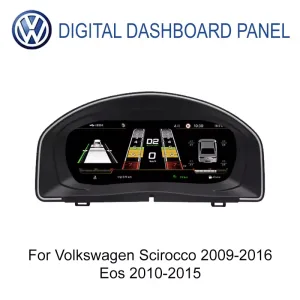
استبدل شاشة العدادات القديمة بعدادات رقمية حديثة، وCarPlay مدمج، والملاحة، ومعلومات مركبة فولكس فاجن الأصلية المدعومة — كل ذلك في مجال رؤية السائق.
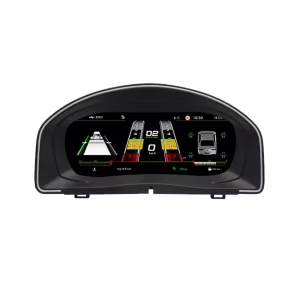
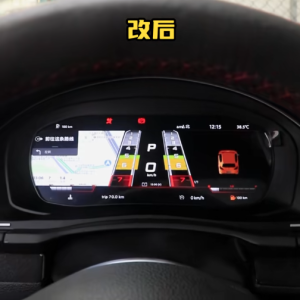
تغيّر VW Scirocco Eos Digital Cluster الشاشة التي تستخدمها كل يوم مع الحفاظ على وضعية القيادة المألوفة. فهي تجمع معلومات المركبة وإرشادات المسار وCarPlay المدمج معًا بدلًا من إضافة جهاز لوحي منفصل على لوحة القيادة.
اختر مظهر عدادات حديثًا دون تغيير تصميم قمرة القيادة الموجّه للسائق.
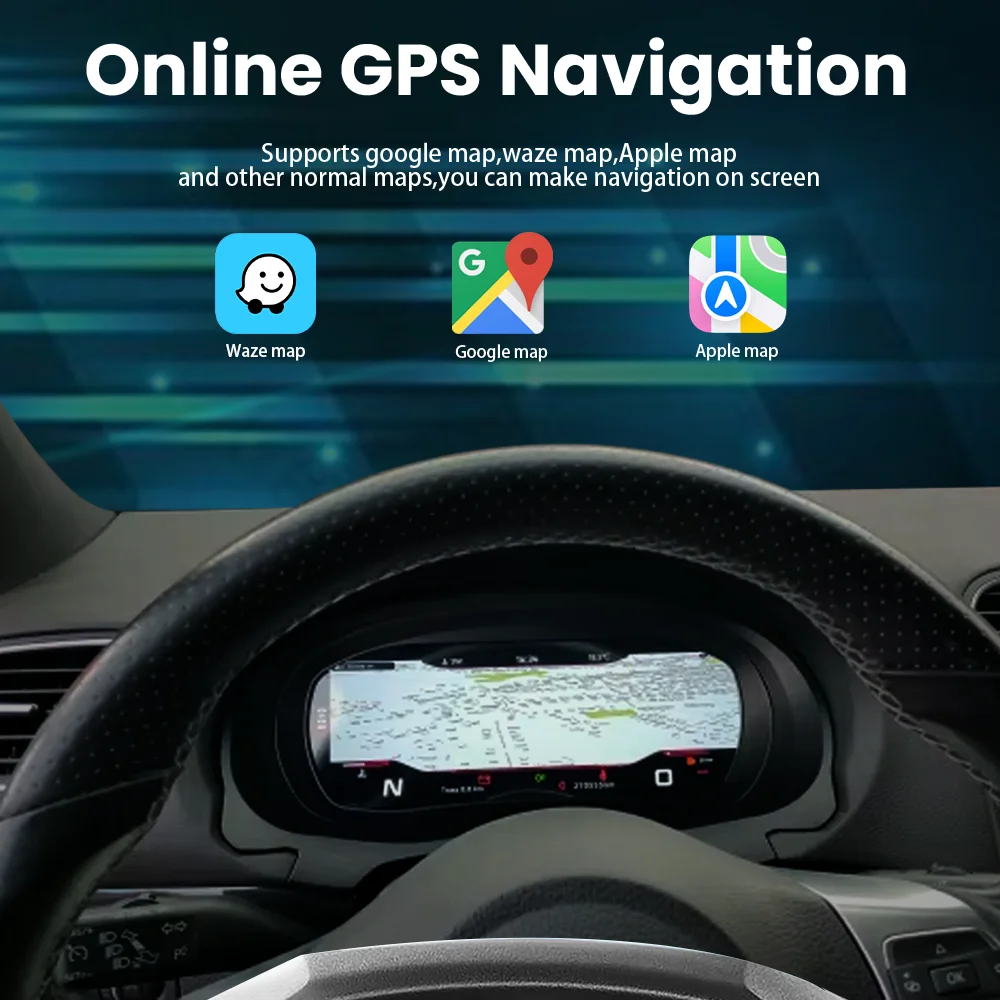
اتبع معلومات المسار المدعومة دون النظر باستمرار عبر المقصورة.
يضيف CarPlay المدمج قيمة يومية تتجاوز مظهر العدادات الرقمية وحده.
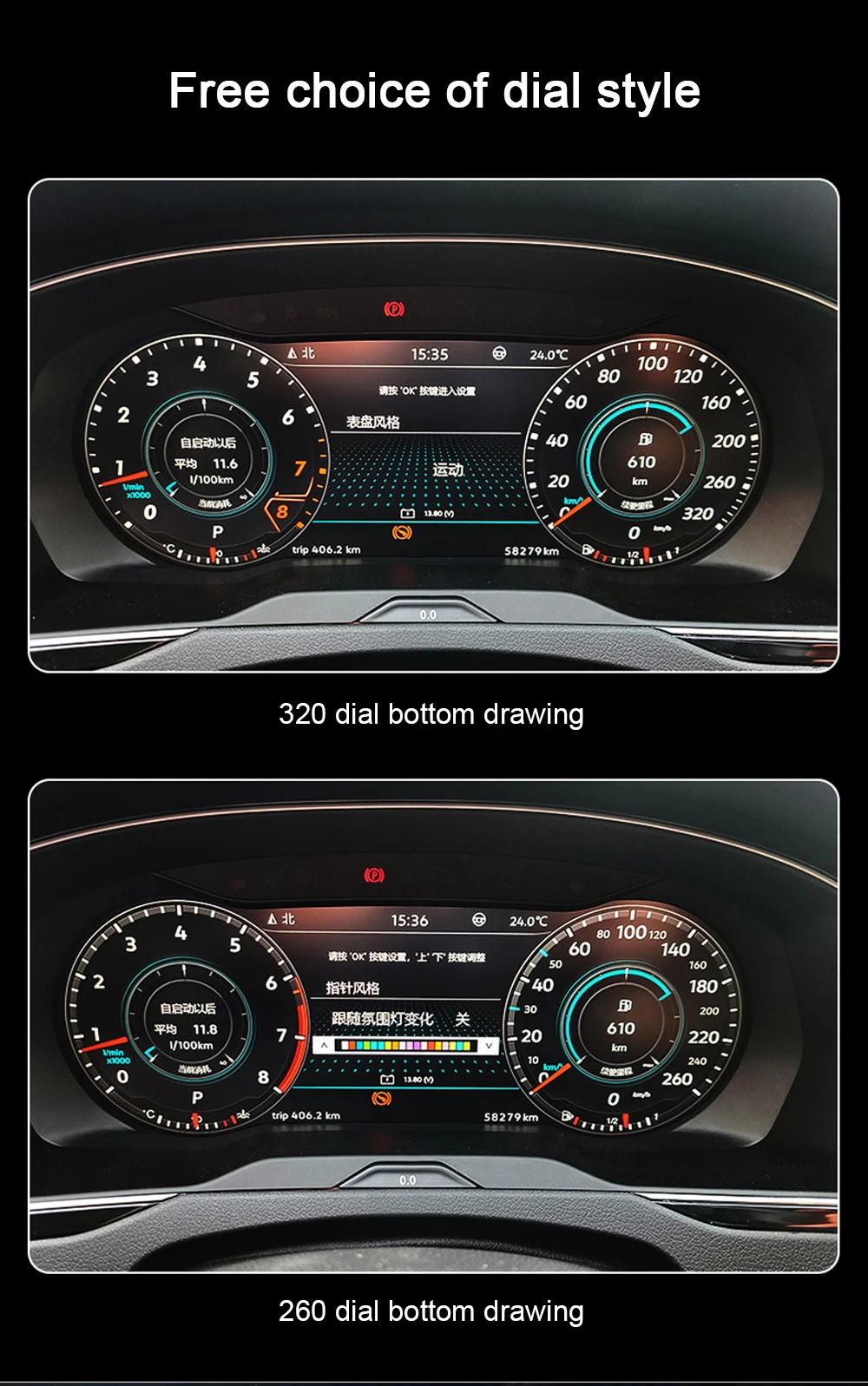
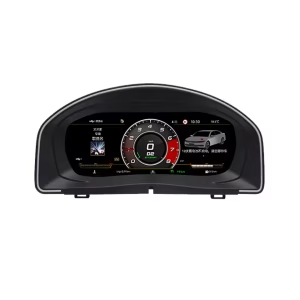
تستبدل سمات الاتصال الرقمية المتعددة العرض التناظري القديم بشاشة LCD مقاس 10.25 بوصة. تظل منطقة العدادات مركز معلومات القيادة الخاصة بك، مع هيكل مخصص للسيارة بدلاً من شاشة إضافية عامة.
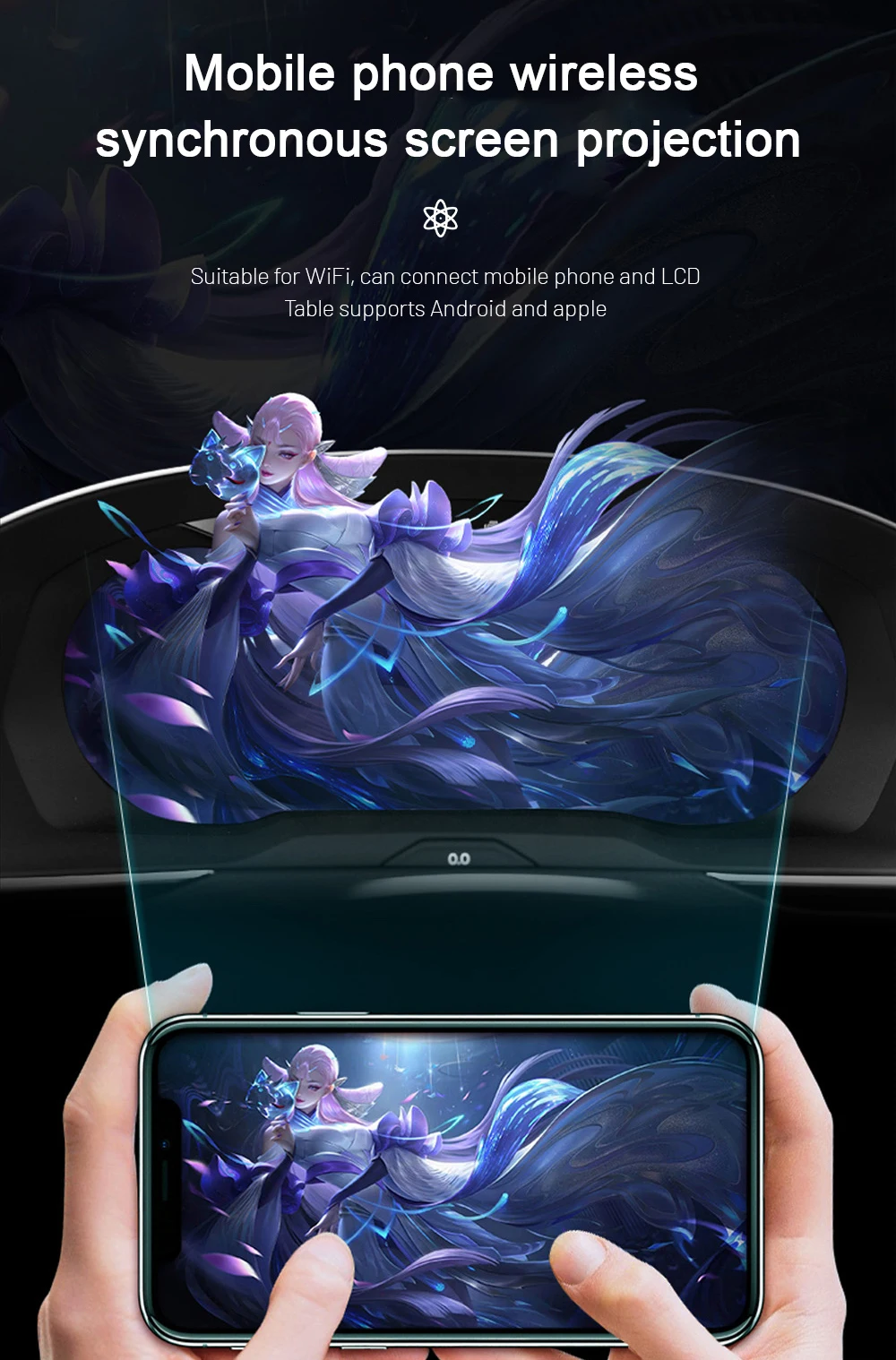
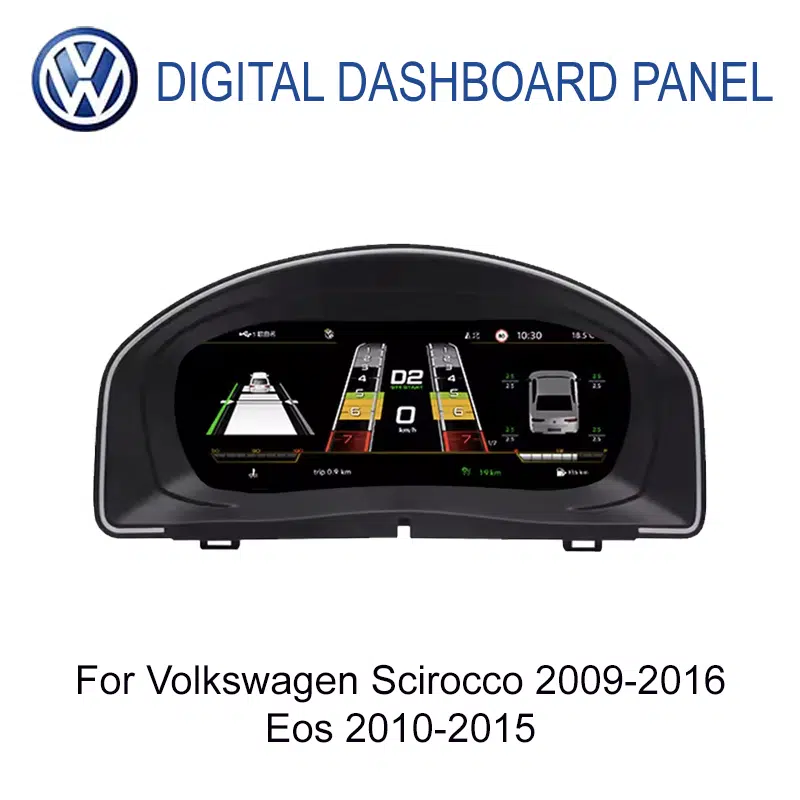
نعم. يظهر محتوى الملاحة المدعوم أمام السائق، مما يقرّب معلومات المسار من خط رؤيتك المعتاد.
نعم. يتضمن إصدار المنتج الحالي هذا CarPlay. لا ينبغي افتراض نوع الاتصال اللاسلكي وAndroid Auto دون تأكيد التكوين المورَّد.
نطاقات الطرازات المدعومة هي VW Scirocco Mk3 / Scirocco III / Type 13، 2009–2016، وVW Eos / Type 1F، 2010–2015، على مسار التعديل PQ35. تحدد لوحة القيادة الأصلية ومجموعة العدادات وأدوات التحكم الإصدار المورَّد الصحيح.
القيادة من الجانب الأيمن: لا يُضمن توفر مجموعة عدادات مستقلة للقيادة من الجانب الأيمن. لتطبيقات القيادة من الجانب الأيمن، أكّد وحدة الرأس Android المتوافقة ومجموعة العدادات من خلال مراجعة توافق السيارة iKAGOO.
يحافظ المطابقة والتركيب الصحيحان على معلومات القيادة المدعومة التي تستخدمها سيارتك Volkswagen بالفعل. يجب نقل لوحة الدوائر المطبوعة الأصلية للعدادات حيثما حُدد للإصدار المجهَّز؛ لا تحل مجموعة الأسلاك المطابقة وحدها محل هذا الإجراء.
تظل السرعة المدعومة وعدد الدورات والترس وعداد المسافة والوقود ودرجة الحرارة مباشرة في مجال رؤية السائق.
تستمر معلومات التحذير والحالة المدعومة من السيارة عبر الواجهة المهيأة بشكل صحيح.
تعمل الأزرار متعددة الوظائف المتوافقة مع الإعداد المطابق. تُنقل لوحة الدوائر المطبوعة الأصلية عند الحاجة.
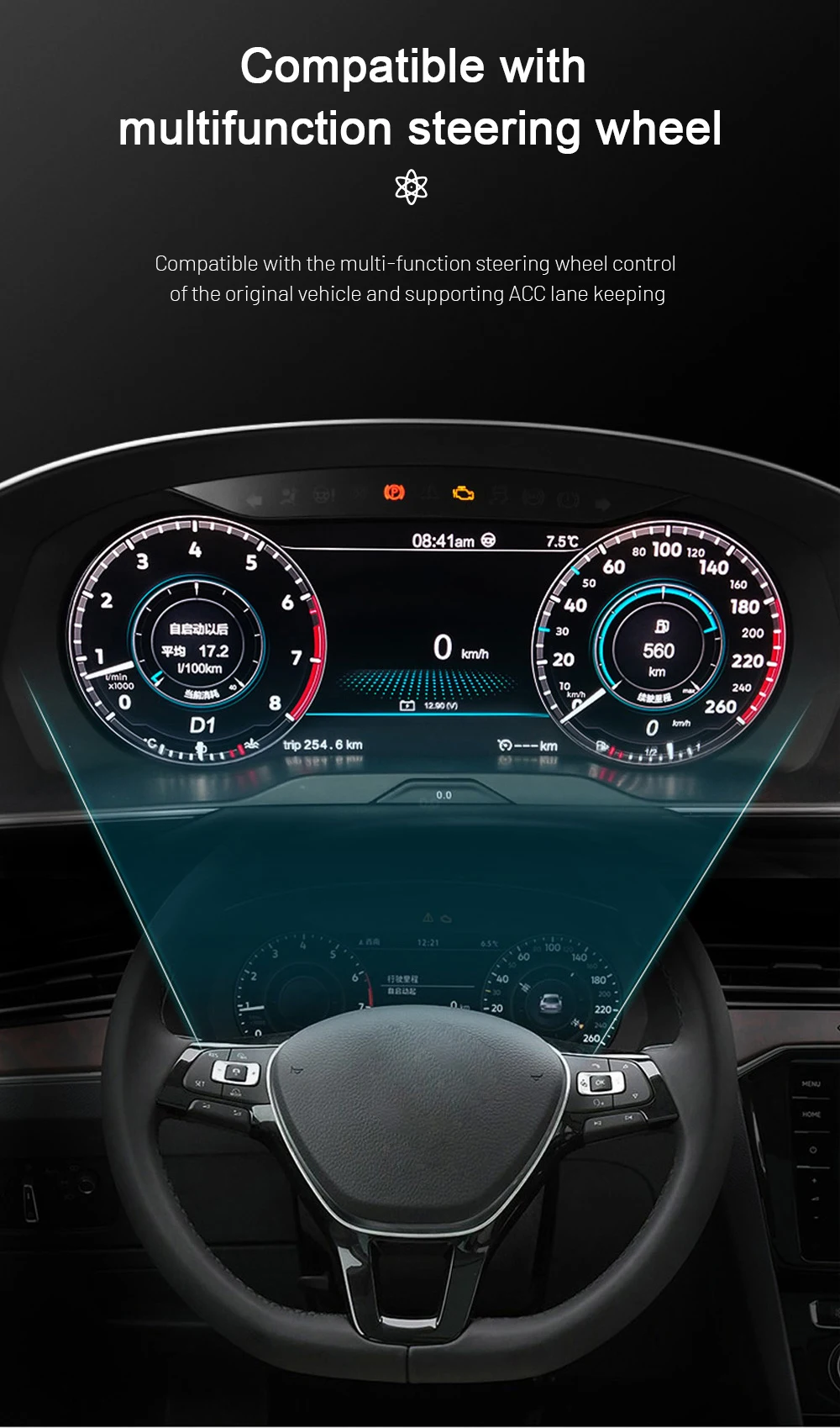
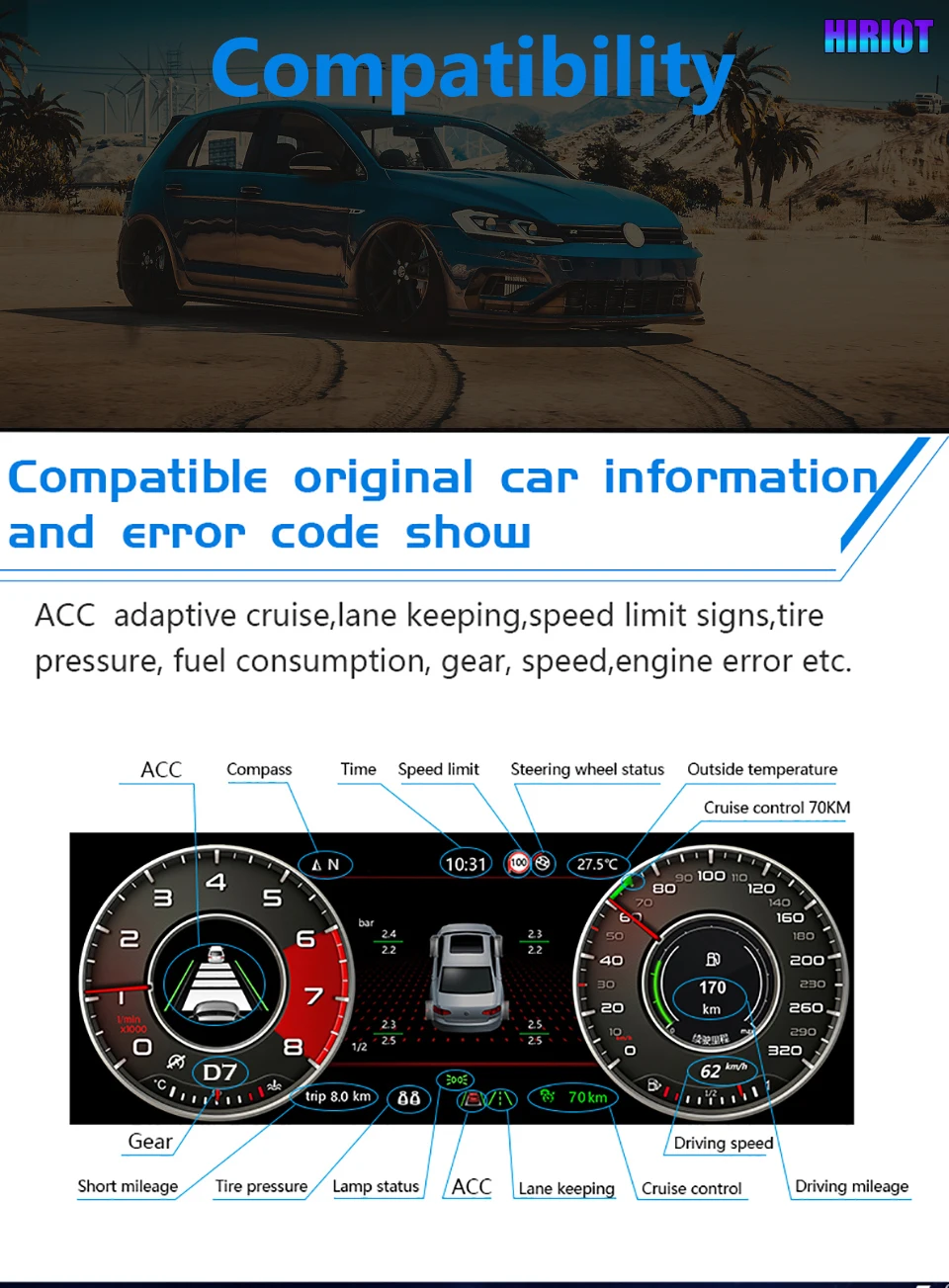
يستخدم الهيكل المخصص، وحزمة الأسلاك المطابقة، وإجراء لوحة العدادات الأصلية المحدد وإعداد واجهة السيارة. يوصى بفني إلكترونيات سيارات مؤهل إذا لم تكن على دراية بأعمال لوحة العدادات.

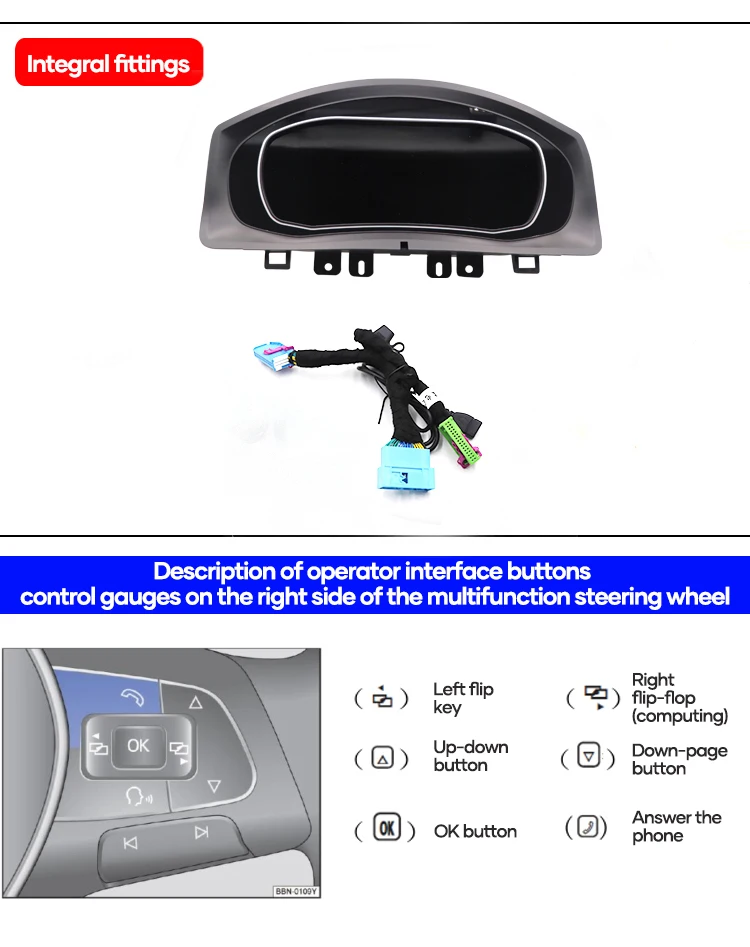
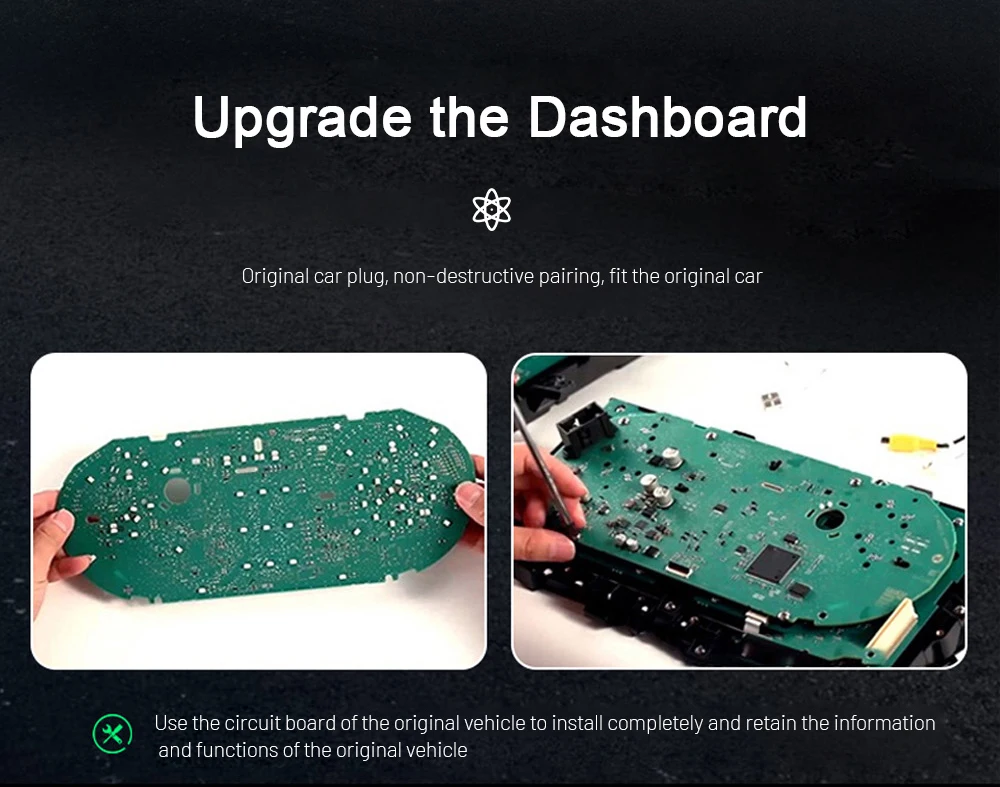
للإجراءات التفصيلية، راجع دليل العدادات الرقمية VW/Audi. تعليمات التركيب الخاصة بطلبك لها الأولوية.
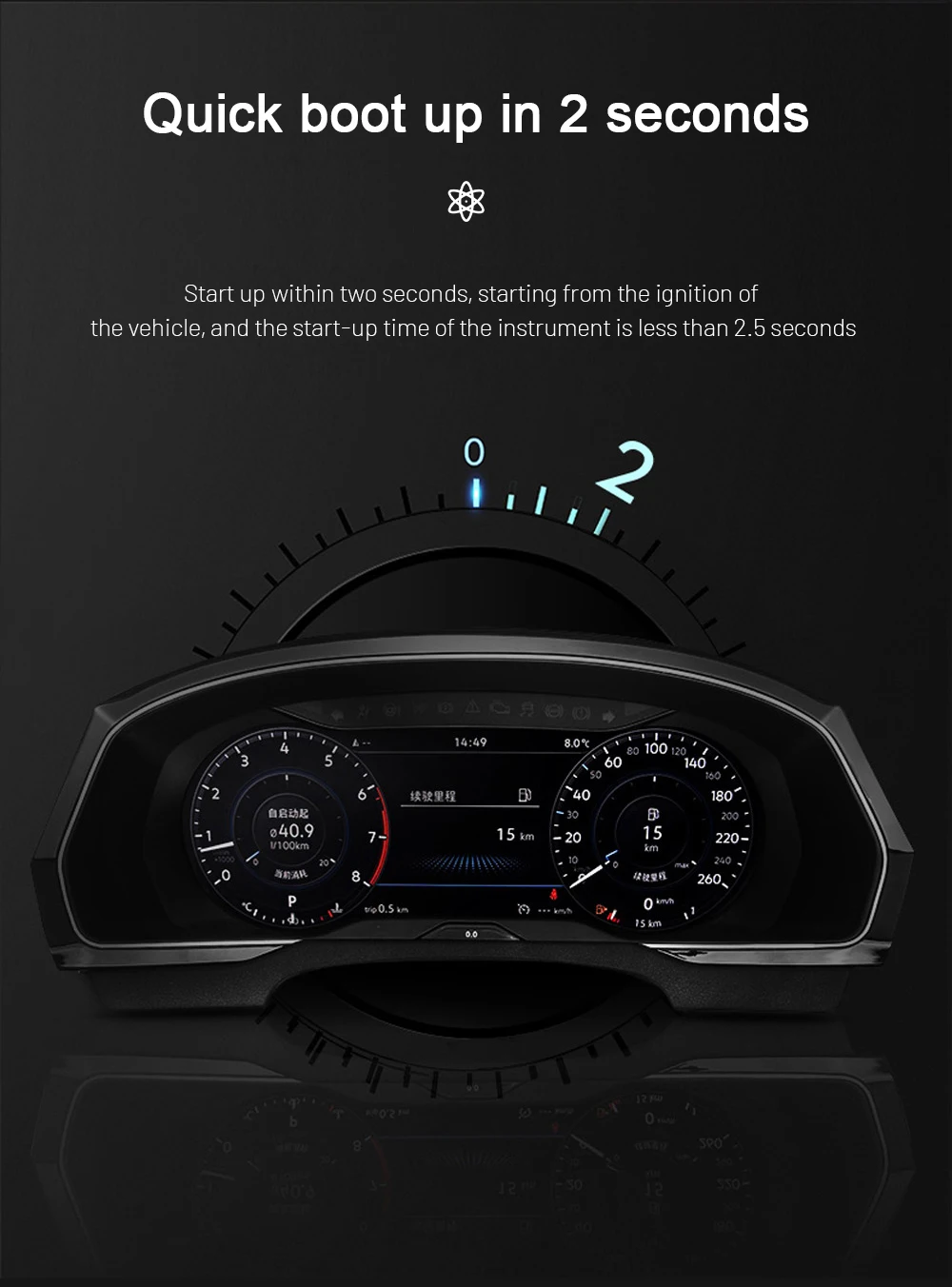
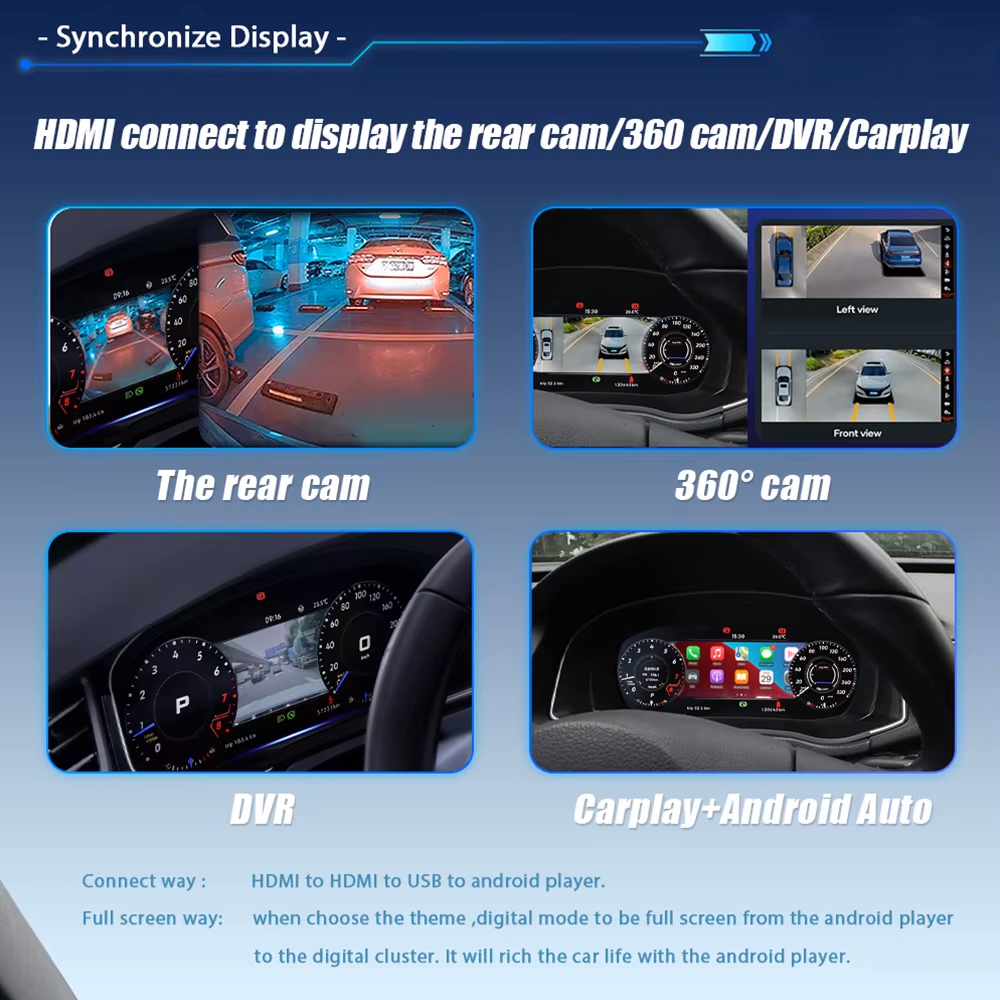
منصة Linux المخصصة مصممة لوظائف العدادات والتشغيل السريع. تعتمد مدخلات العرض الأخرى على الأجهزة المُعدّة ومعدات السيارة المثبتة.

| نوع المنتج | Vehicle-specific digital instrument cluster / LCD dashboard / virtual cockpit retrofit |
|---|---|
| العرض | 10.25-inch LCD with multiple digital gauge themes |
| Scirocco fitment | Volkswagen Scirocco Mk3 / Scirocco III / Type 13 / PQ35 · 2009–2016 |
| Eos fitment | Volkswagen Eos / Type 1F / PQ35 · 2010–2015 |
| CarPlay | Built-in CarPlay confirmed for the current product version |
| التنقل | Supported content in the digital instrument display |
| نظام التشغيل | Dedicated Linux-based cluster with fast-start operation |
| بيانات القيادة | Speed, RPM, mileage, gear, fuel, temperature, warnings and supported status information |
| أزرار التحكم في المقود | Supported multifunction steering-wheel control after matching and setup |
| اللوحة الأصلية | Transfer when required for the confirmed vehicle and prepared product version |
| الأسلاك الكهربائية | Vehicle-specific matched harness; factory wiring is not deliberately cut in the intended route |
| الإعدادات | Vehicle-interface setup and function configuration may be required |
| تفاصيل السيارة | Year, dashboard, original powered-on cluster, steering wheel, driver position and previous modifications |
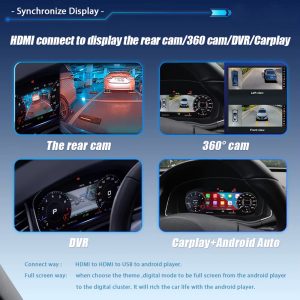
| Optional inputs | Reverse-view, 360-view, DVR and other content only if separately confirmed |
| التركيب | Advanced retrofit or professional automotive-electronics installer |
| الدعم | Vehicle-fitment review, supported installation guidance and 12-month limited hardware warranty |
The right instrument version depends on the car in front of you. iKAGOO checks the original dash, controls and driver position before preparing the matching hardware and supporting the order.
Photos of the actual dashboard and cluster guide the correct housing and interface selection.
Cluster, housing, harness and necessary original-board procedure are considered together.
Technical questions can be handled against your confirmed vehicle and order. See the compatibility and installation process.
Hardware protection is included under the applicable product warranty terms.
iKAGOO editorial buying assessments, not independent laboratory measurements.
A fresh cockpit improves the part of the interior you interact with every journey, while adding practical phone and map access.
Read the upgrade buying guide →Keeping familiar vehicle information alongside the updated appearance helps the retrofit feel integrated rather than separate.
Read the factory-function guide →Dedicated hardware and a defined fitting route give an experienced installer clear stages to follow.
اقرأ دليل التثبيت →It supports Scirocco Mk3 / Type 13 (2009–2016) and Eos / Type 1F (2010–2015) when the dashboard and original cluster match. iKAGOO reviews your actual vehicle configuration before preparation.
نعم. Built-in CarPlay is confirmed for this product version, with supported phone content displayed inside the instrument screen.
Android Auto is not confirmed for this product version. Ask about the exact prepared version if you need it.
Supported mileage and vehicle data can be retained with the matched interface and required original-board procedure. This includes supported speed, RPM, gear, fuel and warnings.
Yes, for compatible controls after correct matching and setup. Send a steering-wheel photo for confirmation.
No deliberate cutting is part of the intended matched-harness route. Follow the supplied connector and original-PCB instructions for your version.
Vehicle-interface configuration may be required. The final procedure depends on the supplied version and your original equipment.
Yes, with advanced instrument-retrofit experience. Otherwise, use an automotive-electronics installer familiar with original PCB handling.
Send the full dashboard, original cluster switched on and steering wheel. Include model year, driver position and previous cluster or wiring modifications.
LHD is checked against the original dash; standalone RHD cluster fitment is not promised. For RHD, confirm an applicable Android head-unit and cluster combination.
Stop installation and contact iKAGOO with photos or video. The order-specific harness and configuration record provides the basis for the next step.
iKAGOO checks your vehicle details, prepares the matched version and dispatches with tracking. Your order record supports eligible installation and after-sales questions.
Choose the version matched to your original dashboard and enjoy digital gauges, built-in CarPlay and supported Volkswagen driving data.


معلومات واضحة حول توافق المركبة، تجهيز الطلب، الشحن الدولي، الضمان، الإرجاع ودعم ما بعد البيع.
تتطلب الإلكترونيات الخاصة بالمركبة الإصدار الصحيح، والتوصيلات والتكوين الصحيح. تم تصميم عمليتنا لتقليل مشاكل التوافق والتركيب التي يمكن تجنبها.
قد تتم مراجعة طراز المركبة، السنة، النظام الأصلي ومعلومات التكوين ذات الصلة قبل الشراء لتقليل مخاطر اختيار الإصدار الخاطئ.
قبل الشحن، يتم فحص الطلب مقابل معلومات المركبة المؤكدة بحيث يمكن تجهيز الإصدار المناسب والتكوين والمكونات المطلوبة الخاصة بالمركبة.
هدفنا هو تجهيز طلبك بشكل صحيح قبل أن يغادرنا. نحن نتحقق من التوافق، ونجهز الإعداد الصحيح، ولا نتواصل معك إلا إذا كان هناك ما يحتاج إلى تأكيد.
ملخص عملي للشروط الرئيسية التي تنطبق على طلبات iKAGOO الخاصة بالمركبة.
معظم طلبات iKAGOO يتم شحنها من موقع التنفيذ لدينا في الصين بعد التحقق من تكوين المنتج ومعلومات المركبة.
المعالجة العادية للطلب تستغرق حوالي 1-3 أيام عمل. التسليم المتوقع بعد الشحن عادةً:
التخليص الجمركي، والعطلات، والطقس، وتأخيرات الناقل، والتوصيل إلى المناطق النائية قد تؤثر على هذه التقديرات.
الشحن الدولي القياسي عادةً لا يشمل ضريبة القيمة المضافة في البلد الوجهة، أو رسوم الاستيراد، أو رسوم الوساطة، أو رسوم التخليص الجمركي.
للوجهات المؤهلة في الاتحاد الأوروبي،, قد يكون الشحن بتسليم الرسوم (DDP) متاحًا. يتم تضمين الرسوم المتعلقة بالاستيراد فقط عند اختيار DDP عند الدفع أو تأكيدها كتابيًا من قبل iKAGOO قبل الشحن.
عند عدم اختيار DDP، تكون الرسوم التي تجمعها الجمارك المحلية أو شركة التوصيل عادةً مسؤولية المستلم.
قد يتوفر الشحن السريع أو المعجل لمنتجات محددة ووجهات. يتم تأكيد التوفر والناقل وأي تكلفة إضافية قبل الشحن.
اعتمادًا على المسار ونوع المنتج، قد تستخدم iKAGOO شركة DHL أو FedEx أو UPS أو EMS أو 4PX أو أي مزود لوجستي آخر يتيح التتبع.
بعد الشحن، يتم عادةً إرسال رقم التتبع أو رابط التتبع إلى عنوان البريد الإلكتروني المستخدم للطلب. قد يستغرق ظهور تحديثات التتبع عدة أيام عمل أثناء عمليات النقل بين الناقلين الدوليين.
تعتمد أهلية الإرجاع على سبب الإرجاع وحالة المنتج وحالة التركيب والأدلة الداعمة وما إذا كان الإرجاع قد تمت الموافقة عليه من قبل iKAGOO.
بالنسبة للإرجاع المعتمد غير المعيب، يجب أن يظل المنتج عادةً غير مستخدم وغير مركب وكاملاً ومناسبًا لإعادة البيع. يتحمل العميل عمومًا تكاليف شحن الإرجاع المعتمد.
تكاليف الشحن الأصلية، والتسليم المدفوع الرسوم (DDP)، وضريبة القيمة المضافة، والرسوم الجمركية، والتكاليف اللوجستية الأخرى غير قابلة للاسترداد بشكل عام إلا إذا كان القانون يتطلب ذلك أو تم تأكيد خلاف ذلك من قبل iKAGOO.
لا ترسل المنتج مرة أخرى قبل تلقي عنوان إرجاع معتمد وتعليمات الإرجاع من iKAGOO.
قد تنطبق حماية إضافية عندما تكون iKAGOO قد راجعت توافق المركبة، وقد قدم العميل معلومات دقيقة عن المركبة وتم إكمال خطوات التركيب والتشخيص المعقولة.
إذا أكدت iKAGOO أنه لا يوجد حل تقني معقول متاح وتم الإبلاغ عن المشكلة خلال بعد 7 أيام تقويمية من تاريخ التسليم,، قد يكون العميل مؤهلاً لاسترداد سعر المنتج دون الحاجة إلى إرجاع المنتج.
الشحن الأصلي، DDP، ضريبة القيمة المضافة، الرسوم الجمركية وغيرها من رسوم الأطراف الثالثة غير مشمولة في استرداد سعر هذا المنتج.
المنتجات المؤهلة تشمل ضمان محدود على الأجهزة لمدة 12 شهراً تغطي عيوب التصنيع المؤكدة وأعطال الأجهزة المؤهلة في ظل الاستخدام العادي.
اعتمادًا على المشكلة المؤكدة، قد يشمل الدعم التشخيص عن بُعد، المساعدة في التكوين، قطع الغيار، الإصلاح، الاستبدال، استرداد جزئي أو استرداد كامل.
التفتيش أو الفحص من طرف ثالث لا يلغي تلقائيًا الضمان بأكمله. ومع ذلك، فإن الضرر الناتج عن إصلاح غير مصرح به، تعديل غير صحيح، دوائر مكسورة، إعادة تجميع غير صحيحة، توصيل غير صحيح، صدمة، تسرب مياه أو إساءة استخدام لا يغطى عادةً.
اتصل بـ iKAGOO قبل تفكيك المنتج أو تعديله أو إصلاحه حتى يمكن توفير إجراء التشخيص الصحيح.
يرجى الاتصال بـ iKAGOO في غضون بعد 7 أيام تقويمية من تاريخ التسليم واحتفظ بالتغليف الأصلي وملصق الشحن والملحقات والمنتج.
يرجى تقديم صور أو مقاطع فيديو واضحة تُظهر ما يلي:
بعد التحقق، قد تقوم iKAGOO بترتيب شحنة للأجزاء المفقودة، أو استبدال، أو إصلاح، أو استرداد المبلغ، أو أي حل معقول آخر.
تواصل مع iKAGOO في أقرب وقت ممكن وقبل التركيب. لتغييرات العنوان أو تكوين المركبة أو المنتج، يفضل التواصل معنا خلال بعد 12 ساعة من تقديم الطلب.
قد تتم الموافقة على الاستبدال أو الإرجاع عندما يبقى المنتج المحدد بشكل خاطئ غير مستخدم وغير مركب وكاملًا وصالحًا لإعادة البيع. يتحمل العملاء عادةً تكاليف الشحن ذات الصلة وفروق الأسعار.
قد تدخل المنتجات الخاصة بالمركبة في مرحلة الشراء أو البرمجة أو الاختبار أو التكوين بعد الدفع بوقت قصير. بمجرد بدء التحضير أو الشحن، قد لا يكون الإلغاء ممكنًا بعد الآن، أو قد يتم خصم التكاليف المعقولة التي تم تكبدها بالفعل.
تختلف محتويات العبوة حسب المنتج وطراز المركبة والنظام المصنعي والتكوين المحدد.
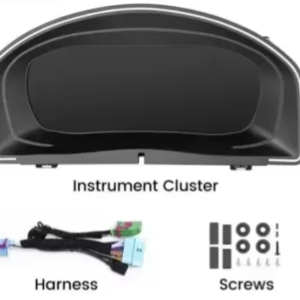
اعتمادًا على المنتج، قد تشمل العبوة الجهاز الرئيسي، وأحزمة الأسلاك الخاصة بالمركبة، وواجهة CANBUS، والمحولات، وكابلات USB، والهوائيات، والميكروفونات، ومعدات التركيب أو غيرها من ملحقات التثبيت المطلوبة.
يرجى الرجوع إلى صور المنتج والمواصفات وتأكيد الطلب لمعرفة المحتويات الدقيقة لطلبك.
يمكنك التواصل مع iKAGOO عبر نموذج الاتصال في الموقع، وواتساب، أو قنوات الدعم الأخرى المتاحة. وقت الاستجابة المعتاد هو خلال 24 ساعة عمل.
لتشخيص فني أسرع، يرجى تضمين رقم طلبك، وطراز المركبة وسنتها، وصور النظام المصنعي ذات الصلة، وصور المنتج، وفيديو واضح يوضح المشكلة.
تتم معالجة المدفوعات عبر طرق الدفع الآمنة المعروضة أثناء إتمام عملية الشراء.
قد تختلف خيارات البطاقة والمحفظة والتقسيط المتاحة حسب البلد والعملة ومزود الدفع وأهلية العميل.
تبقى خدمات التقسيط، بما في ذلك الخيارات التي تقدمها PayPal أو أي مزود دفع آخر، خاضعة لتوافر مزود الخدمة إقليميًا ومتطلبات الموافقة الخاصة به.
هذا القسم دليل مبسط للعملاء. تتمتع صفحات السياسات المنشورة الكاملة وتأكيد الطلب وقانون المستهلك المعمول به بالأولوية إذا اختلفت أي صياغة.
لوحة العدادات الرقمية لسيارة فولكسفاغن جولف 6 (Golf 6)، جولف Mk6، جولف VI، وTyp 5K 2008–201...
قم بتحديث لوحة العدادات الرقمية لسيارتك فولكس فاجن باسات B6 B7 CC أو CC باستخدام...
$660.00 السعر الأصلي هو: $660.00.$425.00السعر الحالي هو: $425.00.
يتم تأكيد الشحن النهائي من عنوان التسليم الخاص بك عند إتمام الدفع.

اختر ما تخطط لشرائه. نعرض فقط التفاصيل اللازمة لذلك المنتج.
سنقوم بمراجعة التفاصيل وإرسال نسخة المنتج الموصى بها نسخة المنتج الموصى بها إلى بريدك الإلكتروني.
نستخدم ملفات تعريف الارتباط الأساسية للحفاظ على أمان الموقع وعمله بشكل صحيح. بموافقتك، قد نستخدم أيضًا ملفات تعريف الارتباط التحليلية لتحسين تجربة التصفح. راجع سياسة الخصوصية.




نيكولاس بيتي -
من المذهل كيف يغير هذا الشاشة مظهر مقصورة السيارة. أداء نظام لينكس سلس للغاية، ويتم تشغيله على الفور. أحب أن تظهر تعليمات الملاحة من CarPlay أمامي مباشرةً. تشطيب الإطار أنيق للغاية، وكأنه قطعة أصلية من فولكس فاجن. التسليم سريع وبدون رسوم جمركية لفرنسا.
كارلوس مينديز -
كنت أفكر في بيع سيارتي، لكن لوحة العدادات هذه جعلتني أقع في حبها من جديد. دقة العرض 1920×720 واضحة للغاية. يمكنك تغيير الألوان والسمات حسب حالتك المزاجية. ساعدني فريق الدعم الفني كثيرًا في حل مشكلة تتعلق بالأسلاك، وهم لطفاء للغاية. إنها عملية شراء لا غنى عنها إذا كنت تمتلك سيارة Scirocco.