سمة XStore

No products in the cart.

Menu Categories
{نص المبيعات} 47%
  • لوحة العدادات الرقمية لسيارة فولكس فاجن تيغوان 2017–2022 | شاشة LCD مقاس 12.3 بوصة
  • مجموعة فولكس فاجن تيغوان 2017-2022 الرقمية
  • 7
  • S6cbc90ebb0684b45b3d834f533091510r
  • S2e1af3478ae24e65bd0b46c84d8a289ej
  • 5
  • 9

تحديث شاشة العدادات الرقمية LCD مقاس 12.3 بوصة لسيارة فولكس فاجن تيغوان طرازات 2017–2022

العلامة التجارية:
(مراجعة واحدة)

السعر الأصلي هو: $880.00.السعر الحالي هو: $468.00.

معفاة من الرسوم الجمركية الاتحاد الأوروبي والولايات المتحدة الأمريكية فقط
التفاصيل
تأمين بواسطة باي بال
خدمة DDP المدفوعة الضرائب المدفوعة مسبقاً

نتعامل مع جميع ضريبة القيمة المضافة والرسوم. الوفورات المقدرة: $120-$280.

الولايات المتحدة الأمريكية (48 ولاية)النمسابلجيكابلغارياكرواتياقبرصالتشيكالدنماركإستونيافنلندافرنساألمانيااليونانهنغارياأيرلنداايطاليالاتفياليتوانيالوكسمبورغمالطاهولندابولنداالبرتغالرومانياسلوفاكياسلوفينيااسبانياالسويد
أو

هل لديك أي أسئلة؟

لا تتردد في تواصل معنا

ادفع بأمان مع Paypal ادفع بأمان مع فيزا ادفع بأمان باستخدام بطاقة ماستر كارد ادفع بأمان مع JCB ادفع بأمان مع أمريكان إكسبريس ادفع بأمان مع Alipay ادفع بأمان مع Google pay ادفع بأمان مع Klarna ادفع بأمان مع DISCOVER ادفع بأمان باستخدام Apple Pay
ضمان دفع الدفع الآمن والمضمون
حماية المشتري من iKAGOO

حماية الشراء لهذا المنتج

مراجعة التوافق، ودفع آمن، وتسليم مع تتبع الشحنة، ودعم عملي لما بعد البيع.

تتوقف شروط الأهلية وفترات الإبلاغ وسبل الانتصاف على سياسة iKAGOO المعمول بها وعلى مراجعة الحالة.
عرض سياسات الحماية
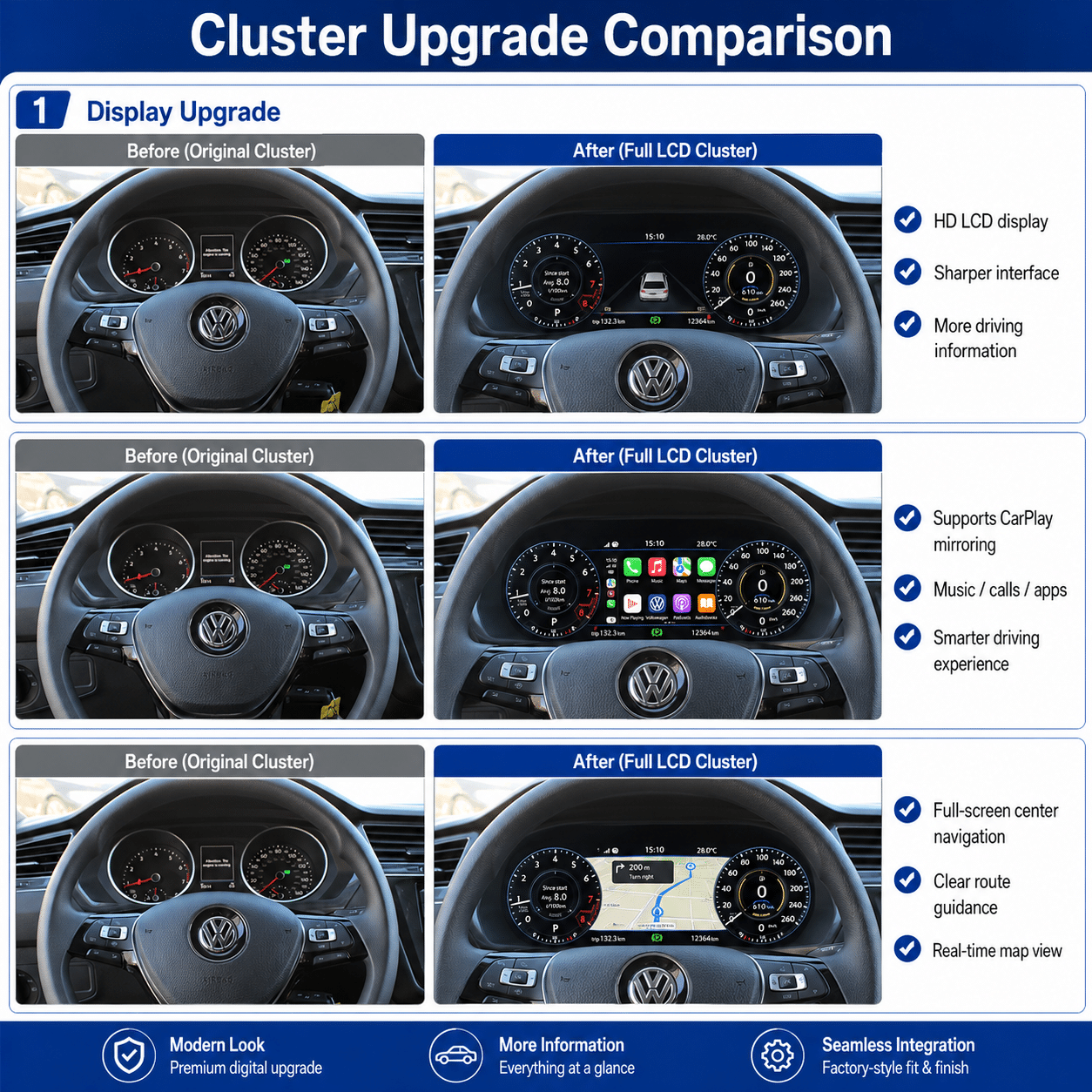
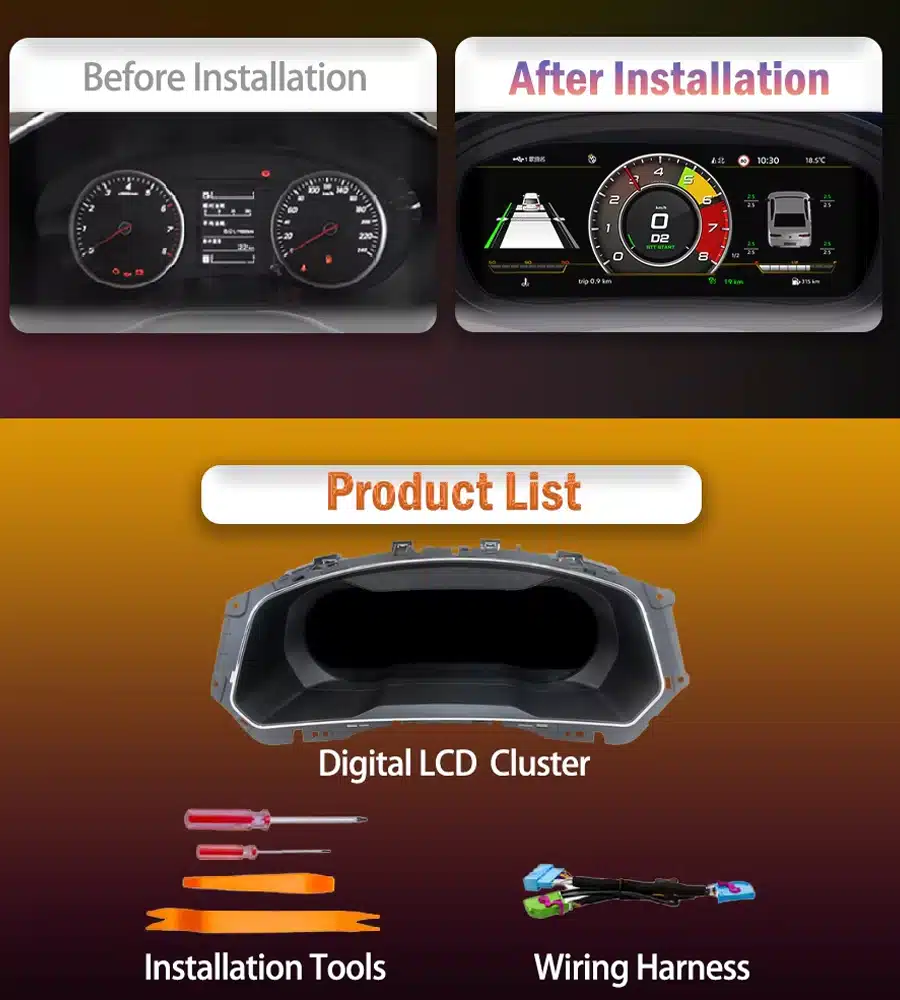
VW Tiguan 2017–2022 digital cluster before and after upgrade
Replace the original analogue instrument layout with a wider digital cockpit while keeping the display in the Tiguan’s original driver-facing position.
Volkswagen Tiguan Digital Cockpit Upgrade

Make Your 2017–2022 Tiguan Feel Modern Every Time You Drive

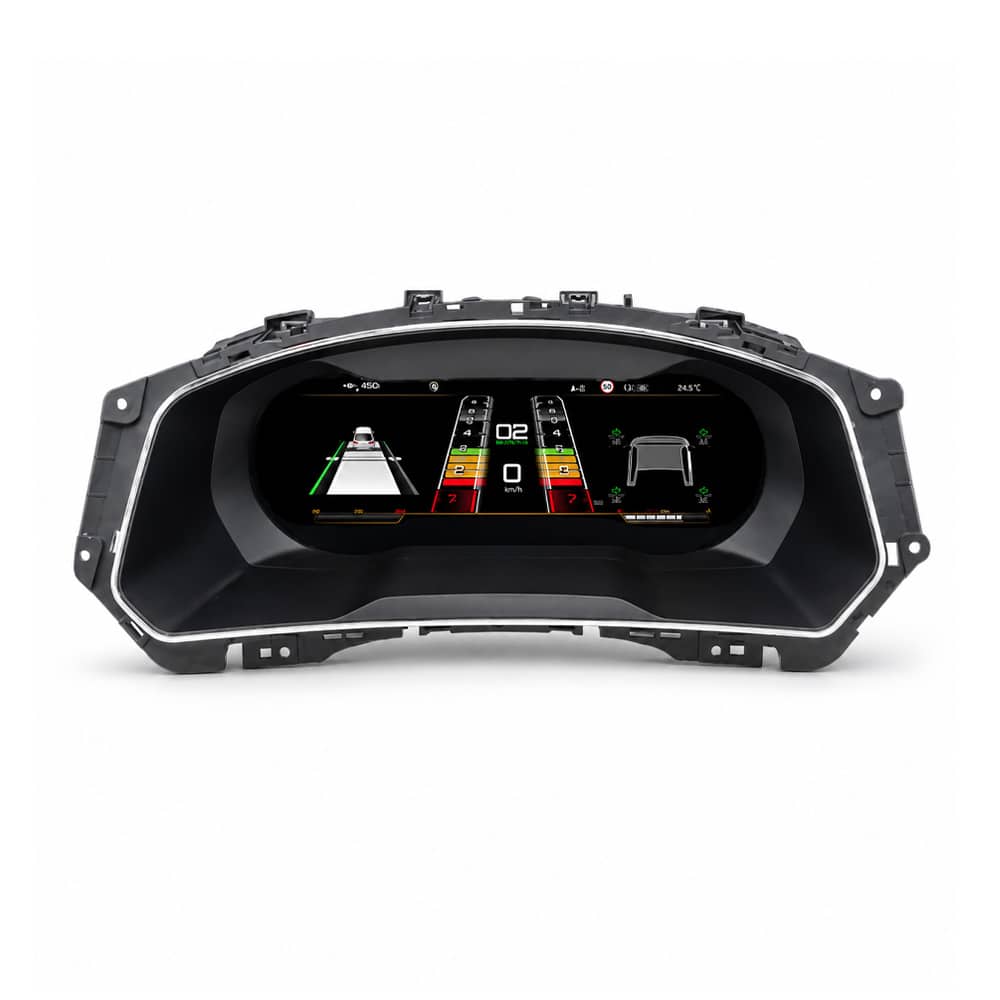
ال مجموعة فولكس فاجن تيغوان 2017-2022 الرقمية upgrades the original instrument area with a 12.3-inch, 1920 × 720 LCD cockpit. It gives speed, RPM, fuel, temperature, gear, warning and supported driver-assistance information a clearer digital presentation while continuing to work with supported original Volkswagen controls.

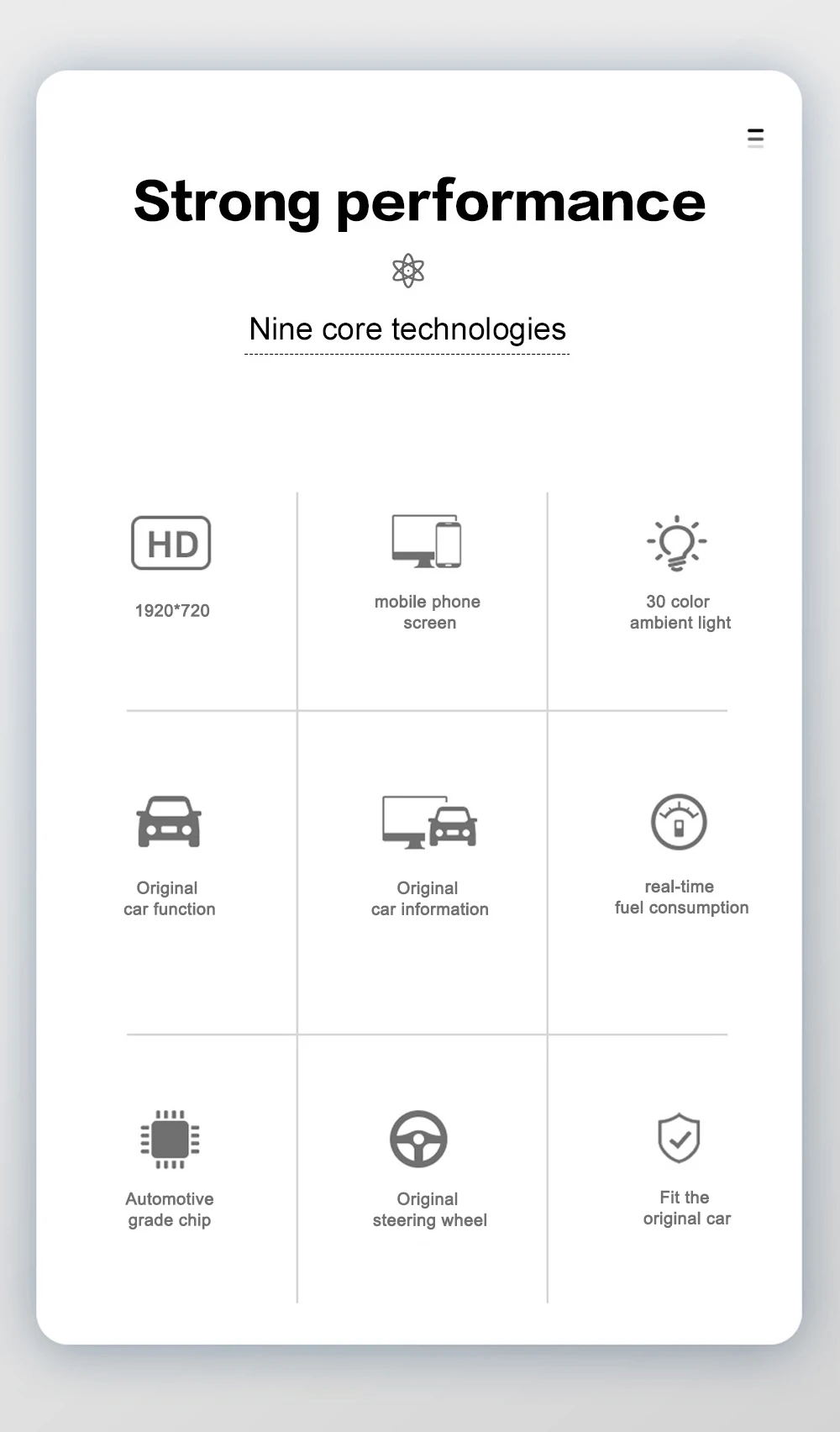
12.3-Inch Digital Cockpit
A clearer and more modern view of essential driving information.
Vehicle Information Retained
Supported speed, RPM, fuel, temperature, gear and warning information remains available.
Original Steering-Wheel Support
Continue using compatible Volkswagen multifunction controls.
Prepared and Supported by iKAGOO
Vehicle matching before shipment and installation guidance after delivery.
Check My Tiguan Configuration
Vehicle-Specific Preparation Original Function Support Factory Wiring Protection إرشادات التثبيت 12-Month ضمان الأجهزة

إجابة سريعة

What Is This VW Tiguan 2017–2022 Digital Cluster?

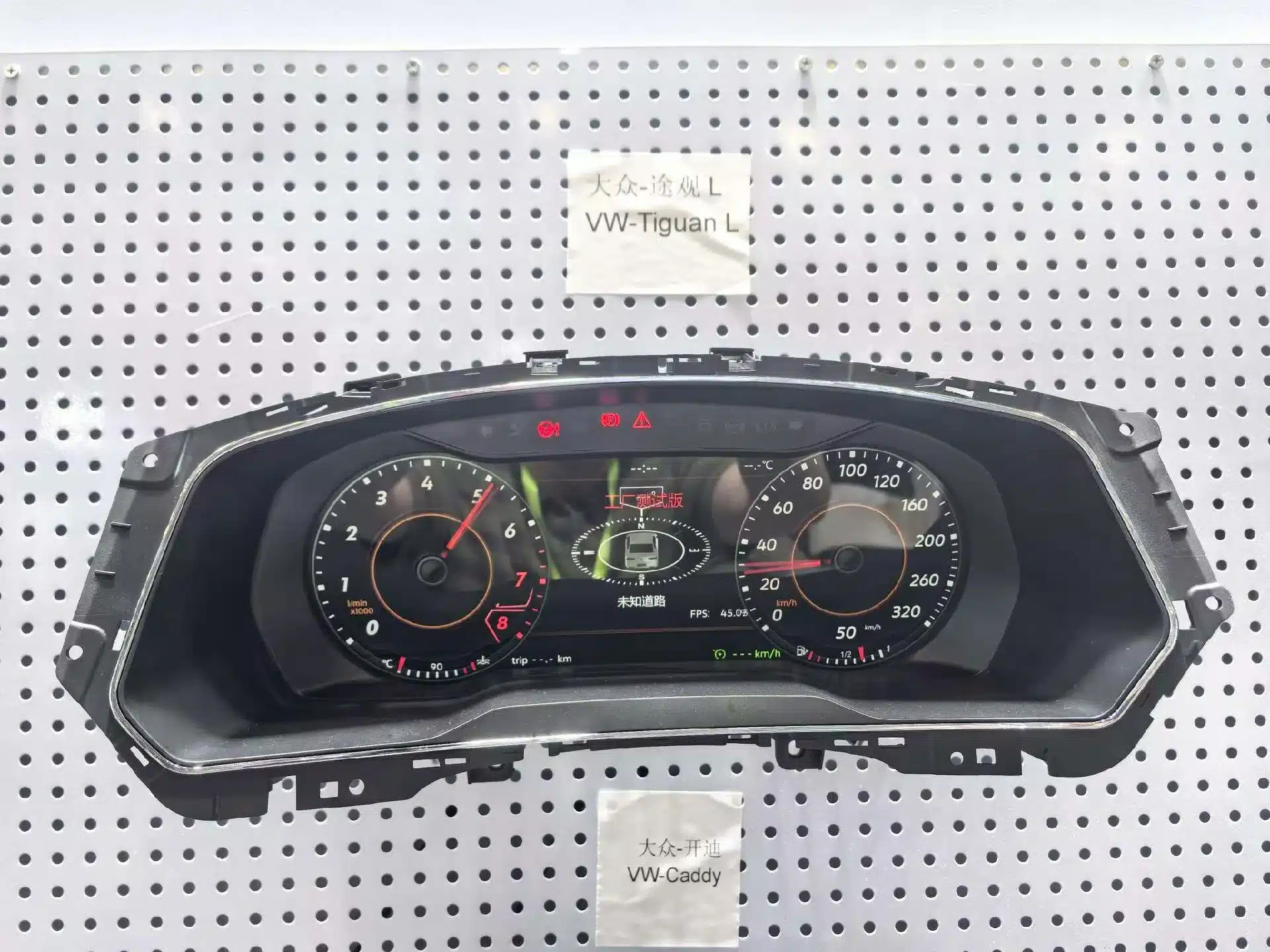
This is a dedicated Linux-based LCD instrument cluster for supported Volkswagen Tiguan 2017–2022 vehicles. It replaces the original driver display with a 12.3-inch digital cockpit while keeping the instrument in the original dashboard position.

It is not an Android head unit and it does not replace the centre infotainment system. iKAGOO prepares the correct version according to your vehicle year, original cluster appearance, dashboard structure and steering position.

Daily-Use Improvements

What You Gain from the Digital Cluster Upgrade

This upgrade changes the part of the vehicle you look at during every drive. The larger digital layout makes important information easier to read and gives the Tiguan interior a more complete digital-cockpit appearance.

Wider 12.3-Inch Display

The 1920 × 720 screen gives speed, RPM, warnings and driving information more space and a cleaner visual hierarchy.

Driving Information in Front of You

Essential vehicle information stays directly in the driver’s line of sight instead of being moved to a separate universal screen.

Original Controls Continue to Work

Supported Volkswagen steering-wheel buttons continue to operate compatible instrument menus and displays.

Built Around the Tiguan Dashboard

The display is installed in the original instrument position rather than sitting on top of the dashboard as a universal accessory.

Dedicated Linux Instrument System

The system focuses on instrument display, fast start-up and stable presentation of essential driving information.

Support Beyond Delivery

iKAGOO assists with vehicle matching, installation questions, display settings and post-install function checks.

Original Vehicle Functions Supported

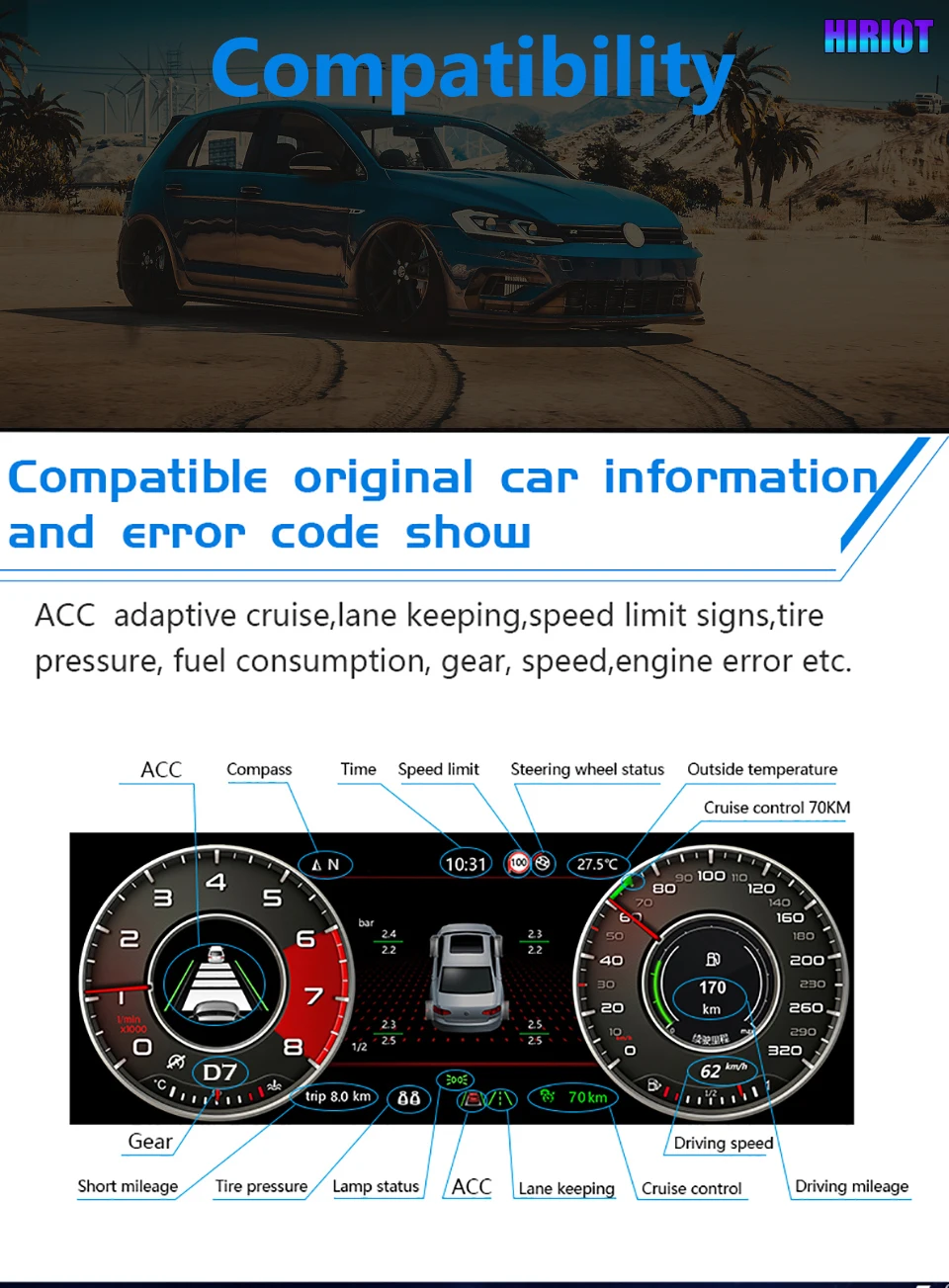
Designed to Work with the Tiguan’s Original Driving Information

A digital instrument cluster must do more than look modern. With the correct version and installation, supported original vehicle information and controls continue to work through the upgraded display.

Vehicle Speed and Engine RPM Displayed through the selected digital gauge layout.
Fuel and Temperature Information Supported original fuel-level and temperature data remains visible.
Gear-Position Display Supported transmission and gear information continues to be shown.
Odometer and Trip Information The applicable original vehicle-data logic continues through the specified installation route.
Warning and Vehicle-Status Information Supported warning, door, lighting and status information remains available.
Multifunction Steering-Wheel Controls Supported original buttons continue to operate compatible instrument functions.
Driver-Assistance Information Compatible ACC, lane, speed-limit and related information is shown on equipped vehicles.
Original Infotainment Remains Independent The cluster does not replace the original head unit, amplifier, speakers or camera system.

Special regional configurations, previous instrument replacements or aftermarket wiring changes may need additional connection guidance. Send the requested vehicle photos when ordering so iKAGOO can prepare the appropriate version.

See the Upgrade

A Modern Digital Cockpit That Still Belongs in a Volkswagen

Volkswagen Tiguan 12.3-inch digital instrument cluster display modes
Choose from different digital layouts to make speed, RPM, vehicle information and compatible navigation views easier to read.
VW Tiguan digital cluster hardware assembly
The vehicle-specific cluster housing fits into the original instrument position for a cleaner and more integrated dashboard result.
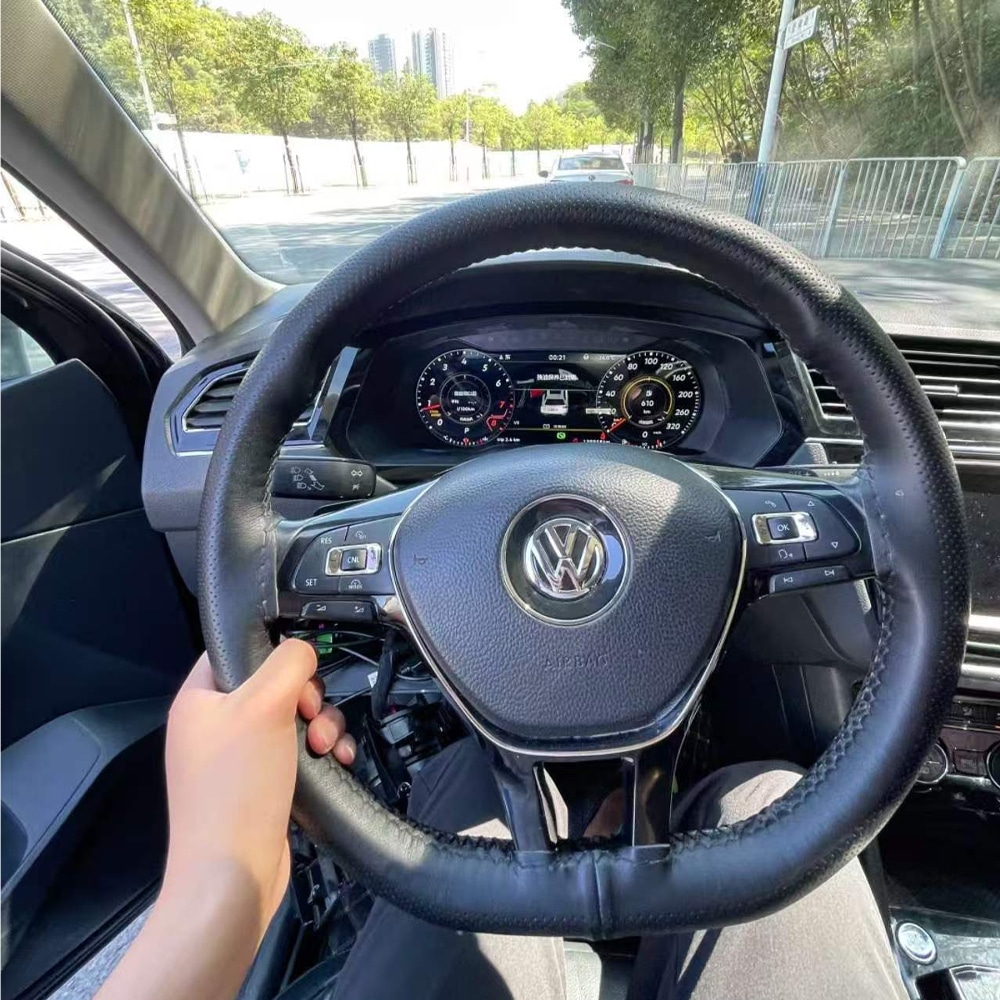
VW Tiguan digital cluster installed in the dashboard
Once installed, the digital cockpit sits behind the original Volkswagen steering wheel and follows the factory dashboard layout.

Why It Is Worth Upgrading

Upgrade the Part of Your Tiguan You Use During Every Drive

iKAGOO Digital Cluster

Modernises the instrument area itself and keeps supported driving information directly in front of the driver.

Repairing the Original Analogue Cluster

Suitable when the goal is only to repair a fault and keep the original analogue appearance.

Used Original Cluster

May preserve a factory appearance but can involve donor-cluster condition, coding and vehicle matching.

Original Digital Cockpit Retrofit

Offers an original-system route but can require additional parts, specialist coding and more complex vehicle adaptation.

CarPlay-Only Module

Adds phone functions to the centre display but does not replace the analogue instrument area.

Universal Dashboard Screen

Adds another display but does not provide the same instrument-position integration or original dashboard appearance.

Prepared for Your Vehicle

Why Buy This Digital Cluster from iKAGOO?

Buying from iKAGOO means receiving more than the display hardware. We help prepare the cluster version, connection route and installation information around the vehicle details you provide.

Vehicle-Specific Preparation

Your year, original instrument appearance, dashboard structure and steering position are used to prepare the order.

Correct Cluster and Connection Matching

We focus on the housing, original instrument structure, connectors and required retained components—not only the model name.

Original Vehicle Integration

The upgrade is prepared around speed, RPM, fuel, warnings, steering controls and supported driver-assistance information.

Product-Specific Installation Guidance

iKAGOO provides guidance for cluster removal, original-component transfer, wiring, settings and final function checks.

12-Month ضمان الأجهزة

Eligible hardware is covered under the current iKAGOO limited warranty terms.

Support After Delivery

We continue to assist with connection questions, display settings, function testing and eligible after-sales matters.

Before Shipment

How iKAGOO Prepares Your Order

1

Vehicle Information

Confirm the Tiguan model, production year, trim, fuel type and steering position.

2

Original Instrument Photos

Check the original cluster shape, surrounding trim and dashboard opening.

3

Configuration Matching

Identify the appropriate cluster housing, connection solution and retained-component route.

4

Display Requirement

Confirm whether you need compatible navigation or phone information shown in the instrument.

5

تجهيز الطلب

Prepare the appropriate cluster, harness and applicable installation accessories.

6

Installation Support

Receive product-specific guidance for connection, configuration and final testing.

Send My Vehicle Information

iKAGOO Buyer Evaluation

Three Results to Help You Choose with More Confidence

High Daily-Use Value

iKAGOO Upgrade Necessity

This is a strong upgrade for Tiguan owners who still use an analogue or semi-digital instrument and plan to keep the vehicle.

  • The instrument is viewed during every drive.
  • The 12.3-inch display creates a clear visual improvement.
  • Multiple layouts provide more personalisation.
  • Essential driving information remains the main focus.
  • Owners with a satisfactory original digital cockpit may gain less value.
How this result is determined

This product is evaluated under the iKAGOO Upgrade Necessity framework, which considers daily-use improvement, long-term ownership value, the condition of the original system and available alternatives.

Read the iKAGOO Upgrade Necessity framework
90/100 — Strong Integration

iKAGOO Original Vehicle Compatibility

The product offers strong physical and functional integration when the correct cluster version and installation route are used.

  • Vehicle-specific instrument housing.
  • Supported original driving information retained.
  • Original steering-wheel control support.
  • Designed around the original instrument architecture.
  • Interface appearance differs from the factory Volkswagen Digital Cockpit.
How this result is determined

This result is based on the iKAGOO Original Vehicle Compatibility framework. It considers original functions, controls, vehicle information, physical architecture, user interaction and installation integration.

The score represents the overall integration quality. It does not mean that the same percentage of original vehicle functions is lost.

Read the iKAGOO Original Vehicle Compatibility framework
المستوى 3 — الأعمال اليدوية المتقدمة

iKAGOO Installation Difficulty

The installation involves removing the original instrument cluster, connecting the matched harness and transferring the required original components where applicable. It is suitable for experienced DIY installers or a general automotive electronics installer.

  • Remove the surrounding dashboard trim and original cluster.
  • Transfer the required original instrument components where applicable.
  • Connect the matched harness and secure the display connections.
  • Complete the required instrument settings.
  • Test the vehicle information, warning indicators and power behaviour.
How this result is determined

This installation level is assigned under the iKAGOO Car Electronics Installation Difficulty framework. It considers dashboard disassembly, component transfer, wiring connections, configuration and final function testing.

Level 3 means the installation requires care, suitable tools and previous automotive-electronics experience, but it is not classified as a Level 4 integrated head-unit installation.

Read the iKAGOO Installation Difficulty framework

Phone and Navigation Information

Show Compatible Navigation and Phone Information in Front of You

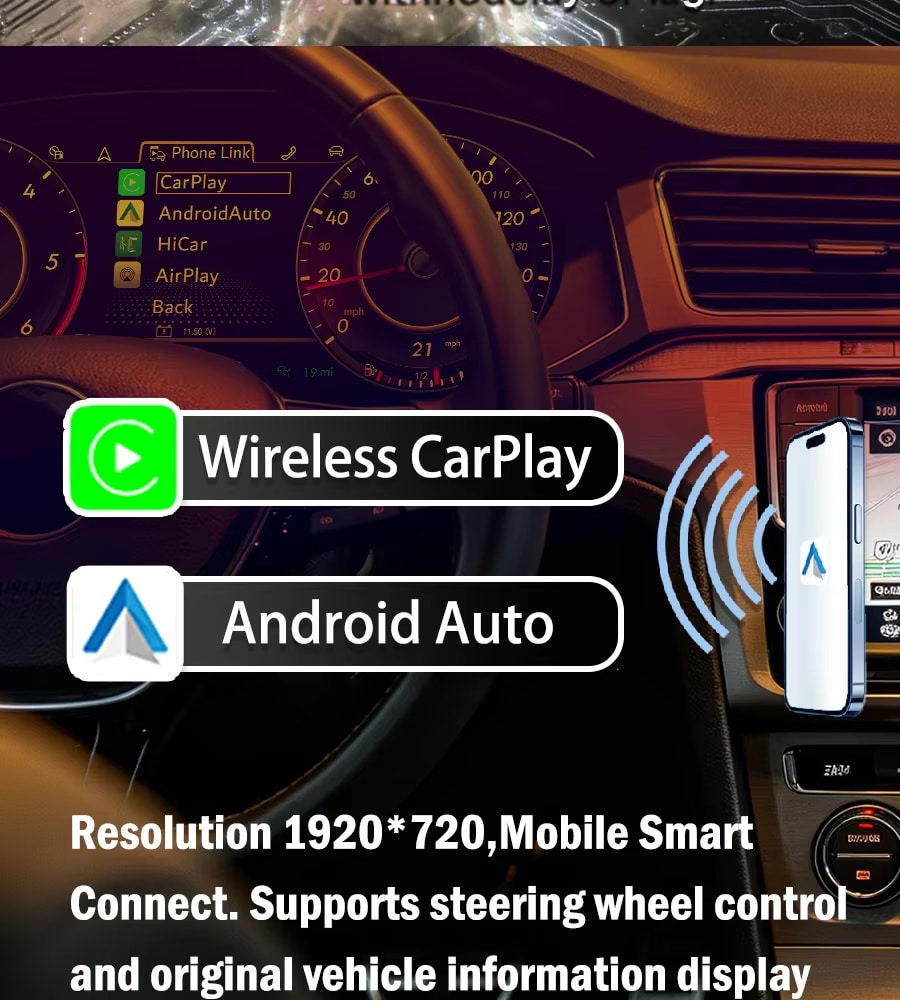
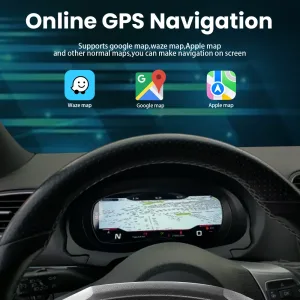
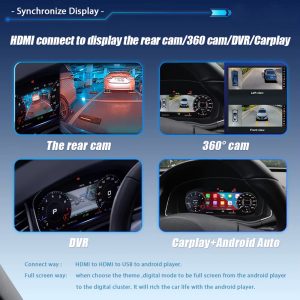
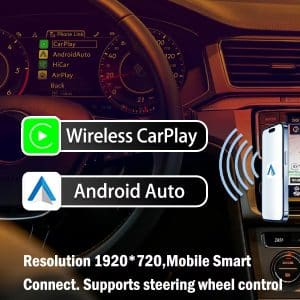
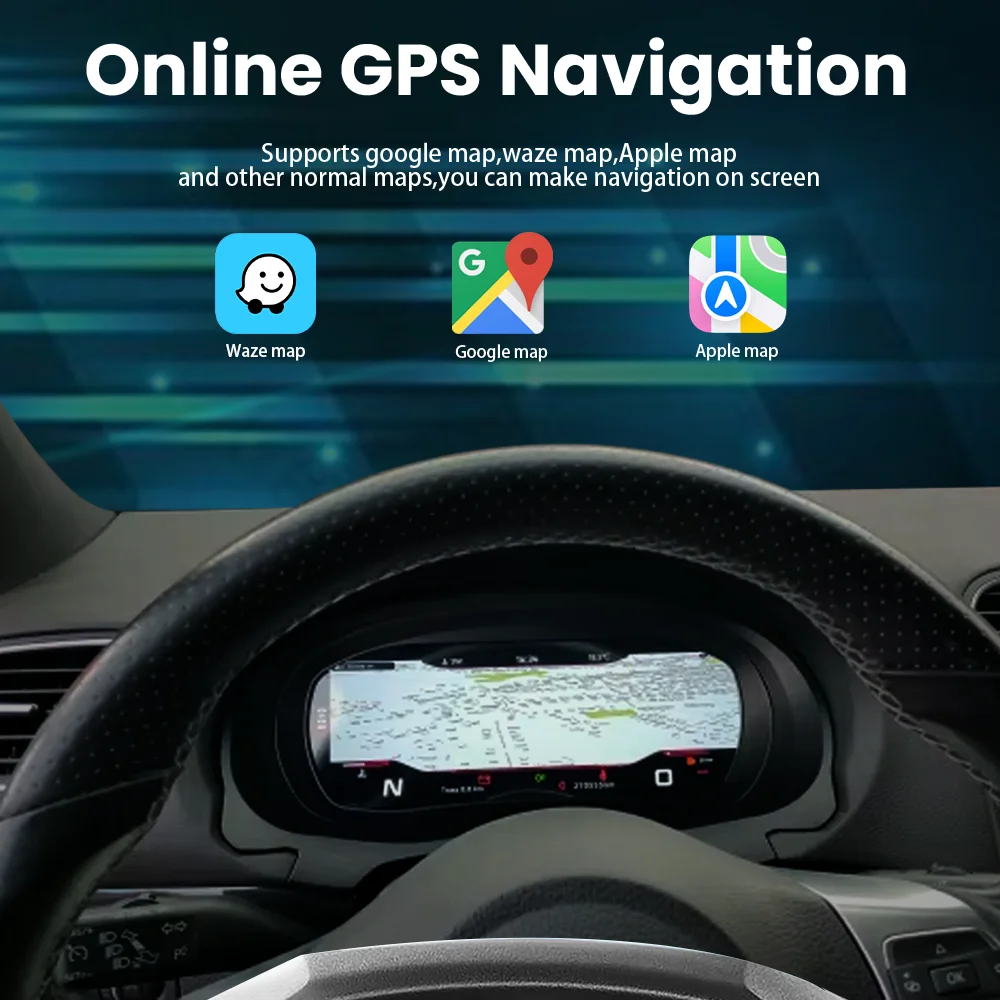
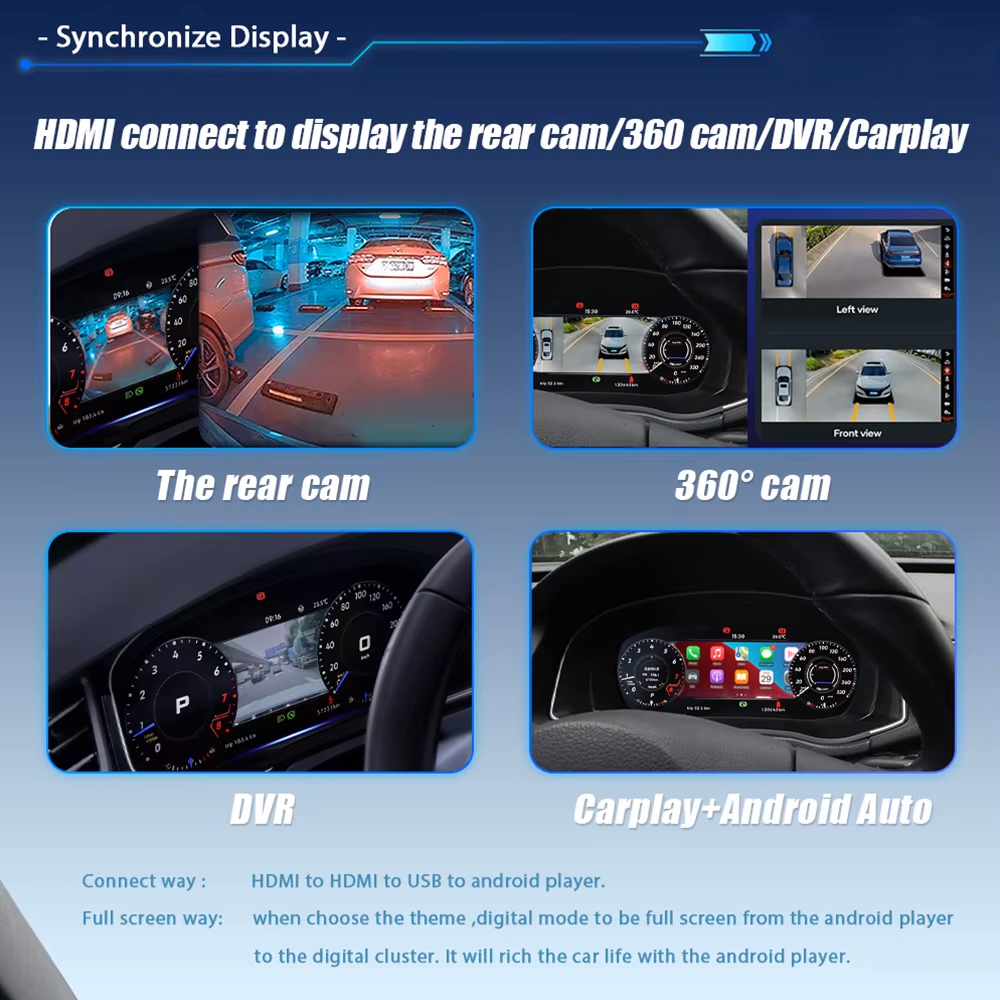
Compatible CarPlay, Android Auto or navigation information can be sent from a supported multimedia source to the instrument through the appropriate display connection.

VW Tiguan digital cluster CarPlay and Android Auto projection display
Keep compatible phone and navigation information closer to your natural driving view without replacing the centre multimedia system.
VW Tiguan digital cluster vehicle information interface
Switch between supported driving information and digital instrument layouts according to your daily driving needs.

The digital cluster does not create an independent CarPlay, Android or navigation system by itself. Projection availability depends on the connected multimedia system and the selected connection solution.

Product Specifications

12.3-Inch Linux Digital Instrument Cluster

نوع المنتج LCD Digital Instrument Cluster
Vehicle Application Volkswagen Tiguan 2017–2022
حجم العرض 12.3 بوصة
Display Technology IPS LCD
القرار 1920 × 720
نظام التشغيل Linux Instrument System
زاوية المشاهدة 178°
معدل التحديث 60 هرتز
وقت الاستجابة 5 مللي ثانية
Vehicle Power 12 فولت تيار مستمر
الحد الأقصى للتيار 3A Max
الطاقة القصوى 36W Max
درجة حرارة التشغيل -30 درجة مئوية إلى +85 درجة مئوية
درجة حرارة التخزين -40 درجة مئوية إلى +90 درجة مئوية
Listed Weight 3.5kg
Listed Package Size 42 × 28 × 42cm

RAM, storage, DSP, 4G and Android versions are not configuration choices for this product because it is a dedicated Linux instrument cluster rather than an Android head unit.

Choose the Correct Version

The Important Choice Is the Vehicle Match

This product does not use RAM or storage tiers. The correct purchase depends on matching the instrument structure and vehicle configuration.

Original Cluster Appearance

Send a straight front photo showing the complete instrument and surrounding dashboard trim.

Vehicle Year and Region

Confirm the exact year and whether the vehicle is a regional Tiguan or Tiguan L configuration.

Left-Hand Drive or Right-Hand Drive

Confirm the steering position so the order record matches the actual vehicle.

Projection Requirement

Tell iKAGOO whether you need compatible map or phone information displayed in the instrument.

Matched Installation Hardware

Prepared for a Cleaner and More Organised Upgrade

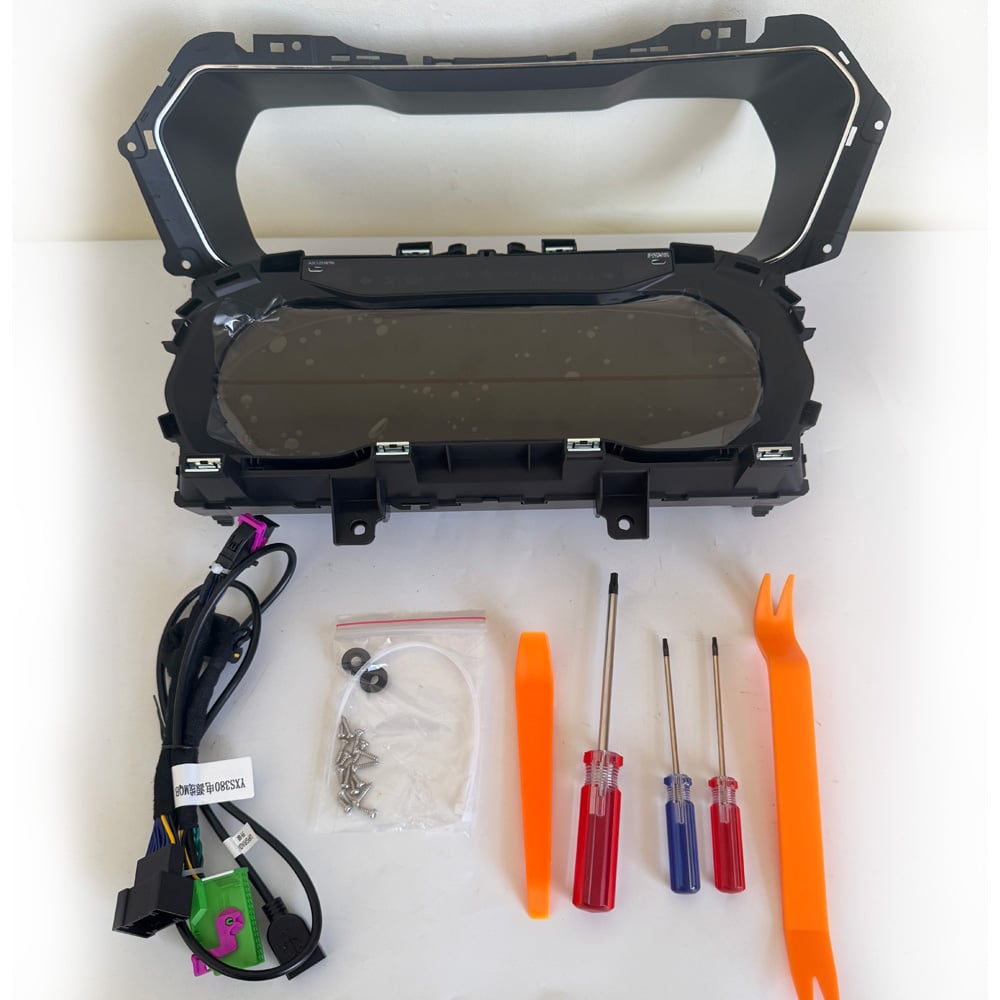
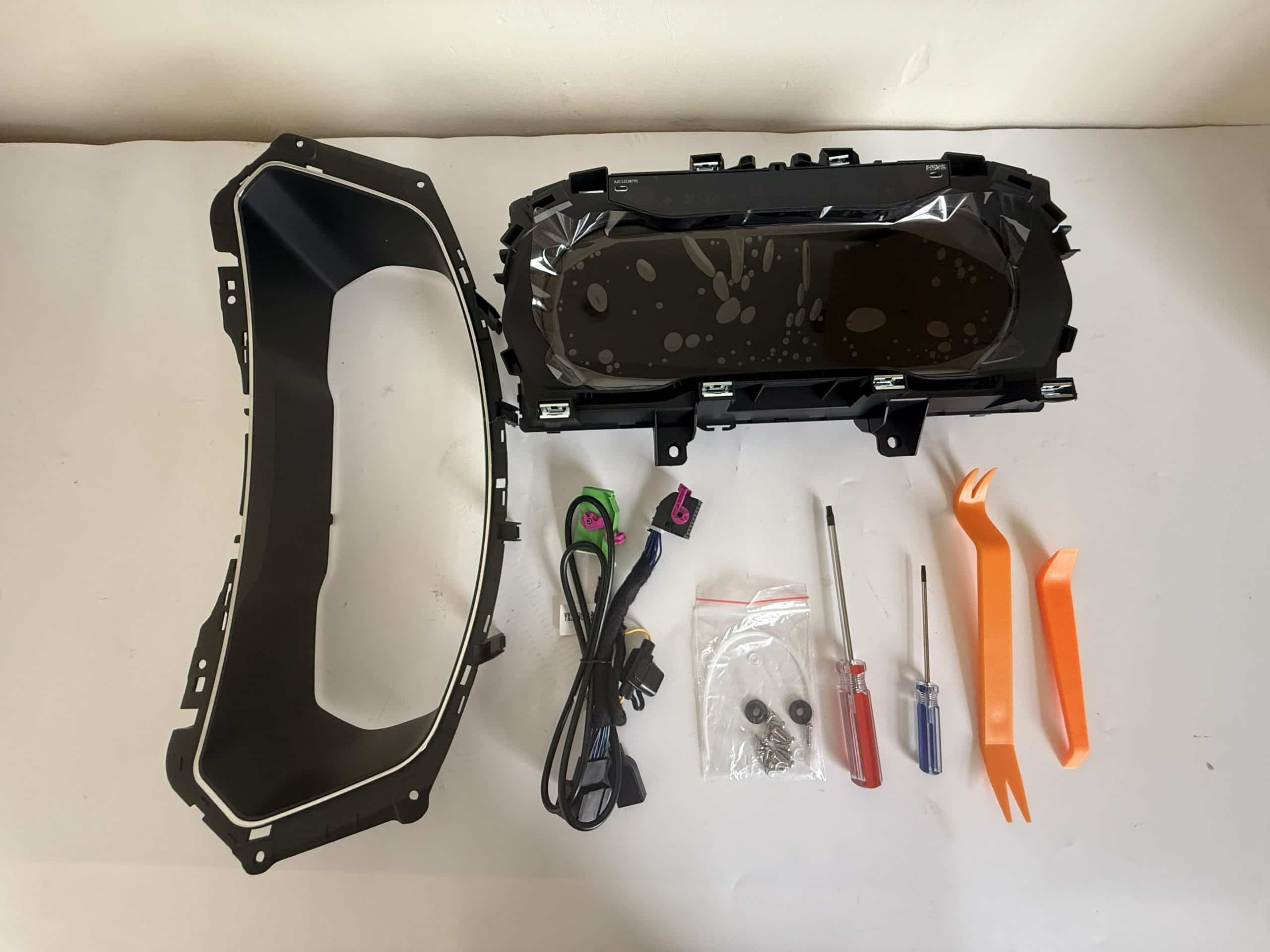
The digital cluster is supplied with the applicable vehicle connection solution and useful installation accessories, helping reduce unnecessary wiring changes and last-minute parts searches.

VW Tiguan digital cluster package with wiring harness and installation tools
The cluster, matched vehicle wiring and installation tools are organised to support a smoother Tiguan upgrade.

The exact harness, adapter and projection accessories depend on the confirmed vehicle and requested functions. iKAGOO prepares the applicable connection solution before shipment.

Original Vehicle Integration

Keep the Tiguan’s Original Instrument Logic Where Required

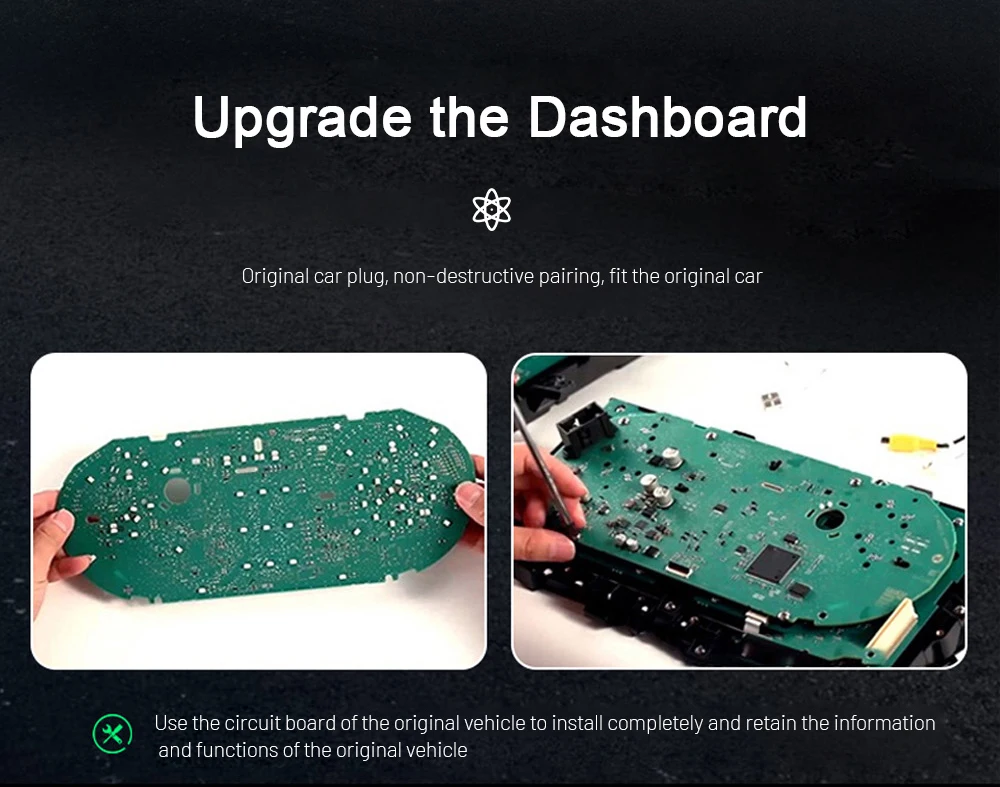
Where applicable, the required original instrument components are transferred into the new digital cluster housing. This helps the upgraded display continue working with the vehicle’s original information, identity and control logic.

Original Volkswagen instrument cluster circuit board transfer
Transferring the required original components helps preserve supported vehicle information and reduces the need for an unrelated replacement-cluster route.
VW Tiguan digital instrument cluster housing before installation
The digital cluster housing is designed to receive the required components and fit into the supported Tiguan instrument position.

المستوى 3 — الأعمال اليدوية المتقدمة

Installation for Experienced DIY Users or Automotive Electronics Installers

The installation requires careful cluster removal, connection work and final vehicle-function testing. An experienced DIY installer can complete the work with suitable tools, or the product can be installed by a general automotive electronics installer.

Recommended Installation Process

  1. Record the original mileage, warning lights and normal instrument behaviour.
  2. Power down the vehicle using appropriate automotive-electronics practice.
  3. Remove the surrounding trim and original cluster carefully.
  4. Transfer the required original components where applicable.
  5. Connect the matched harness and secure all connectors and ribbon cables.
  6. Complete the required cluster settings.
  7. Test the driving information and warnings before reinstalling all trim.

Pause the Installation If

  • The original cluster housing or connector does not match.
  • The retained original component cannot be seated securely.
  • A ribbon cable or connector appears damaged or excessively tight.
  • Speed, RPM, fuel, gear or temperature information is missing.
  • A critical warning behaves incorrectly.
  • The display repeatedly restarts or does not sleep and wake normally.
  • There is abnormal heat, smoke or a burning smell.

Before closing the dashboard, test speed, RPM, fuel, temperature, gear, mileage, turn signals, high beams, seat-belt status, door status, warning indicators, steering-wheel controls and supported driver-assistance information.

Digital Interface and System

Choose the View That Works Best for Your Driving

VW Tiguan digital cluster functions and original steering-wheel support
View supported vehicle information through a clearer 1920 × 720 digital layout while continuing to use compatible original controls.
VW Tiguan digital cluster selectable gauge styles
Select the gauge and pointer style that gives you the clearest view of the information you use most.
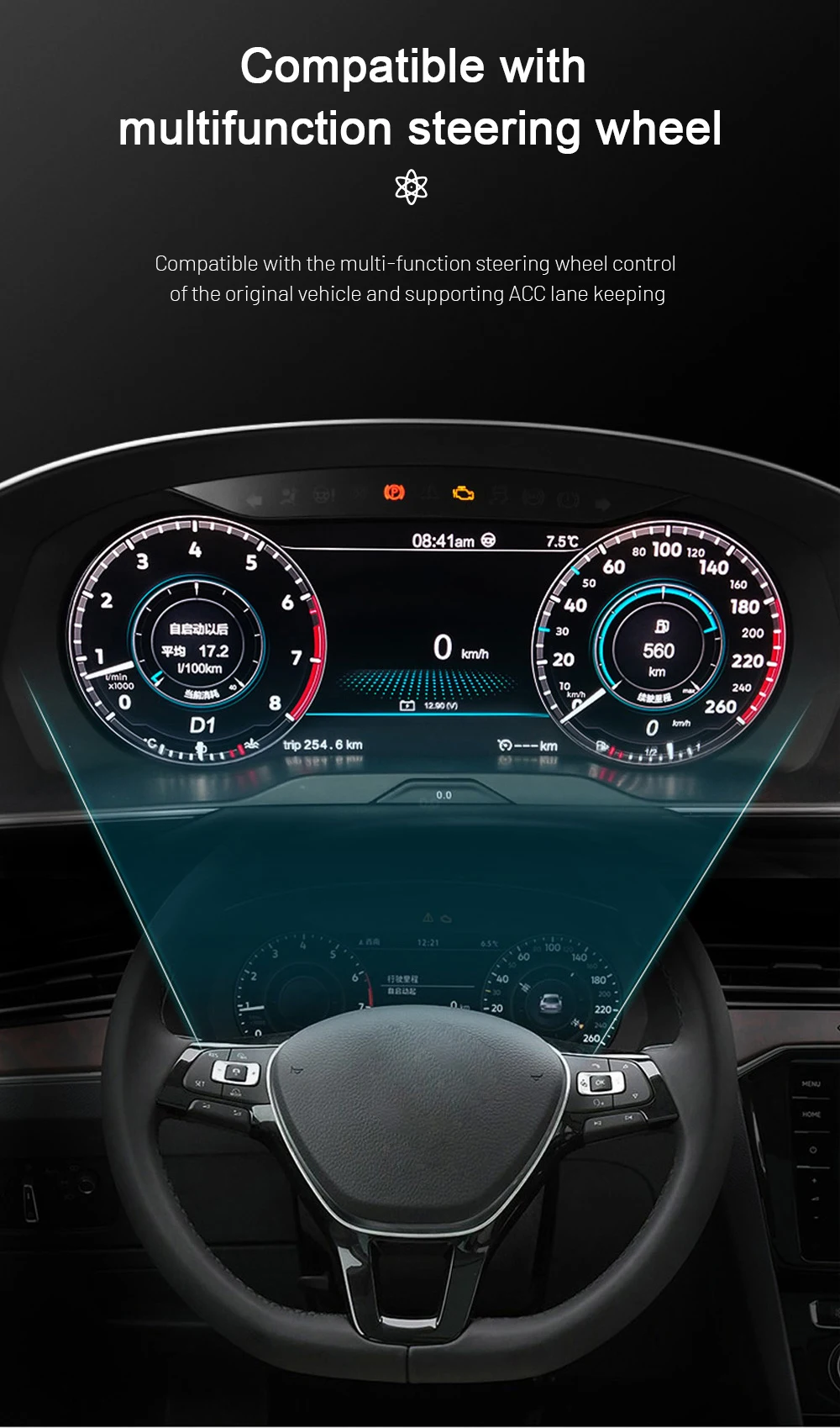
Volkswagen multifunction steering-wheel control with digital cluster
Use supported Volkswagen steering-wheel buttons to move through compatible instrument information without reaching toward the dashboard.
VW Tiguan digital instrument theme color settings
Adjust the instrument theme colour to create a display appearance that better suits your preferred driving style.
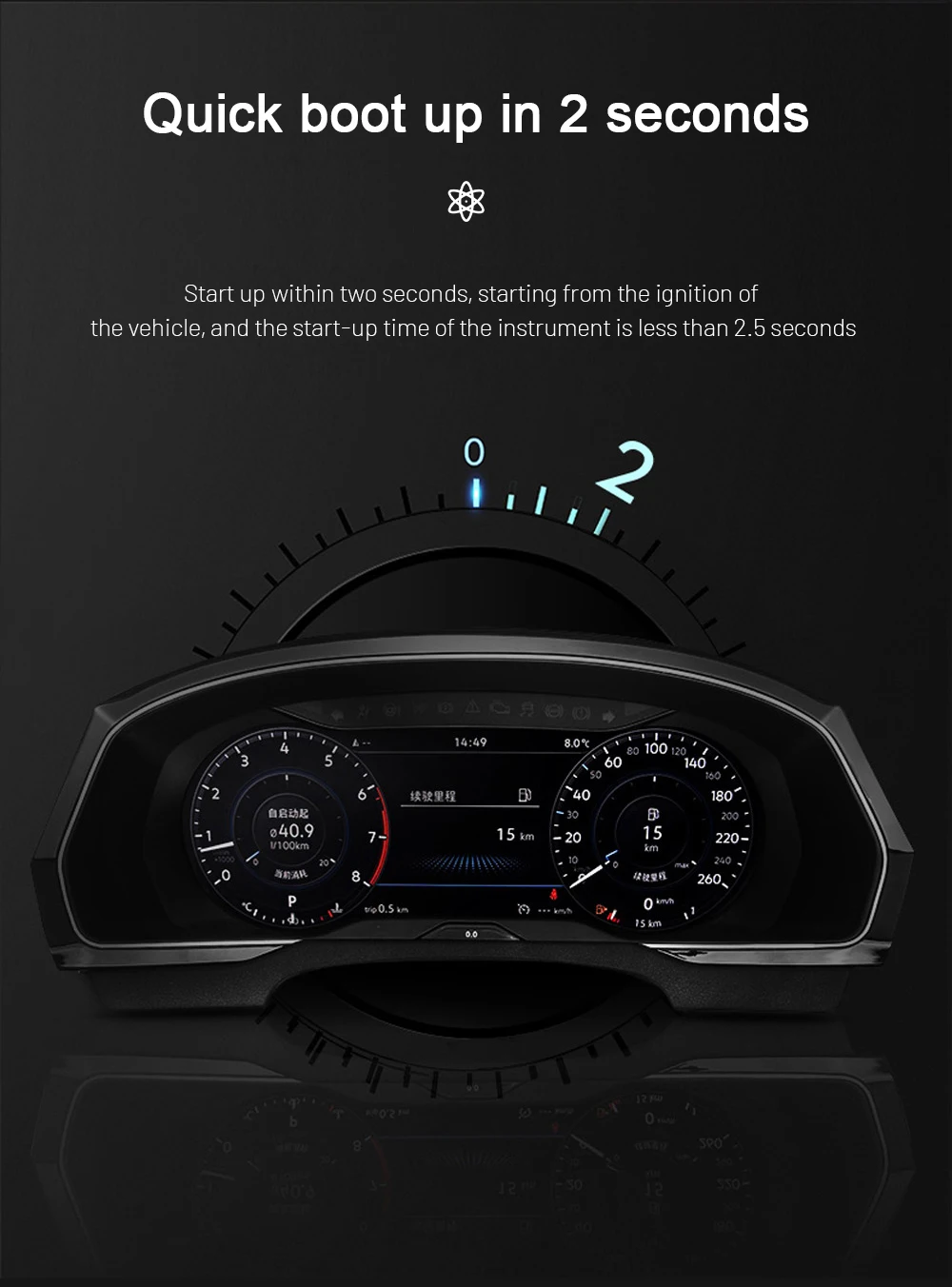
VW Tiguan Linux digital cluster fast startup
The dedicated Linux platform is designed to start quickly when the vehicle is switched on.
VW Tiguan digital cluster Linux system stability
A focused Linux instrument system avoids unnecessary applications and keeps the display centred on driving information.
VW Tiguan IPS digital cluster screen display
The IPS display provides a wide viewing angle and a clear instrument presentation from the driver’s seat.

Before You Order

Send These Details So iKAGOO Can Prepare the Correct Version

1. Vehicle Details

Volkswagen Tiguan, exact production year, fuel type and trim level.

2. Original Instrument Photo

A clear front photo showing the complete cluster, gauges and surrounding trim.

3. Full Dashboard Photo

A wider photo showing the steering wheel, instrument opening, air vents and centre dashboard.

4. Steering Position

يرجى تحديد ما إذا كان المقود على اليسار أم على اليمين.

5. Previous Modifications

Tell us about any previous instrument replacement, aftermarket head unit or wiring change.

6. Navigation Display Requirement

Confirm whether you want compatible map or phone information displayed in the instrument.

Open the Compatibility Guide

Delivery and After-Sales Support

Supported Before Shipment and After Installation

تجهيز الطلب

Vehicle-specific orders are normally prepared within approximately 1–3 business days before dispatch.

الشحن الدولي القابل للتتبع

Tracking information is provided after dispatch. Delivery time depends on the destination and carrier.

الشحن بنظام تسليم الجاهز للتسليم (DDP) الاختياري

Tax-included DDP may be available for eligible destinations when selected or confirmed before shipment.

12-Month ضمان الأجهزة

Eligible hardware is covered for verified manufacturing defects under the current warranty terms.

Installation and Configuration Support

Support is available for connection, original-component transfer, settings and final function checks.

Confirmed Compatibility Protection

When accurate vehicle information was supplied and iKAGOO confirmed compatibility before purchase, the current refund policy applies if no reasonable installation solution remains.

الأسئلة الشائعة

VW Tiguan Digital Cluster Questions

What is the VW Tiguan 2017–2022 Digital Cluster?

It is a vehicle-specific 12.3-inch Linux LCD instrument cluster that upgrades the supported original Tiguan instrument area with a modern digital cockpit layout.

هل هذه وحدة رأس تعمل بنظام Android؟

No. It is a dedicated digital instrument cluster. It does not replace the centre infotainment unit, amplifier, speakers or camera system.

Which Tiguan years are supported?

The product is prepared for supported Volkswagen Tiguan 2017–2022 vehicles. The original instrument appearance and dashboard structure must still be checked before shipment.

Is Tiguan L automatically the same as a standard Tiguan?

No. Regional models can use different housings, trim and instrument structures. Send clear photos rather than ordering only by model name.

Will the original mileage be retained?

The applicable original vehicle-data logic continues through the specified original-component transfer and installation route. Record the original mileage before removing the cluster.

Will the steering-wheel controls continue to work?

Supported Volkswagen multifunction steering-wheel controls continue to operate compatible instrument functions after correct installation.

Will ACC and lane information still display?

Supported assistance information continues to display on vehicles originally equipped with the relevant functions. The visual layout may differ from the original Volkswagen interface.

Can the cluster show CarPlay or navigation information?

Compatible phone or navigation information can be shown when the vehicle has a supported multimedia source and the required display connection.

Is the projection cable always included?

The required cable or adapter depends on the multimedia source and selected package. Tell iKAGOO which system is installed before shipment.

هل يمكنني تثبيته بنفسي؟

The installation is rated Level 3 — Advanced DIY. It is suitable for customers with previous dashboard and automotive-electronics installation experience, or a general automotive electronics installer.

Does installation require cutting the factory wiring?

The matched connection route is designed to work with supported original vehicle interfaces without intentionally cutting the main factory harness.

What should be tested before closing the dashboard?

Test speed, RPM, fuel, temperature, gear, mileage, turn signals, high beams, seat-belt status, door status, warnings, steering controls and supported assistance information.

ما هو الضمان والدعم المتضمنان؟

Eligible hardware includes a 12-month limited warranty. iKAGOO also provides vehicle matching, installation guidance, configuration assistance and after-sales support.

Ready to Upgrade Your Tiguan?

Choose the Correct Cluster and Let iKAGOO Prepare the Vehicle Match

Select the available purchase option, provide accurate vehicle information and let iKAGOO prepare the appropriate digital cluster, connection route and installation guidance for your order.

اتصل بدعم iKAGOO

5.00

استناداً إلى مراجعات 1
1
0
0
0
0

تقييمات 1 لـ VW Tiguan 2017–2022 Digital Cluster 12.3″ LCD Upgrade

  1. Adam Richardson -

    التقييم الإجمالي
    القيمة مقابل المال

    I had the cluster installed in my 2019 Tiguan R-Line by a Volkswagen specialist. The finished result looks clean and much closer to a factory-style upgrade than a typical aftermarket display. The graphics are clear, and the dashboard now feels more suitable for the rest of the R-Line interior. Professional installation was worth it.

    هل هي مفيدة؟
إضافة تقييم

Your email address will not be published. Required fields are marked

يجب أن تكون مسجلاً للدخول حتى تتمكن من إضافة صور إلى تقييمك.

iKAGOO: الشحن، الضمان، إرجاع المنتجات، ودعم العملاء
خدمة دعم العملاء في iKAGOO

الشحن والضمان والإرجاع

معلومات واضحة حول معالجة الطلبات، والتوصيل الدولي، والمنتجات الخاصة بالمركبات، ودعم الضمان، وعمليات الإرجاع، والشحنات التالفة.

معالجة الطلبات عادةً ما يستغرق الأمر من يوم عمل واحد إلى ثلاثة أيام قبل الشحن.
التوصيل الدولي عادةً ما يستغرق الأمر من 5 إلى 20 يوم عمل بعد الشحن، حسب الوجهة.
ضمان الأجهزة ضمان محدود لمدة 12 شهراً يغطي عيوب التصنيع المؤهلة.
الدعم الخاص بكل مركبة تتوفر خدمات المساعدة في مجال التوافق والتوصيلات الكهربائية والتكوين.

الأسئلة الشائعة

تقدم هذه الإجابات ملخصًا عمليًّا. وتسري صفحات السياسة الكاملة المرتبطة أدناه على جميع الطلبات.

01

من أين يتم شحن الطلبات، وكم تستغرق مدة التسليم؟

يتم شحن معظم طلبات iKAGOO من مركز التوزيع التابع لنا في الصين بعد التحقق من تكوين المنتج ومعلومات السيارة. تستغرق معالجة الطلبات العادية حوالي 1-3 أيام عمل.

المواعيد التقديرية للتسليم بعد الشحن هي:

  • الولايات المتحدة الأمريكية وكندا: حوالي 5–9 أيام عمل
  • الاتحاد الأوروبي: ما بين 7 و15 يوم عمل تقريبًا
  • المملكة المتحدة وأستراليا: حوالي 7–10 أيام عمل
  • المناطق الأخرى المدعومة: ما يقارب 7–20 يوم عمل

قد تتأثر تقديرات التسليم بإجراءات التخليص الجمركي، والعطلات المحلية، والتسليم إلى المناطق النائية، أو الظروف الجوية، أو التأخيرات من جانب شركة الشحن.

02

هل سأضطر إلى دفع ضريبة الاستيراد أو ضريبة القيمة المضافة أو الرسوم الجمركية؟

لا يشمل الشحن الدولي العادي عادةً ضريبة القيمة المضافة في بلد المقصد ، ولا رسوم الاستيراد، ولا رسوم السمسرة، ولا رسوم التخليص الجمركي.

بالنسبة للوجهات المؤهلة في الاتحاد الأوروبي، هناك خيار خدمة الشحن DDP قد تكون متوفرة. لا يتم تضمين الرسوم المتعلقة بالاستيراد إلا عند اختيار خيار «DDP» عند إتمام عملية الدفع أو عند تأكيد ذلك من قِبل iKAGOO كتابةً قبل الشحن.

عندما لا يتم تحديد خيار DDP، يتحمل المستلم مسؤولية أي رسوم تُفرض من قبل الجمارك المحلية أو شركة الشحن.

03

هل يمكنني طلب الشحن السريع؟

قد تتوفر خدمة الشحن السريع أو المعجل لبعض المنتجات و الوجهات المحددة. ويتم التأكد من توفر الخدمة وشركة الشحن والتكلفة الإضافية قبل الشحن.

اعتمادًا على الوجهة ونوع المنتج، قد تلجأ iKAGOO إلى شركات شحن مثل DHL أو FedEx أو UPS أو EMS أو 4PX أو أي مزود خدمات لوجستية آخر يوفر خدمة تتبع الشحنات.

04

كيف يمكنني تتبع شحنتي؟

بعد شحن الطلب، يتم عادةً إرسال رقم التتبع أو رابط التتبع إلى عنوان البريد الإلكتروني المستخدم في الطلب.

قد يستغرق ظهور تحديثات التتبع عدة أيام عمل أثناء نقل الطرد بين شركات النقل الدولية والمحلية.

05

ما هي سياسة الإرجاع واسترداد الأموال الخاصة بـ iKAGOO؟

تعتمد أهلية الإرجاع على سبب الإرجاع، وحالة المنتج، وحالة التركيب، والأدلة المقدمة، وما إذا كان الإرجاع قد تمت الموافقة عليه من قِبل iKAGOO.

في حالة الإرجاع غير المرتبط بعيب في المنتج، يجب أن يكون المنتج عادةً غير مستخدم، وغير مُثبَّت، وكاملًا وصالحًا لإعادة البيع. ويتحمل العميل عمومًا تكاليف إعادة الشحن المعتمدة.

رسوم الشحن الأصلية، ورسوم التسليم إلى الوجهة (DDP)، وضريبة القيمة المضافة، والرسوم الجمركية، والتكاليف اللوجستية الأخرى غير قابلة للاسترداد عمومًا، ما لم ينص القانون المعمول به على خلاف ذلك أو تؤكد شركة iKAGOO خلاف ذلك.

يرجى عدم إعادة المنتج قبل الحصول على عنوان إرجاع معتمد وتعليمات الإرجاع من iKAGOO.

06

ماذا يحدث إذا أكد تطبيق iKAGOO التوافق، لكن لم يتمكن من تثبيت المنتج؟

قد تُطبق حماية إضافية في الحالات التي تكون فيها شركة iKAGOO قد تأكدت من التوافق قبل الشراء، وقدم العميل معلومات دقيقة عن السيارة، وتعاون العميل في اتخاذ خطوات التثبيت والتشخيص المعقولة.

إذا أكدت شركة iKAGOO عدم توفر أي حل تقني معقول، وكان قد تم الإبلاغ عن المشكلة في غضون بعد 7 أيام تقويمية من تاريخ التسليم, ، قد يكون العميل مؤهلاً لاسترداد ثمن المنتج دون أن يُطلب منه إعادة المنتج.

لا يشمل استرداد سعر هذا المنتج تكاليف الشحن الأصلية، وشروط التسليم «DDP»، وضريبة القيمة المضافة، والرسوم الجمركية، وأي رسوم أخرى تفرضها أطراف ثالثة.

07

ما هي الضمانات التي تقدمها iKAGOO؟

تشمل منتجات iKAGOO المؤهلة ما يلي: ضمان محدود على الأجهزة لمدة 12 شهراً تغطي العيوب التصنيعية المثبتة وأعطال الأجهزة المؤهلة في ظل الاستخدام العادي.

اعتمادًا على المشكلة، قد يشمل الحل التشخيص عن بُعد، والمساعدة في الضبط ، وقطع الغيار، والإصلاح، واستبدال المنتج، أو استرداد جزء من المبلغ أو استرداده بالكامل.

لا تشمل الضمان عادةً الأضرار الناجمة عن التوصيلات الكهربائية غير الصحيحة، أو التعديلات غير المصرح بها، أو الأضرار العرضية، أو تسرب المياه، أو الصدمات، أو سوء الاستخدام، أو الجهد الكهربائي غير المناسب، أو أخطاء التركيب، أو استخدام معدات غير متوافقة من جهات خارجية.

08

هل يؤدي فتح المنتج إلى إلغاء الضمان تلقائيًا؟

لا يؤدي الفحص أو الفحص الذي تجريه جهة خارجية إلى إلغاء الضمان بالكامل تلقائيًا. ومع ذلك، فإن الأضرار الناجمة عن الإصلاح غير المصرح به، أو استبدال المكونات، أو التعديل غير الصحيح، أو الدوائر المكسورة، أو إعادة التجميع غير السليمة لا تشملها الضمان.

يرجى الاتصال بشركة iKAGOO قبل تفكيك المنتج أو إصلاحه حتى يتسنى توفير الإجراء التشخيصي الصحيح.

09

ماذا لو وصل طلبي تالفًا أو كانت هناك قطع مفقودة منه؟

يرجى الاتصال بـ iKAGOO في غضون بعد 7 أيام تقويمية من تاريخ التسليم واحتفظ بالعبوة الأصلية وملصق الشحن والملحقات والمنتج.

يرجى تقديم صور أو مقاطع فيديو واضحة تُظهر ما يلي:

  • صندوق الشحن الخارجي وملصق الشحن
  • أي تلف ظاهر في العبوة
  • المنتج والمنطقة المتأثرة
  • جميع الملحقات والأسلاك المستلمة

بعد التحقق، قد تقوم iKAGOO بترتيب شحن الأجزاء المفقودة، أو استبدالها، أو إصلاحها، أو رد المبلغ المدفوع، أو تقديم حل معقول آخر وفقًا للحالة المحددة.

10

ماذا أفعل إذا طلبت المنتج الخطأ؟

يرجى الاتصال بشركة iKAGOO قبل تثبيت المنتج أو استخدامه. قد يتم الموافقة على استبدال المنتج أو إرجاعه شريطة أن يكون المنتج غير مستخدم، وغير مثبت، وكاملاً، وصالحاً لإعادة البيع.

يتحمل العملاء عادةً تكاليف الشحن وأي فرق في السعر في حالة اختيار المنتج أو طراز السيارة أو سنة الصنع أو التكوين المصنعي الخاطئ.

لا يتم توفير ملصق إرجاع مسبق الدفع مجانًا تلقائيًّا.

11

هل يمكنني تعديل طلبي أو إلغاؤه بعد الدفع؟

يرجى الاتصال بشركة iKAGOO في أقرب وقت ممكن، ويفضل أن يكون ذلك في غضون بعد 12 ساعة من تقديم الطلب, ، عند طلب عنوان، أو تغيير في مواصفات السيارة أو المنتج.

لا يصبح التعديل أو الإلغاء ساري المفعول إلا بعد تأكيده من قِبل iKAGOO. قد تدخل المنتجات الخاصة بالمركبات مراحل الشراء أو البرمجة أو الاختبار أو التهيئة أو الإعداد حسب الطلب بعد فترة وجيزة من سداد المبلغ.

بمجرد بدء عملية التحضير أو الشحن، قد لا يكون الإلغاء ممكنًا، أو قد يتم خصم التكاليف المعقولة التي تم تكبدها بالفعل.

12

ما الذي تتضمنه الحزمة؟

تختلف محتويات العبوة باختلاف المنتج وطراز السيارة ونظام المصنع والتكوين المختار.

اعتمادًا على المنتج، قد تتضمن العبوة الجهاز الرئيسي، ومجموعات الأسلاك الخاصة بالمركبة، وواجهة CANBUS، والمحولات، وكابلات USB، والهوائيات، والميكروفونات، ومعدات التثبيت، وغيرها من ملحقات التركيب.

يرجى الرجوع إلى صفحة المنتج ذات الصلة وصور العبوة وتأكيد الطلب لمعرفة المكونات المضمنة بالضبط.

13

كيف يمكنني الاتصال بدعم iKAGOO؟

يمكنك التواصل مع iKAGOO عبر نموذج الاتصال أو البريد الإلكتروني أو WhatsApp أو قنوات الدعم المتاحة على الموقع الإلكتروني. وعادةً ما يكون وقت الرد في غضون 24 ساعة عمل.

للحصول على دعم فني أسرع، يرجى ذكر رقم طلبك وطراز السيارة وسنة الصنع، بالإضافة إلى صور للنظام الأصلي للسيارة وصور للمنتج ومقطع فيديو واضح يوضح المشكلة.

تفضل بزيارة: الاتصال والدعم في iKAGOO

14

هل عملية الدفع آمنة، وهل تتوفر خيارات الدفع بالتقسيط؟

تتم معالجة المدفوعات من خلال طرق الدفع الآمنة المعروضة أثناء إتمام عملية الشراء. قد تختلف خيارات البطاقات والمحافظ الإلكترونية والتقسيط المتاحة حسب البلد، والعملة، ومزود خدمة الدفع، وأهلية العميل.

تخضع أي خدمة دفع بالتقسيط، بما في ذلك الخيارات التي تقدمها PayPal أو أي مزود آخر، لقواعد التوافر والموافقة الإقليمية الخاصة بذلك المزود.

اقرأ سياسات iKAGOO الكاملة

يرجى الاطلاع على صفحات السياسة الكاملة قبل إجراء الطلب، لا سيما فيما يتعلق بالمنتجات المخصصة لمركبات معينة، والترتيبات الضريبية الدولية، وعمليات الإرجاع المتعلقة بالتركيب.

تعد هذه الأسئلة الشائعة دليلاً مبسطاً للعملاء. وفي حالة وجود أي اختلاف في الصياغة، فإن الصفحات الكاملة للسياسة المنشورة، وتأكيد الطلب، وقانون حماية المستهلك المعمول به، لها الأسبقية.

لوحة العدادات الرقمية لسيارة فولكس فاجن تيغوان 2017–2022 | شاشة LCD مقاس 12.3 بوصة VW Tiguan 2017–2022 Digital Cl...

السعر الأصلي هو: $880.00.السعر الحالي هو: $468.00.

إضافة إلى السلة