سمة XStore

No products in the cart.

Menu Categories
حتى 24%
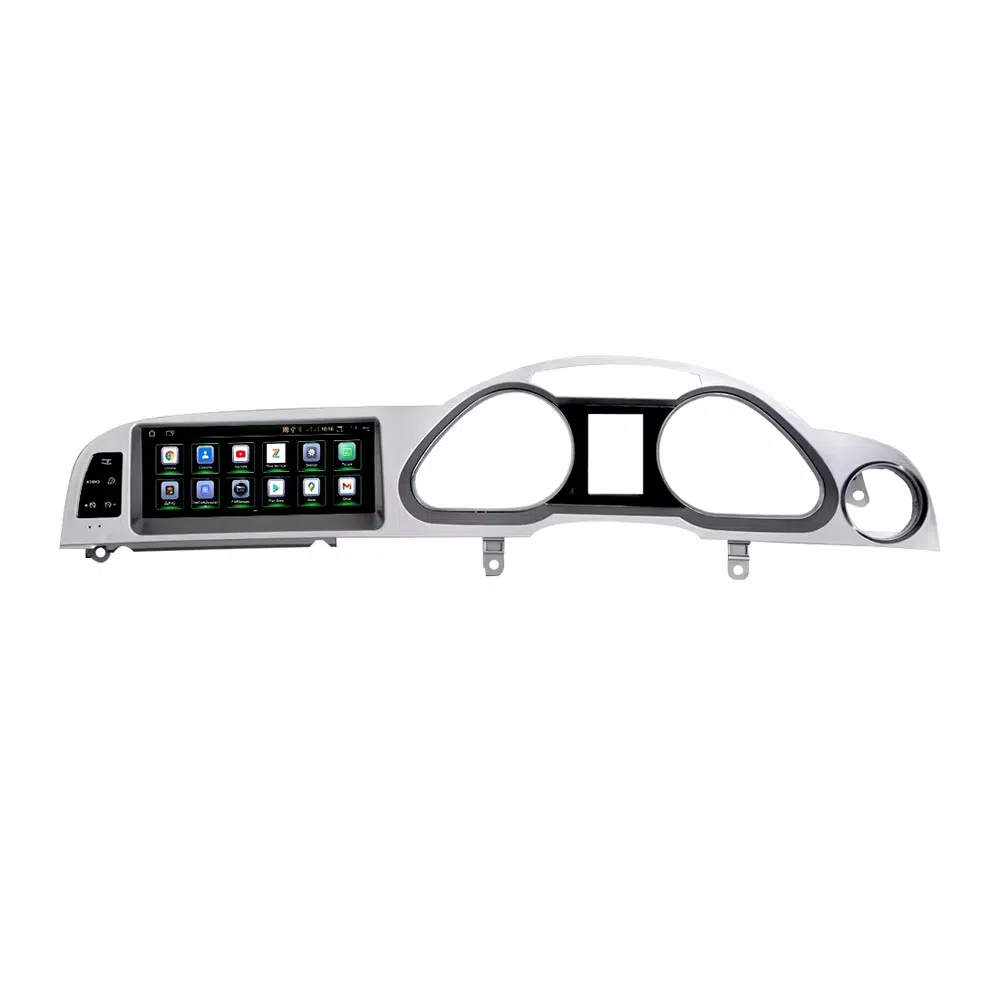
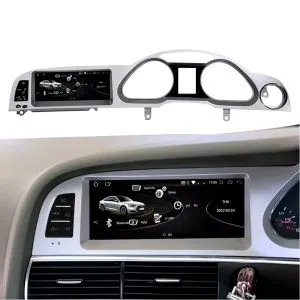
  • وحدة التحكم الرئيسية بنظام أندرويد لسيارات أودي A6 وA6L من الجيل C6 (2005–2011) بشاشة مقاس 10.25 بوصة، تدعم CarPlay وAndroid Auto وDSP
  • 07 1
  • 01 5 1
  • 08 4
  • 02 4
  • 03 3
  • 06 2

وحدة التحكم الرئيسية بنظام أندرويد لسيارة أودي A6 C6 طرازات 2005–2011 بشاشة مقاس 10.25 بوصة، تدعم CarPlay وAndroid Auto وDSP

العلامة التجارية:

من: $318.00

معفاة من الرسوم الجمركية الاتحاد الأوروبي والولايات المتحدة الأمريكية فقط
التفاصيل
تأمين بواسطة باي بال
خدمة DDP المدفوعة الضرائب المدفوعة مسبقاً

نتعامل مع جميع ضريبة القيمة المضافة والرسوم. الوفورات المقدرة: $120-$280.

الولايات المتحدة الأمريكية (48 ولاية)النمسابلجيكابلغارياكرواتياقبرصالتشيكالدنماركإستونيافنلندافرنساألمانيااليونانهنغارياأيرلنداايطاليالاتفياليتوانيالوكسمبورغمالطاهولندابولنداالبرتغالرومانياسلوفاكياسلوفينيااسبانياالسويد
أو

هل لديك أي أسئلة؟

لا تتردد في تواصل معنا

ادفع بأمان مع Paypal ادفع بأمان مع فيزا ادفع بأمان باستخدام بطاقة ماستر كارد ادفع بأمان مع JCB ادفع بأمان مع أمريكان إكسبريس ادفع بأمان مع Alipay ادفع بأمان مع Google pay ادفع بأمان مع Klarna ادفع بأمان مع DISCOVER ادفع بأمان باستخدام Apple Pay
ضمان دفع الدفع الآمن والمضمون
حماية المشتري من iKAGOO

حماية الشراء لهذا المنتج

مراجعة التوافق، ودفع آمن، وتسليم مع تتبع الشحنة، ودعم عملي لما بعد البيع.

تتوقف شروط الأهلية وفترات الإبلاغ وسبل الانتصاف على سياسة iKAGOO المعمول بها وعلى مراجعة الحالة.
عرض سياسات الحماية
Audi A6 C6 Android Head Unit 2005 2011 10.25 inch screen panel
Audi A6 C6 / 4F · 2005–2011 · MMI Upgrade
Audi A6 C6 Android Head Unit with 10.25″ CarPlay, Android Auto, GPS and DSP

Upgrade your Audi A6 C6 / 4F from 2005 to 2011 with an iKAGOO vehicle-specific 10.25-inch Android head unit. This factory-style screen upgrade adds wireless CarPlay, Android Auto, GPS navigation, DSP 32-band EQ audio, WiFi/4G, Bluetooth and supported Audi MMI system access while keeping the dashboard close to the original interior layout.
Audi A6 C6 / 4F 2005–2011 10.25-inch screen أندرويد 13 تطبيق CarPlay اللاسلكي أندرويد أوتو DSP 32-band EQ WiFi / 4G

Before shipment, iKAGOO checks your dashboard photo, LHD/RHD position, original MMI screen, button layout, AUX/AMI audio route, camera system and whether your vehicle needs a MOST fiber optic decoder.

See the Upgrade First

See the Audi A6 C6 Android Head Unit Upgrade Before You Order

These key visuals appear early because Audi owners usually decide first by dashboard fitment, screen style, CarPlay view, wiring confidence and MOST fiber optic audio risk.

Installed dashboard effect

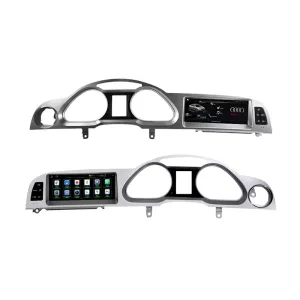
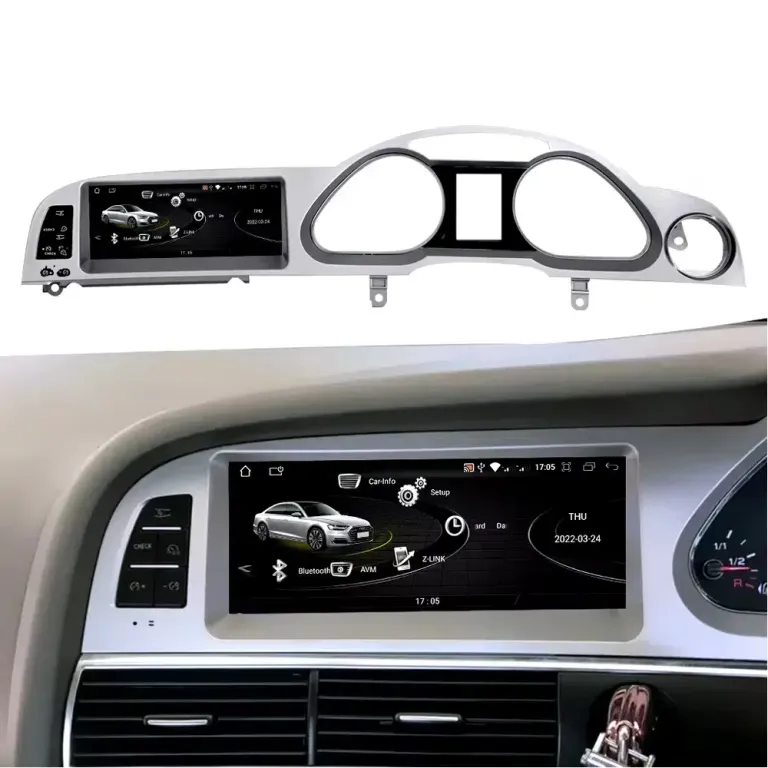
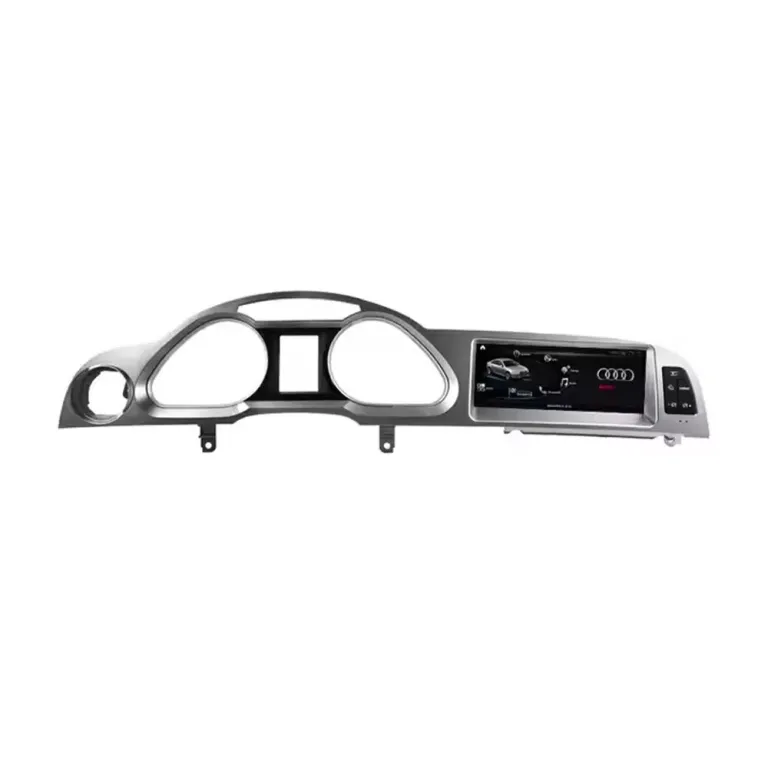
Check how the 10.25-inch Android screen sits inside the Audi A6 C6 dashboard before reading the full specifications.

Audi A6 C6 Android Head Unit installed dashboard effect

Factory-style screen panel

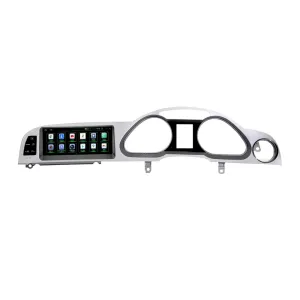
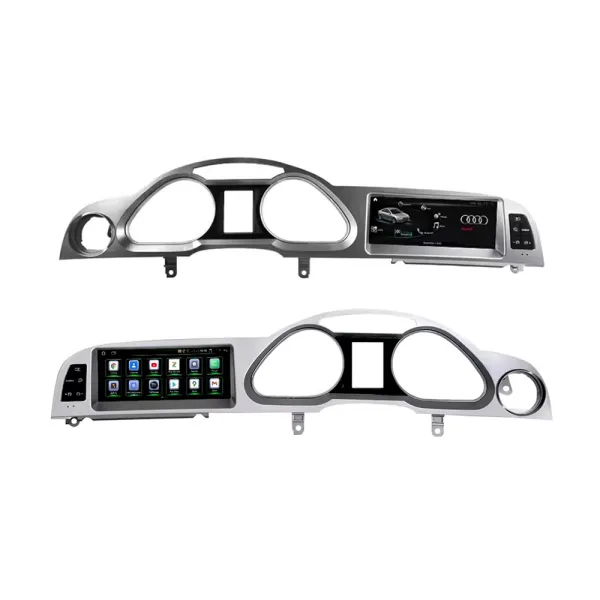
The panel shape and side-button layout help keep the upgrade close to the original Audi interior instead of a universal tablet look.

Audi A6 C6 Android screen panel factory style fitment

Audi-style Android interface

The interface direction gives the cabin a modern screen experience while staying visually closer to Audi’s original MMI style.

Audi A6 C6 Android Head Unit Audi style interface

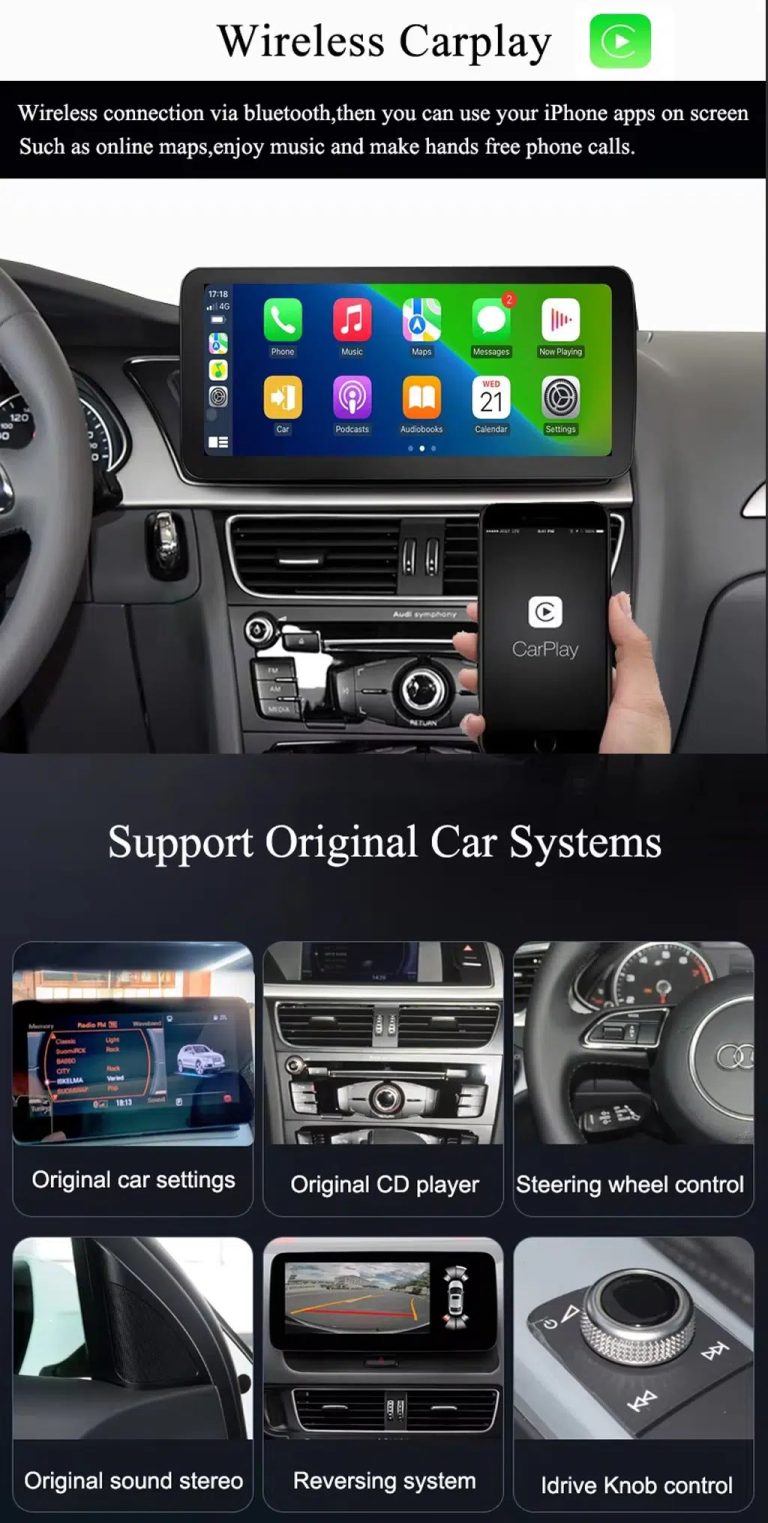
Wireless CarPlay and original system route

Use CarPlay for maps, music and calls while keeping supported original Audi menu access after correct system matching.

Audi A6 C6 wireless CarPlay Android screen original system support

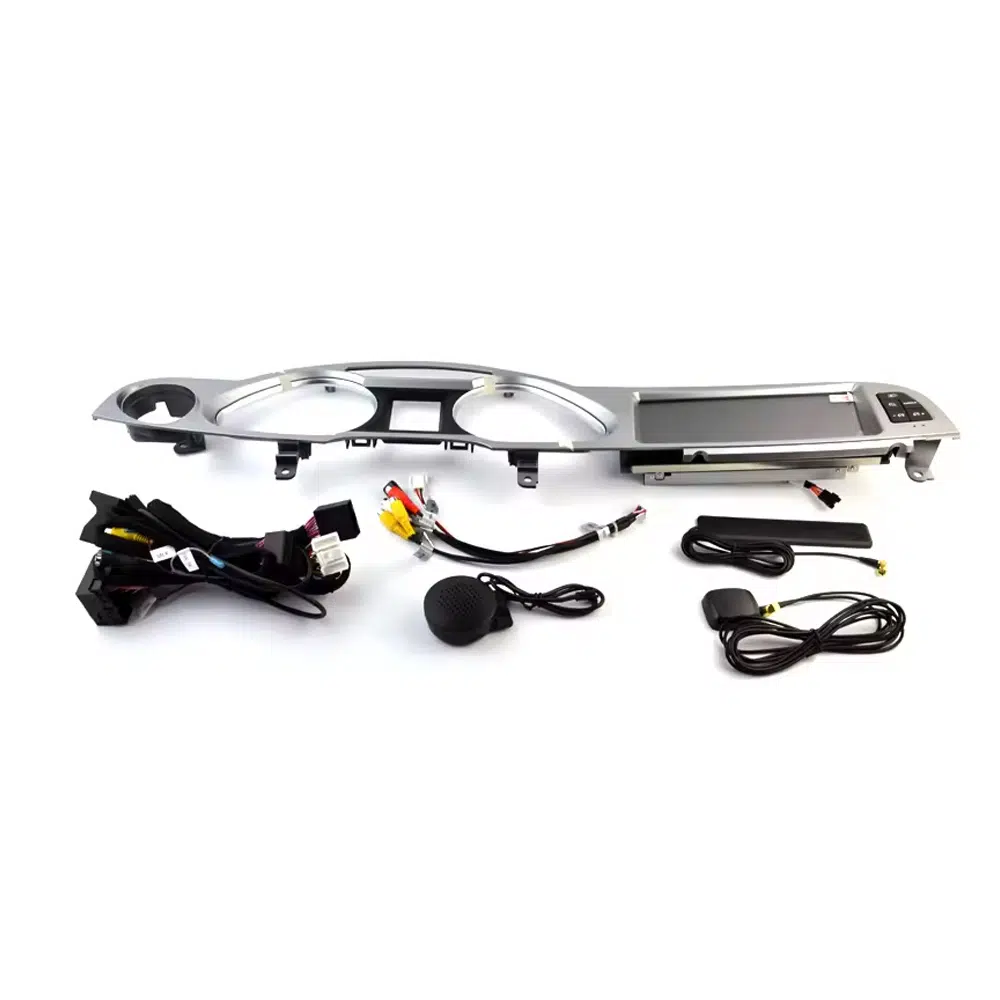
Wiring and accessory confidence

Correct wiring, GPS, microphone, USB and interface accessories matter for clean MMI integration and stable daily use.

Audi A6 C6 Android Head Unit screen harness microphone GPS accessories

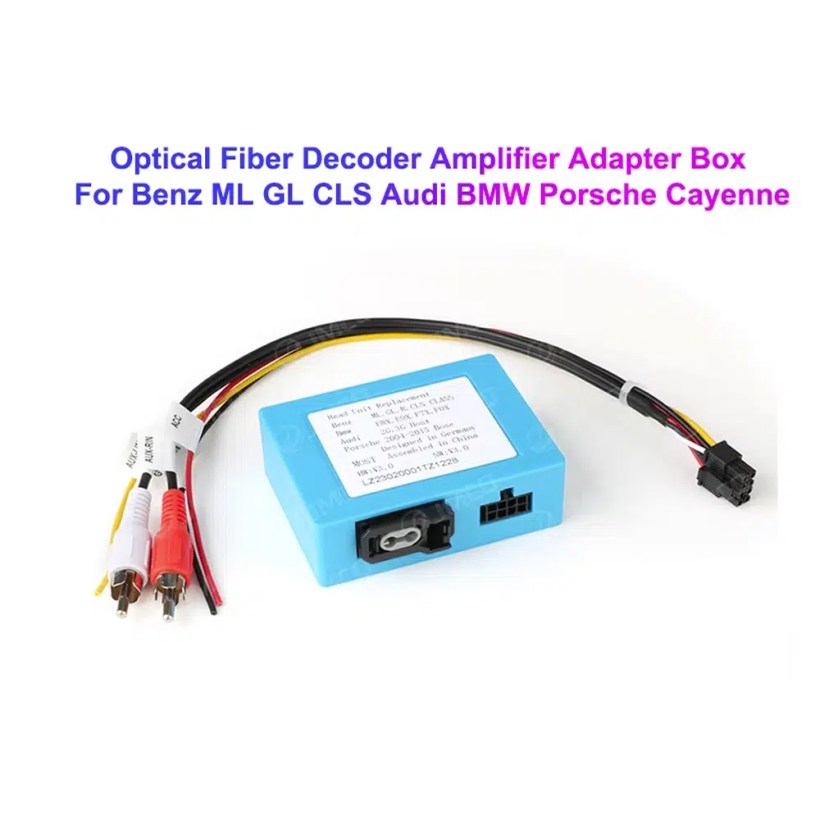
MOST fiber optic decoder check

Some Audi A6 C6 vehicles need a MOST fiber optic decoder. Confirming this before shipment helps avoid no-sound problems.

Audi A6 C6 MOST fiber optic decoder Android screen adapter
إجابة سريعة

Audi A6 C6 Android Head Unit for 2005–2011 with CarPlay, Android Auto and DSP

This iKAGOO Audi A6 C6 Android Head Unit is made for selected Audi A6 C6 / 4F vehicles from 2005 to 2011. It upgrades the factory MMI display experience with a 10.25-inch Android 13 screen, wireless CarPlay, Android Auto, GPS navigation, DSP 32-band EQ audio, WiFi/4G, Bluetooth, USB DVR support and supported rear camera integration. Supported original functions such as Audi MMI menu access, steering-wheel control, original vehicle information, radio/CD audio route, parking information and factory camera route can continue to work after correct vehicle matching and installation. For vehicles with premium audio or MOST fiber optic, iKAGOO checks whether a fiber optic decoder is required before shipment.

القيمة الشرائية

Why This Audi A6 C6 Android Head Unit Is Worth Upgrading

10.25-inch Android screen with factory-style fitment

The Audi A6 C6 dashboard has a wide factory screen area. This Android head unit gives your A6 a cleaner 10.25-inch display while keeping the screen position close to the original MMI layout.

Wireless CarPlay and Android Auto for daily driving

Use phone maps, music apps, messages, calls and compatible voice functions through a wider Audi A6 C6 Android screen upgrade instead of relying only on the old factory interface.

DSP, camera and MMI system matching before shipment

iKAGOO checks your MMI system, AUX/AMI audio route, MOST fiber optic requirement, factory camera and parking display configuration before preparing the correct Audi A6 C6 Android Head Unit version.

Not sure whether your vehicle is the correct Audi A6 C6 / 4F version? Send the dashboard photo, original screen photo, button panel photo and audio connector details. iKAGOO prepares the correct screen route according to the vehicle structure, not only the model year.
الاحتفاظ بوظائف المصنع

Original Audi Functions Supported After Correct Matching

Function retention depends on the confirmed Audi MMI system, correct harness, CANBUS decoder, AUX/AMI route, MOST fiber optic requirement, camera input and installation configuration.

  • Original Audi menu access
    Supported original Audi menu and vehicle settings can remain accessible through the matched system-switching route.
  • أزرار عجلة القيادة
    Supported steering-wheel buttons can continue to work after correct CANBUS configuration.
  • Radio / CD / original audio route
    The original radio and CD audio route can be retained when AUX, AMI or the correct audio connection is prepared.
  • Factory camera and parking display
    Rear view camera AHD/CVBS and 360 camera routes must be confirmed before shipment.
  • Vehicle information display
    Supported vehicle data such as door, speed, warning and parking information can continue to display after correct setup.
  • Factory wiring protection
    The matched wiring route is designed to avoid intentionally cutting the supported factory main wiring harness.
التوافق أولاً

Confirm Your Audi A6 C6 MMI System Before Ordering

Information iKAGOO checks before shipment

  • Audi A6 C6 / 4F model year and market version.
  • Dashboard structure and factory screen opening.
  • LHD or RHD steering position.
  • Original MMI screen and button panel photos.
  • AUX or AMI audio port condition.
  • Factory rear camera, parking radar or 360 camera route.
  • Whether the vehicle uses MOST fiber optic audio.
  • Connector photos if iKAGOO needs to confirm the correct harness route.

Why this check matters

Audi A6 C6 vehicles can use different MMI systems, audio routes, camera configurations and dashboard button layouts. A correct Audi A6 C6 4F Android Radio order depends on the original vehicle system, not only the model year.

Checking these details helps iKAGOO prepare the correct Android screen, wiring harness, CANBUS route, AUX/AMI audio method, MOST fiber optic decoder and camera interface for your order.

Configuration Choice

Choose the Right Audi A6 C6 Android Head Unit Version

الشاشة

10.25-inch Android Display

The current checkout screen option is 10.25 inch. It gives the Audi A6 C6 cabin a wider modern display while keeping the screen area aligned with the factory dashboard style.

الذاكرة

2+32GB / 4+64GB / 6+128GB / 8+128GB

For basic CarPlay, Android Auto and navigation use, 4+64GB is a practical baseline. For smoother app use, stronger multitasking and longer ownership, choose 6+128GB or 8+128GB.

Audio Route

AUX / AMI / MOST Fiber Optic Check

This is the most important compatibility step. An Audi A6 C6 MOST fiber optic Android screen order should be checked before shipment so the sound route can work correctly.

Function Route

DSP, Camera, CANBUS and Original Menu

DSP audio, original menu switching, steering-wheel control, factory camera and parking information depend on the correct CANBUS, camera and audio configuration.

Fitment Buying Notes

Audi A6 C6 Android Screen Upgrade Buying Notes

Audi A6 C6 Android Head Unit

If your vehicle is an Audi A6 C6, this Android head unit route should be matched by dashboard photos, MMI screen type, button panel and audio connection. Do not order only by year.

Audi A6 C6 4F Android Radio

Many buyers search this product as an Audi A6 C6 4F Android Radio. The practical buying point is the same: confirm the factory screen, MMI generation and audio input method before choosing the Android version.

Audi A6 C6 MMI Android Screen

MMI vehicles may require different connection handling depending on system generation and audio route. Send your original screen and menu photos so iKAGOO can prepare the correct Audi A6 C6 MMI Android screen route.

Audi A6 C6 MMI 2G Android Screen

If your Audi A6 uses MMI 2G, the installation route can be different from later systems. The original MMI menu, AUX/AMI route and connector photos should be checked before shipment.

Audi A6 C6 CarPlay Android Auto Upgrade

This Audi A6 C6 CarPlay Android Auto upgrade is for owners who want modern smartphone integration, online maps, music apps and voice functions without losing supported original Audi information display.

Audi A6 2005–2011 Android Stereo with DSP

Supported DSP audio, factory camera route, parking display, steering-wheel controls and original Audi menu access depend on the correct CANBUS, audio and camera configuration.

المواصفات

المواصفات الحالية للمنتج

نوع المنتجAudi A6 C6 Android Head Unit / Android screen upgrade / Android stereo route.
Main FitmentSelected Audi A6 C6 / 4F vehicles from 2005 to 2011 after dashboard and system confirmation.
Current Checkout Screen Size10.25 inch.
خيارات الذاكرة2+32GB, 4+64GB, 6+128GB and 8+128GB 8-core route according to checkout selection.
Android SystemAndroid 13 system.
MotherboardTSK / TSK8259 / TSK8667 route depending on selected hardware version.
وحدة المعالجة المركزية8 Core CPU.
CarPlay / Android AutoWireless CarPlay and Android Auto support where selected hardware and phone compatibility allow it.
التنقلGPS / Glonass support.
الشبكةWiFi / 4G support according to selected hardware and local service.
بلوتوثBT 4.0 / BT 5.0 depending on selected hardware route.
الصوتDSP 32-band EQ support route shown in the current product attributes.
DVRUSB Front / Rear 1080P DVR support where compatible accessories are used.
الراديوFM / AM / RDS or FM / RDS depending on selected hardware route.
دعم الكاميرا360 Panorama, rear view camera AHD and rear view camera CVBS routes require vehicle confirmation.
Weight / PackageListed weight: 4.5 kg. Listed dimensions: 84 × 35 × 25 cm.
رقم المنتجBBA-120.
معايير iKAGOO

iKAGOO Purchase Assessment for This Audi A6 C6 Android Head Unit

ترقية القيمة

ضرورة ترقية iKAGOO

88/100

Strong Upgrade Case. The Audi A6 C6 interior benefits clearly from wireless CarPlay, Android Auto, navigation, Bluetooth, DSP audio, WiFi/4G and a modern Android screen.

View Upgrade Necessity Standard
Factory Retention

التوافق الأصلي لـ iKAGOO مع المركبات

84/100

Good compatibility route when MMI type, AUX/AMI audio, MOST fiber optic, CANBUS, camera and dashboard panel are checked before shipment.

A score of 84/100 does not mean that 16% of factory functions are lost. It means Audi A6 C6 system and audio matching must be handled carefully.

View Compatibility Standard
Install Level

صعوبة تثبيت iKAGOO

المستوى 3

Advanced DIY. Suitable for experienced DIY installers or an automotive electronics installer. Screen panel fitment, CANBUS, AUX/AMI, fiber optic, camera and full function testing are required.

View Installation Difficulty Guide
Why iKAGOO

لماذا يختار المالكون iKAGOO

Vehicle-specific preparation

iKAGOO checks your Audi model year, dashboard, original screen, button layout and steering position before preparing the screen route.

MMI and audio-route matching

AUX, AMI and MOST fiber optic differences are checked so the Android system can be prepared with the right audio connection path.

Original function integration

The upgrade is prepared to retain supported original menu access, steering controls, vehicle information, camera and parking information.

Factory wiring protection

The matched harness is designed for clean connection without intentionally cutting the supported factory main wiring.

دعم التثبيت

Order-based setup support helps your installer check wiring, CANBUS settings, sound output and original system switching.

ضمان على الأجهزة لمدة 12 شهرًا

Eligible hardware issues are handled under iKAGOO’s 12-month limited warranty and after-sales support process.

Decision Guide

Repair the Old MMI Screen, Add CarPlay, or Upgrade the Full Android Display?

Keep Original

Factory Audi Screen Only

Best only if you are satisfied with the old interface, limited connectivity and older navigation experience.

  • No upgrade cost
  • Old screen experience remains
  • Limited app and phone integration
Basic Add-On

CarPlay Interface Module

Useful if you only need CarPlay, but it does not give the cabin a new Android screen or wider modern display layout.

  • Less visual change
  • Depends on original screen condition
  • No full Android system
Generic Screen

Universal Android Unit

May look cheaper at first, but Audi A6 C6 MMI, AUX/AMI, MOST fiber optic and camera matching can become the real risk.

  • Fitment uncertainty
  • Audio route risk
  • May look aftermarket

Purchase Conclusion

If you want your Audi A6 C6 to feel modern while keeping the dashboard close to Audi’s original interior style, this iKAGOO Android head unit is the stronger route than a basic CarPlay box or a generic universal screen.

More Product Details

More Photos, Features and Installation References

Confirm the left-hand and right-hand drive route

LHD and RHD vehicles may need different screen and panel preparation. Send your dashboard photo before ordering so iKAGOO can prepare the correct version.

Audi A6 C6 Android Head Unit LHD RHD product direction

Check the real dashboard fitment position

This cabin reference helps you compare the screen location, side buttons and dashboard opening before placing an order.

Audi A6 Android Head Unit dashboard installation position

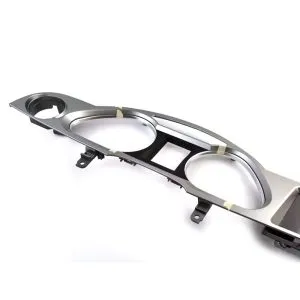
Understand the panel structure before installation

The side-angle panel view helps your installer see how the Audi A6 C6 screen assembly sits inside the original dashboard structure.

Audi A6 C6 Android screen dashboard panel structure

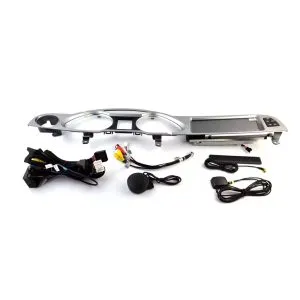
Check the screen, wiring and installation accessories

Correct accessories matter for Audi MMI integration. The wiring, GPS, microphone and interface parts should match your original Audi system.

Audi A6 C6 Android Head Unit wiring harness accessories

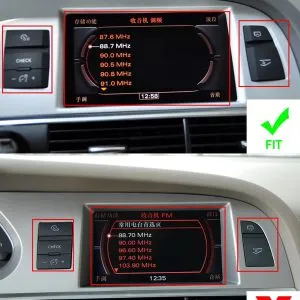
Confirm suitable and unsuitable dashboard layouts

This reference helps avoid wrong orders by comparing compatible and incompatible screen/button positions before shipment.

Audi A6 C6 Android Head Unit dashboard fitment suitable unsuitable reference

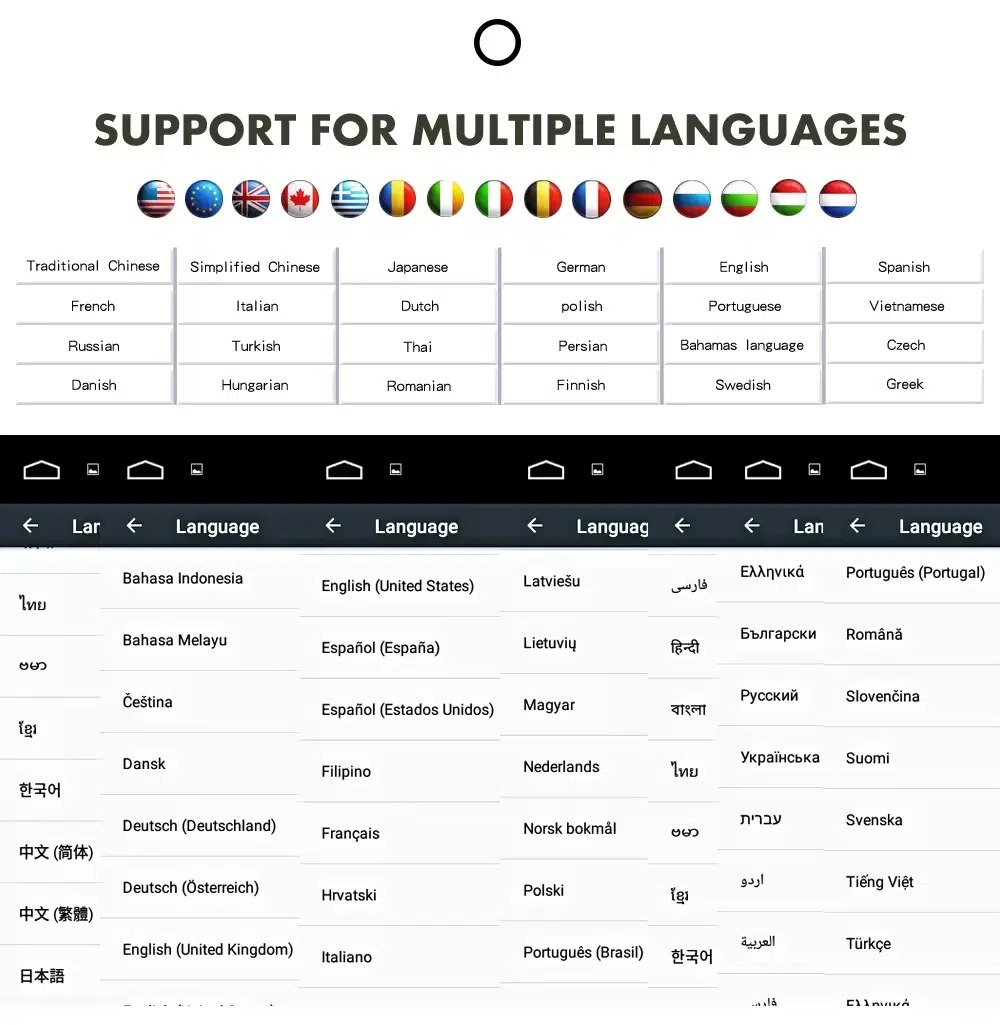
Use the Android interface in multiple languages

Multi-language support helps international Audi owners and installers operate the Android interface more comfortably. Actual language availability may vary by firmware version.

Audi A6 Android Head Unit multiple language interface support

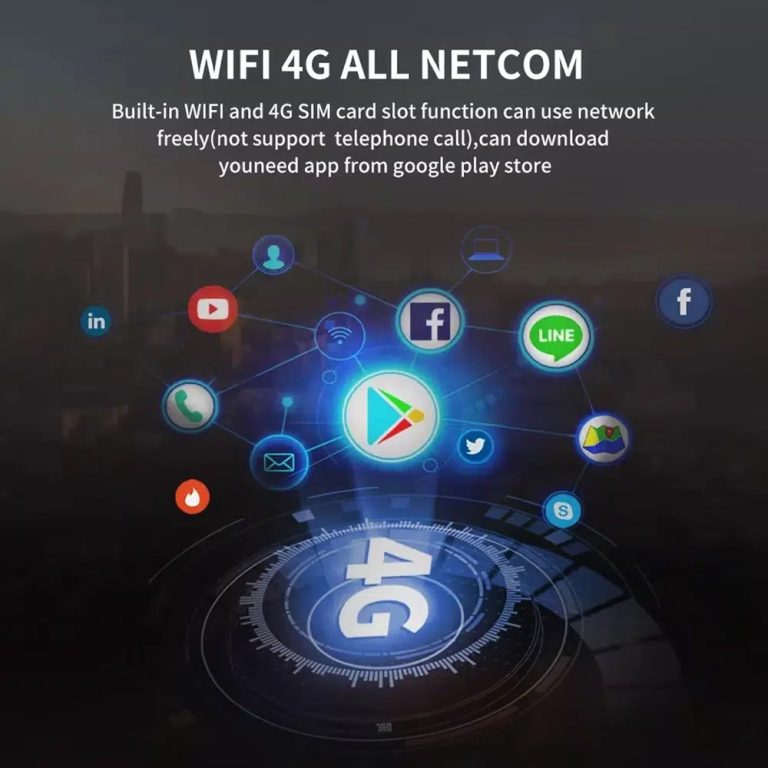
Use WiFi and 4G for connected Android functions

WiFi and compatible 4G support online maps, app downloads and connected Android functions where your selected hardware and local network service allow it.

Audi A6 C6 Android Head Unit WiFi 4G online app support

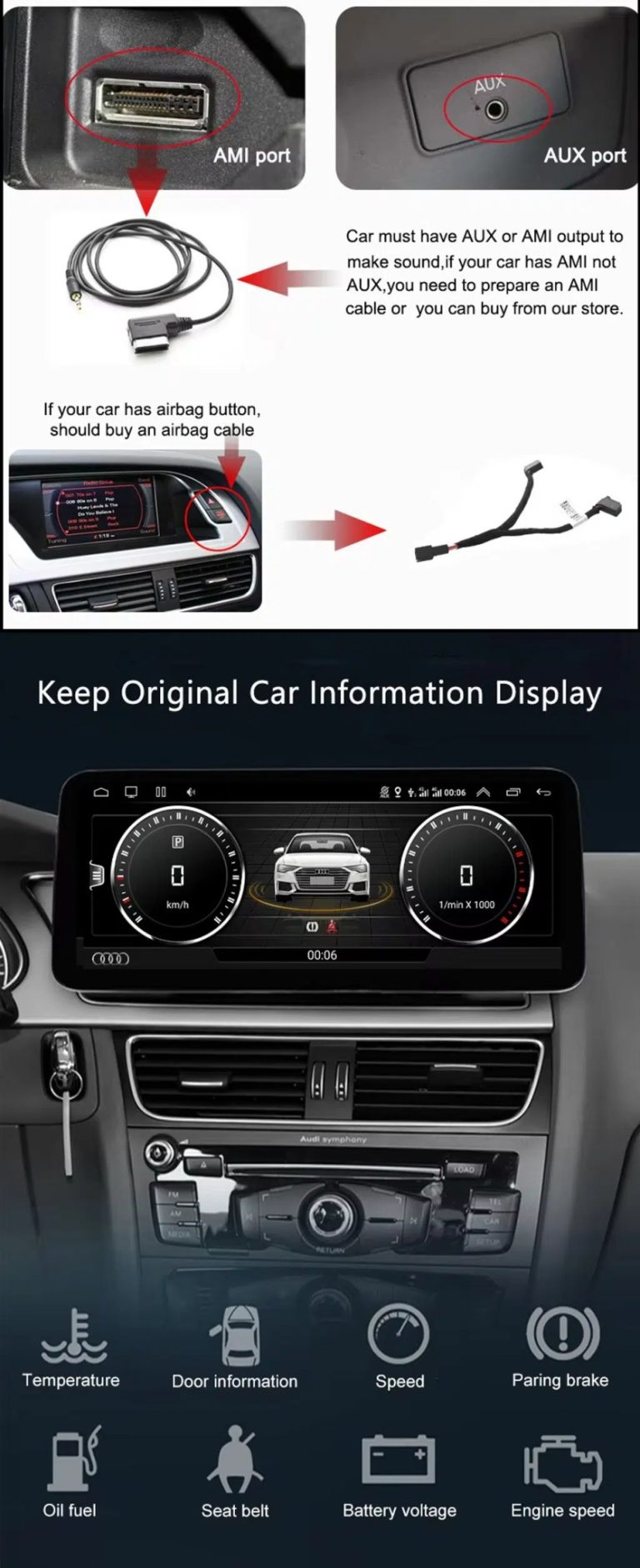
Check AUX / AMI audio and vehicle information display

Audio output depends on the correct AUX or AMI route. The original vehicle information display can continue to work after correct configuration.

Audi A6 C6 Android screen AUX AMI original vehicle information display

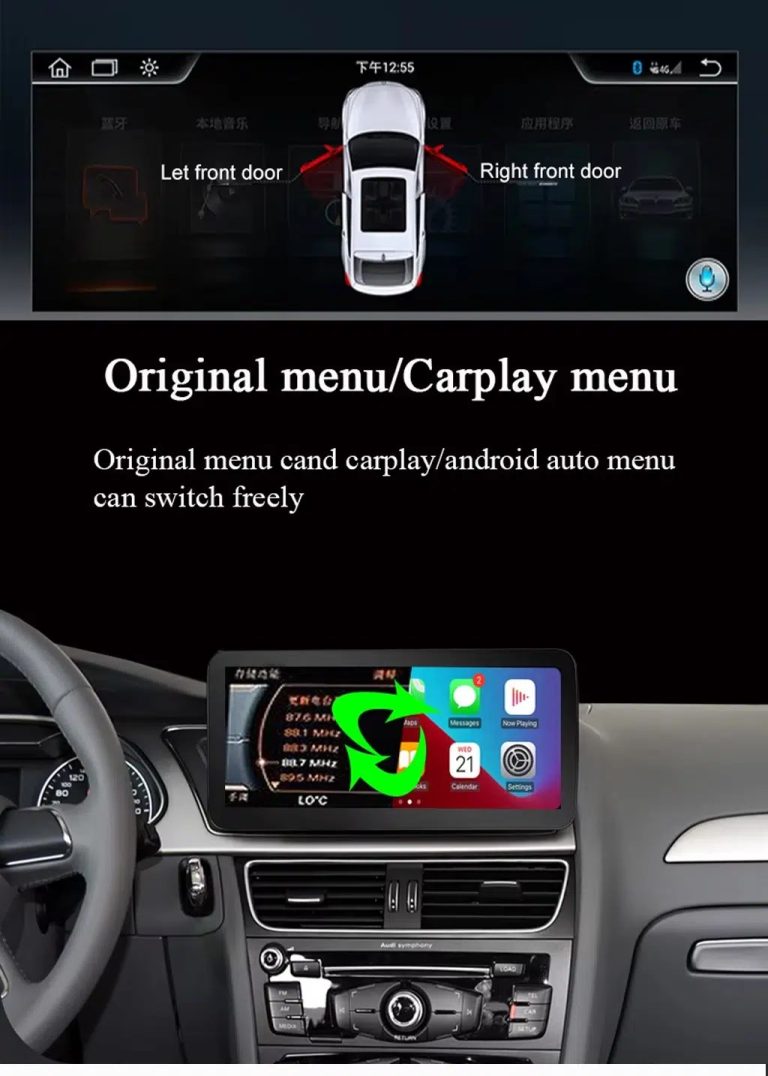
Switch between original Audi menu and CarPlay menu

This function direction matters because Audi owners still need supported original vehicle settings while using CarPlay or Android Auto.

Audi A6 C6 Android Head Unit original menu CarPlay Android Auto switching

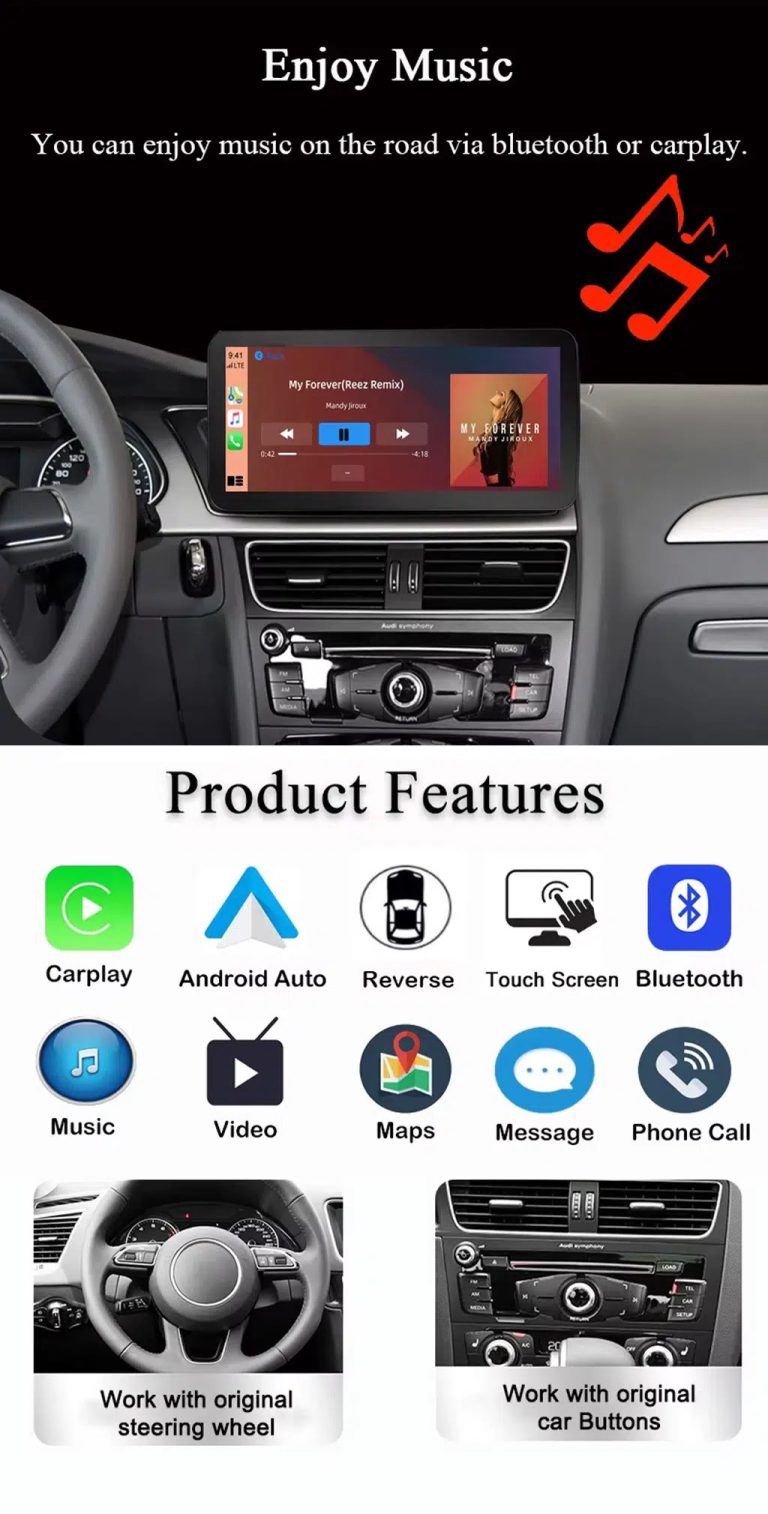
Use music, maps, calls and Android Auto every day

The feature overview explains the daily value of the Audi A6 C6 CarPlay Android Auto upgrade: navigation, Bluetooth music, phone calls, touch operation and original control support.

Audi A6 C6 Android Head Unit CarPlay Android Auto music maps Bluetooth features

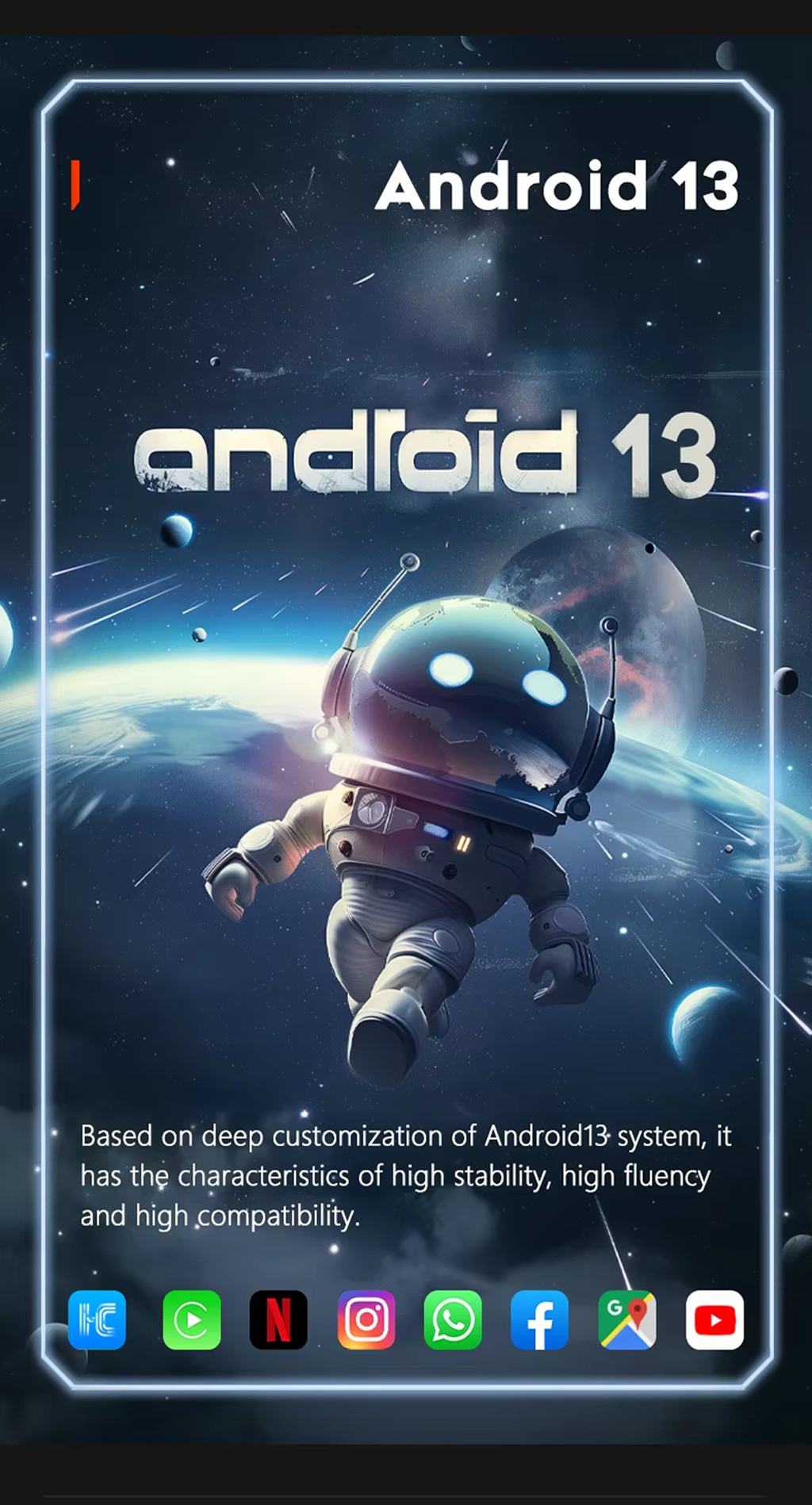
Run Android 13 on the upgraded display

Android 13 gives the screen a modern app environment for navigation, media and connected functions, depending on selected hardware and installed apps.

Audi A6 C6 Android Head Unit Android 13 system

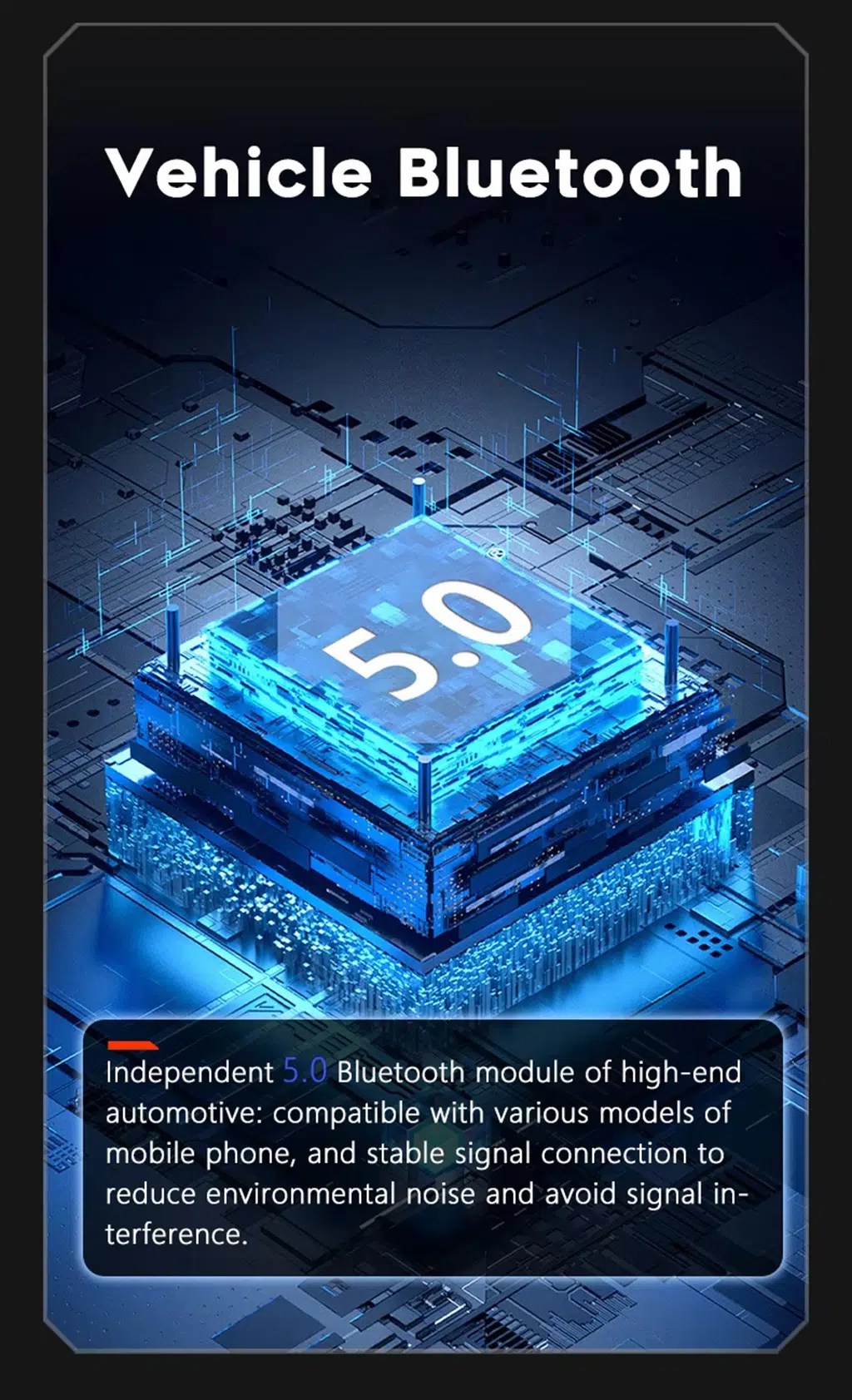
Improve Bluetooth calling and audio connection

Bluetooth support helps daily phone calls and music streaming. Final Bluetooth behavior depends on the selected hardware version and phone compatibility.

Audi A6 C6 Android Head Unit Bluetooth 5 phone music support

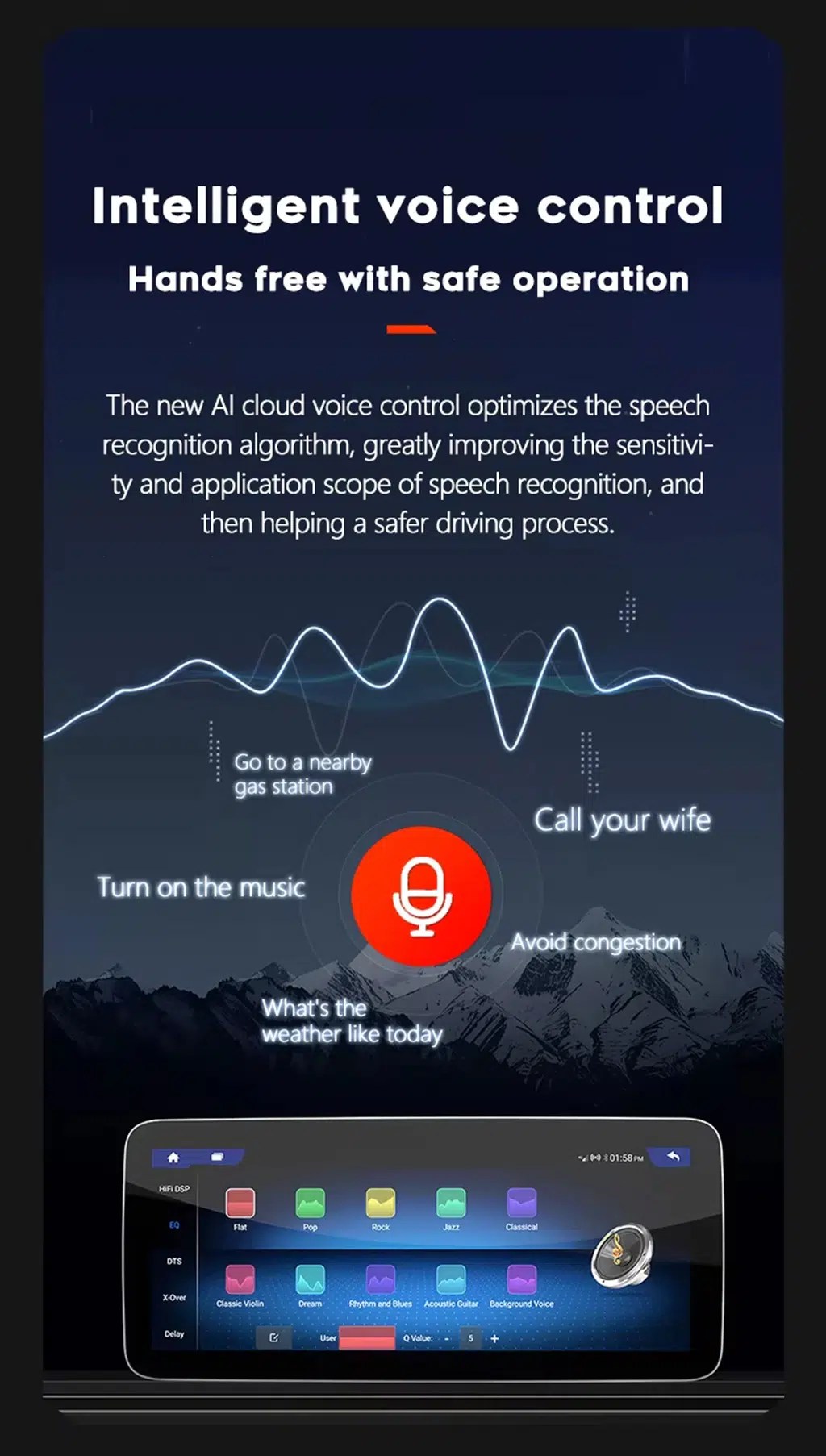
Use compatible voice-control features

Voice control can make navigation, calls and music easier, but app support, microphone placement, language and internet connection affect the final experience.

Audi A6 C6 Android screen intelligent voice control feature

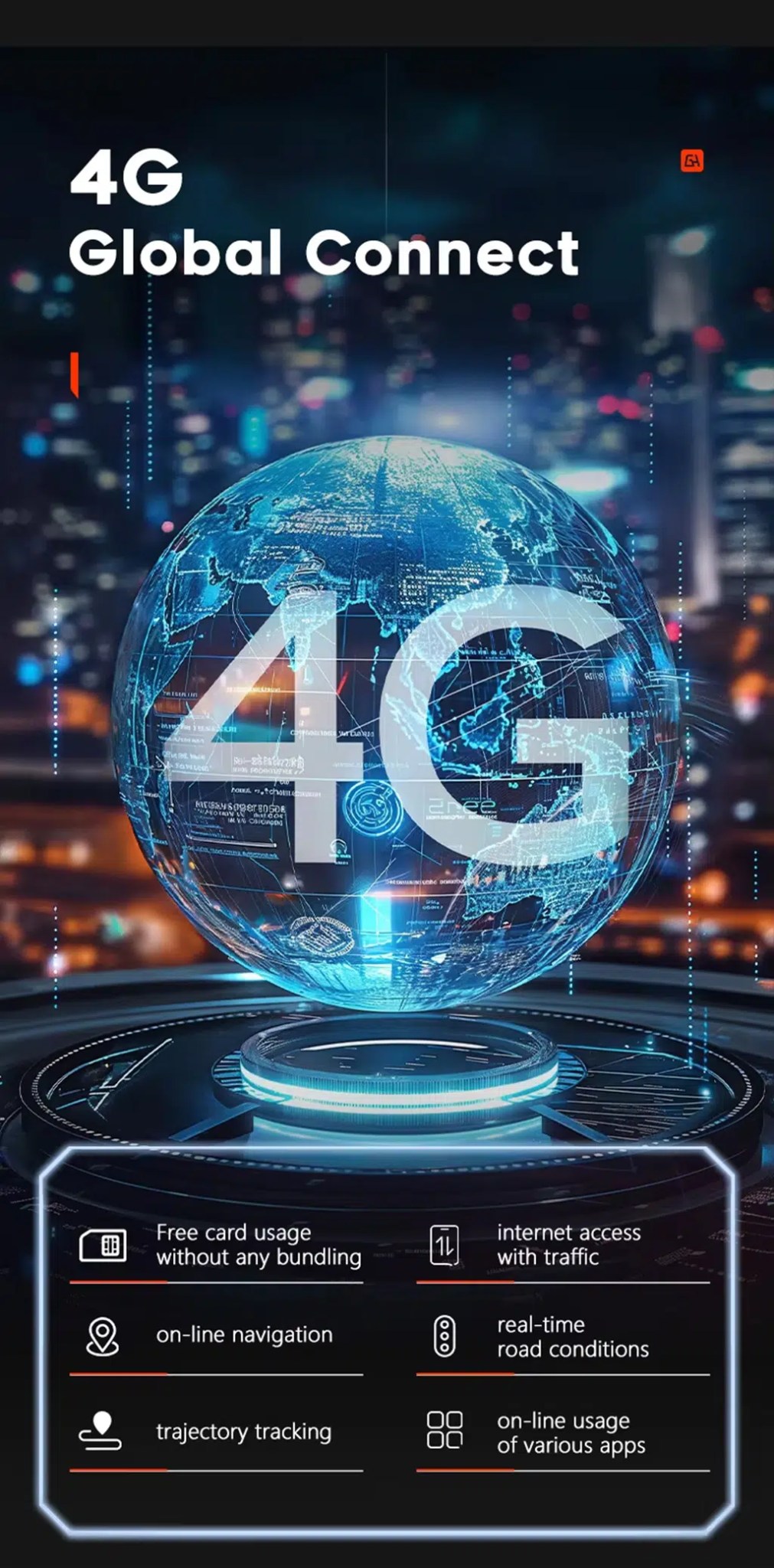
Use 4G network features where local service allows

Compatible 4G support can help with online navigation, traffic information, app use and connected Android functions when a supported SIM route is used.

Audi A6 C6 Android Head Unit 4G global connect online navigation apps

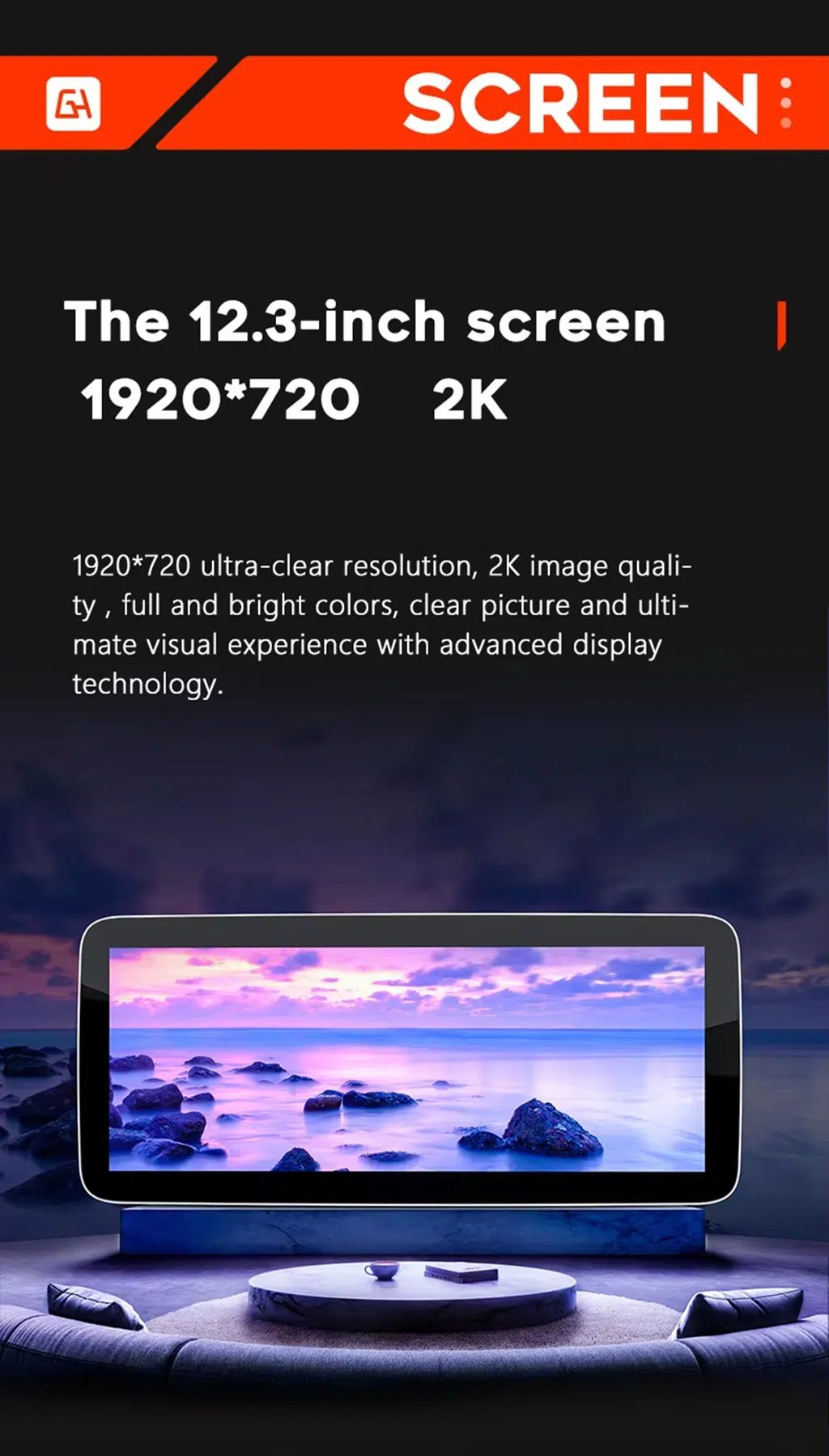
Review the wide-screen display reference

This screen reference explains the wide display direction used across the product platform. Current checkout selection should be checked before ordering.

Audi A6 C6 Android screen resolution wide display reference

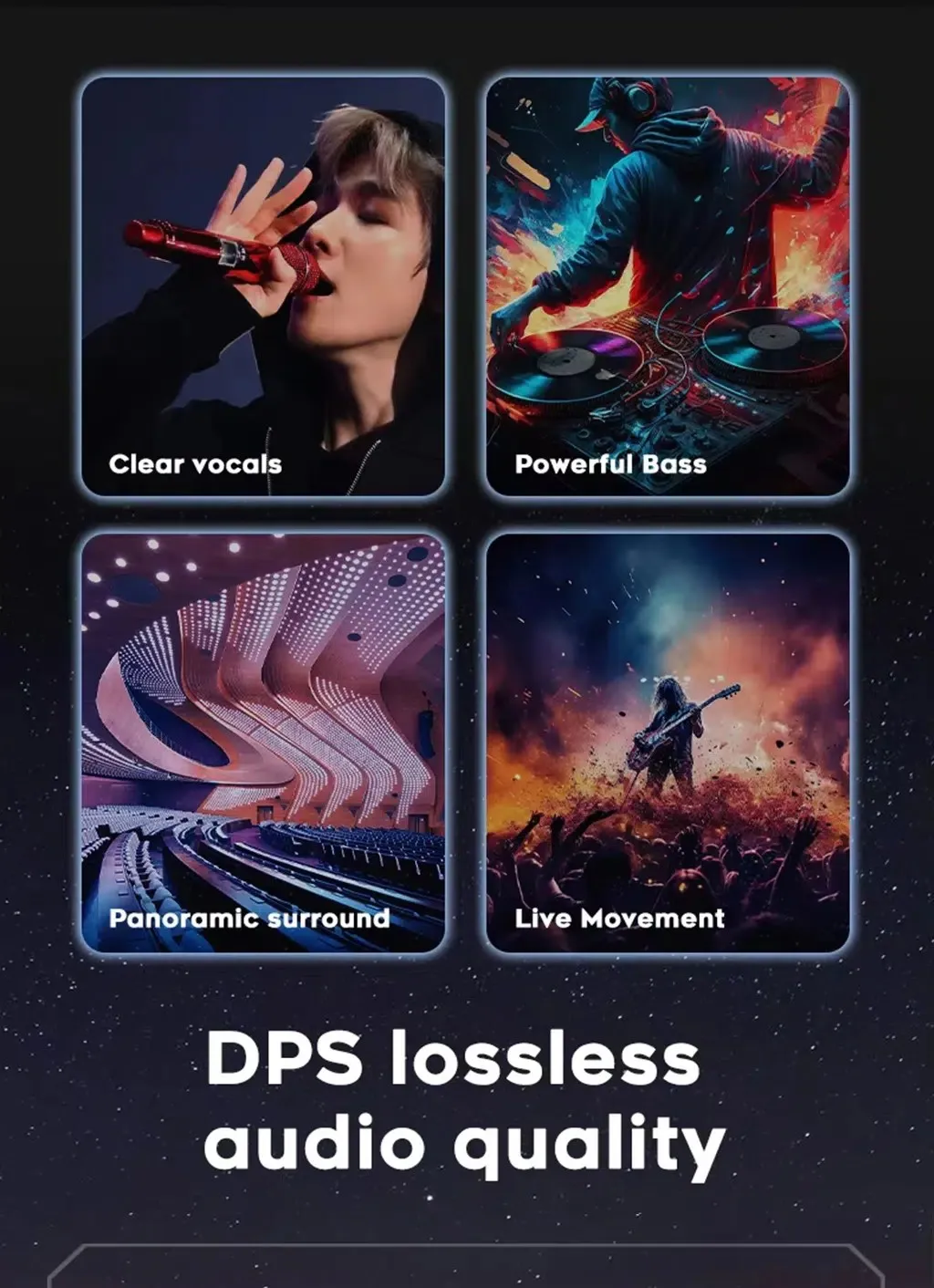
Tune the sound with DSP audio

DSP audio helps adjust vocals, bass and surround feeling, giving the Audi A6 2005–2011 Android stereo with DSP more useful daily sound control.

Audi A6 C6 Android stereo DSP clear vocals bass surround sound

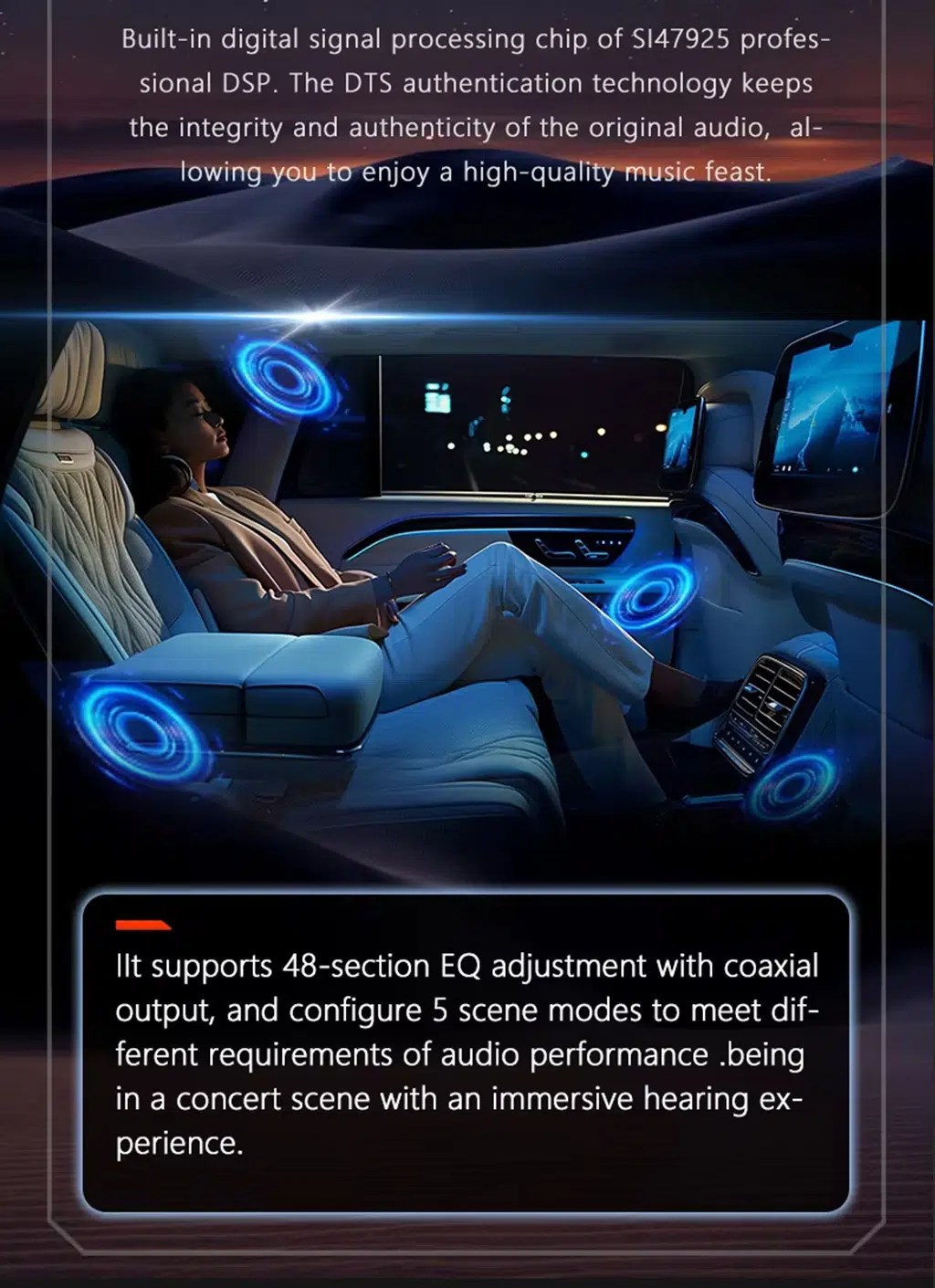
Use DSP adjustment for different listening styles

DSP equalizer control lets owners tune music for clearer voice, stronger bass or a more comfortable cabin sound stage.

Audi A6 C6 Android Head Unit DSP equalizer audio adjustment

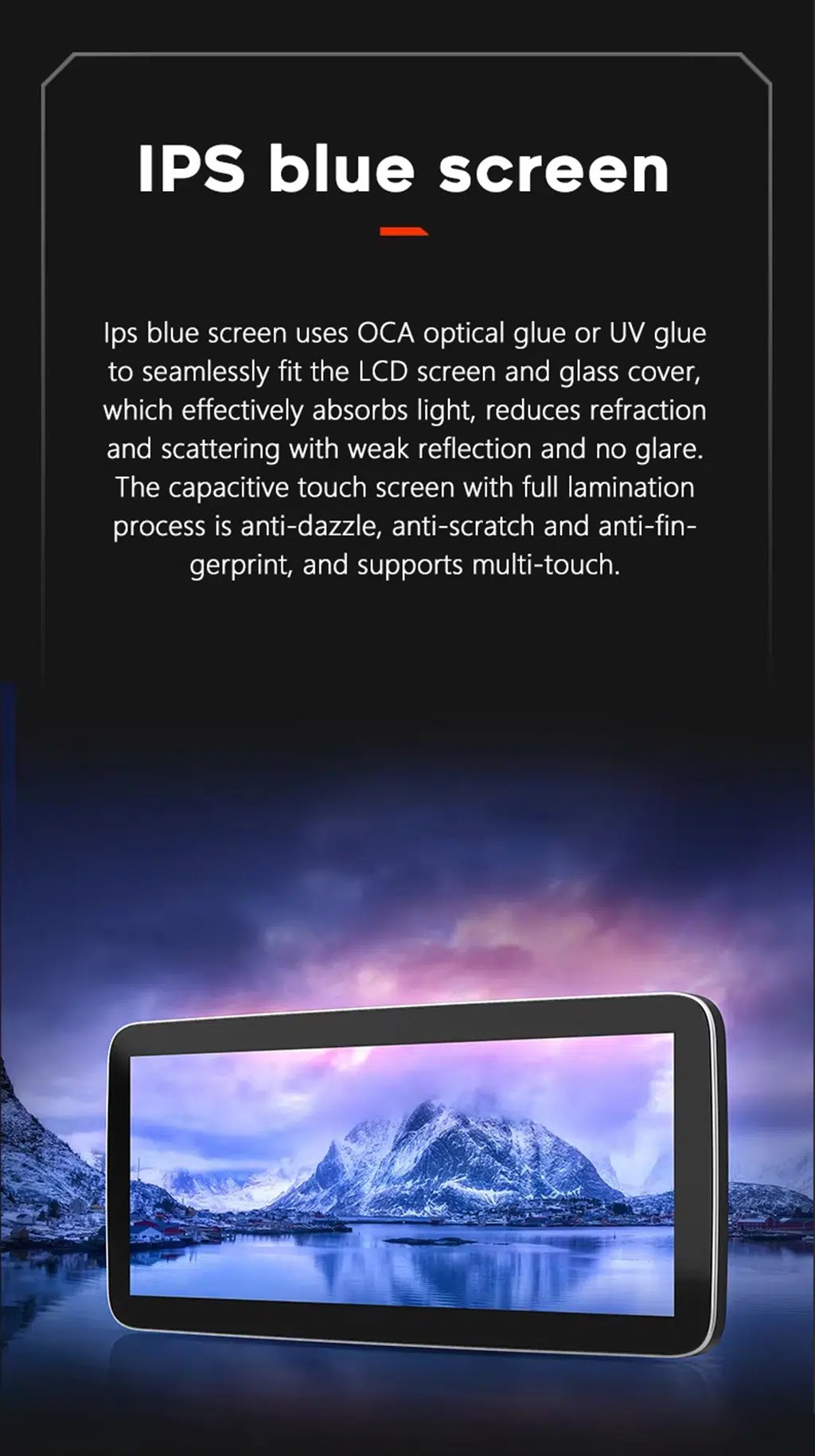
Choose a clearer IPS-style display experience

The IPS-style display direction helps maps, menus and media look clearer during daily driving, especially when using navigation or CarPlay.

Audi A6 C6 Android Head Unit IPS blue screen touch display

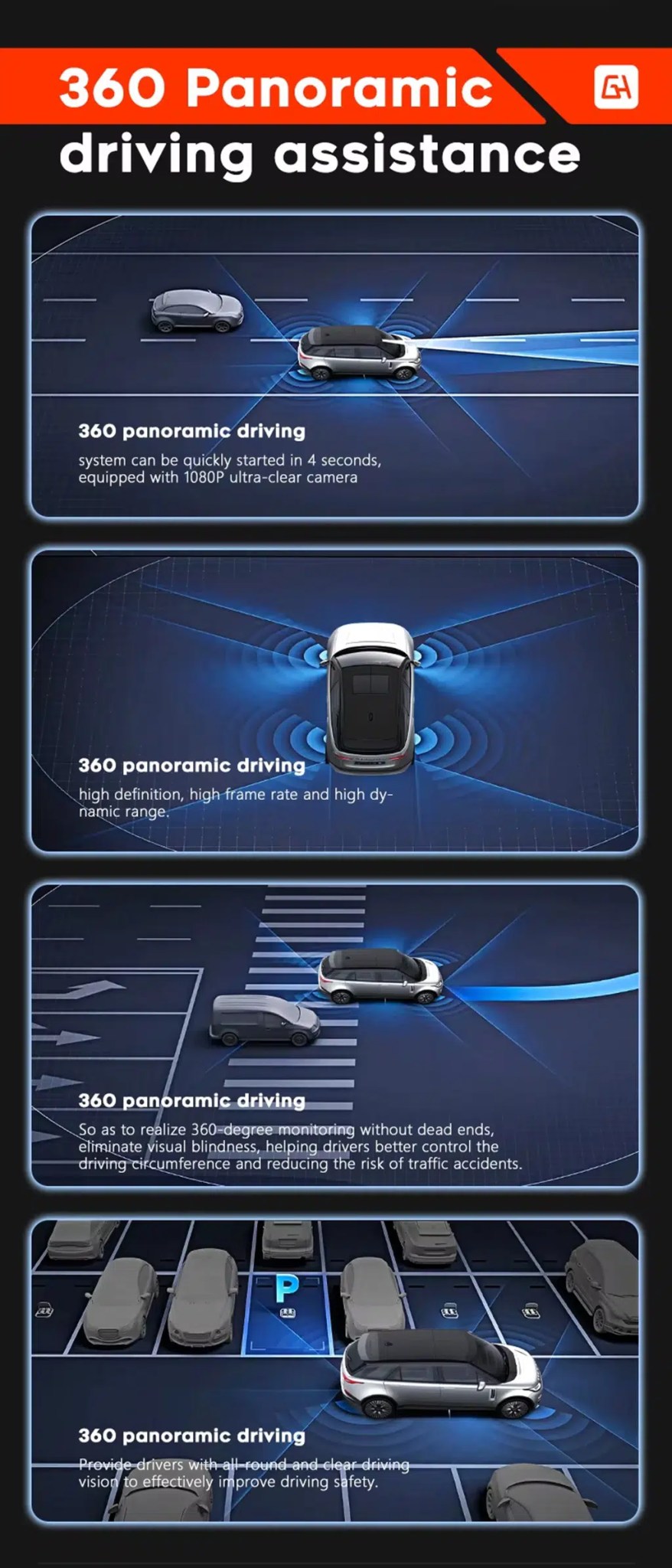
Add camera support where the vehicle route allows it

360 panoramic driving assistance and rear camera display depend on the selected hardware, camera system and vehicle wiring route.

Audi A6 C6 Android screen 360 panoramic driving assistance camera support

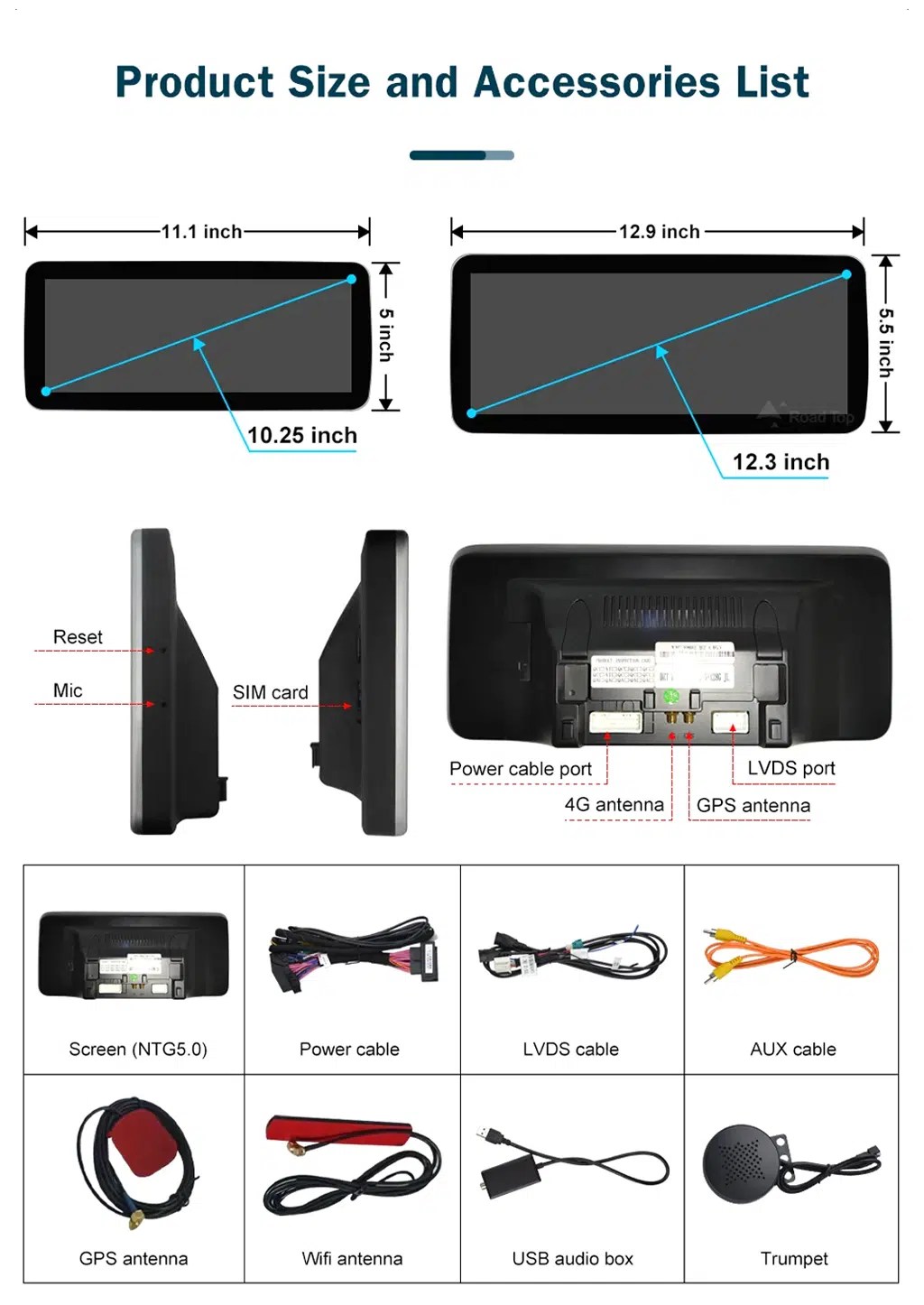
Check product size, ports and accessory list

The accessory list helps installers understand the screen body, power cable, LVDS cable, AUX cable, GPS antenna, WiFi antenna, USB audio box and microphone route.

Audi A6 C6 Android Head Unit product size ports accessories list
التركيب

Installation Route and Stop Conditions

Check the vehicle

Confirm Audi A6 C6, model year, dashboard photo, original MMI screen, button panel, LHD/RHD and audio route.

Prepare the version

iKAGOO prepares the correct screen, harness, CANBUS, AUX/AMI route and fiber optic decoder when needed.

Install and connect

The installer removes the required trim, connects the harness, routes GPS/USB and checks camera and audio connections.

Test before reassembly

Test original Audi menu, sound output, CarPlay, Android Auto, camera, parking display, steering-wheel controls and sleep/wake behavior.

Main work required

  • Dashboard trim and original screen area disassembly.
  • Original Audi MMI screen and button layout confirmation.
  • Matched power harness, LVDS, CANBUS and audio route connection.
  • AUX or AMI audio source configuration.
  • MOST fiber optic decoder installation if required.
  • GPS, USB, microphone, WiFi/4G and camera connections where applicable.
  • Full function testing before final reassembly.

Stop installation and contact iKAGOO if this happens

  • The screen panel does not match the dashboard opening.
  • The connector shape or pin layout clearly does not match.
  • No audio appears after AUX/AMI or fiber optic route setup.
  • The original Audi menu cannot be accessed.
  • Factory camera or parking display behavior is abnormal.
  • A connector pin is bent, loose or damaged.
  • A fuse blows repeatedly, or abnormal heat, smell or smoke appears.
  • The installer would need to cut the factory main wiring harness.
الحزمة

What Is Normally Included

Android Display

10.25-inch display assembly according to the selected hardware route.

Power Harness

Vehicle-specific wiring harness selected according to the confirmed Audi system route.

CANBUS Interface

CANBUS route for supported original controls and vehicle-information integration.

GPS and WiFi Antennas

External antennas for supported navigation and network functions.

USB and AUX Cables

USB, AUX or related audio cables according to the confirmed vehicle configuration.

Optional Decoder

MOST fiber optic decoder or camera interface may be required for selected vehicles.

Package contents vary by selected version and confirmed vehicle configuration. Check your order details before dispatch.

Shipping & Support

الشحن والضمان والدعم

تجهيز الطلبات

Normal order preparation is usually 1–3 business days after your vehicle configuration has been checked.

Tracked global shipping

International delivery is tracked. Estimated delivery time depends on destination, customs clearance and selected shipping method.

ضمان على الأجهزة لمدة 12 شهرًا

Eligible hardware issues are handled under the iKAGOO limited warranty. Damage from incorrect wiring, wrong audio route, water ingress, misuse or unauthorized modification is not normally covered.

Vehicle-specific products require accurate vehicle information before shipment. If iKAGOO confirmed compatibility before purchase, your information was accurate, and no reasonable installation solution is available after supported troubleshooting, the current published policy applies.

سياسة الإرجاع والاسترداد · سياسة الضمان · سياسة الشحن

الأسئلة الشائعة

Audi A6 C6 Android Head Unit FAQ

Is this Audi A6 C6 Android Head Unit for every A6 from 2005 to 2011?
No, not automatically. It is for selected Audi A6 C6 / 4F vehicles after dashboard, original screen, MMI system, audio route and connector confirmation.
Does this Audi A6 C6 Android Head Unit support wireless CarPlay and Android Auto?
Yes, supported configurations provide wireless CarPlay and Android Auto for compatible phones. Connection behavior depends on phone model, firmware and selected hardware route.
Does this Audi A6 C6 MMI 2G Android Screen keep the original Audi menu?
Yes, supported original Audi menu access can be retained through the matched system-switching route, but the original MMI system and connector route must be checked before shipment.
Will this Audi A6 C6 Android screen work with factory camera and parking display?
Yes, supported factory camera, parking information and rear camera routes can be retained when the correct camera interface, CANBUS and vehicle wiring route are used.
Do Audi A6 C6 vehicles need a MOST fiber optic decoder?
Yes, some vehicles may need a MOST fiber optic decoder box. Send your original audio and connector information so iKAGOO can confirm the correct route before shipment.
Does the Audi A6 C6 Android head unit require AUX or AMI for sound?
Yes, many Audi A6 C6 installations require the correct AUX or AMI audio route. If the wrong route is used, the screen may power on but produce no Android audio.
Is this Audi A6 C6 4F Android Radio plug-and-play?
Yes, the matched harness is designed for clean connection, but this is still a Level 3 Advanced DIY installation. MMI, AUX/AMI, MOST fiber optic, CANBUS, camera and full function testing must be completed before final reassembly.
What should I send before ordering an Audi A6 C6 Android screen upgrade?
Yes, send your model year, dashboard photo, original screen photo, MMI menu photo, button panel photo, LHD/RHD position, AUX or AMI photo, camera details and any premium audio or fiber optic information.
Final Step

Upgrade Your Audi A6 C6 with CarPlay, Android Auto, GPS and DSP

Choose this Audi A6 C6 Android Head Unit if you want a factory-style 10.25-inch Android screen upgrade with wireless CarPlay, Android Auto, GPS navigation, DSP 32-band EQ audio, WiFi/4G, camera support, MMI system matching and iKAGOO vehicle-specific preparation before shipment.

Related Audi upgrade: Audi A4 A5 Android Radio

iKAGOO: الشحن، الضمان، إرجاع المنتجات، ودعم العملاء
خدمة دعم العملاء في iKAGOO

الشحن والضمان والإرجاع

معلومات واضحة حول معالجة الطلبات، والتوصيل الدولي، والمنتجات الخاصة بالمركبات، ودعم الضمان، وعمليات الإرجاع، والشحنات التالفة.

معالجة الطلبات عادةً ما يستغرق الأمر من يوم عمل واحد إلى ثلاثة أيام قبل الشحن.
التوصيل الدولي عادةً ما يستغرق الأمر من 5 إلى 20 يوم عمل بعد الشحن، حسب الوجهة.
ضمان الأجهزة ضمان محدود لمدة 12 شهراً يغطي عيوب التصنيع المؤهلة.
الدعم الخاص بكل مركبة تتوفر خدمات المساعدة في مجال التوافق والتوصيلات الكهربائية والتكوين.

الأسئلة الشائعة

تقدم هذه الإجابات ملخصًا عمليًّا. وتسري صفحات السياسة الكاملة المرتبطة أدناه على جميع الطلبات.

01

من أين يتم شحن الطلبات، وكم تستغرق مدة التسليم؟

يتم شحن معظم طلبات iKAGOO من مركز التوزيع التابع لنا في الصين بعد التحقق من تكوين المنتج ومعلومات السيارة. تستغرق معالجة الطلبات العادية حوالي 1-3 أيام عمل.

المواعيد التقديرية للتسليم بعد الشحن هي:

  • الولايات المتحدة الأمريكية وكندا: حوالي 5–9 أيام عمل
  • الاتحاد الأوروبي: ما بين 7 و15 يوم عمل تقريبًا
  • المملكة المتحدة وأستراليا: حوالي 7–10 أيام عمل
  • المناطق الأخرى المدعومة: ما يقارب 7–20 يوم عمل

قد تتأثر تقديرات التسليم بإجراءات التخليص الجمركي، والعطلات المحلية، والتسليم إلى المناطق النائية، أو الظروف الجوية، أو التأخيرات من جانب شركة الشحن.

02

هل سأضطر إلى دفع ضريبة الاستيراد أو ضريبة القيمة المضافة أو الرسوم الجمركية؟

لا يشمل الشحن الدولي العادي عادةً ضريبة القيمة المضافة في بلد المقصد ، ولا رسوم الاستيراد، ولا رسوم السمسرة، ولا رسوم التخليص الجمركي.

بالنسبة للوجهات المؤهلة في الاتحاد الأوروبي، هناك خيار خدمة الشحن DDP قد تكون متوفرة. لا يتم تضمين الرسوم المتعلقة بالاستيراد إلا عند اختيار خيار «DDP» عند إتمام عملية الدفع أو عند تأكيد ذلك من قِبل iKAGOO كتابةً قبل الشحن.

عندما لا يتم تحديد خيار DDP، يتحمل المستلم مسؤولية أي رسوم تُفرض من قبل الجمارك المحلية أو شركة الشحن.

03

هل يمكنني طلب الشحن السريع؟

قد تتوفر خدمة الشحن السريع أو المعجل لبعض المنتجات و الوجهات المحددة. ويتم التأكد من توفر الخدمة وشركة الشحن والتكلفة الإضافية قبل الشحن.

اعتمادًا على الوجهة ونوع المنتج، قد تلجأ iKAGOO إلى شركات شحن مثل DHL أو FedEx أو UPS أو EMS أو 4PX أو أي مزود خدمات لوجستية آخر يوفر خدمة تتبع الشحنات.

04

كيف يمكنني تتبع شحنتي؟

بعد شحن الطلب، يتم عادةً إرسال رقم التتبع أو رابط التتبع إلى عنوان البريد الإلكتروني المستخدم في الطلب.

قد يستغرق ظهور تحديثات التتبع عدة أيام عمل أثناء نقل الطرد بين شركات النقل الدولية والمحلية.

05

ما هي سياسة الإرجاع واسترداد الأموال الخاصة بـ iKAGOO؟

تعتمد أهلية الإرجاع على سبب الإرجاع، وحالة المنتج، وحالة التركيب، والأدلة المقدمة، وما إذا كان الإرجاع قد تمت الموافقة عليه من قِبل iKAGOO.

في حالة الإرجاع غير المرتبط بعيب في المنتج، يجب أن يكون المنتج عادةً غير مستخدم، وغير مُثبَّت، وكاملًا وصالحًا لإعادة البيع. ويتحمل العميل عمومًا تكاليف إعادة الشحن المعتمدة.

رسوم الشحن الأصلية، ورسوم التسليم إلى الوجهة (DDP)، وضريبة القيمة المضافة، والرسوم الجمركية، والتكاليف اللوجستية الأخرى غير قابلة للاسترداد عمومًا، ما لم ينص القانون المعمول به على خلاف ذلك أو تؤكد شركة iKAGOO خلاف ذلك.

يرجى عدم إعادة المنتج قبل الحصول على عنوان إرجاع معتمد وتعليمات الإرجاع من iKAGOO.

06

ماذا يحدث إذا أكد تطبيق iKAGOO التوافق، لكن لم يتمكن من تثبيت المنتج؟

قد تُطبق حماية إضافية في الحالات التي تكون فيها شركة iKAGOO قد تأكدت من التوافق قبل الشراء، وقدم العميل معلومات دقيقة عن السيارة، وتعاون العميل في اتخاذ خطوات التثبيت والتشخيص المعقولة.

إذا أكدت شركة iKAGOO عدم توفر أي حل تقني معقول، وكان قد تم الإبلاغ عن المشكلة في غضون بعد 7 أيام تقويمية من تاريخ التسليم, ، قد يكون العميل مؤهلاً لاسترداد ثمن المنتج دون أن يُطلب منه إعادة المنتج.

لا يشمل استرداد سعر هذا المنتج تكاليف الشحن الأصلية، وشروط التسليم «DDP»، وضريبة القيمة المضافة، والرسوم الجمركية، وأي رسوم أخرى تفرضها أطراف ثالثة.

07

ما هي الضمانات التي تقدمها iKAGOO؟

تشمل منتجات iKAGOO المؤهلة ما يلي: ضمان محدود على الأجهزة لمدة 12 شهراً تغطي العيوب التصنيعية المثبتة وأعطال الأجهزة المؤهلة في ظل الاستخدام العادي.

اعتمادًا على المشكلة، قد يشمل الحل التشخيص عن بُعد، والمساعدة في الضبط ، وقطع الغيار، والإصلاح، واستبدال المنتج، أو استرداد جزء من المبلغ أو استرداده بالكامل.

لا تشمل الضمان عادةً الأضرار الناجمة عن التوصيلات الكهربائية غير الصحيحة، أو التعديلات غير المصرح بها، أو الأضرار العرضية، أو تسرب المياه، أو الصدمات، أو سوء الاستخدام، أو الجهد الكهربائي غير المناسب، أو أخطاء التركيب، أو استخدام معدات غير متوافقة من جهات خارجية.

08

هل يؤدي فتح المنتج إلى إلغاء الضمان تلقائيًا؟

لا يؤدي الفحص أو الفحص الذي تجريه جهة خارجية إلى إلغاء الضمان بالكامل تلقائيًا. ومع ذلك، فإن الأضرار الناجمة عن الإصلاح غير المصرح به، أو استبدال المكونات، أو التعديل غير الصحيح، أو الدوائر المكسورة، أو إعادة التجميع غير السليمة لا تشملها الضمان.

يرجى الاتصال بشركة iKAGOO قبل تفكيك المنتج أو إصلاحه حتى يتسنى توفير الإجراء التشخيصي الصحيح.

09

ماذا لو وصل طلبي تالفًا أو كانت هناك قطع مفقودة منه؟

يرجى الاتصال بـ iKAGOO في غضون بعد 7 أيام تقويمية من تاريخ التسليم واحتفظ بالعبوة الأصلية وملصق الشحن والملحقات والمنتج.

يرجى تقديم صور أو مقاطع فيديو واضحة تُظهر ما يلي:

  • صندوق الشحن الخارجي وملصق الشحن
  • أي تلف ظاهر في العبوة
  • المنتج والمنطقة المتأثرة
  • جميع الملحقات والأسلاك المستلمة

بعد التحقق، قد تقوم iKAGOO بترتيب شحن الأجزاء المفقودة، أو استبدالها، أو إصلاحها، أو رد المبلغ المدفوع، أو تقديم حل معقول آخر وفقًا للحالة المحددة.

10

ماذا أفعل إذا طلبت المنتج الخطأ؟

يرجى الاتصال بشركة iKAGOO قبل تثبيت المنتج أو استخدامه. قد يتم الموافقة على استبدال المنتج أو إرجاعه شريطة أن يكون المنتج غير مستخدم، وغير مثبت، وكاملاً، وصالحاً لإعادة البيع.

يتحمل العملاء عادةً تكاليف الشحن وأي فرق في السعر في حالة اختيار المنتج أو طراز السيارة أو سنة الصنع أو التكوين المصنعي الخاطئ.

لا يتم توفير ملصق إرجاع مسبق الدفع مجانًا تلقائيًّا.

11

هل يمكنني تعديل طلبي أو إلغاؤه بعد الدفع؟

يرجى الاتصال بشركة iKAGOO في أقرب وقت ممكن، ويفضل أن يكون ذلك في غضون بعد 12 ساعة من تقديم الطلب, ، عند طلب عنوان، أو تغيير في مواصفات السيارة أو المنتج.

لا يصبح التعديل أو الإلغاء ساري المفعول إلا بعد تأكيده من قِبل iKAGOO. قد تدخل المنتجات الخاصة بالمركبات مراحل الشراء أو البرمجة أو الاختبار أو التهيئة أو الإعداد حسب الطلب بعد فترة وجيزة من سداد المبلغ.

بمجرد بدء عملية التحضير أو الشحن، قد لا يكون الإلغاء ممكنًا، أو قد يتم خصم التكاليف المعقولة التي تم تكبدها بالفعل.

12

ما الذي تتضمنه الحزمة؟

تختلف محتويات العبوة باختلاف المنتج وطراز السيارة ونظام المصنع والتكوين المختار.

اعتمادًا على المنتج، قد تتضمن العبوة الجهاز الرئيسي، ومجموعات الأسلاك الخاصة بالمركبة، وواجهة CANBUS، والمحولات، وكابلات USB، والهوائيات، والميكروفونات، ومعدات التثبيت، وغيرها من ملحقات التركيب.

يرجى الرجوع إلى صفحة المنتج ذات الصلة وصور العبوة وتأكيد الطلب لمعرفة المكونات المضمنة بالضبط.

13

كيف يمكنني الاتصال بدعم iKAGOO؟

يمكنك التواصل مع iKAGOO عبر نموذج الاتصال أو البريد الإلكتروني أو WhatsApp أو قنوات الدعم المتاحة على الموقع الإلكتروني. وعادةً ما يكون وقت الرد في غضون 24 ساعة عمل.

للحصول على دعم فني أسرع، يرجى ذكر رقم طلبك وطراز السيارة وسنة الصنع، بالإضافة إلى صور للنظام الأصلي للسيارة وصور للمنتج ومقطع فيديو واضح يوضح المشكلة.

تفضل بزيارة: الاتصال والدعم في iKAGOO

14

هل عملية الدفع آمنة، وهل تتوفر خيارات الدفع بالتقسيط؟

تتم معالجة المدفوعات من خلال طرق الدفع الآمنة المعروضة أثناء إتمام عملية الشراء. قد تختلف خيارات البطاقات والمحافظ الإلكترونية والتقسيط المتاحة حسب البلد، والعملة، ومزود خدمة الدفع، وأهلية العميل.

تخضع أي خدمة دفع بالتقسيط، بما في ذلك الخيارات التي تقدمها PayPal أو أي مزود آخر، لقواعد التوافر والموافقة الإقليمية الخاصة بذلك المزود.

اقرأ سياسات iKAGOO الكاملة

يرجى الاطلاع على صفحات السياسة الكاملة قبل إجراء الطلب، لا سيما فيما يتعلق بالمنتجات المخصصة لمركبات معينة، والترتيبات الضريبية الدولية، وعمليات الإرجاع المتعلقة بالتركيب.

تعد هذه الأسئلة الشائعة دليلاً مبسطاً للعملاء. وفي حالة وجود أي اختلاف في الصياغة، فإن الصفحات الكاملة للسياسة المنشورة، وتأكيد الطلب، وقانون حماية المستهلك المعمول به، لها الأسبقية.

وحدة التحكم الرئيسية بنظام أندرويد لسيارات أودي A6 وA6L من الجيل C6 (2005–2011) بشاشة مقاس 10.25 بوصة، تدعم CarPlay وAndroid Auto وDSP Audi A6 C6 Android Head Unit 2...

من: $318.00

تحديد أحد الخيارات

© 2026 شركة أوك باي للإلكترونيات والتكنولوجيا المحدودة. جميع الحقوق محفوظة.

نحن نستخدم الدفع الآمن لـ

```html اتصل بـ iKAGOO عبر WhatsApp ```