


صعوبة تركيب الأجهزة الإلكترونية للسيارات: هل يمكنك تركيبها بنفسك؟
إجابة سريعة: كيف يعمل معيار صعوبة تركيب إلكترونيات السيارات من iKAGOO
يُعد معيار صعوبة التركيب الإلكتروني للسيارات من iKAGOO إطارًا لتقييم المنتجات يتألف من خمسة مستويات، ويُطبق على وحدات التحكم الرئيسية التي تعمل بنظام أندرويد والمخصصة للسيارات، ولوحات العدادات الرقمية، وترقيات مقصورة القيادة ذات الشاشتين. ويشرح هذا المعيار مسار التركيب بالكامل — ولا يقتصر على تحديد ما إذا كانت الموصلات المرفقة تعمل بنظام «التوصيل والتشغيل» أم لا.
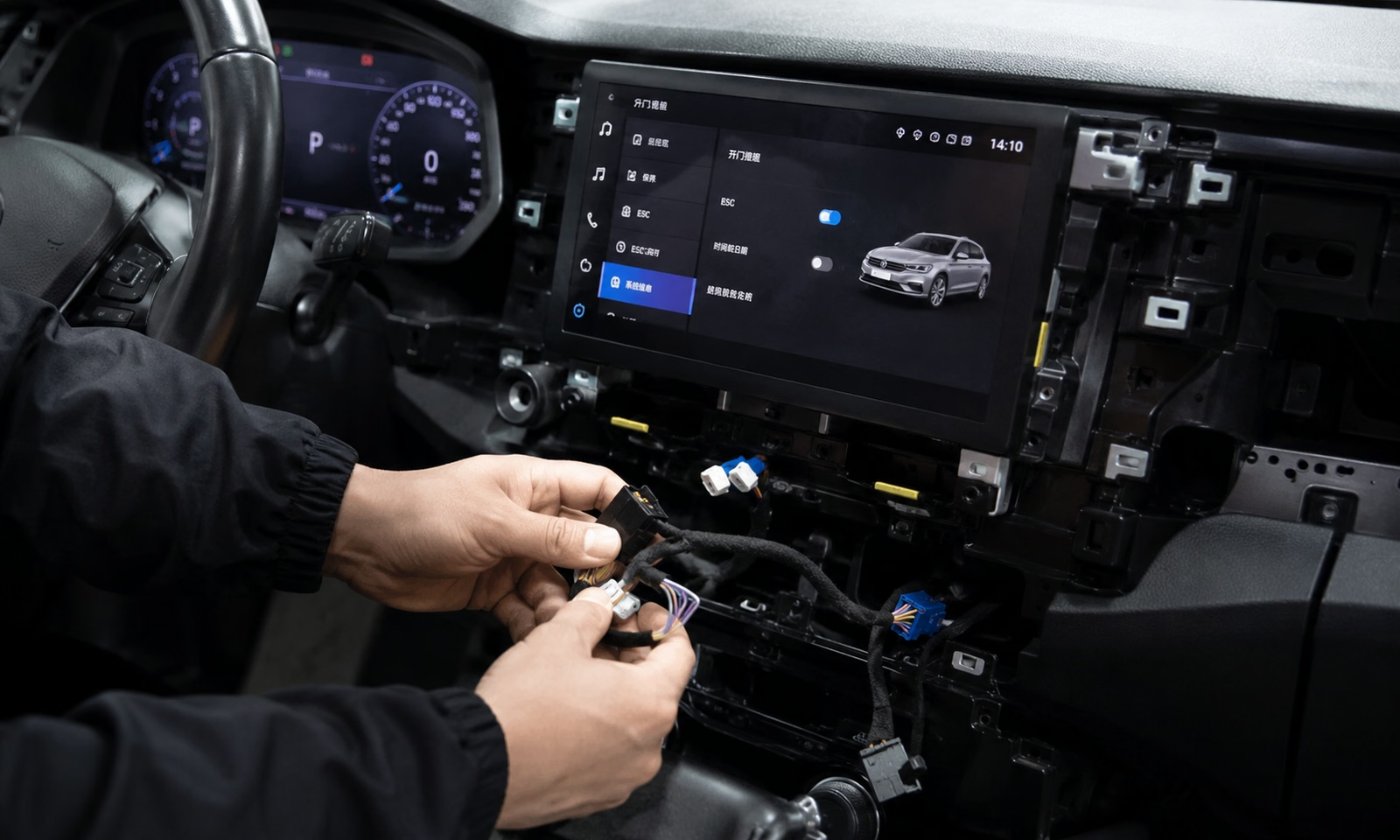
الأعمال الميكانيكية
إزالة الحواف، ونقل المكونات، وتوجيه الكابلات، ووضع الوحدات، ودقة التركيب.
التكامل الإلكتروني
الموصلات، وأنظمة CAN أو الأنظمة الضوئية، والتكوين، وسلوك الطاقة، والتشخيص والاستعادة.
دليل الإتمام
التحقق المطلوب، وحالة الأدلة، وإصدار المنتج، والشروط التي ينطبق عليها التقييم.
وهذا لا يعني أن المنتج أقل جودة أو غير مناسب. بل يعني أنه يجب التخطيط لعملية التركيب باستخدام الأدوات المناسبة، وتخصيص الوقت الكافي، والتأكد من كفاءة المُركِّب.
كيفية استخدام معيار iKAGOO الشامل هذا
يمكن للعملاء الاستفادة من أقسام "ملخص المستوى السريع" و"التقييم الذاتي". أما المُركِّبون فيمكنهم الاستفادة من أقسام "التقييم" و"شروط الإيقاف" و"التحقق". ويستخدم الفريق الفني في iKAGOO إطار العمل الكامل للتقييم والأدلة والمراجعة عند إنشاء تصنيف منتج أو مراجعته.
يمكن أن تكون بطاقة المنتج العامة موجزة، لكن التعريفات الواردة فيها يجب أن تكون كاملة بما يكفي لتمكين المراجعين المختلفين من التوصل إلى قرار مماثل استنادًا إلى نفس الأدلة.
لماذا يعتبر تصنيف iKAGOO ذا قيمة عملية
لا تحدد iKAGOO صعوبة تركيب الأجهزة الإلكترونية للسيارات بناءً على فئة المنتج أو عدد الموصلات أو العبارات التسويقية فحسب. بل يستند التقييم إلى مراجعة موثقة لإصدار المنتج المقصود، وتكوين السيارة المؤكد، ومسار التركيب الكامل، والتحقق المطلوب، والأدلة المتوفرة.
كيف تندرج هذه الصفحة ضمن نظام معايير iKAGOO
معيار مراجعة التوافق
يرجى التأكد من نوع السيارة ونظامها الأصلي وإصدار المنتج الصحيح قبل الطلب.
مستوى صعوبة التثبيت
يحدد هذه الصفحة متطلبات العمل والأدوات والقدرات والوقت والمتخصصين.
معيار الاحتفاظ بوظائف المصنع
يحدد ما إذا كانت كل وظيفة أصلية ذات صلة قد تم الاحتفاظ بها، أو تغييرها، أو تقييدها، أو أنها غير مدعومة.
معيار التحقق النهائي
يحدد الفحوصات الميكانيكية والكهربائية والوظيفية اللازمة للاستلام.
معايير البرمجيات والاستعادة
يتحكم في قابلية تطبيق البرامج الثابتة، وسجلات الإصدارات، وشروط التحديث، والنسخ الاحتياطي والاستعادة.
التدابير القياسية
- عمق تفكيك لوحة القيادة والمقصورة الداخلية
- دقة نقل المكونات الأصلية وتركيبها
- تعقيد الموصل ووحدة الواجهة
- مسار الكابلات، وترتيب الوحدات، ومتطلبات الأدوات
- تكامل أنظمة المركبات وسلوك دورة حياة الطاقة
- تعقيد عمليات التهيئة والتشخيص والاستعادة
- قدرات أداة التثبيت والوقت المرجعي للتثبيت
- يلزم إجراء فحص قبل إعادة تشغيل السيارة
لا يقيس هذا المعيار
- جودة المنتج، أو أداء الشاشة، أو أهلية الشراء
- التوافق مع سيارة لم يتم تأكيدها
- ضمان الحفاظ على كل وظيفة أصلية
- موعد إنجاز مضمون
- موافقة حكومية أو شهادة من الشركة المصنعة للسيارة
- الالتزام بمعايير ISO أو SAE أو UNECE أو القوانين المحلية، ما لم يُثبت خلاف ذلك في وثيقة منفصلة
- القدرات الشخصية للمُثبِّت دون وجود دليل على امتلاكه المهارات المطلوبة
ينطبق هذا المعيار بشكل خاص على وحدات التحكم الرئيسية التي تعمل بنظام أندرويد والمخصصة للسيارات من iKAGOO، ولوحات العدادات الرقمية، وترقيات مقصورة القيادة ذات الشاشتين، وأنظمة العرض ذات الصلة. ويتم تقييم التوافق والحفاظ على الوظائف الأصلية بشكل منفصل، ويشير هذا المعيار إليهما عند الضرورة.
المنتجات المشمولة والأعمال خارج نطاق المعايير
منتجات iKAGOO المشمولة
- وحدات التحكم الرئيسية التي تعمل بنظام أندرويد والمخصصة لسيارات معينة
- مجموعات العدادات الرقمية
- تحسينات قمرة القيادة ذات الشاشتين
- أنظمة العرض والواجهات الخاصة بالمركبات ذات الصلة والمُدرجة ضمن تلك الفئات
خارج نطاق التركيب العادي
- أعمال نظام السيارات الكهربائية عالية الجهد
- إصلاح دائرة الوسادة الهوائية أو نظام SRS
- تعديلات على الفرامل أو نظام التوجيه أو الهيكل
- معايرة كاميرا أو رادار أو مستشعر نظام المساعدة على قيادة السيارة (ADAS)
- التلاعب غير القانوني بعداد المسافة المقطوعة أو التحايل على نظام الأمان
- إعادة بناء مجموعة الأسلاك الكهربائية للمصانع على نطاق واسع
- إصلاح الأنظمة الإلكترونية المتضررة من الماء أو الحريق أو حوادث التصادم
إنه نوع مختلف من الإصلاحات أو عمليات المعايرة أو الإجراءات الحيوية للسلامة. يجب إيقاف عملية التثبيت القياسية وإحالتها إلى متخصص مؤهل بشكل مناسب.
التوصيل والتشغيل، والتكوين، والترميز، والبرمجة
تعريف "التوصيل والتشغيل" في iKAGOO
يعني مصطلح "التوصيل والتشغيل" أن عملية التركيب المقصودة تستخدم موصلات ومحولات مخصصة للسيارة بدلاً من قطع الأسلاك الأصلية أو تغييرها بشكل دائم. ولا يعني ذلك تلقائيًا عدم الحاجة إلى إزالة الأجزاء الزخرفية أو توجيه الكابلات أو وضع الوحدات أو التهيئة أو الاختبار.
مبدأ التركيب غير المتلف
- لا يتم قطع مجموعة الأسلاك الأصلية للسيارة في إطار الطريقة المقصودة
- لا يتم حفر لوحة العدادات الأصلية ما لم يُذكر ذلك صراحةً
- لا توجد عمليات لحام غير مؤكدة، أو تغييرات في الأطراف، أو موصلات مُفروضة
- لا تحدث أي تعديلات لا رجعة فيها على التوازن عند اتباع طرق التثبيت العادية لـ iKAGOO
مصطلحات الإجراءات الإلكترونية
الإعدادات: اختيار نوع المركبة، وملف تعريف شبكة CAN، والكاميرا، وخيارات الصوت أو العرض داخل واجهة المنتج.
البرمجة: تغيير تكوين وحدة المركبة من خلال منصة تشخيصية أو منصة خاصة بالمركبة.
البرمجة أو تحديث البرامج الثابتة: كتابة البرامج الثابتة أو البرامج أو بيانات المركبة إلى وحدة.
المعايرة: تحديد أو تعديل قيمة مرجعية. بعض أعمال المعايرة تتطلب خبرة متخصصة؛ ولا تشمل هذه المواصفة القياسية معايرة أنظمة المساعدة المتقدمة للسائق (ADAS).
كيف تحدد iKAGOO مستوى التثبيت النهائي
تبدأ العملية بمرحلة تحديد الأهلية. وعندها فقط يتم تقييم المؤشرات الميكانيكية والإلكترونية. وتُعتبر الشروط المهنية أو التخصصية الإلزامية ذات أولوية على النتيجة العددية.
تأكيد النطاق
التحقق من المنتج والمركبة والنظام الأصلي، والتأكد من أن العمل يتوافق مع المعايير.
التحقق من الجاهزية
تأكد من محتويات المجموعة والوثائق والافتراضات المتعلقة بحالة المنتج عند الخروج من المصنع.
تسجيل النتيجتين
تقييم الأعمال الميكانيكية والتكامل الإلكتروني بشكل مستقل.
تطبيق التجاوزات
استخدم شروط المستوى الأدنى ومحفزات المتخصصين من المستوى 5.
نشر الأدلة
تسجيل إصدار المنتج، والأسباب الرئيسية، وحالة التحقق والأدلة.
شروط الأهلية: متى يمكن استخدام التقييم الأساسي
يُعد مستوى المنتج المنشور تصنيفًا أساسيًا لتكوين مركبة مؤكد، وإصدار المنتج الذي تم تقييمه، ومركبة في حالتها الأصلية من المصنع. ولا يجوز تطبيق هذا التصنيف بشكل أعمى على نظام أو مجموعة أسلاك كهربائية مختلفة، أو على مركبة تم تعديلها.
تكوين السيارة المؤكد
العلامة التجارية، والطراز، وفترة الإنتاج، والسوق، وموضع عجلة القيادة، ونظام الوسائط المتعددة أو لوحة العدادات الأصلي، ومكبر الصوت، والنظام البصري، والكاميرا، والخيارات المصنعية ذات الصلة.
إصدار المنتج المُقيَّم
رقم المنتج (SKU)، إصدار الأجهزة، إصدار مجموعة الأسلاك، إصدار CANBUS أو الواجهة، إصدار البرنامج الثابت، والملحقات المطلوبة.
افتراض حالة المصنع
لا توجد أسلاك مقطوعة غير معلنة، أو وحدات أساسية مفقودة، أو موصلات تالفة، أو محولات غير معروفة، أو أعطال ذات صلة لم يتم حلها، أو تعديلات سابقة كبيرة.
سجل تكوين المركبة المرجعية
| الميدان | الحد الأدنى للسجل | لماذا يهم |
|---|---|---|
| هوية المركبة | العلامة التجارية، الطراز، سنة الإنتاج أو نطاق سنة الطراز | قد تتغير طرازات السيارات وبنية لوحة القيادة خلال فترة زمنية طويلة من العام. |
| هيكل السوق | المنطقة واتجاه المقود (يسار/يمين) | قد تختلف التجهيزات ووظائف الراديو والوحدات ومواقع أسلاك التوصيل. |
| النظام الأصلي | نسخة وحدة التحكم الرئيسية أو الشاشة أو لوحة العدادات أو نظام التحكم | يحدد إصدار المنتج والبروتوكول ومسار التثبيت. |
| نظام الصوت | قياسي، مكبر صوت يحمل علامة تجارية، وصلة بصرية حيثما أمكن | قد يتطلب ذلك محولًا منفصلاً وإجراءات تحقق إضافية. |
| نظام الكاميرات ومواقف السيارات | لا شيء، كاميرا الرجوع للخلف، كاميرا 360 درجة، شاشة عرض مواقف السيارات | تغيير الواجهات واختبارات التكوين والقبول. |
| التعديلات السابقة | وحدة معروفة من سوق قطع الغيار، أو أسلاك مقطوعة، أو وحدات مفقودة، أو أجزاء خارجية تم إصلاحها | قد يؤدي ذلك إلى إبطال التصنيف الأساسي ويستلزم إصدار استشارة بشأن الحالة. |
حالة جاهزية المعدات
جاهز للتركيب: تتوفر جميع المنتجات والموصلات والوحدات والمحولات والحوامل والمثبتات والتعليمات المطلوبة.
الشرطي: يتطلب خيار السيارة المؤكد استخدام محول إضافي محدد.
تم حظر التثبيت: هناك مكون أساسي مفقود أو تالف.
التكوين غير مؤكد: المعلومات المتوفرة عن السيارة غير كافية لاختيار الإصدار الصحيح.
حالة جاهزية الوثائق
كامل: تم توثيق التوافق، ومحتويات المجموعة، والأدوات، والتسلسل، والموصلات، وتوجيه الكابلات، والتكوين، وشروط الإيقاف، والتحقق.
مع دعم الفيديو: وتترافق هذه الخطوات المكتوبة مع فيديو خاص بالمنتج.
جزئي: يجب أن يُشار إلى التصنيف على أنه مؤقت للاستخدام العادي في أعمال الترميم المنزلية.
مفقود: لا ينبغي التوصية بأن يقوم العميل بتركيب المنتج بنفسه.
يتم تغيير الحالة إلى "التثبيت محظور". ولا تؤدي التعديلات السابقة إلى تغيير المستوى الأساسي للمنتج تلقائيًا؛ بل تؤدي إلى إنشاء "تنبيه خاص بالمركبة" أو تجعل التصنيف الأساسي غير قابل للتطبيق.
متطلبات الاستعداد الكاملة للمركبات والمنتجات والمجموعات والوثائق
لا يُعتبر المستوى الرقمي صالحًا إلا بعد تحديد السيارة المرجعية وإصدار المنتج قيد التقييم وحزمة التثبيت. ويُعد فقدان أحد المكونات أو وجود خيار مصنعي غير معروف أو تغيير في مجموعة الأسلاك مشكلة تتعلق بالاستعداد، وليس مبررًا لتقدير مستوى صعوبة أعلى أو أقل.
1. سجل تكوين المركبة المؤكد
يجب أن يكون سجل السيارة مفصلاً بدرجة كافية لتحديد المسار المادي للوحة القيادة والأنظمة الإلكترونية المتأثرة بعملية التركيب. فقد يحتوي نفس الطراز والسنة على وحدات رئيسية ومضخمات صوت وكاميرات وإصدارات مختلفة من أجهزة القياس، فضلاً عن تباينات في توصيلات الأسلاك حسب المنطقة.
| حقل إلزامي | أدلة كافية | أثر القرار |
|---|---|---|
| العلامة التجارية والطراز وجيل الهيكل | تحديد هوية السيارة، أو صورة لوحة العدادات، أو تأكيد الجيل | يمنع تخصيص منتج أو مسار تشذيب للجيل الخطأ. |
| تاريخ الإنتاج أو سنة الطراز | التسجيل، أو التاريخ المستمد من رقم تعريف المركبة (VIN) حيثما كان ذلك متاحًا قانونًا، أو تأكيد المالك مدعومًا بتكوين لوحة القيادة | يحدد التغييرات التي تطرأ على الأجهزة أو لوحة التحكم في منتصف الدورة. |
| منطقة المبيعات | الولايات المتحدة، الاتحاد الأوروبي، المملكة المتحدة، أستراليا، الشرق الأوسط أو أي سوق أخرى | قد تتغير ميزات الراديو والوحدات والخرائط ومعايير الكاميرا وحزم الخيارات وموضع الموصل. |
| موضع عجلة القيادة | صورة لوحة القيادة في السيارات ذات المقود الأيسر أو الأيمن | قد تتغير شكل الحواف، ومسار الكابلات، وطريقة الوصول إلى الوحدات. |
| نظام الوحدة الرئيسية الأصلي | قائمة النظام، الشاشة الأصلية، ملصق الوحدة أو صورة الموصل | يحدد إصدار المنتج والبروتوكول ومجموعة الأسلاك وطريقة التثبيت. |
| الحجم الأصلي للشاشة ونوع التحكم | صور لوحة التحكم وجهاز التحكم | يؤثر على اختيار الإطار أو الحامل أو واجهة LVDS أو واجهة العرض. |
| نسخة لوحة العدادات | صورة المجموعة أو القائمة أو الملصق حسب الحاجة | أمر بالغ الأهمية فيما يتعلق بتركيب المجموعات ووظائفها وبياناتها والإجراءات المتخصصة. |
| نظام الصوت الأصلي | صوت قياسي، مكبر صوت يحمل علامة تجارية، حلقة ضوئية أو ملصق مكبر الصوت | يحدد ما إذا كان هناك حاجة إلى مضخم صوت أو محول بصري. |
| نظام الكاميرات | بدون كاميرا، كاميرا الرجوع للخلف، نظام 360 درجة، صورة الكاميرا والواجهة الأصلية | تغييرات في المحولات والإعدادات والتحقق الإلزامي. |
| وظائف وقوف السيارات وعرض المركبات | شاشة مستشعرات الركن، وشاشة التحكم في درجة الحرارة، وقائمة السيارة الأصلية | يحدد الوظائف التي يجب الإبقاء عليها أو الإفصاح عنها بشكل منفصل. |
| خيارات المصنع ذات الصلة | الخيارات التي تؤثر على الشاشة أو الصوت أو لوحة العدادات أو أدوات التحكم أو الأسلاك | يمنع عرض قائمة النماذج الشاملة من إخفاء الاختلافات الخاصة بكل خيار. |
| أخطاء التحذير أو الأعطال الوظيفية الحالية | بيان المالك، وصورة لوحة القيادة، وسجل التشخيص للمستوى 5 عند الحاجة | يميز بين عطل موجود في المركبة وحالة ناتجة عن التركيب. |
| أعمال الصيانة السابقة | الوحدة الحالية، والمحولات، ووصلات التوصيل، والوحدات التي تمت إزالتها، وحالة مجموعة الأسلاك الظاهرة | قد يؤدي ذلك إلى عدم انطباق المستوى الأساسي ويستلزم إصدار استشارة خاصة بالحالة. |
| أدلة ملموسة | صور واضحة لا يمكن من خلالها تحديد التكوين من خلال لوحة القيادة وحدها | يمنع التوصيلات القسرية، واستخدام مجموعات الأسلاك غير الصحيحة، وتغييرات دبابيس التوصيل غير المؤكدة. |
2. سجل إصدارات المنتج المُقدَّرة
ينطبق التصنيف على تكوين منتج محدد، وليس فقط على العنوان التسويقي أو عنوان URL. وقد يؤدي تغيير الكابل أو صندوق CANBUS أو الحامل أو لوحة الواجهة أو متطلبات البرامج الثابتة إلى تغيير مسار التثبيت.
| مجال المنتج | ما يجب تسجيله | مشغل إعادة التقييم |
|---|---|---|
| رمز المنتج | معرف منتج داخلي ثابت | مجموعة منتجات جديدة أو مواصفات مختلفة جوهريًا |
| إصدار الأجهزة | إصدار اللوحة الأم أو الشاشة أو المجموعة | تغييرات في الموصل أو مصدر الطاقة أو الأداء أو طريقة التحديث |
| مراجعة حزام الأمان | مجموعة الأسلاك الرئيسية ومعرفات الفروع الخاصة بالخيارات | توصيلات جديدة، أو موصل، أو محول، أو مسار فرعي |
| إصدار CANBUS/الواجهة | مورد الوحدة، والطراز، والملف المطبق | تغيير مسار الإعداد، أو الاحتفاظ بالوظائف، أو طريقة استكشاف الأخطاء وإصلاحها |
| أجزاء التثبيت | نسخة القوس، والإطار، ونظام التهوية والنقل، والمثبت | إجراء تركيب جديد، أو ضبط محاذاة، أو نقل مكونات |
| الملحقات المطلوبة | مكبرات الصوت، أو الكابلات الضوئية، أو الكاميرات، أو الهوائيات، أو المحولات الإقليمية | يصبح أحد الملحقات إلزامياً أو يتم استبداله |
| النسخة الأساسية للبرنامج الثابت | إصدار مدعوم معروف أو الإصدار الأدنى | يصبح التحديث جزءًا من التغييرات العادية في التثبيت أو الاستعادة |
| مراجعة التعليمات | نسخة المستند أو الفيديو المستخدمة في التقييم | تغيرات جوهرية في التسلسل أو التكوين أو شروط الإيقاف |
3. افتراض الحالة الجديدة
يفترض مستوى المنتج الأساسي أن أنظمة المركبة ذات الصلة كاملة وفي حالة صالحة للاستخدام كما خرجت من المصنع. يجب التحقق من الشروط التالية قبل استخدام التصنيف الأساسي دون أي تحفظات.
- موصلات المصنع موجودة ولا تظهر عليها علامات احتراق أو بلل أو تآكل أو تشوه.
- لم تتم إزالة الوحدات الأصلية ذات الصلة دون توفير طريقة بديلة موثقة.
- لم يتم قطع مجموعة الأسلاك الأصلية أو ربطها أو إعادة توصيلها بطريقة غير معروفة.
- لا يوجد أي محول تابع لجهة خارجية غير معروفة مخبأ في مسار التثبيت.
- لا توجد أي أعطال معلقة تتعلق بالشاشة الأصلية أو نظام الصوت أو الكاميرا أو لوحة العدادات أو أدوات التحكم.
- لا توجد أي كسور أو تشوهات كبيرة في نقاط تثبيت لوحة العدادات أو الزخارف الظاهرة.
- بطارية السيارة وحالة الطاقة مناسبتان للأعمال المقررة.
- لا توجد أي آثار لتسرب المياه أو أضرار ناجمة عن الحريق أو إصلاحات إلكترونية متعلقة بحادث تصادم في المنطقة المعنية.
- تتطابق المواصفات الفعلية للسيارة مع إصدار المنتج الذي تم اختياره في مراجعة التوافق.
- يمكن للمُركِّب تحديد الحالات الحالية التي يجب تسجيلها قبل فصل أي مكون.
والنتيجة الصحيحة هي “تنبيه خاص بحالة المركبة” أو «شرط فحص» أو «التصنيف الأساسي غير قابل للتطبيق». ولا ينبغي التلاعب بدرجة الصعوبة لإخفاء حالة غير معروفة للمركبة.
4. قائمة مراجعة جاهزية المعدات الكاملة
مكونات المنتج والواجهة
- الشاشة الرئيسية، لوحة العدادات، أو مجموعة الشاشات المزدوجة
- مجموعة الأسلاك الرئيسية الخاصة بالمركبة
- CANBUS أو وحدة واجهة المركبة
- مضخم صوت، أو واجهة ضوئية أو صوتية حسب الحاجة
- محول لكاميرا الرجوع للخلف أو كاميرا 360 درجة عند الحاجة
- كابلات LVDS أو الفيديو أو الهوائي أو البيانات، حسب الحاجة
- هوائي GPS، وكابلات USB، وميكروفون، والملحقات المتوافقة
المكونات الميكانيكية ومكونات التوثيق
- الأقواس الصحيحة، والإطار، وفتحات التهوية، والأزرار، ومعدات التثبيت
- المسامير والمشابك والوسادات والأربطة ومواد الحماية اللازمة
- معلومات حول ملصق المنتج ومعلومات المراجعة
- تعليمات التركيب الخاصة بالمركبة
- دليل الإعداد وملاحظات حول الاحتفاظ بالوظائف
- ملف البرنامج المطلوب أو حزمة التحديث الخاضعة للرقابة
- طريقة الاتصال بقسم التعافي والدعم، حيثما ينطبق ذلك
| الحالة | المعنى الشكلي | الإجراء التالي المسموح به |
|---|---|---|
| جاهز للتركيب | تم التأكد من صحة طرازات المركبة والمنتج، كما أن جميع الأجزاء والتعليمات الإلزامية متوفرة. | يرجى الالتزام بالمستوى والإجراءات المعلنة. |
| مشروط | تتطلب إحدى خيارات المركبة المعروفة محولاً أو خطوة أو إفصاحاً إضافياً محدداً. | لا تواصل إلا بعد استيفاء الشرط وتسجيله. |
| تم حظر التثبيت | هناك جزء مهم مفقود أو تالف أو لا يتطابق مع الإصدار الذي تم تقييمه. | لا تلتجئ إلى الحلول المؤقتة. احصل على المكون الصحيح أو أعد تقييم الحزمة. |
| التكوين غير مؤكد | المعلومات المتوفرة عن السيارة غير كافية لتحديد المنتج الصحيح أو مسار التركيب. | قم بجمع الصور ومعلومات النظام قبل بدء عملية الإزالة. |
5. المعيار الأدنى لوثائق التركيب
لا يعني انخفاض درجة الصعوبة الميكانيكية أن التركيب مناسب للقيام به بنفسك إذا كانت التعليمات غير كاملة. ولذلك، يتم نشر تقييم مدى اكتمال الوثائق بشكل منفصل عن تقييم الصعوبة المادية.
- تأكدت ملاءمة السيارة والنظام الأصلي
- نطاق تطبيق مراجعة المنتج ومجموعة الأسلاك
- محتويات العبوة الكاملة
- الأدوات ومواد الحماية
- التحضير للتركيب وتعليمات البطارية/الإشعال الخاصة بالمنتج
- تسلسل إزالة لوحة العدادات وتحذيرات بشأن أدوات التثبيت المخفية
- تحديد الموصل وإرشادات فتح القفل
- تعليمات نقل المكونات الأصلية
- مسارات الكابلات ومواقع الوحدات الموصى بها
- مرحلة اختبار مؤقتة قبل إعادة التجميع النهائي
- تكوين شبكة CAN والكاميرا والصوت والشاشة
- شروط التوقف والارتجال المحظور
- قائمة مراجعة نهائية لفئات المنتجات
- القيود المعروفة على الوظائف والمحولات المطلوبة
- طريقة الاستعادة أو العودة إلى الحالة الأصلية
- إصدار الوثيقة وتاريخها ومسار الدعم
تقييم التركيب ثنائي المحور
يتم تقييم الأعمال الميكانيكية والتكامل الإلكتروني بشكل منفصل على مقياس من 0 إلى 15. ويتم تحديد المستوى الأساسي للتركيب بناءً على المؤشر الأعلى، وبالتالي لا يمكن أن يؤدي سهولة التركيب المادي إلى تخفيف خطورة الخطوة الإلكترونية.
أ. مؤشر العمل الميكانيكي
| الأبعاد | 0 نقطة | 1 نقطة | نقطتان | 3 نقاط |
|---|---|---|---|---|
| الوصول إلى لوحة معلومات M1 | لا حاجة لإزالة الحواف. | غطاء أو غطاءان يسهل الوصول إليهما أو قطعتان من الزخرفة. | ثلاثة إلى خمسة ألواح، أو إزالة شاشة أصلية واحدة أو جهاز راديو أو لوحة العدادات. | ست قطع أو أكثر مترابطة، أو مناطق متعددة في لوحة القيادة، أو أعمال في عمود التوجيه، أو وصول إلى الأجزاء العميقة. |
| نقل المكونات الأصلية M2 | لا يوجد تحويل. | حامل واحد بسيط، أو إطار، أو مجموعة أدوات تثبيت. | اثنان أو ثلاثة من الأقواس أو فتحات التهوية أو الأزرار أو عناصر التحكم المدعمة. | أربعة مكونات أو أكثر، أو وحدة دقيقة، أو قطعة على مستوى اللوحة، أو مجموعة مركبة عالية القيمة. |
| توجيه كابلات M3 ووضع الوحدات | لا حاجة إلى توجيه إضافي أو وضع وحدات. | توصيلات قصيرة داخل فتحة واحدة؛ وحدة واحدة. | مسار واحد أو مساران، وحدة أو وحدتان، أو إدارة متوسطة للمساحة. | التوصيل عبر لوحات القيادة، أو الوصول عبر العمود A أو وحدة التحكم، أو استخدام ثلاث وحدات أو أكثر، أو التركيب في المساحات الضيقة. |
| دقة تركيب M4 وهشاشتها | تركيب مفتوح ذاتي التثبيت. | تجهيزات أساسية بأسعار معقولة. | فجوات ضيقة بين الألواح، أو مشابك دقيقة، أو فتحات تهوية، أو أعمال محاذاة ظاهرة. | دقة الشاشة المزدوجة، أو الزخارف الجلدية أو الفاخرة، أو لوحات التحكم الهشة، أو عواقب الأضرار الجسيمة. |
| أدوات ومعدات مناولة M5 | لا توجد أداة، أو أداة يدوية بسيطة واحدة. | أدوات إزالة الزخارف البلاستيكية، ومفك براغي أو مفك توركس. | مفكات، ومعاول، وأدوات الكابلات، ومقياس متعدد، أو التعامل الدقيق مع المكونات. | أدوات الاستخراج الخاصة، والتعامل مع الأسطح المستوية، والتركيب بواسطة شخصين، أو إجراءات الحماية الاحترافية للزخارف. |
ب. مؤشر التكامل الإلكتروني
| الأبعاد | 0 نقطة | 1 نقطة | نقطتان | 3 نقاط |
|---|---|---|---|---|
| موصلات ووحدات E1 | وصلة مباشرة واضحة. | موصلان أو ثلاثة موصلات مزودة بمفاتيح وسهلة الاستخدام. | من أربعة إلى ستة موصلات أو وحدة واجهة واحدة. | سبعة موصلات أو أكثر، أو وحدات متعددة، أو توصيلات بصرية، أو أقفال مخفية، أو التعامل مع الموصلات التي تنطوي على مخاطر كبيرة. |
| E2 تكامل أنظمة المركبات | ملحق مستقل؛ لا يتكامل مع بيانات السيارة. | توصيل الطاقة أو الصوت الأساسي. | شبكة CAN، وأجهزة التحكم في التوجيه، والكاميرا، وقائمة السيارة، أو تكامل مكبر الصوت. | نظام MOST أو نظام صوتي فاخر، وكاميرا بزاوية 360 درجة، وعدة شبكات للسيارة، وتنسيق بين شاشات متعددة، أو الحفاظ على الأنظمة الأصلية المعقدة. |
| دورة حياة E3 Power | جهاز تشغيل يدوي بسيط. | الفحص الأساسي لتشغيل وإيقاف المحرك. | يلزم إجراء فحص للنوم أو الاستيقاظ أو الإغلاق المتأخر أو دورة التشغيل المتكررة. | التفاعل بين الشبكة ووضع الاستيقاظ، وخطر استنزاف البطارية بشكل غير طبيعي، وتسلسل تشغيل الوحدات المتعددة، أو صعوبة تشخيص مشاكل إيقاف التشغيل. |
| تكوين وتشخيص E4 | لا توجد إعدادات. | اللغة أو الوقت أو الإعدادات الأساسية للشاشة. | إعدادات ملف تعريف السيارة، أو شبكة CAN، أو الكاميرا، أو الصوت، أو نظام التحكم في التوجيه. | إعداد متقدم لأنظمة متعددة أو إجراء فحص تشخيصي دون الحاجة إلى ترميز السيارة أو كتابة البيانات. |
| E5: تعقيد عملية الاسترداد | يؤدي فصل الجهاز وإعادة توصيله إلى إعادة ضبط النظام. | إعادة تعيين الإعدادات أو استعادة الإعدادات الافتراضية. | يلزم إجراء فحص للأسلاك أو شبكة CAN أو القائمة. | يلزم إعادة تثبيت البرامج الثابتة أو الاسترداد التشخيصي أو الاستعادة الموجهة؛ ولا تزال عمليات كتابة البيانات المتخصصة تُعد عاملاً من العوامل التي تستدعي المستوى 5. |
0–15
0–15
ثم قم بتطبيق التجاوزات الإلزامية
| نتيجة الفهرس | المستوى الأساسي | المعنى العام |
|---|---|---|
| 0–3 | المستوى 1 | الحد الأدنى من الجهد ولا حاجة إلى إجراءات إلكترونية معقدة. |
| 4–6 | المستوى 2 | أعمال تزيين محدودة وتركيب بسيط مخصص للسيارة. |
| 7–10 | المستوى 3 | من المهم أن يكون لدى المرشح خبرة سابقة في مجال لوحات القيادة أو إلكترونيات السيارات. |
| 11–15 | المستوى 4 | إن الأعمال متعددة المراحل أو التي تنطوي على عواقب وخيمة تجعل من التركيب الاحترافي الخيار الأكثر حكمة. |
| زر تشغيل إجباري مخصص | المستوى 5 | تتطلب المرحلة الإلكترونية وجود أخصائي إلكترونيات المركبات بغض النظر عن الدرجة العددية. |
كيف يجب تطبيق مصفوفة التقييم
النتيجة ليست مجرد رقم تسويقي. يجب على المراجعين استخدام مسار التثبيت الكامل المقصود، والأدلة المستمدة من الإصدار الفعلي للمنتج، والخطوة العادية الأكثر تطلبًا — وليس عرضًا يمثل أفضل الحالات بعد إزالة بعض الأجزاء مسبقًا.
- قم بتقييم عملية التثبيت الكاملة المقصودة. تشمل هذه العملية التحضير، وإزالة المكونات الأصلية، والنقل، وتوجيه المسارات، والاختبار المؤقت، والتهيئة، والتحقق، وإعادة التجميع النهائي.
- قم بتقييم السيارة القياسية وفقًا للتكوين المؤكد. لا تخفض الدرجة لمجرد أن السيارة النموذجية قد تم تفكيكها بالفعل أو أن أحد الفنيين قد قام بتوجيه الكابلات مسبقًا.
- استخدم الوصف الأكثر دقة في كل بُعد. لا تحسب متوسط خطوة سهلة وخطوة صعبة ضمن نفس البعد.
- لا تجمع بين الدرجات الميكانيكية والإلكترونية. يحدد المؤشر الأعلى المستوى الأساسي، لأن عملية إلكترونية معقدة لا يجب أن تُخفف من أهميتها بأعمال تجميلية بسيطة.
- تطبيق شروط الحد الأدنى بعد التقييم. قد يتطلب تركيب مجموعة من الزخارف الفاخرة الهشة أو تركيب شاشتين المستوى 4 حتى لو كانت النتيجة الحسابية أقل.
- قم بتطبيق المستوى 5 في النهاية ودون حساب المتوسط. تُغلب أي خطوة إلزامية تتعلق بالترميز أو البيانات المحمية أو البرمجة أو الاسترداد المتخصص على أي نتيجة رقمية.
- افصل بين مسألة التوافق والحفاظ على الوظائف. قد يكون المنتج متوافقًا مع النظام، لكن تركيبه صعب، أو قد يكون تركيبه سهلاً، لكنه لا يوفر سوى الوظائف المعلنة تحديدًا.
- لا تعتبر الأجزاء المفقودة من عوامل الصعوبة. تؤدي الأجزاء المفقودة أو الخاطئة إلى ظهور حالة "التثبيت معطل".
- لا تقم بتقييم مركبة معدلة بشكل غير عادي على أنها المنتج الأساسي. قم بإنشاء تقرير استشاري بشأن القضية أو ضع علامة على أن التصنيف الأساسي غير قابل للتطبيق.
- سجل سبب كل تسجيل لثلاث نقاط وكل تجاوز. يجب أن يوضح ملخص المنتج الموجه للجمهور الأسباب الرئيسية دون الكشف عن تفاصيل داخلية غير ضرورية.
- استخدم الدليل الأكثر تحفظًا عندما يكون هناك احتمالان معقولان. اختر النتيجة الأعلى إلى أن يثبت دليل مباشر صحة الحالة الأقل.
- يرجى مراجعة التقييم عند حدوث أي تغيير في المنتج أو حزام الأمان أو التعليمات أو نمط الدعم المتكرر. لا يعتبر المستوى المنشور دائمًا لمجرد أن عنوان URL الخاص بالمنتج لم يتغير.
قواعد تحديد الحدود وفصل النزاعات
عندما يقع المؤشر في أعلى نطاق ما وتكون الأدلة غير كاملة، استخدم مؤقتًا المستوى المجاور الأعلى بدلاً من أدنى مستوى معقول.
قد تؤدي لوحة التحكم الهشة أو الموصل البصري أو الإعدادات التي يصعب استعادتها إلى تحديد مستوى أدنى، حتى لو كانت معظم الأعمال الأخرى بسيطة.
لا يتم احتساب الكاميرا أو مكبر الصوت أو الملحقات الاختيارية إلا في حالة تكوين المنتج الذي يتم بيعه أو التوصية به لتلك السيارة.
إذا كان للمنتج نفسه مسار أساسي ومسار متقدم، فقم بنشر سجلات تكوين منفصلة أو اذكر المستوى الأعلى إلى حين تأكيد المسار.
إن توفر دعم iKAGOO لا يقلل من المستوى الأساسي. فهو يحسّن مستوى المساعدة، لكنه لا يحل محل الأدوات أو المهارات البدنية المطلوبة.
إن قيام فني ماهر بإنجاز العمل بسرعة لا يجعل المنتج من المستوى 1 أو المستوى 2. فالوقت والصعوبة مرتبطان ببعضهما، لكنهما ليسا متبادلين.
رموز الأسباب المطلوبة للنتائج العالية
| رمز السبب | يُستخدم في الحالات التالية | نص عام نموذجي |
|---|---|---|
| M-ACCESS | يلزم الوصول إلى لوحة القيادة العميقة أو إلى عدة أقسام مترابطة من التجهيزات. | يجب إزالة أقسام لوحة التحكم المتعددة وفقًا لتسلسل منظم. |
| M-TRANSFER | يجب نقل العديد من الدعامات أو فتحات التهوية أو الأزرار أو الوحدات الأصلية. | يجب نقل أدوات التحكم ومكونات التثبيت الأصلية إلى الوحدة الجديدة. |
| M-FIT | إن المحاذاة الواضحة، أو الحواف الهشة، أو الدقة في الشاشات المزدوجة أمور مهمة. | يتطلب المحاذاة النهائية للألواح وتساوي الفجوات بين الشاشات معالجة احترافية. |
| التكامل الإلكتروني | يتم دمج شبكة CAN أو مضخم صوت أو نظام بصري أو كاميرا أو عدة أنظمة أصلية. | يجمع هذا النظام بين عدة أنظمة للمركبة ووحدات واجهة. |
| E-POWER | تتطلب عمليات إيقاف التشغيل أو وضع السكون أو الاستيقاظ أو تسلسل تشغيل الوحدات المتعددة إجراء تحقق دقيق. | يلزم إجراء فحوصات متكررة لنظام الإشعال ونظام السكون في السيارة قبل الانتهاء. |
| الاسترداد الإلكتروني | لا يمكن حل مشكلة الفشل في الإعداد بمجرد إعادة الاتصال أو إعادة الضبط. | قد يتطلب الأمر إجراء تشخيص منظم أو استعادة البرامج الثابتة في حالة انقطاع عملية الإعداد. |
| S-SPECIALIST | يُعد إتقان البرمجة أو التعامل مع البيانات المحمية أو البرمجة أو التشخيص المتخصص أمرًا إلزاميًا. | يجب على أخصائي إلكترونيات المركبات إتمام المرحلة الإلكترونية الإلزامية. |
أمثلة توضيحية على طرق التقييم
توضح هذه الأمثلة الطريقة المتبعة. وهي ليست تقييمات عامة تنطبق على كل منتج في فئة معينة؛ بل يجب أن تستند النتيجة النهائية إلى المنتج المحدد من iKAGOO وسجل السيارة المؤكد.
| مسار توضيحي للمنتج | النتيجة الميكانيكية | النتيجة الإلكترونية | القرار النهائي |
|---|---|---|---|
| محول عرض بسيط ومباشر موصل واحد يسهل الوصول إليه، دون الحاجة إلى إزالة لوحة العدادات الرئيسية، وفحص أساسي للتيار الكهربائي. | 2 / 15 | 2 / 15 | المستوى 1، شريطة ألا يكون هناك شرط يتعلق بالحد الأدنى للمستوى. |
| وحدة تحكم رئيسية تعمل بنظام أندرويد مخصصة للسيارة إزالة الشاشة الرئيسية، والعديد من الموصلات، ووحدة CAN واحدة، وتوجيه كابلات USB، وإجراء فحوصات متعددة للوظائف. | 8 / 15 | 8 / 15 | المستوى 3. يُعد وجود خبرة سابقة في استخدام لوحات المعلومات أمرًا مهمًا. |
| مقصورة قيادة فاخرة بشاشتين عدة أقسام للتشذيب، ونقل المكونات، والمحاذاة الدقيقة، والعديد من الوحدات النمطية، والتحقق متعدد الأنظمة. | 13 / 15 | 10 / 15 | المستوى 4: نظرًا لارتفاع المؤشر الميكانيكي ومتطلبات التشغيل الاحترافية. |
| لوحة العدادات الرقمية مع إجراءات البيانات الإلزامية يعد الاستبدال المادي عملية معتدلة، لكن التعامل مع البيانات بشكل منظم والتحقق التشخيصي أمران إلزاميان. | 8 / 15 | 9 / 15 | المستوى 5 لأن الإجراء المتخصص له الأسبقية على النتيجة الرقمية. |
الحدود الدنيا الإلزامية والاستثناءات الخاصة بالأخصائيين
الشروط الدنيا للمستوى 3
- إزالة الشاشة الأصلية الرئيسية أو الراديو أو لوحة العدادات
- موصلات خفية متعددة تتطلب تحديد القفل الصحيح
- وجود أكثر من وحدة واجهة تتطلب ترتيبًا منظمًا
- تفاصيل دقيقة وواضعة لا تسمح للمبتدئين بالتجربة والخطأ
- اختبار مؤقت مطلوب قبل إعادة التجميع الكامل
الشروط الدنيا للمستوى 4
- ست قطع تزيينية مترابطة أو أكثر، أو عدة مناطق في لوحة القيادة
- مكونان مستقلان للشاشة أو وحدة شاشة مزدوجة عالية الدقة
- تم نقل أربعة مكونات أصلية أو أكثر
- التوجيه عبر لوحات التحكم أو ثلاث وحدات واجهة أو أكثر
- تكامل عالي الجودة بين الأنظمة الصوتية والبصرية وكاميرات 360 درجة أو غيرها من الأنظمة المعقدة
- الزخارف عالية القيمة أو الهشة التي قد يؤدي التعامل غير السليم معها إلى عواقب وخيمة
إن عمليات ترميز وحدات المركبة، وتكييف المكونات المحمية، وقراءة أو كتابة بيانات لوحة العدادات، ومزامنة العداد القانوني، وبرمجة الوحدات، ونقل البيانات الإلكترونية على مستوى اللوحة، والاستعادة الموجهة في حالة انقطاع البرمجة، أو إجراءات التشخيص الإلزامية الخاصة بالمركبة، تجعل التصنيف النهائي في المستوى 5.
أنواع تعقيد الموصلات
النوع أ: موصل مباشر مزود بمفتاح، ومرئي، وسهل الوصول إليه.
النوع ب: العديد من الموصلات المماثلة التي تحتاج إلى ملصقات أو صور.
النوع C: موصل مخفي أو محصور أو ذو قفل ثانوي يتطلب معالجة دقيقة.
النوع د: اتصال بصري، أو ذو أطراف دقيقة، أو على مستوى اللوحة، أو ذو تأثير كبير. قد يتطلب النوع D مستوى 4 أو مستوى 5 كحد أدنى، حسب الإجراء المتبع.
فئات تعقيد الاسترداد
RC-0: تؤدي إعادة الاتصال إلى استعادة التشغيل.
RC-1: إعادة الضبط أو الإعدادات الافتراضية.
RC-2: استكشاف الأعطال وإصلاحها في شبكات الكابلات المنظمة أو الوحدات النمطية أو شبكة CAN؛ المستوى 3 كحد أدنى.
RC-3: إعادة تثبيت البرامج الثابتة أو استعادة الإعدادات التشخيصية؛ المستوى 4 كحد أدنى وربما المستوى 5.
RC-4: البيانات المحمية، أو البرمجة المتخصصة، أو استعادة البيانات على مستوى اللوحة؛ المستوى 5.
ما الذي يتم نشره إلى جانب مستوى التثبيت
لا يمكن لمستوى واحد وحده أن يحدد ما إذا كان التثبيت قابلاً للعكس، أم يمكن التحقق منه بشكل مباشر، أم أنه لا يزال مؤقتًا. تستخدم iKAGOO تصنيفات داعمة لجعل التصنيف أكثر شفافية.
فئة القابلية للعكس
RV-A قابل للانعكاس بالكامل: لا توجد أسلاك مقطوعة أو تغييرات دائمة في الزخرفة؛ ويمكن إعادة تركيب القطع الأصلية.
RV-B قابل للعكس مع نقل المكونات: يتم نقل الأقواس، وفتحات التهوية، والأزرار، أو المكونات المدعومة، ولكن يمكن استعادة النظام الأصلي.
قابلية العكس المحدودة لـ RV-C: يلزم إجراء تغيير دائم غير هيكلي، ويجب الإفصاح عنه قبل الشراء.
معيار RV-X الخارجي: القطع الهيكلي، أو إعادة توصيل الأسلاك على نطاق واسع، أو أي طريقة غير مقبولة ولا رجعة فيها.
درجة الدليل التقييمي
الدرجة أ — تم التحقق منها مباشرة: قامت شركة iKAGOO أو أحد الفنيين الخاضعين للإشراف بإتمام عملية التركيب والتحقق بالكامل وتوثيقها.
الدرجة ب — تم التحقق منها ميدانيًا: قدم المُركِّب المؤهل أدلة كافية على التثبيت والاستلام.
الدرجة ج — التقييم المستند إلى الوثائق: تم تقييمها بناءً على المنتج، ومجموعة الأسلاك، والتعليمات، والحافظات المتوفرة.
مؤقت: عدم كفاية الأدلة التي تثبت إتمام التثبيت؛ يلزم الحصول على تأكيد إضافي.
مؤشر الثقة
مرتفع: حالات متعددة ومتسقة وإصدارات منتجات مستقرة.
معتدل: قضية كاملة واحدة على الأقل مع أدلة داعمة كافية.
محدود: تستند في الغالب إلى الوثائق أو إلى أدلة ميدانية غير كاملة.
قيد المراجعة: يجري حالياً إعادة تقييم تغيير في المنتج أو مشكلة متكررة.
نطاق تطبيق التصنيف
تم التحقق من صحتها: تتطابق السيارة والنظام الأصلي وإصدار المنتج ومسار التثبيت مع المرجع الذي تم تقييمه.
تم التحقق من صحة المعادلة: تم التحقق من التكوين ذي الصلة ولم يتم إدخال أي مرحلة تثبيت إضافية.
النسخة المؤقتة: يحتاج كل من: السنة الجديدة، أو السوق، أو ترتيب المقود الأيسر/الأيمن، أو مكبر الصوت، أو الكاميرا، أو مجموعة الأسلاك، أو هيكل التثبيت إلى مزيد من الأدلة.
مستويات صعوبة التثبيت الخمسة في iKAGOO
يتم عرض المستويات من الأكثر تخصصًا إلى الأبسط. ويظل كل مستوى من مستويات المنتج خاضعًا لتكوين السيارة المؤكد، وإصدار المنتج المحدد، وقواعد التجاوز الإلزامية.
يلزم تركيب متخصص
تتطلب مرحلة إلكترونية إلزامية واحدة على الأقل ترميزًا خاصًا بالمركبة، أو معالجة البيانات المحمية، أو البرمجة، أو التشخيص المتخصص، أو الاسترداد الخاضع للرقابة.
قد يشبه التركيب المادي المستوى 3 أو المستوى 4، لكن لا يمكن تصنيف التركيب الكامل على أنه أقل من المستوى المتخصص المطلوب.
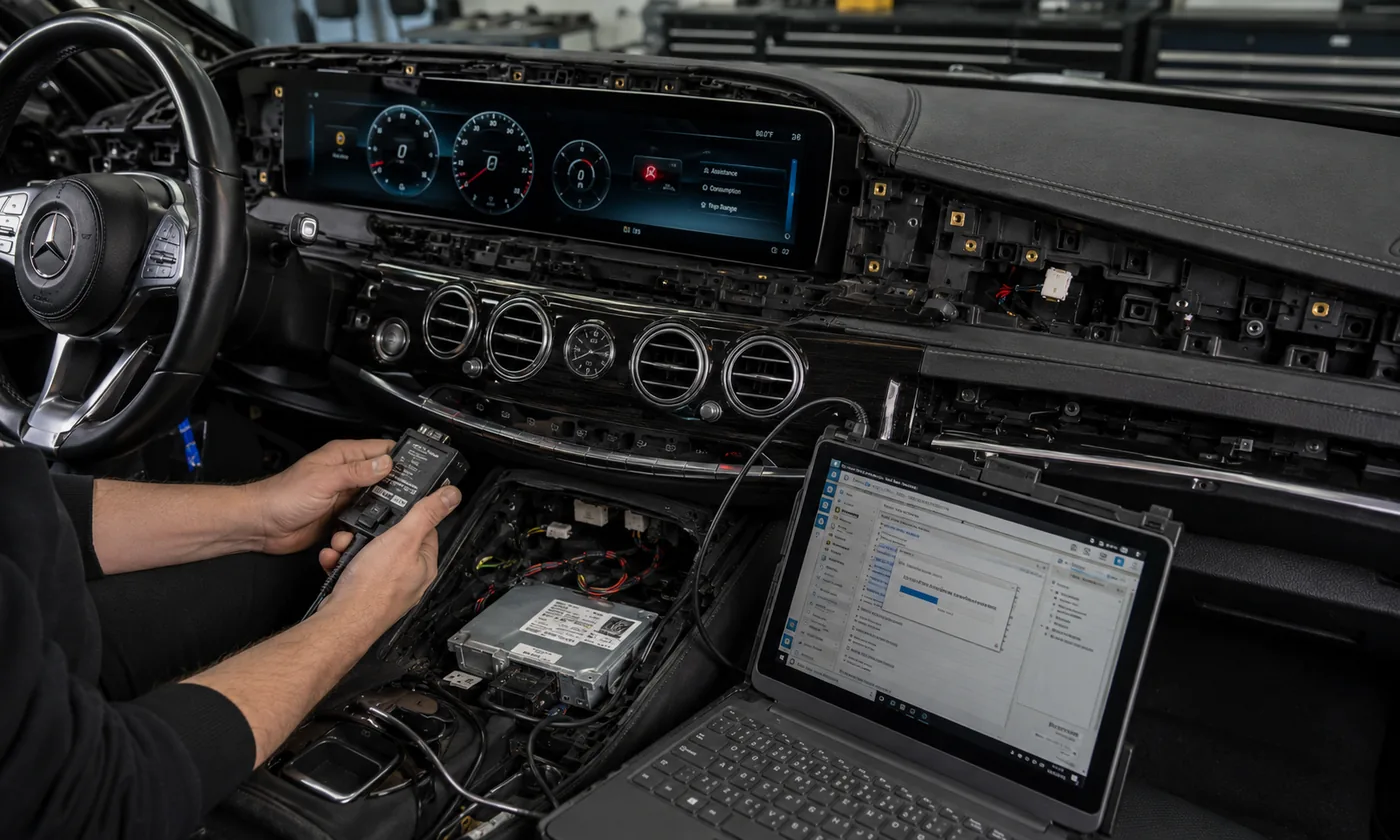
قائمة مراجعة للتقييم من المستوى الخامس
- يُعد ترميز وحدة المركبة أو التكييف وفقًا للطراز أمرًا إلزاميًا
- يجب قراءة بيانات الأجهزة أو المركبات أو تسجيلها أو مزامنتها وفقًا للقانون
- يلزم برمجة البرامج الثابتة أو الوحدة النمطية
- يلزم توفير حماية للمكونات أو إجراء تعديلات متعلقة بالأمن
- يلزم نقل اللوحة الإلكترونية الأصلية أو الوحدة الداخلية
- يلزم توفر قدرة برمجية ثابتة وإجراءات منظمة
- يُعد الاحتفاظ بسجلات التشخيص قبل التثبيت وبعده أمرًا إلزاميًا
- تتطلب العملية المتوقفة تدخلًا متخصصًا لإصلاحها
لا يوجد وقت إجمالي موحد. يجب أن يتضمن سجل المنتج وقت التركيب الفعلي والإجراءات الإلكترونية المتخصصة بشكل منفصل.
يُنصح بالتركيب من قِبل متخصص
إن الأعمال المتقدمة المتعلقة بلوحات العدادات متعددة المراحل، والمكونات المتعددة، ووضع الوحدات في مساحات ضيقة، أو التكامل المعقد بين أنظمة المركبة، تجعل من التركيب الاحترافي الخيار الأكثر منطقية.
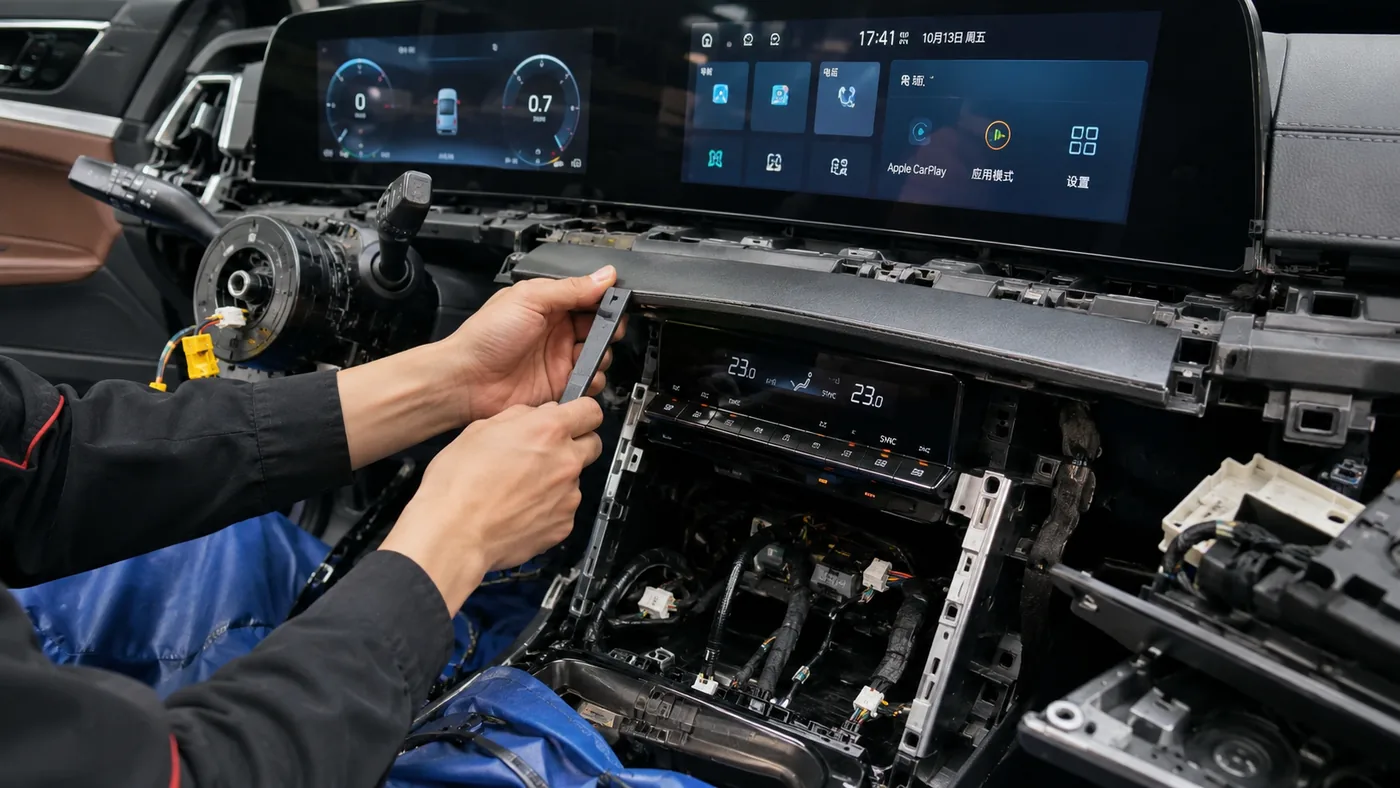
قائمة مراجعة للتعرف على المستوى 4
- تمت إزالة عدة أجزاء من لوحة العدادات أو منطقة العدادات
- تم تثبيت أكثر من مكون عرض واحد
- يتم نقل العديد من الدعامات أو فتحات التهوية أو أجهزة التحكم أو الوحدات الأصلية
- تتطلب وحدات الواجهة المتعددة وضعًا مدروسًا
- يجب ترتيب حزام الأمان داخل المساحة المحدودة للوحة القيادة
- يتضمن ذلك تكاملًا عالي الجودة بين الأنظمة الصوتية والبصرية وكاميرات 360 درجة أو الأنظمة المتعددة
- يلزم إجراء اختبارات مرحلية قبل التجميع النهائي
- قد يؤدي التعامل غير الصحيح مع الزخرفة إلى تكاليف باهظة أو أضرار جسيمة
مرجع للمبتدئين ذوي الخبرة: حوالي 4 إلى 7 ساعات فقط في حالة ما إذا كان المُركِّب يتمتع بالخبرة الكافية في مجال السيارات ولوحات القيادة.
أعمال يدوية متقدمة
عادةً ما يُشترط وجود خبرة سابقة في مجال لوحات القيادة أو إلكترونيات السيارات، والقدرة على تحديد الموصلات بشكل صحيح، وترتيب الوحدات بشكل منظم، وإجراء اختبارات مؤقتة شاملة.
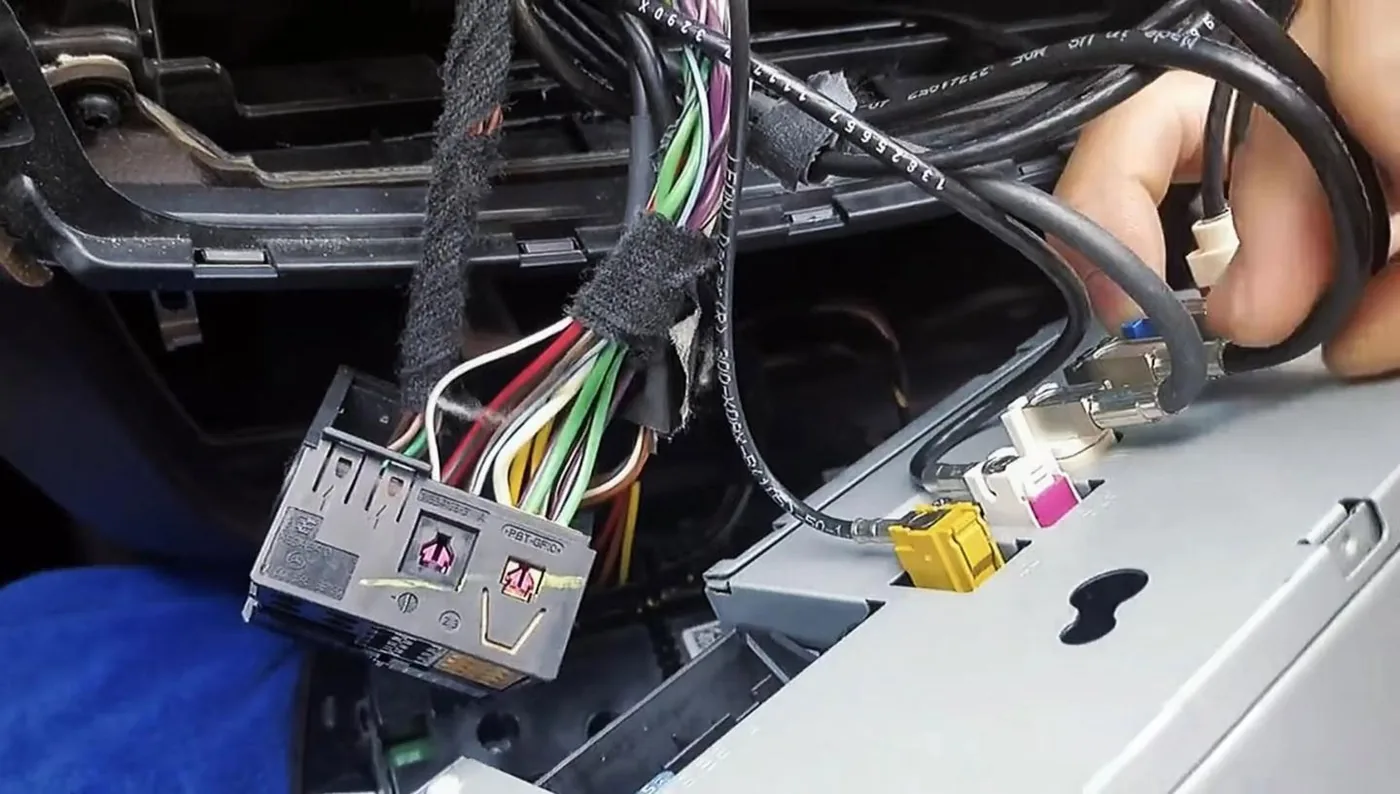
قائمة مراجعة للتعرف على المستوى 3
- يتم إزالة الزخرفة الرئيسية للوحة القيادة والشاشة الأصلية أو الراديو أو لوحة العدادات
- يجب تحديد العديد من مجموعات الأسلاك الخاصة بكل مركبة
- يتم تركيب وحدة أو وحدتين من وحدات الواجهة أو وحدات CANBUS
- يلزم توجيه كابلات USB أو الهوائي أو الميكروفون أو الملحقات
- يتم نقل ما بين قوس أو ثلاثة أقواس أو مكونات أصلية
- يجب تهيئة خيارات المنتج والمركبة
- يلزم إجراء اختبار تشغيل مؤقت قبل إعادة التجميع
- لا يلزم إجراء أي برمجة إلزامية أو كتابة بيانات محمية أو برمجة متخصصة
مرجع مهني: حوالي 1.5 إلى 2.5 ساعة. لا ينبغي للشخص الذي يقوم بتركيب لوحة عدادات سيارة لأول مرة أن يستند إلى التقدير الأطول للوقت كدليل على أن المهمة مناسبة له.
أساسيات الأعمال اليدوية
قد يكون تفكيك الأجزاء المحدودة، واستخدام الأدوات اليدوية الأساسية، والوصلات البسيطة الخاصة بالسيارة مناسباً لمالك حريص يتمتع بمهارات عملية جيدة.
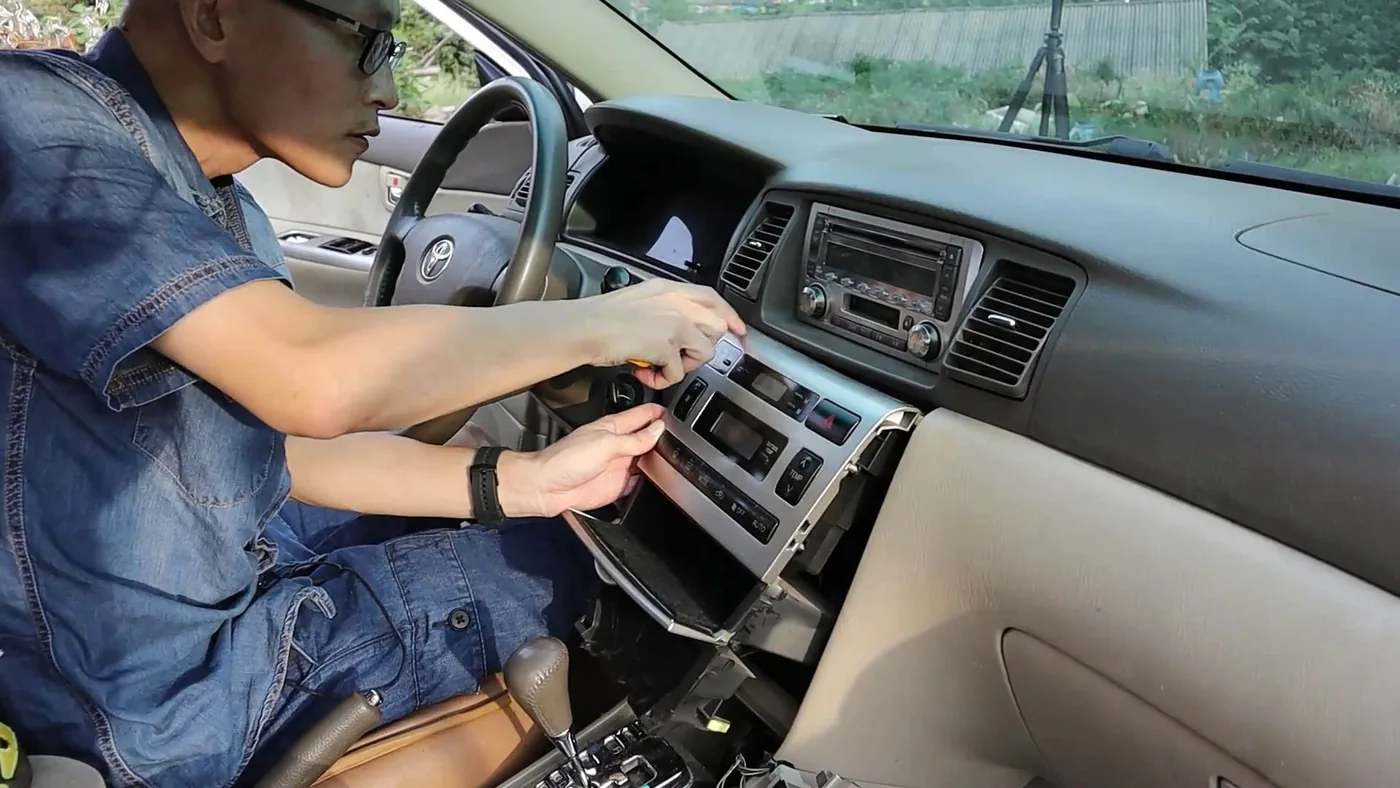
قائمة مراجعة للتعرف على المستوى 2
- يتم إزالة جزء أو جزأين من الزخرفة التي يمكن الوصول إليها
- يمكن إزالة أحد المكونات الأصلية التي يسهل الوصول إليها
- يتم استخدام ما بين اثنين إلى أربعة موصلات رئيسية مزودة بمفاتيح
- لا يلزم أكثر من وحدة واجهة بسيطة واحدة
- يظل التوجيه داخل نفس منطقة لوحة التحكم
- لا يتطلب الأمر سوى إعدادات أساسية لقائمة المنتجات
- لا يلزم إجراء أي فحص بصري أو فحص للبيانات المحمية أو إجراء تشخيصي متقدم
- يمكن إزالة التركيب دون إحداث تغيير دائم
أوقات مرجعية أخرى: المتمرسون في الأعمال اليدوية: 45–90 دقيقة؛ المحترفون: 30–60 دقيقة.
مكون إضافي سهل الاستخدام
لا يتطلب الأمر سوى القليل من التفكيك الداخلي أو لا يتطلبه على الإطلاق، ويوفر توصيلًا بسيطًا ولا يتطلب أي إجراءات إلكترونية متخصصة.
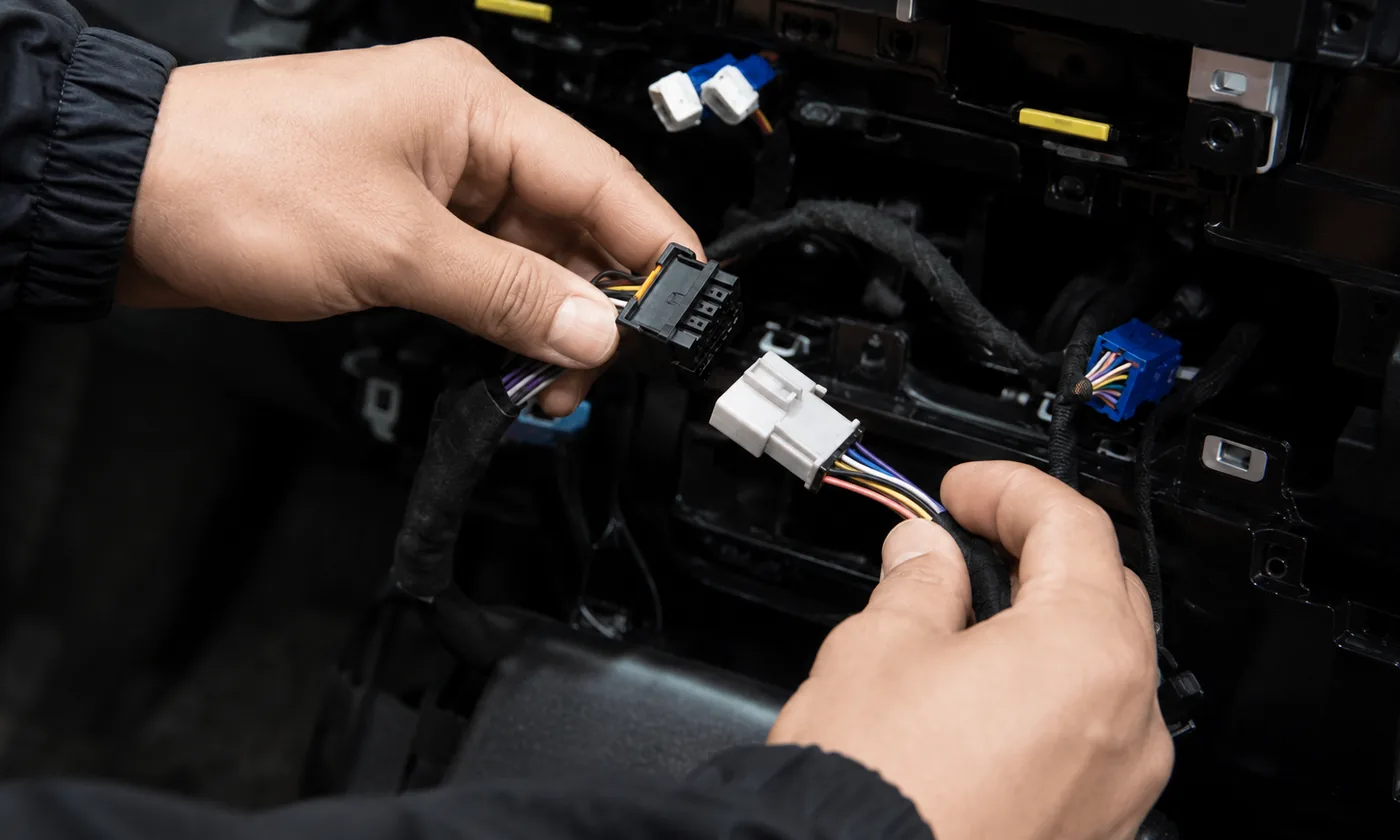
قائمة مراجعة للتعرف على المستوى 1
- لا حاجة لإزالة أي حواف أو وجود غطاء وصول واحد بسيط فقط
- واحد إلى ثلاثة موصلات ذات مفاتيح واضحة
- لا يلزم إزالة الراديو الأصلي أو الشاشة أو لوحة العدادات
- لا توجد مسارات كبلات عبر لوحة القيادة
- لا توجد عملية معقدة لوضع الوحدات النمطية للواجهة
- لا حاجة إلى إعدادات متقدمة أو تشخيص أو برمجة
- يكفي إجراء الفحوصات الأساسية للتشغيل والتوصيل
- إن أي موصل يتطلب استخدام القوة يؤدي على الفور إلى إبطال العملية العادية من المستوى الأول
أوقات مرجعية أخرى: المتمرسون في الأعمال اليدوية: 15–30 دقيقة؛ المحترفون: 10–25 دقيقة.
القواعد الرسمية للتأهل والاستبعاد والترقية لكل مستوى
تقدم بطاقات المستويات المذكورة أعلاه ملخصًا موجهًا للعملاء. وتحدد القواعد الواردة أدناه الشروط التي يجب استيفاؤها، والعناصر التي يجب استبعادها، والأدلة التي يجب أن تدعم التصنيف.
المستوى 1 — معيار الاعتراف الرسمي
جميع الشروط المؤهلة
- يقع كلا المؤشرين في نطاق 0–3.
- لا يوجد بعد واحد يمثل التقدير المهني الخفي أو العواقب الوخيمة.
- لا يلزم فك أي من الراديو الأصلي أو الشاشة أو لوحة العدادات.
- الوصلة المقصودة واضحة ومميزة ويسهل الوصول إليها.
- لا يلزم وجود شبكة مركبات منفصلة، أو نظام صوتي متطور، أو كاميرا، أو تكامل مع نظام التشخيص.
- يؤكد التشغيل الأساسي وإظهار الأداء الوظيفي صحة الأداء المقصود.
- لا يوجد أي مشغل من المستوى 3 أو المستوى 4 أو المستوى 5.
الشروط التي تؤدي إلى استبعاد المستوى 1
- يجب إزالة الزخرفة الرئيسية للوحة القيادة.
- يجب تحديد عدة موصلات مماثلة.
- يجب تضمين وحدة CANBUS أو وحدة بصرية أو وحدة كاميرا أو وحدة مضخم.
- يجب تمرير الأسلاك عبر منطقة لوحة القيادة.
- تتطلب حالات توقف المحرك أو تأخر إيقاف التشغيل أو تكرار تشغيل المحرك إجراء تشخيص دقيق.
- قد يؤدي التعامل غير السليم إلى إتلاف الزخارف الخارجية باهظة الثمن أو اللوحة الإلكترونية.
الأدلة الدنيا: صور المنتج والموصل، وتعليمات بسيطة، وتأكيد ملاءمة المنتج/السيارة، ونتائج التشغيل الأساسية. ولا يجوز تصنيف المنتج في المستوى 1 لمجرد أن مجموعة الأسلاك المرفقة تُعرف بأنها "جاهزة للتشغيل فور التوصيل".
المستوى 2 — معيار الاعتراف الرسمي
جميع الشروط المؤهلة
- يتراوح المؤشر الأعلى بين 4 و6.
- لا يصل أي بُعد من أبعاد التقييم إلى الحالة التي تفي بالحد الأدنى للمستوى 3.
- يتم الاحتفاظ بالعمل في منطقة واحدة يسهل الوصول إليها في لوحة التحكم.
- إزالة الحواف محدودة، وطريقة الإفراج موثقة بوضوح.
- الوصلات مخصصة لكل مركبة على حدة وهي سهلة الاستخدام.
- عادةً ما يتطلب الأمر تركيب وحدة واجهة بسيطة واحدة على الأكثر.
- يقتصر التكوين على الإعدادات الأساسية للمنتج أو ملف تعريف تم تأكيده.
- لا يتطلب التحقق تفسيرًا تشخيصيًا.
ترقية إلى المستوى 3 عندما
- يتم إزالة الشاشة الأصلية الرئيسية أو الراديو أو لوحة العدادات.
- تتطلب العديد من الموصلات أو أنواع الأقفال المخفية خبرة سابقة.
- يجب تركيب وتثبيت وحدتين أو أكثر.
- تتطلب كابلات USB أو GPS أو الميكروفون أو الكاميرا توجيهًا مناسبًا.
- يعد التجميع المؤقت والاختبار التدريجي أمرين ضروريين.
- قد يتمكن المبتدئ من تنفيذ الخطوات العملية بشكل صحيح، لكنه لا يستطيع تشخيص خطأ في التكوين العادي بشكل موثوق.
الأدلة الدنيا: قائمة كاملة بالمعدات، وإرشادات إزالة الأجزاء الزخرفية والموصلات، وخطوات إعداد المنتج، وقائمة التحقق الأساسية، وتأكيد مستندي على الأقل للمسار الذي تم تقييمه.
المستوى 3 — معيار الاعتراف الرسمي
الشروط المعتادة للتأهل
- إذا كان المؤشر أعلى من ذلك، فيجب أن يكون الفارق في حدود 7–10 أو أن يُطبق الشرط الأدنى من المستوى 3.
- عادةً ما يتم إزالة الشاشة الأصلية الرئيسية أو الراديو أو لوحة العدادات.
- هناك عدة موصلات ووحدة واجهة واحدة على الأقل تحتاج إلى تحديد.
- يجب ترتيب الأسلاك والوحدات بحيث يمكن إعادة تركيب لوحة العدادات الأصلية دون ضغط.
- قد يتم نقل قوس أصلي واحد أو أكثر أو مكونات مدعومة.
- قد يتطلب الأمر ضبط إعدادات ملف تعريف السيارة أو شبكة CAN أو الصوت أو الكاميرا أو نظام التحكم في التوجيه.
- يجب على المُركِّب اختبار التركيب المؤقت قبل إعادة التجميع النهائي.
- يلزم إجراء فحص منهجي للصوت وأزرار التحكم والكاميرا والقوائم الأصلية وسلوك نظام التشغيل، حسب الاقتضاء.
الترقية إلى المستوى 4 أو المستوى 5 عندما
- يتضمن ذلك عدة مناطق في لوحة العدادات أو مجموعتين مستقلتين من الشاشات.
- يجب نقل أربعة مكونات أصلية مرئية أو أكثر.
- يعد دمج أنظمة الصوت الفائقة الجودة أو الأنظمة البصرية أو الكاميرات بزاوية 360 درجة أو الشبكات المتعددة عملية معقدة.
- قد تؤدي الزخارف عالية القيمة، أو محاذاة الشاشات المزدوجة، أو صعوبة وضع الوحدات إلى أضرار جسيمة.
- يتطلب استعادة النظام بعد حدوث عطل إعادة تثبيت البرامج الثابتة أو إجراء عمليات تشخيص تتجاوز الإعدادات العادية.
- يلزم إجراء ترميز للمركبة، أو التعامل مع بيانات محمية، أو برمجة، أو إجراء تشخيص متخصص إلزامي.
متطلبات برنامج التثبيت: خبرة سابقة في مجال لوحات القيادة أو إلكترونيات السيارات. فالمُركِّب المبتدئ لا يتحول إلى مُركِّب متمرس بمجرد منحه المزيد من الساعات.
الأدلة الدنيا: تسلسل تركيب واضح، ومواقع الموصلات والوحدات، وإعدادات خاصة بالمنتج، وقائمة مراجعة كاملة للاستلام، ومسار تركيب واحد على الأقل موثق بشكل كافٍ قبل أن يُصنف التقييم على أنه "تم التحقق منه ميدانيًا".
المستوى 4 — معيار الاعتراف الرسمي
الشروط المعتادة للتأهل
- إذا كان المؤشر الأعلى يقع في النطاق 11–15، أو إذا انطبقت الشروط الدنيا للمستوى 4.
- يجب فتح عدة أقسام متصلة أو أكثر من منطقة واحدة في لوحة القيادة.
- يتم تركيب مكونين للشاشة، أو مجموعة شاشة مزدوجة عريضة، أو عدة مكونات رئيسية.
- يجب نقل العديد من الدعامات أو فتحات التهوية أو أجهزة التحكم أو الوحدات الأصلية بدقة.
- تتطلب وحدات الواجهة المتعددة تحديد مواقعها مسبقًا وتوجيه الكابلات بشكل منظم.
- فالفجوات في التركيب، أو التشطيبات الفاخرة الهشة، أو المساحة الداخلية المحدودة، تجعل أسلوب التجربة والخطأ أمراً غير مقبول.
- تتطلب الوظائف المعقدة المتعلقة بالصوت الأصلي أو الكاميرا أو قائمة المركبة أو الشاشات المتعددة إجراء فحص احترافي.
- يتطلب القبول النهائي إجراء اختبارات على مراحل وتقييمًا احترافيًا لمشاكل التشغيل.
لا يشمل المستوى 4
- الكتابة الإلزامية للبيانات المحمية أو المزامنة القانونية لعدد الكيلومترات المقطوعة.
- الترميز الإلزامي لوحدات المركبات عبر منصة متخصصة.
- التحويل الإلكتروني الإلزامي على مستوى مجلس الإدارة.
- برمجة البرامج الثابتة التي تتطلب تدخل متخصص لإصلاحها في حالة حدوث عطل.
- السيارات الكهربائية ذات الجهد العالي، وإصلاح أنظمة السائد (SRS)، ومعايرة أنظمة المساعدة المتقدمة للسائق (ADAS)، أو التعديلات الهيكلية.
متطلبات برنامج التثبيت: فني متخصص في تركيب إلكترونيات السيارات، يتمتع بقدرات مثبتة في مجال التشطيبات والكهرباء وتكامل الأنظمة. وكلمة “متخصص” هنا تعني الكفاءة، وليست مجرد اسم لمتجر.
الأدلة الدنيا: إجراءات التثبيت التفصيلية، وسجل نقل المكونات، وإرشادات وضع الوحدات، وقائمة الوظائف المحفوظة، وسجل قبول فئة المنتج، والأدلة الميدانية المناسبة لمستوى الثقة المعلن.
المستوى 5 — معيار الاعتراف الرسمي
يُحدد المستوى 5 عندما يتعذر إتمام مرحلة إلزامية بشكل مسؤول من خلال التركيب الميكانيكي العادي وتكوين قائمة المنتجات وحدهما. ويحدد العامل المُحفز — وليس أعلى درجة رقمية — المستوى النهائي.
المحفزات الإلزامية المتخصصة
- إجراءات ترميز المركبات أو الوحدات أو التكييف أو الإجراءات المصرح بها لأغراض أمنية
- قراءة بيانات الأدوات القانونية أو كتابتها أو مزامنتها
- برمجة البرامج الثابتة للوحدة أو تحديثها
- حماية المكونات أو تكييف الوحدات المحمية
- نقل اللوحة الإلكترونية أو جهاز الذاكرة أو الوحدة الأصلية الداخلية
- إجراءات التشخيص الإلزامية قبل التثبيت وبعده
- برمجة التحكم في الطاقة ومراقبة الاتصالات
- الاستعادة من عملية لا يمكن إصلاحها عن طريق إعادة الاتصال أو إعادة الضبط أو إعادة تثبيت البرنامج الثابت العادية
المستندات الرقابية المطلوبة
- التوافق الدقيق بين السيارة والمنتج
- المنصة والمعدات المتخصصة المطلوبة
- متطلبات الطاقة المستقرة
- البيانات الأصلية أو نسخة احتياطية من الإعدادات، حيثما ينطبق ذلك
- الإجراءات المصرح بها والقيود المفروضة على الاستخدام القانوني
- تعليمات المقاطعة والاستعادة
- حالة التشخيص قبل التثبيت
- سجل التشخيص والتشغيل بعد التركيب
يُستثنى من هذه الخدمة التلاعب غير القانوني بعداد المسافة المقطوعة، أو تجاوز نظام الأمان، أو المعايرة غير الآمنة، أو الأعمال التي تقع خارج نطاق خدمات iKAGOO العادية، ولا يتم إعادة تصنيفها على أنها أعمال تركيب متخصصة.
نظرة سريعة على مقارنة المستويات
| المستوى | قدرات برنامج التثبيت | الحدود العادية | الأدلة المتوقعة |
|---|---|---|---|
| 1 | مالك حريص يتبع التعليمات الأساسية | وصول محدود، ارتباط مباشر واضح، فحص أساسي | توصيل الجهاز والتأكد من تشغيله |
| 2 | مناسب للمبتدئين في مجال الأعمال اليدوية أو من لديهم خبرة سابقة | تجهيزات محدودة، وتوصيلات بسيطة مخصصة للسيارة | إكمال التعليمات الأساسية والتحقق |
| 3 | سواء كنت من هواة الأعمال اليدوية ذوي الخبرة أو محترفًا | إزالة الوحدة الرئيسية، وإجراء عدة توصيلات، وتوجيه الكابلات، وإعداد النظام | إجراء فحوصات شاملة على الإجراءات وفئات المنتجات |
| 4 | فني متخصص في تركيب إلكترونيات السيارات | تركيب متطور متعدد المراحل وتكامل معقد | أدلة ميدانية مفصلة وقبول مهني |
| 5 | متخصص في إلكترونيات المركبات | الترميز الإلزامي، أو البيانات، أو البرمجة، أو التشخيص، أو الاستعادة المحمية | سجلات الإجراءات الخاضعة للرقابة والتشخيص والشفاء |
ما الذي يجب أن يتضمنه سجل تركيب منتجات iKAGOO
لا ينبغي أن تقتصر صفحة المنتج على عرض عبارة “المستوى 3” فحسب، بل يجب أن تشرح سبب تطبيق هذا التصنيف، والتكوين الذي تم تقييمه، وما يجب التحقق منه، ومدى قوة الأدلة.
| الحقل المنشور | مثال | الغرض |
|---|---|---|
| صعوبة التركيب | المستوى 3 — الأعمال اليدوية المتقدمة | مستوى التخطيط النهائي بعد تطبيق التقييمات والتجاوزات. |
| الفهرس الميكانيكي | 8 / 15 | يُظهر قدرته على أداء الأعمال البدنية بشكل مستقل. |
| الفهرس الإلكتروني | 6 / 15 | يُظهر الطلب على التكامل والانتعاش بشكل مستقل. |
| الإجراء المتخصص | غير مطلوب | يحدد وضع المستوى 5 بشكل صريح. |
| القابلية للعكس | RV-B | يوضح ما إذا كانت المكونات الأصلية قد نُقلت ولكن يمكن استعادتها. |
| الأدلة والثقة | تم التحقق منه ميدانيًا · معتدل | يوضح كيف تم دعم هذه النتيجة. |
| تسليم السيارة | تكوين NBT أصلي من المصنع ومؤكد | يمنع التطبيق الأعمى على نظام مختلف. |
| أهم أسباب التقييم | إزالة الشاشة الرئيسية، وستة موصلات، ووحدة CAN، وتوجيه USB | يساعد العميل على فهم العمل. |
| التحقق المطلوب | الصوت، الكاميرا، أزرار التحكم، قائمة المصنع، وضع السكون/الاستيقاظ | يُعرِّف "الإكمال" بدلاً من اعتبار "تشغيل الجهاز" بمثابة نجاح. |
| سجل الإصدارات | رقم المنتج، الأجهزة، مجموعة الأسلاك، شبكة CAN، وإصدارات البرامج الثابتة | يحافظ على ارتباط التصنيف بالمنتج الذي تم تقييمه. |
كيف تؤثر حالة السيارة على التوصية
يصف «مستوى التثبيت الأساسي» للمنتج الأعمال المقررة على التكوين الأصلي للمركبة الذي تم تقييمه في المصنع. وقد تتطلب مركبة العميل إجراءً إضافياً دون تغيير المستوى الأساسي المعلن للمنتج.
مستوى المنتج الأساسي
- تم التأكد من السيارة الصحيحة والنظام الأصلي وإصدار المنتج
- المجموعة المرفقة كاملة
- لا تزال الأسلاك والوحدات ذات الصلة في المصنع موجودة وصالحة للاستخدام
- لا تؤدي أي تعديلات سابقة لم يتم الإفصاح عنها إلى تغيير مسار التثبيت العادي
- يتم اتباع طريقة التثبيت والتحقق الخاصة بالمنتج
إرشادات خاصة بحالة معينة تتعلق بمركبة معينة
- وحدة التحكم الرئيسية أو الشاشة السابقة من سوق قطع الغيار
- أسلاك مقطوعة أو مُصلحة أو غير معروفة
- الوحدة الأصلية أو الحامل أو الموصل مفقود
- إصلاح الأضرار الناجمة عن الحوادث، أو الأجزاء التزيينية التالفة، أو المشابك المكسورة
- مضخم صوت أو كاميرا أو إعدادات السوق غير مؤكدة
- وجود عطل متعلق بالإنذار أو الصوت أو الكاميرا أو الشبكة
مستوى المنتج الأساسي: المستوى 3. تنبيه خاص بالمركبة: يُوصى بإجراء فحص احترافي نظرًا لوجود أسلاك سابقة من سوق قطع الغيار. إذا تعذر التأكد من مسار التركيب الفعلي، يُصنف التصنيف الأساسي على أنه «غير قابل للتطبيق» إلى حين مراجعته.
متى يمكن إعادة استخدام التصنيف ومتى يجب مراجعته
تم التحقق من صحتها
يتوافق نظام المركبة والموصلات وتركيبها ومكونات المنتج وأسلاكها وتسلسل التركيب مع المرجع الذي تم تقييمه.
تم التحقق من صحة المعادلة
تم فحص مركبة أو سنة تصنيع ذات صلة، ولا يتطلب ذلك أي خطوة إضافية أو واجهة أو متطلبات تحقق.
نسخة مؤقتة
يتطلب أي سوق جديد، أو ترتيب LHD/RHD، أو مضخم صوت، أو كاميرا، أو لوحة العدادات، أو مجموعة الأسلاك، أو حامل، أو برنامج ثابت مزيدًا من التأكيد.
تتطلب المراجعة أيًا من العناصر التالية: مجموعة أسلاك جديدة، أو صندوق CANBUS، أو هيكل التثبيت، أو مجموعة الشاشة، أو تكوين السيارة المدعوم، أو التبعية للبرمجيات الثابتة، أو خطوة التثبيت، أو مشكلة السكون المتكررة، أو فقدان وظائف المصنع المتكرر، أو أي مخاوف مؤكدة تتعلق بالسلامة. ويجب وضع التصنيف في حالة «قيد المراجعة» فورًا في حالة وجود مشكلة مؤكدة ذات أهمية حاسمة للسلامة.
يتم تحديد أنواع المُثبِّتين بناءً على المهارات، وليس على المسميات الوظيفية
| نوع المثبت | القدرات المتوقعة | نطاق المستويات المعتاد |
|---|---|---|
| أداة التثبيت الأساسية للقيام بذلك بنفسك | يستخدم أدوات التثبيت الأساسية، ويحدد أنواع البراغي والموصلات المزودة بمفاتيح، ويتبع تسلسلاً محدداً، ويقوم بإجراء الفحوصات الأساسية. | المستوى 1–2 |
| فني تركيب متمرس في مجال "افعلها بنفسك" | قام بفك لوحات العدادات، وتنظيم أسلاك التوصيل والوحدات، ولديه معرفة بأقفال الموصلات، كما يمكنه حل المشكلات الأساسية المتعلقة بالشاشة السوداء أو انقطاع الصوت أو مشاكل التحكم. | المستوى 2–3؛ يُقبل المتقدمون من المستوى 4 فقط في حال وجود خبرة ذات صلة |
| فني تركيب إلكترونيات السيارات | يستخدم أدوات الاختبار الكهربائية، ويقرأ مخططات التوصيلات، ويتعامل مع أنظمة الصوت عالية الجودة والكاميرات وواجهات CAN، ويحمي الزخارف عالية القيمة، ويُجري اختبارات القبول المنظمة. | المستوى 3–4 |
| أخصائي إلكترونيات المركبات | تستخدم منصات تشخيصية مخصصة لكل مركبة، وقدرات برمجية متينة، ونسخ احتياطي للبيانات، والترميز، والبرمجة، وإجراءات الاستعادة الخاضعة للرقابة. | مرحلة التخصص من المستوى الخامس |
يمكن أن يساعد التوجيه عن بُعد من خلال الخطوات الموثقة أو الإجراءات الإلكترونية المدعومة، لكنه لا يمكن أن يحل محل الوصول المباشر الآمن، أو استخدام الأدوات المناسبة، أو تحديد الموصلات، أو التعامل الماهر في الموقع.
هل ينبغي عليك تركيب المنتج بنفسك؟
لا يُعتبر اعتماد المنتج بمثابة اعتماد للمُركِّب الفردي. قبل أن تقرر القيام بالتركيب بنفسك، أجب على الأسئلة التالية بأمانة.
- هل سبق لي أن قمت بإزالة الزخارف الداخلية لسيارة؟
- هل يمكنني استخدام أدوات تشذيب البلاستيك دون ترك علامات على الأسطح المرئية؟
- هل يمكنني استخدام أدوات توركس والمقابس وأقفال الموصلات بشكل صحيح؟
- هل يمكنني تحديد مواقع الموصلات الأصلية ووضع علامات عليها وتصويرها؟
- هل يمكنني توجيه الأسلاك وتثبيتها دون أن أضغط عليها أو أشدها؟
- هل يمكنني تنظيم البراغي والمشابك والمكونات المنقولة؟
- هل يمكنني إكمال الاختبارات المؤقتة قبل إعادة إنشاء لوحة التحكم؟
- هل سأتوقف إذا اختلفت السيارة الفعلية عن تلك المذكورة في التعليمات؟
- هل يمكنني تخصيص وقت كافٍ دون الاستعجال؟
- هل يمكنني طلب المساعدة من متخصص إذا تجاوز العمل قدراتي؟
هذا لا يعني أن المنتج غير مناسب للشراء. بل يعني أنه ينبغي تكليف شخص تتناسب قدراته مع المستوى المعلن به بإجراء التركيب.
ما يشمله وقت التثبيت المعلن
| العنصر الزمني | كيف يتم عرضها |
|---|---|
| التركيب المادي العملي | يُعرض باعتباره النطاق المرجعي الرئيسي لنوع المُثبِّت المناسب. |
| التكوين والتحقق | يُدرج هذا فقط عندما يكون جزءًا من الإجراء القياسي الموثق؛ وقد تُدرج مراقبة حالة السبات المطولة للمركبة بشكل منفصل. |
| الترميز أو البرمجة | يتم عرضها بشكل منفصل بالنسبة لمنتجات المستوى 5. |
| حل المشكلات غير المتوقعة | غير متوفر ضمن المجموعة القياسية. |
| إصلاح التعديلات السابقة | غير مشمول؛ يتطلب تقديرًا خاصًا بالسيارة. |
| مدة الانتظار للحصول على الدعم عن بُعد | لا يُحتسب ضمن وقت التثبيت الفعلي. |
الوقت المرجعي المقدر يُستخدم هذا عندما تكون الأدلة محدودة. النطاق المرجعي الملحوظ يجب ألا يُستخدم إلا بعد تسجيل عدة عمليات تثبيت كاملة وقابلة للمقارنة.
التحضير والأدوات وحماية السيارة
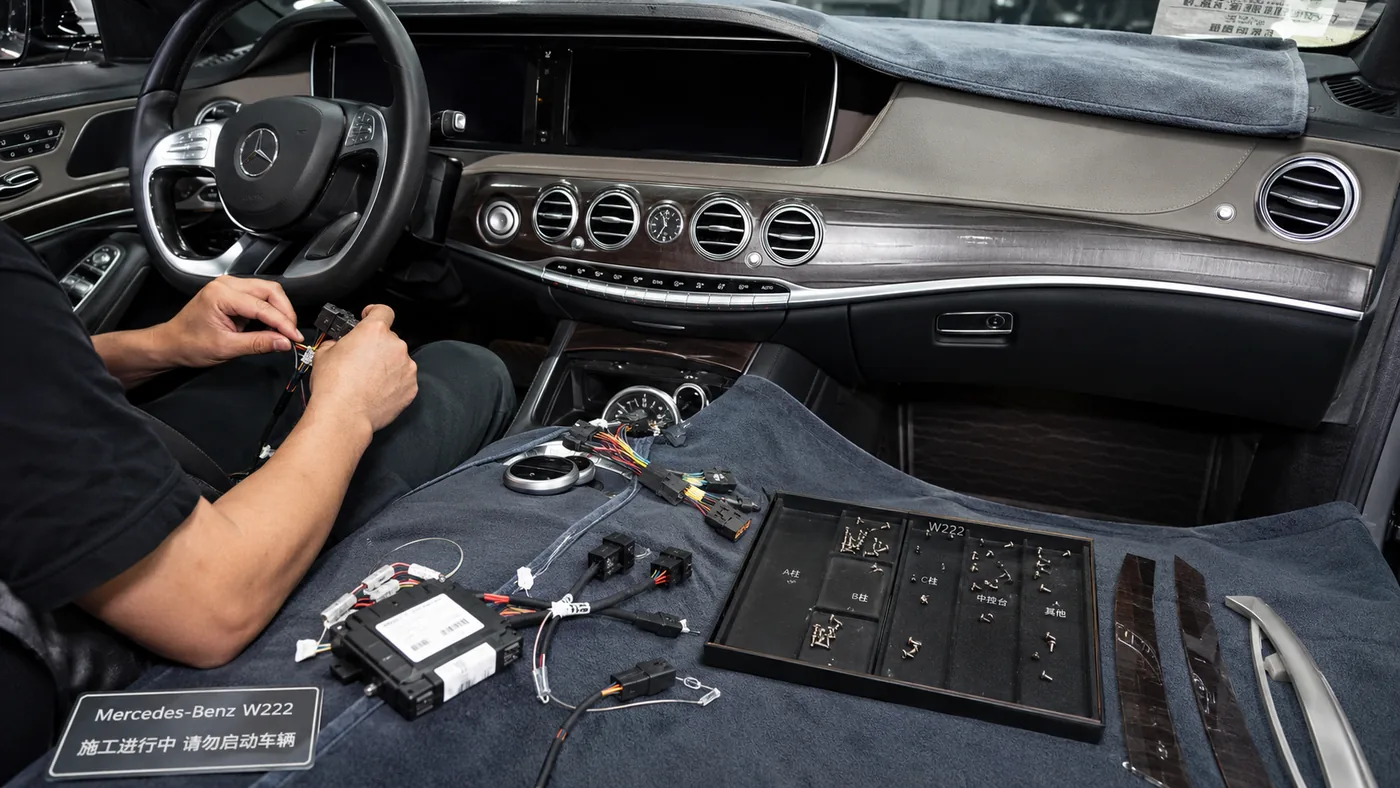
الحماية والتوثيق
قم بحماية الأسطح الظاهرة، وفصل البراغي والمشابك، وتأكد من محتويات المجموعة، وقم بتصوير مواقع الموصلات الأصلية قبل إزالتها.
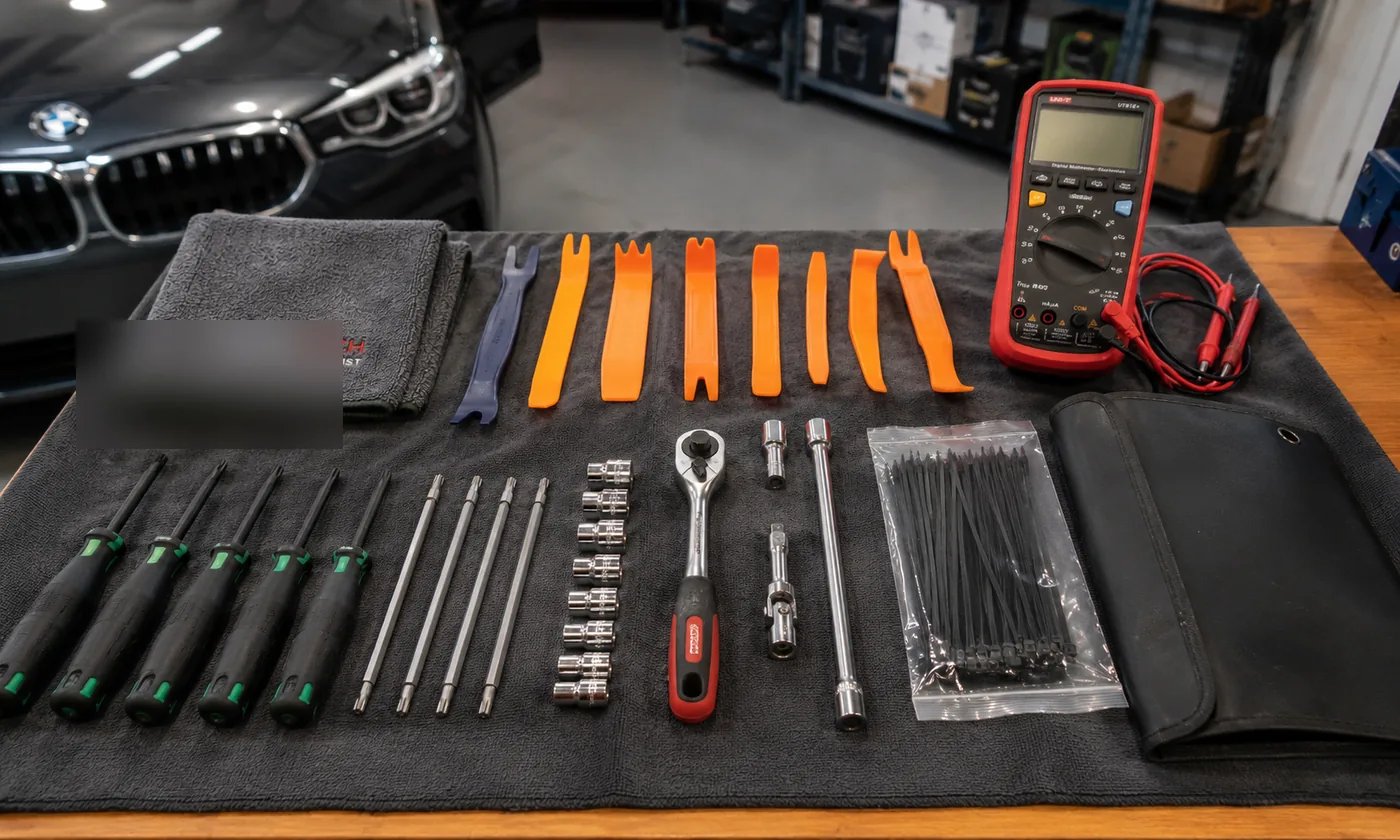
استخدم الأدوات المناسبة
تساعد أدوات القطع المناسبة، وأدوات توركس، والمقابس، والمواد الواقية، ومعدات الاختبار على تجنب الأضرار التي يمكن تجنبها واللجوء إلى الحلول المرتجلة.
- تأكد من تطابق المنتج مع تكوين السيارة المُقيَّم
- تأكد من توفر جميع الوحدات والمحولات والحوامل ومثبتات التثبيت المطلوبة
- اقرأ إرشادات التثبيت الكاملة الخاصة بالمنتج
- اعمل في مكان نظيف وجاف ومضاء جيدًا دون ضغوط زمنية
- تجنب إزالة الزخارف الهشة في درجات الحرارة شديدة البرودة قدر الإمكان
- تسجيل الأعطال الحالية وأضواء التحذير وحالة الوظائف ذات الصلة
- اتبع إجراءات تشغيل المحرك والبطارية الخاصة بالمنتج
- لا تقم بتشغيل الجهاز إذا كانت التوصيلات المطلوبة لنظام SRS غير موصولة
تختلف المتطلبات باختلاف المركبات والإجراءات المتخصصة. يرجى اتباع التعليمات الخاصة بالمنتج، ومعلومات ورشة الصيانة الخاصة بالمركبة، وتقدير الفني المؤهل.
توجيه الكابلات، وترتيب الوحدات، وإدارة الحرارة
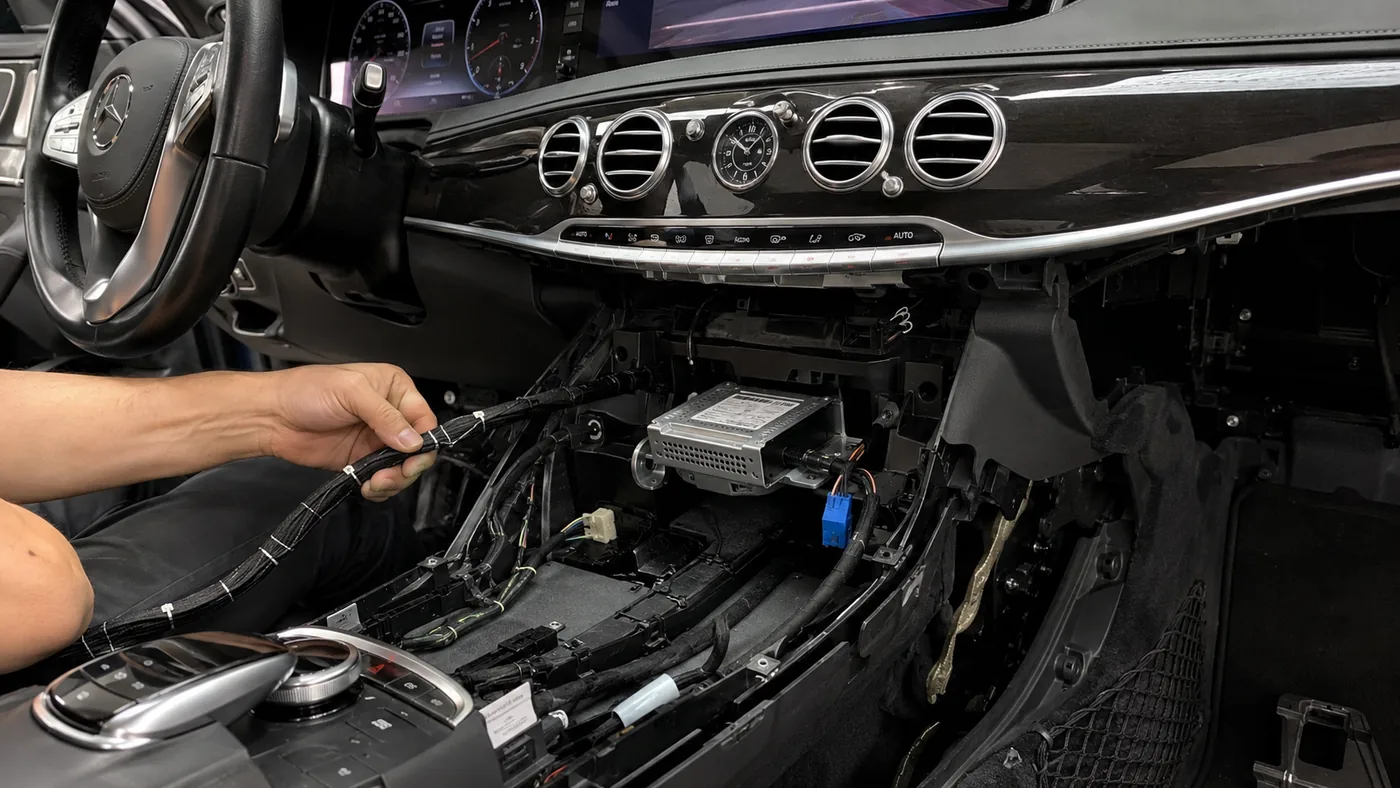
منظمة وآمنة
قد يكون توصيل الموصلات الخاصة بالمركبات أمرًا بسيطًا، لكن المساحة المحيطة بها لا تزال تتطلب توجيهًا دقيقًا وتركيبًا آمنًا للوحدات.
- الوحدات ثابتة ولا يمكن تحريكها أو تهتز
- لا تتعرض الحزامات للانضغاط أو التمدد أو الانحناء الحاد
- لا يلامس أي سلك حافة معدنية حادة
- لا توجد أي وحدة تغلق مجرى الهواء أو تعيق حركة التحكم
- لا يوجد أي كابل أو وحدة تدخل في مسار انطلاق الوسادة الهوائية
- تتمتع المعدات المولدة للحرارة بتهوية كافية
- لا يجب تغليف موضع الهوائي بالمعدن دون داعٍ
- لم تظهر أي حرارة غير طبيعية في الموصلات أو الوحدات أو أسلاك التوصيل أثناء الاختبار
متى يجب إيقاف التثبيت مؤقتًا
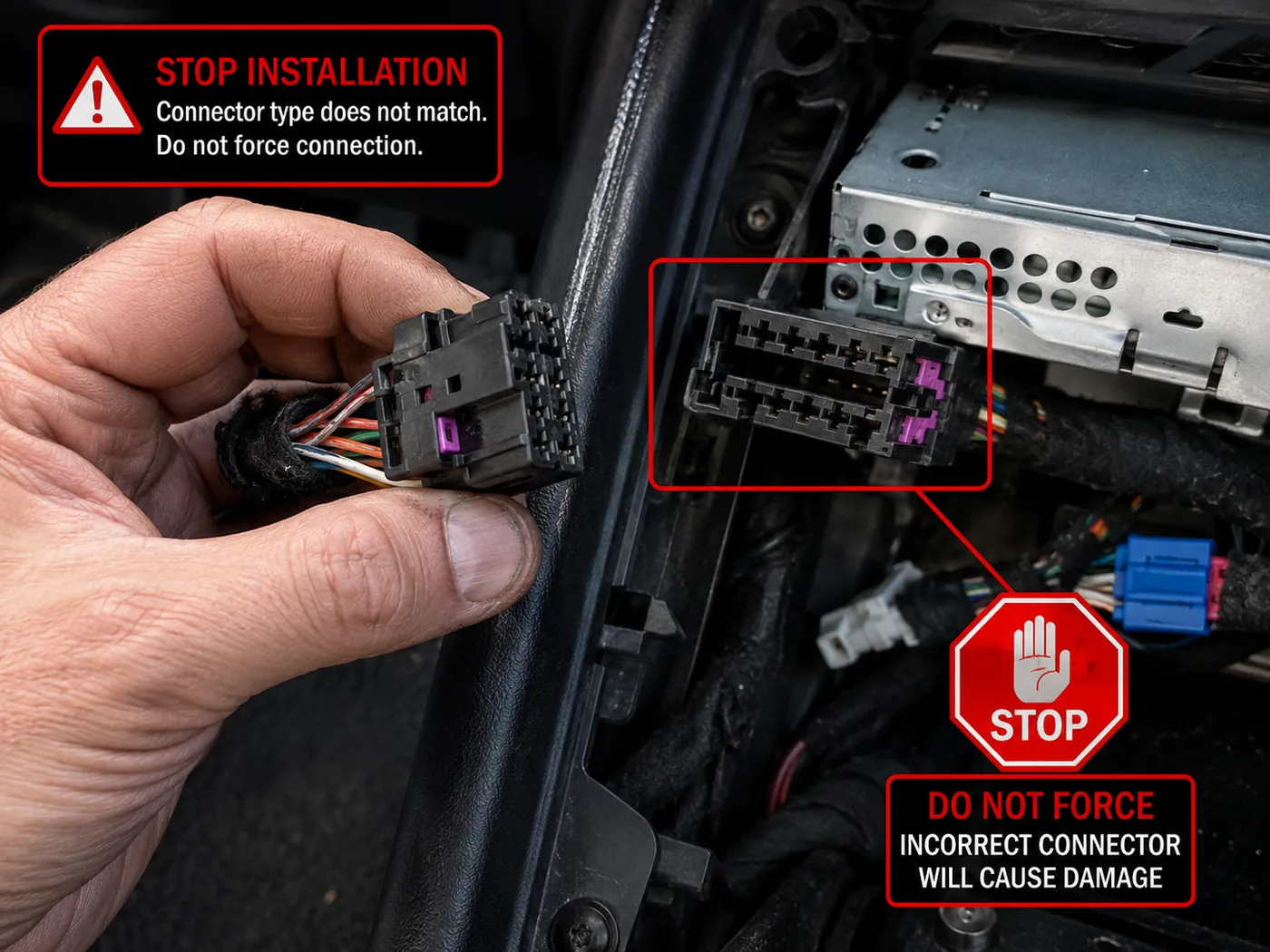
لا تستمر في التجربة والخطأ
يجب التحقق من عدم وجود تباين في الموصلات قبل محاولة استخدام القوة أو تغيير الأطراف أو إجراء تعديلات غير مؤكدة.
- الموصل يتطلب استخدام القوة أو لا ينغلق بشكل طبيعي
- يختلف الموصل أو الوحدة الفعلية عن النموذج المرجعي الذي تم تقييمه
- أنت تعتقد أنه يجب نقل أو تعديل أطراف الموصلات
- يوجد وحدة أو حامل أو محول مطلوب مفقود
- الأسلاك الأصلية مقطوعة أو متآكلة أو مبللة أو محترقة أو تم تعديلها سابقًا
- انفجار مصهر كهربائي، أو ارتفاع درجة حرارة الأسلاك، أو ظهور دخان أو رائحة غير عادية
- لا تزال هناك إشارة تحذيرية جديدة تتعلق بالوسادة الهوائية أو نظام ABS أو المحرك أو نظام الاتصالات أو غير ذلك
- يتم إعادة تشغيل الجهاز بشكل متكرر، أو يظل قيد التشغيل، أو يعمل بشكل غير طبيعي
- جهد البرمجة أو الاتصال غير مستقر
- يتجاوز العمل القدرات المؤكدة للمُركِّب
فحص الطاقة والتداخل واستخدام السائق
دورة حياة الطاقة
- تشغيل المحرك بشكل طبيعي ودورات تشغيل متكررة
- تصميم سلوكيات إيقاف التشغيل والوضع السباتي والاستيقاظ
- لا توجد شاشة مضيئة لفترات طويلة أو إعادة تشغيل متكررة
- لا توجد أي أعراض تشير إلى ارتفاع غير طبيعي في درجة الحرارة أو تعطل في الصمامات أو استنزاف للبطارية
ملاحظة التداخل الأساسية
- لا توجد أصوات صفير جديدة، أو ضوضاء في الميكروفون، أو خطوط في الصورة
- تظل خدمات GPS والبلوتوث والواي فاي والراديو مستقرة إلى حد ما
- يُتجنب التوجيه الاقتراب غير الضروري من مصادر التداخل الواضحة
- لا يمكن الاستدلال على وجود شهادة EMC من هذه الملاحظة وحدها
العرض واستخدام السائق
- لا يوجد أي عائق غير مقبول يحجب الرؤية الأمامية أو التحذيرات الأساسية
- يتم فحص السطوع والوهج الليليين
- تظل الأزرار وفتحات التهوية وأدوات التحكم الأساسية قابلة للاستخدام
- يجب أن يتوافق استخدام الفيديو والتفاعل مع السائق مع القوانين المحلية وإعدادات الاستخدام الآمن
إجراءات التحكم في التركيب والتسليم الكاملة
يجب أن يتم التثبيت على مراحل. ولا يمكن تقييم النتيجة النهائية إلا بعد إعادة تركيب كل لوح من الألواح الزخرفية، لأن أي وصلة غير صحيحة أو كابل عالق يصعب اكتشافه عندئذٍ وقد يتطلب تفكيكًا متكررًا غير ضروري.
المرحلة أ — قبل إزالة أي من المعدات الأصلية
- تأكد من سجل السيارة وإصدار المنتج المحدد.
- التأكد من جاهزية المعدات والوثائق.
- تسجيل حالة لوحة العدادات الأصلية والشاشة ولوحة العدادات وحالة الزخارف الظاهرة.
- تسجيل مصابيح التحذير الموجودة والمشاكل الوظيفية المرتبطة بها.
- اختبر الصوت الأصلي والكاميرا وأزرار التحكم وقائمة السيارة، حيثما أمكن ذلك.
- التقط صوراً لمواقع الموصلات والكابلات الأصلية عندما لا تكون واضحة.
- قم بتجهيز مكان تخزين نظيف للمسامير والمشابك والدعامات وقطع الغيار الأصلية.
- حماية الأسطح الجلدية والمطلية واللامعة والألومنيوم والأسطح ذات الملمس الناعم.
- اتبع إجراءات تشغيل المحرك والبطارية الخاصة بالمنتج.
- لا تقم بفصل أو تشغيل السيارة بطريقة تتعارض مع إرشادات المنتج أو إجراءات ورشة الصيانة الرسمية.
المرحلة ب — التفكيك المنظم
| نقطة مراقبة | شروط القبول | شرط التوقف |
|---|---|---|
| تحرير المثبت | يتم فك جميع البراغي الظاهرة والمثبتات المخفية قبل استخدام القوة. | تظل اللوحة مثبتة في مكان غير متوقع أو تنحني بشكل مفرط. |
| حماية الحواف | تلامس الأدوات الأسطح المحمية وتكون مناسبة للمادة. | تبدأ ظهور علامات واضحة أو تشققات أو تلف غير متوقع في المشابك. |
| تحرير الموصل | يجب التأكد من إغلاق الأقفال والألسنة الثانوية وأذرع التحرير قبل الشد. | يتطلب الموصل استخدام القوة، أو يتعرض للالتواء، أو يظهر طرفًا منحنيًا، أو يختلف عن النموذج المرجعي. |
| تخزين المكونات الأصلية | تم وضع علامات على الشاشات وأجهزة التحكم وفتحات التهوية والوحدات والمثبتات، كما تم تأمينها. | لا يستطيع المُثبِّت تحديد أي من أدوات التثبيت أو الأجزاء تخص كل مرحلة. |
| نظام إعادة التشغيل الآمن (SRS) والمجالات المتعلقة بالسلامة | يتم تنفيذ العمل خارج نطاق مسارات الإصلاح والنشر المحظورة، مع الالتزام بإجراءات السلامة الخاصة بالمنتج. | قد يتسبب هذا التركيب في التداخل مع موصل الوسادة الهوائية أو مسار انطلاقها أو نظام السلامة بطريقة تتجاوز الطريقة الموثقة. |
المرحلة ج — التوصيلات والتوجيه ووضع الوحدات
- يتوافق كل موصل بشكل طبيعي ويصل إلى وضع القفل دون الحاجة إلى محاذاة قسرية.
- يتم التعرف على الموصلات المماثلة من خلال موقعها أو ملصقها أو صورتها، بدلاً من الاعتماد على التجربة والخطأ.
- تتم معالجة الوصلات البصرية أو الوصلات ذات الأطراف الدقيقة دون حدوث انحناءات حادة أو تلوث أو تلف في الأطراف.
- تظل الوحدات الأصلية المنقولة متصلة وفقًا لطريقة الاحتفاظ الموثقة.
- يتم توجيه فروع الكابلات دون إجهاد على جسم الموصل.
- لا يوجد أي كابل عالق بين حافة معدنية أو برغي بارز أو حافة بلاستيكية حادة.
- يجب أن تكون حلقات التثبيت مشدودة بما يكفي لتثبيت الموضع النهائي، ولكن دون أن تُترك فضفاضة بحيث تصدر صوتًا.
- تم تثبيت الوحدات بحيث لا تصطدم بأجزاء الزخرفة أو مجاري الهواء أو أدوات التحكم المتحركة.
- لا يتم تغطية فتحات التهوية وأسطح تبديد الحرارة.
- يتم وضع الهوائيات وفقًا لتعليمات المنتج، ولا يجب حجبها بالمعدن دون داعٍ.
- لا تمر الأسلاك في مسار انطلاق الوسادة الهوائية.
- تُخرج كابلات USB والميكروفون ونظام تحديد المواقع العالمي (GPS) والكاميرا عبر مسارات مخصصة ومحمية.
- يمكن للوحدة أو الشاشة الأصلية أن تعود إلى وضعها الطبيعي دون الضغط على مجموعة الأسلاك الجديدة.
- يتم إزالة جميع الروابط المؤقتة أو مواد الحماية التي لا ينبغي أن تبقى قبل الإغلاق.
المرحلة د — اختبار الطاقة المؤقتة وتكوين النظام
يتم إجراء الاختبار المؤقت قبل إعادة تجميع لوحة العدادات بالكامل، ولكن فقط بعد إعادة توصيل جميع الوصلات المطلوبة وأي موصلات متعلقة بالسلامة وفقًا للإجراءات الصحيحة.
اختبار مؤقت بسيط
- التشغيل الأولي العادي للطاقة وبدء تشغيل المنتج
- صورة الشاشة صحيحة واستجابة اللمس جيدة
- ملف تعريف المركبة/شبكة CAN المؤكد
- عملية صوتية أساسية أو عملية معالجة البيانات المجمعة
- التبديل بين الكاميرات عند الاقتضاء
- استجابة التحكم في الحركة والتوجيه
- لا توجد تحذيرات خطيرة جديدة مستمرة
لا تبدأ في التجميع النهائي عندما
- يتم إعادة تشغيل الجهاز بشكل متكرر أو لا يتم إيقاف تشغيله بشكل طبيعي.
- توجد بيانات أو عناصر تحكم مفقودة تتعلق بالصوت أو الكاميرا أو لوحة العدادات الحيوية.
- يرتفع درجة حرارة الموصل أو الوحدة بشكل غير طبيعي.
- تعطل أحد المصاهر أو ظهور رائحة غريبة أو دخان أو ضجيج كهربائي.
- يتطلب النظام الحالي تغيير رقم التعريف الشخصي أو ملف برمجي لم يتم تأكيده بعد.
- لا يزال هناك إنذار مستمر جديد يتعلق بالوسادة الهوائية أو نظام ABS أو المحرك أو لوحة العدادات أو نظام الاتصالات.
المرحلة (هـ) — قبول إعادة التجميع الميكانيكي
| المنطقة | شروط النجاح |
|---|---|
| موضع الشاشة والمجموعة | الارتفاع والزاوية والجلوس الصحيحين دون أي انحراف ظاهر أو حركة غير مستقرة. |
| الفجوات بين الألواح | متساوية ومتوافقة مع المقاس المقصود على غرار تصاميم الشركات المصنعة الأصلية؛ ولا توجد حواف بارزة غير طبيعية. |
| فتحات التهوية وأجهزة التحكم | تحرك بحرية، ولا تربطها، واحرص على أن تظل في متناول اليد من مقعد السائق. |
| المثبتات والمشابك | يتم تركيب جميع الأجزاء المطلوبة في المواضع الصحيحة؛ ويتم استبدال المشابك التالفة عند الضرورة. |
| مسافة التمرير | لا تتطلب أي لوحة ضغطًا مفرطًا لإغلاقها، ولا يتعرض أي كابل للانضغاط. |
| الخشخشة والحركة | لم يتم الكشف عن أي وحدة غير مثبتة أو كابل متدلي أو حركة غير طبيعية في الأجزاء الخارجية خلال الفحص الثابت وفحص الأداء على الطريق، حيثما أمكن ذلك. |
| شاشة السائق والتشغيل | لا تحجب المجموعة الجديدة الرؤية على الطريق أو إشارات التحذير المهمة أو فتحات التهوية أو تشغيل السيارة بشكل غير مقبول. |
المرحلة (و) — دورة حياة الطاقة وسلوك المركبة
- يتم تشغيل المنتج بشكل طبيعي بعد أكثر من دورة تشغيل واحدة.
- لا يؤدي تشغيل المحرك إلى حدوث عمليات إعادة تشغيل متكررة خارجة عن السيطرة تتجاوز السلوك المقصود للمنتج.
- يتم إيقاف تشغيل الجهاز أو وضعه في وضع الاستعداد وفقًا للمنطق المبرمج للسيارة.
- لا يؤدي قفل السيارة إلى ترك الشاشة مضاءة دون قصد.
- يؤدي فتح السيارة أو إعادة تشغيلها إلى ظهور سلوك الاستيقاظ الطبيعي.
- تتم عملية تشغيل وإيقاف تشغيل المنتجات ذات الشاشتين أو الوحدات المتعددة بطريقة منسقة.
- لا تصدر أي وحدة أو موصل حرارة غير طبيعية خلال فترة الاختبار.
- لم يُلاحظ أي أعراض جديدة لاستنزاف البطارية؛ وفي الحالات التي تتطلب قياس التيار، قارن القراءة بالإجراء الخاص بالمنتج والقيم المرجعية للسيارة بدلاً من استخدام قيمة عامة.
- لا يحدث أي تكرار في تنشيط الشبكة أو تكرار تشغيل المرحلات أو تشغيل غير مبرر للأجهزة الملحقة.
- يتم إخطار العميل عندما تكون هناك حاجة إلى فترة مراقبة أطول قبل القبول النهائي.
المرحلة (ز) — ملاحظة التداخل وقابلية الاستخدام
الإشارة والضوضاء
- لا يوجد صوت صفير جديد صادر عن المولد أو الدائرة الكهربائية
- لا توجد ضوضاء غير مقبولة في الميكروفون
- لا توجد خطوط واضحة ناتجة عن تركيب الكاميرا
- تظل خدمات GPS والبلوتوث والواي فاي والراديو مستقرة إلى حد ما
سهولة استخدام الشاشة
- يمكن خفض السطوع للاستخدام الليلي
- الانعكاس الضوئي ليس أسوأ بشكل غير معقول مقارنة بالموقع المقصود للتركيب
- تظل المعلومات المهمة المتعلقة بالمجموعات واضحة
- يمكن الوصول إلى أزرار اللمس والأزرار المادية
حدود استخدام السائق
- لا توجد أي تحذيرات مهمة مخفية
- لا يوجد أي عائق غير مقبول يحجب الرؤية الأمامية
- تتوافق وظائف الفيديو والوظائف التفاعلية مع القوانين المحلية وإعدادات الاستخدام الآمن
- لا يضمن هذا المعيار الامتثال للقوانين في كل بلد
المرحلة H — مقارنة الأعطال واتخاذ قرار الإفراج
قبل الإصدار، قارن بين الحالة الأصلية والحالة النهائية. ولا يجب التعامل مع الأعطال التاريخية وأعطال الانقطاع المؤقتة والأعطال الجديدة المستمرة على أنها شيء واحد.
- الخطأ الحالي: تم حضوره قبل بدء العمل وتسجيله.
- خطأ في انقطاع التيار المؤقت: تحدث أثناء عملية إزالة المكونات العادية وتُحل بعد استعادة النظام.
- خطأ جديد مستمر: تظل هذه المشكلة قائمة بعد التثبيت الصحيح ويجب تشخيصها قبل اجتياز الاختبار.
- خطأ غير ذي صلة: ثبت بشكل معقول أنها تقع خارج النظام المثبت، ولكنها لا تزال موثقة.
يجب أن يوضح سجل التشخيص ما إذا كانت هناك مشكلة جديدة متعلقة بالتركيب قد ظهرت، وما إذا كانت الحالة النهائية للمركبة مقبولة.
ما الذي يُعتبر تثبيتًا ناجحًا لتطبيق iKAGOO
لا يكفي أن تضيء الشاشة فحسب. ولا يكتمل التثبيت إلا بعد التحقق من التوافق الميكانيكي، والأداء الكهربائي، والوظائف الموعودة، والوظائف التي تم الاحتفاظ بها، وإعادة التجميع النهائي.
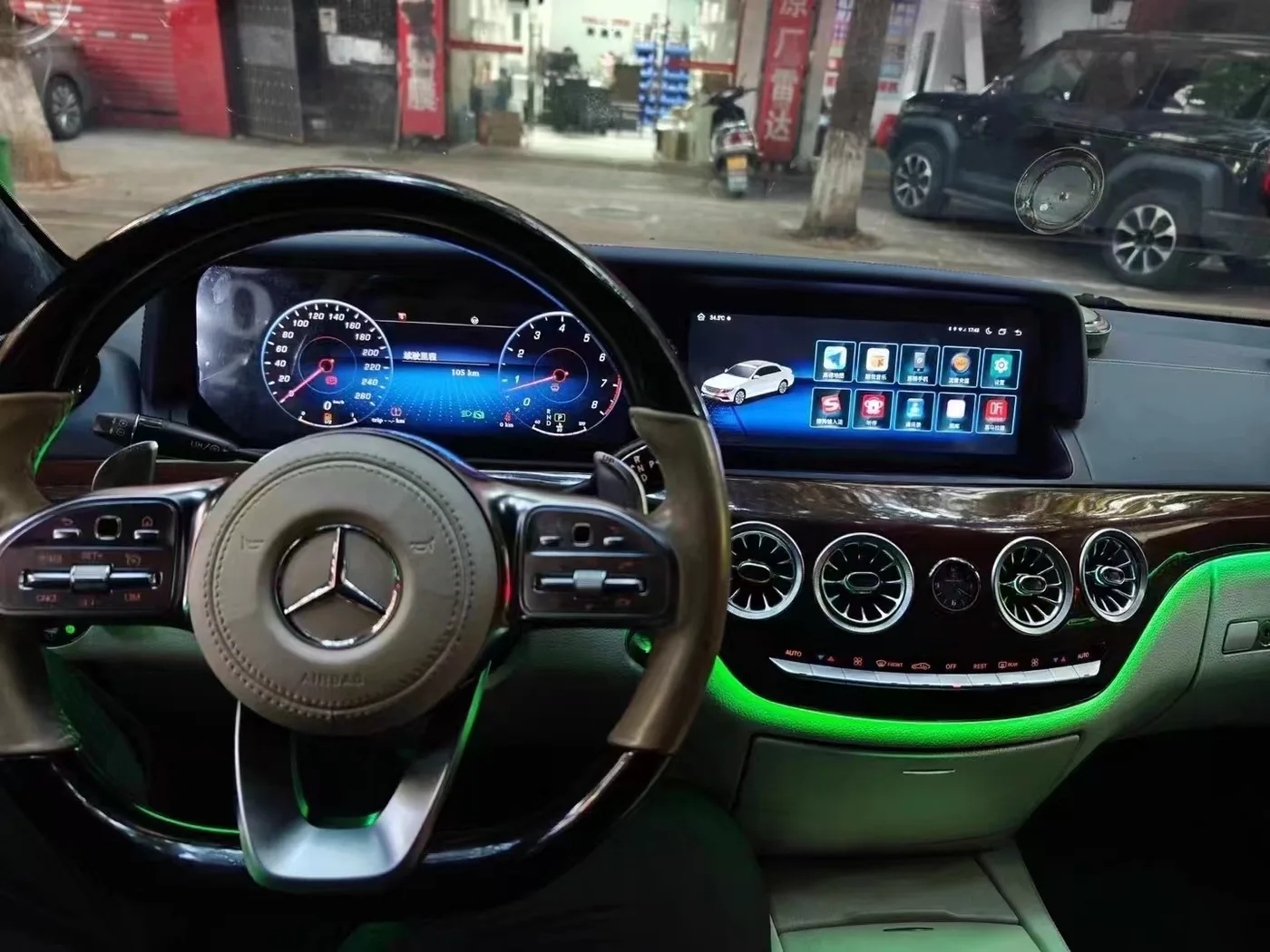
تأكد قبل إعادة السيارة إلى الخدمة
يجب فحص الملاءمة الميكانيكية ووظائف النظام وسلوك الإشعال وخصائص السيارة الأصلية ذات الصلة بعد إعادة التجميع النهائي.
- جميع الموصلات موصولة بالكامل ومثبتة بإحكام.
- يتم تثبيت الكابلات والوحدات دون أي ضغط أو تدخل.
- يعمل الجهاز ويُغلق ويدخل في وضع السكون ويستيقظ كما هو متوقع.
- جميع وظائف المنتج الموعودة قد اجتازت الاختبارات المطلوبة.
- تستوفي الوظائف الأصلية المعنية متطلبات قائمة التحقق من الاحتفاظ المنشورة.
- لا توجد أي تحذيرات مستمرة أو أعطال أو ارتفاع في درجة الحرارة أو سلوك غير طبيعي.
- تم ترميم جميع الزخارف والمثبتات والفجوات والأزرار وفتحات التهوية بشكل صحيح.
- يتم تسجيل النتيجة والإصدارات والقيود والأدلة.
أولوية التحقق
الإصدار 1 — خطير قبل الإصدار
تحذيرات جديدة تتعلق بالسلامة، وبيانات مهمة عن المجموعات، وتشغيل الكاميرا في الأماكن المحددة، وارتفاع درجة الحرارة، وتعطل الصمامات، وإيقاف التشغيل، ووضع السكون، والتداخل الميكانيكي. أي عطل يؤدي إلى منع الإصدار.
V2 — الوظيفة المطلوبة للمنتج
الصوت، وأزرار التحكم، والكاميرات، وقائمة السيارة، وشاشة التحكم في درجة الحرارة، ومنفذ USB، وخصائص الاتصال، وغيرها من الوظائف المعلن عنها. ويعني الفشل أن التثبيت لم يكتمل.
الإصدار 3 — الراحة والتخصيص
السمة، وخلفية الشاشة، وتصميم التطبيق، وتفضيلات العرض غير الأساسية. يمكن تعديل هذه الإعدادات لاحقًا، لكن ينبغي تسجيلها.
حالة التثبيت النهائية
كلمة المرور: اجتازت جميع اختبارات الإصدار V1 والوظائف المعلن عنها المطلوبة.
القبول المشروط: تمت الموافقة على جميع الوظائف الحيوية والأساسية، لكن لا يزال هناك قيد غير حيوي تم الإفصاح عنه سابقًا.
فشل: لم يجتز الاختبار أحد العناصر الحاسمة، أو الوظيفة الرئيسية الموعودة، أو التثبيت الآمن، أو اختبار الإيقاف العادي، أو اختبار التحذير المستمر.
تم حظر التثبيت: لم يتم البدء في العمل أو تم إيقافه بسبب عدم ملاءمة التكوين أو المجموعة أو حالة المركبة أو كفاءة المُركِّب.
المصطلحات القياسية المتعلقة بحالة الاحتفاظ بالوظائف
تُعد صعوبة التركيب والحفاظ على الوظائف المصنعية تقييمين منفصلين. وينبغي أن تذكر صفحات المنتج حالة كل وظيفة أصلية ذات صلة، بدلاً من استخدام عبارة عامة مثل “يحتفظ بجميع الوظائف الأصلية”.”
| الحالة | المعنى |
|---|---|
| لم يتغير | تظل الوظيفة متاحة بشكل لا يختلف كثيرًا عن الشكل الأصلي. |
| تم الاحتفاظ بها من خلال واجهة جديدة | تظل الوظيفة كما هي، لكن مكان الوصول إليها أو عرضها يتغير. |
| تم الإبقاء عليه مع قيود | يُحتفظ بجزء من الوظيفة؛ ويجب تحديد القيد. |
| يتطلب وحدة إضافية | يلزم استخدام محول معين. |
| يتطلب التهيئة | تتطلب هذه الوظيفة إعداد قائمة المنتجات. |
| يتطلب إجراءً متخصصًا | يلزم إجراء ترميز أو برمجة أو تعديل متخصص. |
| تم استبداله بنظام جديد | يتم استبدال الإصدار الأصلي بالمنتج الجديد. |
| غير مدعوم / غير قابل للتطبيق / لم يتم التحقق منه بعد | يجب أن تميز صفحة المنتج بوضوح بين هذه الشروط الثلاثة. |
التحقق المطلوب حسب فئة منتجات iKAGOO
ينطبق المعيار العام على جميع المنتجات المشمولة، لكن كل فئة أساسية من المنتجات تخضع لفحوصات قبول إضافية.
الملحق أ — التحقق من وحدة التحكم الرئيسية لنظام أندرويد
الطاقة والنظام
- التشغيل والإغلاق العاديان
- دورات الإشعال المتكررة
- سلوك النوم والاستيقاظ
- لا تحدث إعادة تشغيل متكررة أو ارتفاع غير طبيعي في درجة الحرارة
الصوت
- جميع المتحدثين والقنوات
- التوازن بين الأمام والخلف حيثما كان ذلك متاحًا
- تشغيل مكبر الصوت المصنعي
- لا توجد أصوات صرير جديدة أو ضوضاء ملحوظة
أدوات التحكم في السيارة
- أزرار عجلة القيادة
- وحدة التحكم الأصلية أو الأزرار
- معلومات عن الطقس والمركبة
- الوصول إلى الإعدادات الأصلية للسيارة حيثما كان ذلك متاحًا
الكاميرا والاتصال
- التبديل العكسي والعودة
- توجيه الصورة بشكل صحيح
- USB، GPS، بلوتوث، وواي فاي
- ميكروفون، أو CarPlay أو Android Auto حيثما كان ذلك متاحًا
الملحق ب — التحقق من لوحة العدادات الرقمية
- سرعة المركبة والوحدة المختارة
- سرعة المحرك، حيثما ينطبق ذلك
- مستوى الوقود ودرجة حرارة سائل التبريد
- وضع الترس
- إشارات الانعطاف والضوء العالي
- مؤشر حزام الأمان وفرامل اليد
- تحذيرات المحرك ونظام ABS والوسائد الهوائية
- حالة الأبواب والمعلومات الأخرى المدعومة عن السيارة
- مسافة النقل ومناولة الوحدات وفقًا للإجراءات القانونية الخاصة بالمنتج
- الوضع النهاري/الليلي وضبط السطوع
- سلوك التشغيل والإيقاف وإعادة التشغيل
- لا توجد أخطاء مستمرة جديدة أو معلومات أساسية مفقودة
لا يجب قبول لوحة العدادات لمجرد أن الشاشة تضيء. بل يجب التحقق من صحة المعلومات الضرورية للقيادة ومؤشرات التحذير ذات الصلة، وذلك وفقًا للمنتج وتكوين السيارة المؤكدين.
الملحق ج — التحقق من قمرة القيادة ثنائية الشاشة
- تعمل الشاشتان وتُغلقان وتُستيقظان بشكل صحيح
- لا تظل أي شاشة قيد التشغيل أثناء إيقاف تشغيل الشاشة الأخرى
- تتسم معلومات المركبة بالاتساق عبر جميع الواجهات المدعومة
- تعمل الكاميرا الخلفية وتغيير التركيز في نظام التحكم في السيارة بشكل صحيح
- لا يوجد تعارض بين عناصر التحكم الخاصة بالمناخ والعناصر الأصلية عبر الواجهات
- السطوع وأداء الشاشتين في وضح النهار والليل مقبولان
- ارتفاع الشاشة ومحاذاة الحواف وفراغات الألواح متساوية
- تظل فتحات التهوية والأزرار وعجلة القيادة ورؤية السائق قابلة للاستخدام
- لا يتم ضغط الحزام خلف المجموعة الأوسع
- اجتازت آلية تسلسل الطاقة متعددة الوحدات وسلوك وضع السكون الاختبارات المتكررة
جداول التحقق الكاملة الخاصة بالمنتج
ينطبق معيار الإكمال العام على كل منتج. ويجب بعد ذلك ملء ملحق الفئة ذات الصلة الوارد أدناه. ويجوز أن تضيف صفحات المنتجات فحوصات خاصة بالطراز، ولكن لا يجوز حذف الفحوصات الأساسية المطبقة.
الملحق أ — جدول القبول التفصيلي لوحدة التحكم الرئيسية بنظام أندرويد
| المجموعة | التحقق المطلوب | الأولوية | تقديم الأدلة |
|---|---|---|---|
| الطاقة | التشغيل العادي من حالة الإيقاف التام وأكثر من دورة تشغيل واحدة | V1/V2 | تشغيل ثابت دون حدوث حلقة إعادة تشغيل لا يمكن التحكم فيها |
| الطاقة | سلوكيات الإغلاق العادي، ووضع الاستعداد، والقفل، والاستيقاظ | الإصدار 1 | لا يحدث إضاءة غير مقصودة للشاشة لفترات طويلة أو استيقاظ متكرر |
| العرض | الصورة، مناطق اللمس، الدوران، الدقة والسطوع | الإصدار 2 | شاشة عرض كاملة قابلة للاستخدام مع ضبط مقبول للضوء النهاري والليلي |
| الصوت | جميع مكبرات الصوت، والقنوات اليمنى/اليسرى، والتوازن بين الأمامية والخلفية | الإصدار 2 | إخراج صوت صحيح عبر القنوات دون فقدان أي مكبرات صوت |
| الصوت | تشغيل مكبر الصوت المدمج أو الواجهة الضوئية أو مكبر الصوت الخارجي، حيثما كان ذلك متاحًا | الإصدار 2 | مستوى صوت عادي وإخراج المصدر باستخدام المحول المطلوب |
| الصوت | لا توجد أصوات صفير حادة جديدة، أو صرير من المولد، أو تشويش، أو صوت طقطقة عند التشغيل | الإصدار 2 | أداء معقول في ما يتعلق بالضوضاء من المصادر الشائعة |
| أدوات التحكم في السيارة | أزرار عجلة القيادة ووحدة التحكم الأصلية حيثما كان ذلك متاحًا | الإصدار 2 | يستجيب كل أمر موعود بشكل صحيح |
| أدوات التحكم في السيارة | عرض معلومات المناخ ومواقف السيارات وإعدادات السيارة، حيثما كان ذلك متاحًا | الإصدار 2 | الوصول والعرض الصحيحان وفقًا لحالة الاحتفاظ |
| الواجهة الأصلية | الوصول إلى القائمة الأصلية أو المصدر الذي يضمن فيه المنتج الاحتفاظ بالبيانات | الإصدار 2 | تبديل مستقر ووظائف أصلية قابلة للاستخدام |
| الكاميرا | الاختيار العكسي، واتجاه الصورة، واستقرار الإشارة، والعودة من الوضع العكسي | V1/V2 | تشغيل الكاميرا تلقائيًا وبشكل متكرر |
| الكاميرا | 360 درجة، أو الكاميرا الأمامية، أو وظيفة الخطوط الإرشادية الديناميكية حيثما كان ذلك متاحًا | الإصدار 2 | جميع طرق العرض وشروط التبديل الموعودة تعمل |
| الاتصال | إقران البلوتوث، وصوت المكالمات والميكروفون | الإصدار 2 | اتصال مستقر وصوت ثنائي الاتجاه واضح |
| الاتصال | شبكة Wi-Fi ونظام GPS وشبكة الهاتف المحمول المدعومة | الإصدار 2 | توصيل وتثبيت مناسبان في مكان التركيب |
| الاتصال | تتضمن السيارة نظامي CarPlay وAndroid Auto السلكيين واللاسلكيين | الإصدار 2 | بطاقة الاتصال والصوت والتحكم وإعادة الاتصال |
| المدخلات | تتضمن العبوة منافذ USB وميكروفون وراديو وهوائي | الإصدار 2 | يتم تحديد كل مدخل مركب واختباره |
| إقليمي | اللغة والوقت والوحدات ومنطقة البث ومعيار الكاميرا | V2/V3 | يتطابق الإعداد مع المنطقة التي حددها العميل |
| ميكانيكي | ملاءمة الشاشة، وفجوات الإطار، وفتحات التهوية، والأزرار، وإمكانية الوصول إلى وحدة التحكم | V1/V2 | تثبيت آمن على غرار تصاميم الشركات المصنعة الأصلية دون أي عوائق |
| تسليم | حساب العميل، والخصوصية، والقيود المعروفة، وقنوات الدعم | V2/V3 | يتسلم العميل سجل الحالة النهائية والإفصاحات |
الملحق ب — جدول القبول التفصيلي لمجموعة العدادات الرقمية
يجب التحقق من المعلومات الأساسية المتعلقة بالقيادة، ومؤشرات التحذير، ووحدات القياس، ومستوى السطوع، وسلوك استهلاك الطاقة، وأي إجراءات قانونية متعلقة بالبيانات، وذلك بالنسبة للمركبة المعنية.
| المجموعة | التحقق المطلوب | الأولوية | تقديم الأدلة |
|---|---|---|---|
| البيانات الأولية | سرعة المركبة ووحدة القياس | الإصدار 1 | عرض معقول ومستقر في الوحدة التي تم التحقق منها |
| البيانات الأولية | سرعة المحرك، حيثما ينطبق ذلك | V1/V2 | قراءة مستقرة وسريعة الاستجابة |
| البيانات الأولية | عرض مستوى الوقود ومستوى سائل التبريد/درجة الحرارة حيثما كان ذلك متاحًا | V1/V2 | قيمة معقولة وعدم وجود قراءة ثابتة غير طبيعية |
| ناقل الحركة | وضع التروس وحالة ناقل الحركة | الإصدار 1 | الرد الصحيح من خلال الوظائف المتاحة |
| الإشارات | مؤشرات الانعطاف إلى اليسار/اليمين، ومؤشر الضوء التحذيري والضوء العالي | الإصدار 1 | الجانب الصحيح والتوقيت وسلوك الرموز |
| تحذيرات | تحذيرات حزام الأمان، فرامل اليد، المحرك، نظام ABS، والوسادة الهوائية الخاصة بهذه السيارة | الإصدار 1 | تم إجراء الفحص المتوقع للمصباح، ولا توجد أي تحذيرات جديدة مفقودة أو مستمرة |
| حالات المركبة | معلومات عن الأبواب وغطاء المحرك وصندوق الأمتعة وحالة السيارة المدعومة | V1/V2 | تغييرات الحالة الصحيحة للمدخلات المدعومة |
| المسافة المقطوعة والوحدات | عدد الكيلومترات، الرحلة، الميل في الساعة/الكيلومتر في الساعة، درجة الحرارة، والتنسيق الإقليمي | V1/V2 | الإجراءات القانونية السليمة والسلوك الشفاف |
| العرض | الوضع النهاري/الليلي، خفض السطوع والسطوع الأدنى | V1/V2 | يمكن قراءتها في النهار ولا تكون شديدة السطوع في الليل |
| الطاقة | تسلسل التشغيل والإيقاف ودورات التشغيل المتكررة | الإصدار 1 | تشغيل مستقر دون حدوث أي انقطاع أو إعادة تشغيل غير متحكم فيها |
| التشخيص | مقارنة ما قبل التشخيص وما بعده عند الحاجة | الإصدار 1 | لا توجد أي حالات جديدة غير مبررة من التكتلات المستمرة أو أعطال الاتصالات |
| بيانات متخصصة | النسخ الاحتياطي، والمزامنة القانونية، والبرمجة، واستعادة السجلات عند الاقتضاء | الإصدار 1 | تم إنجازه من قِبل المتخصص المعني وفقًا للإجراءات الموثقة |
| ميكانيكي | توزيع المقاعد، ومسافة الحاجب، ومسافة عمود التوجيه، وفجوات الزخرفة | V1/V2 | تثبيت آمن دون أي عوائق أو انحرافات ظاهرة |
| إفصاح | شاشات أصلية غير مدعومة أو تم تغيير واجهتها | الإصدار 2 | تم الإشارة إلى القيود قبل الشراء وتسجيلها عند التسليم |
الملحق ج — جدول القبول التفصيلي لمقصورة القيادة ثنائية الشاشة
| المجموعة | التحقق المطلوب | الأولوية | تقديم الأدلة |
|---|---|---|---|
| التركيب المادي | تم تثبيت الشاشتين على الارتفاع والزاوية والعمق المحددين | V1/V2 | لا توجد حركة، أو تضارب في الميل، أو حامل غير مستقر |
| المحاذاة | تتسم حواف الشاشة والحواف المحيطة بها وفجوات الألواح بالتناسق | الإصدار 2 | توافق بصري على غرار تصميم الشركات المصنعة للمعدات الأصلية من مقعدي السائق والراكب |
| فتحات التهوية وأجهزة التحكم | تعمل فتحات التهوية والأزرار وأزرار التحكم في إشارات الخطر والتكييف بشكل صحيح | V1/V2 | لا توجد أي قيود أو عوائق أو وظائف معطلة |
| تنسيق الطاقة | تعمل كلتا الشاشتين وتُغلق وتدخل في وضع السكون وتستيقظ بشكل صحيح | الإصدار 1 | لا تظل أي شاشة واحدة نشطة دون قصد |
| اتساق المعلومات | تتسم المعلومات المدعومة المتعلقة بالمركبة والطقس بالاتساق عبر جميع الواجهات | V1/V2 | لا توجد معلومات متناقضة أو مجمدة |
| تحكم في التركيز | تؤثر أزرار التحكم الأصلية وأزرار اللمس والتوجيه على الشاشة أو الوظيفة المقصودة | الإصدار 2 | تحكم يمكن التنبؤ به دون حدوث تضارب غير مقصود بين الشاشات |
| الكاميرا ومواقف السيارات | تظهر شاشات الرجوع للخلف والوقوف على الشاشة المخصصة وتعود إلى وضعها الطبيعي | V1/V2 | تبديل سلس دون ظهور شاشة سوداء أو تعارض في العرض |
| السطوع | تعتبر إعدادات الإضاءة النهارية والليلية وخيارات تعديل السطوع مقبولة في كلا الشاشتين | الإصدار 2 | لا يوجد تباين حاد في السطوع أو انعكاس ضوئي ليلي غير مقبول |
| التوجيه | يتم إغلاق وحدة التجميع العريضة دون الضغط على الكابلات أو الوحدات | الإصدار 1 | تثبيت طبيعي دون استخدام القوة ودون إجهاد للموصل |
| الحراري | تتوفر مساحة كافية لوحدات التحكم وشاشات العرض، ولا توجد حرارة غير طبيعية | الإصدار 1 | لم تحدث أي انسداد في التهوية أو ارتفاع غير طبيعي في درجة الحرارة أثناء الاختبار |
| تشغيل السائق | لا تزال لوحة القيادة وحركة عجلة القيادة وفتحات التهوية وأزرار التحكم الرئيسية قابلة للاستخدام | الإصدار 1 | لا عرقلة أو تدخل غير مقبول |
| الضوضاء والاستقرار | لا توجد أصوات خشخشة جديدة، أو تأثيرات على الوحدة، أو وميض في الشاشة، أو إعادة تشغيل متكررة | V1/V2 | تشغيل مستقر بعد إعادة التجميع ودورات متكررة |
الملحق د — سجل التسليم المطلوب لجميع الفئات
- تأكيد نوع السيارة وتكوين النظام الأصلي
- رمز المنتج (SKU) وإصدار الأجهزة
- إصدارات الكابلات، وCANBUS/الواجهة، والمحولات المطلوبة
- مستوى التركيب النهائي وتصنيفات الدعم
- فئة قدرات المثبت
- تاريخ التثبيت وحالة الأدلة
- حالة البرامج الثابتة والإعدادات
- تم الانتهاء من الفحوصات المطلوبة V1 و V2
- حالة الاحتفاظ بالوظيفة الأصلية
- القيود المعروفة أو البنود التي تم قبولها بشروط
- أعطال جديدة مستمرة: لا توجد أو تم توثيق حلها
- اكتملت إجراءات حماية خصوصية العميل وتسليم الحساب
- تم الإبقاء على الأجزاء الأصلية حيثما أمكن ذلك
- توفير مسار الدعم والتعافي
الإعدادات الإقليمية، والبرامج الثابتة، وبيانات العملاء
التكوين الإقليمي
- توزيع المقود على الجانب الأيسر/الأيمن
- ميل في الساعة/كيلومتر في الساعة ودرجة مئوية/درجة فهرنهايت
- النظام الزمني 12/24 ساعة
- معايير الراديو وDAB والشبكات والكاميرات
- اللغة والخرائط ورموز التحذير ذات الصلة
سجل البرامج والبرامج الثابتة
- الرقم التسلسلي للمنتج وإصدار الأجهزة
- إصدارات البرامج الثابتة الأصلية والمستهدفة
- إصدار CANBUS وسبب التحديث
- مصدر الملف، نطاق التطبيق والنتيجة
- طريقة النسخ الاحتياطي والاستعادة، إن وجدت
تسليم البيانات والبيانات المتعلقة بالخصوصية
- يقوم العميل بإدخال بيانات تسجيل الدخول إلى حسابه الشخصي
- يتم إيقاف الوصول عن بُعد المؤقت بعد انتهاء الدعم
- لم يتم تثبيت أي تطبيقات أو برامج ثابتة غير معروفة
- يتم حذف الحسابات والبيانات الشخصية قبل إعادة الجهاز أو إعادة بيعه
- تتجنب سجلات الدعم تضمين المعلومات الشخصية غير الضرورية
لا تُعد البرامج الثابتة غير المعروفة من جهات خارجية، أو إصدارات الأجهزة غير المؤكدة، أو ظروف البرمجة غير المستقرة، خطوات تثبيت عادية.
كيف تحافظ iKAGOO على المعايير وتعمل على تحسينها
حزمة أدلة التثبيت الدنيا
قبل: لوحة القيادة الأصلية، إصدار النظام الأصلي، الموصلات، حالة الوظائف الحالية، الأعطال الحالية، والتعديلات السابقة.
خلال: الوصلات الحيوية، وترتيب الوحدات، وتوجيه الكابلات، والمكونات المنقولة، واختبار التشغيل المؤقت.
بعد: التركيب النهائي، والوظائف المطلوبة، وحالة التحذيرات، وإصدارات البرامج، والقيود، وحالة التثبيت النهائية.
سجل إتمام التركيب
رمز المنتج (SKU)، وتكوين المركبة، ومستوى التركيب، وقدرات المُركِّب، والتاريخ، وإصدارات الأجهزة/أسلاك التوصيل/شبكة CAN/البرامج الثابتة، والاختبارات المطلوبة، والقيود الحالية، والأعطال الجديدة، والحالة النهائية (ناجح/ناجح بشروط/فاشل/محظور).
تصنيف حالات الدعم
التوافق مع C1 · التركيب الميكانيكي C2 · اتصال C3 · تكوين C4 · وظيفة المصنع C5 · برنامج C6 · دورة حياة الطاقة C7 · خطأ في برنامج التثبيت C8 · عيب في منتج C9 · ثغرة في الوثائق C10.
قد تؤدي الحالات المتكررة إلى تحديث التعليمات، أو تغيير الملحقات، أو مراجعة التصنيف، أو تعليق التقييم مؤقتًا، أو مراجعة المبيعات.
محفزات المراجعة الفورية
- مشكلة مؤكدة تتعلق بالسلامة
- تغيير في مجموعة الأسلاك أو وحدة الواجهة أو هيكل الشاشة أو التبعية للبرمجيات الثابتة
- أعطال متكررة في النوم أو البطارية أو الكاميرا أو الصوت أو الوظائف الأساسية
- تكوين مركبة تم تحديده مؤخرًا
- دليل على أن المستوى المنشور يقلل بشكل جوهري من حجم العمل
سجل الأعطال قبل التثبيت وبعده
سجل أضواء التحذير ذات الصلة، وأعطال الوظائف الحالية، وحالة الكاميرا/الصوت، ورموز تشخيص الأعطال ذات الصلة قبل بدء العمل. بعد التثبيت، قم بالتمييز بين الأعطال السابقة، وحالات الانقطاع المؤقتة، والأعطال المستمرة. لا تقم بمسح جميع الأعطال دون التأكد أولاً مما إذا كانت هناك حالة جديدة قد ظهرت.
معايرة التقييم واتساق المراجعين
قبل طرح المنتج على نطاق واسع، ينبغي على iKAGOO معايرة مصفوفة التقييم عبر مجموعة تمثيلية من وحدات التحكم الرئيسية التي تعمل بنظام أندرويد، ولوحات العدادات الرقمية، وأنظمة الشاشات المزدوجة. وينبغي أن يتوصل المراجعون المستقلون إلى نفس المستوى بناءً على نفس الأدلة. وفي حالة وجود فرق يزيد عن مستوى واحد، يتعين مراجعة التعريفات أو الأدلة أو قواعد التجاوز قبل النشر.
قواعد نشر التقييمات وتقديم الملاحظات ودعم التغييرات
لا تخلق معايير العلامة التجارية قيمة إلا عندما يكون من الممكن تتبع التقييم ومراجعته وتعديله. وتربط القواعد التالية بين تقييم المنتج وأدلة التركيب وحالات الدعم المتكررة.
1. متطلبات الدرجات في مادة «الأدلة»
| الصف | أدلة كافية | ادعاء عام مسموح به | الحد الأقصى |
|---|---|---|---|
| الدرجة أ — تم التحقق منها مباشرة | سجل كامل للتركيب والاستلام أعدته شركة iKAGOO أو فني يعمل تحت إشرافها المباشر، يتضمن أدلة قبل وأثناء وبعد العملية. | تم التحقق منها مباشرةً وفقًا للتكوين المرجعي المذكور. | لا يشمل ذلك تلقائيًا خيارًا مختلفًا للمركبة أو إصدارًا معدلًا للمنتج. |
| الدرجة ب — تم التحقق منها ميدانيًا | يقدم المُركِّب المؤهل صوراً كافية، وبيانات الإصدار، وتأكيداً على الإجراءات، ونتائج القبول النهائي. | تم التحقق من صحة الإعدادات المذكورة ميدانيًّا. | يجب التحقق من اكتمال الأدلة واتساقها. |
| الدرجة ج — التقييم المستند إلى مستندات | تُثبت الأدلة المتعلقة بالمنتج، ومجموعة الأسلاك، والتعليمات، والموصلات، والدعم المسار المحتمل، لكن لا يتوفر سجل كامل ومُثبت للتركيب. | التقييم الموثق. | عادةً ما تكون درجة الثقة "محدودة" أو "متوسطة"؛ لذا ينبغي أن تكون توصيات "افعلها بنفسك" متحفظة. |
| مؤقت | عدم كفاية الأدلة الكاملة أو تغيير في التكوين في انتظار التأكيد. | تقييم مؤقت فقط. | يجب ألا يُعرض على أنه تم التحقق منه بالكامل. |
2. قواعد الثقة في التقييم
عدد من التثبيتات المتسقة والقابلة للمقارنة؛ إصدارات مستقرة من الأجهزة وأسلاك التوصيل؛ وعدم وجود أي مشكلة متكررة لم يتم حلها من شأنها تغيير المسار المحدد.
تركيب كامل واحد على الأقل بالإضافة إلى أدلة كافية تتعلق بالمنتج والجوانب الفنية؛ وقد تظل بعض خيارات التهيئة بحاجة إلى تأكيد منفصل.
تستند بشكل أساسي إلى الوثائق، أو أدلة ميدانية غير كاملة، أو نسخة معدلة جديدة من المنتج، أو قائمة شاملة بالمركبات تتضمن طرازات لم يتم حسم أمرها بعد.
في حالة حدوث تغيير أو تكرار مشكلة ما أو ظهور حقيقة جديدة ذات صلة بالسلامة، ينبغي تعليق التصنيف العام إلى حين الانتهاء من المراجعة.
3. تصنيف حالات الدعم والاستجابة المطلوبة
| الرمز | نوع القضية | أدلة نموذجية | الإجراء القياسي المحتمل |
|---|---|---|---|
| C1 | التوافق | موصل غير صحيح، نظام أصلي غير صحيح، خيار غير متوقع | تشديد شروط التوافق، أو تقسيم التكوين، أو وضع علامة "مؤقت" على المتغيرات |
| C2 | التركيب الميكانيكي | مشكلة في الحامل أو الإطار أو فتحة التهوية أو الفجوة أو التثبيت | مراجعة قطع التثبيت، والتعليمات، ودرجة الصعوبة، أو المستوى 4 |
| C3 | الاتصال | موصل، قفل، حلقة بصرية، فرع غير مثبت أو محول غير مناسب | تحسين الملصقات أو أدلة التوصيل أو محتويات المجموعة أو شروط الإيقاف |
| C4 | الإعدادات | إعدادات ملف تعريف CAN أو الكاميرا أو مكبر الصوت أو القائمة | أضف جدول الإعداد، أو ارفع مستوى E4، أو حسّن جاهزية الوثائق |
| C5 | وظيفة المصنع | لا يتم الاحتفاظ بالإعدادات الخاصة بالتحكم أو الكاميرا أو الصوت أو قائمة المركبة أو التنبيهات كما هو متوقع | تصحيح حالة الاحتفاظ بالمعلومات والإفصاح عن المنتج |
| C6 | البرمجيات أو البرامج الثابتة | مشكلة تتعلق بالتحديث أو التطبيق أو التشغيل أو التوافق أو الاستعادة | التحكم في قابلية تطبيق الملف، أو تغيير فئة الاسترداد، أو إضافة مشغل من المستوى 5 |
| C7 | دورة حياة الطاقة | إيقاف التشغيل، وضع السكون، الاستيقاظ، إعادة التشغيل أو مشكلة في البطارية | رفع E3، وتمديد فترة المراقبة ومراجعة سلوك مجموعة الأسلاك/شبكة CAN |
| C8 | خطأ في برنامج التثبيت | خطوة تم تخطيها، أو موصل غير محكم، أو وحدة غير مثبتة جيدًا، أو تكوين خاطئ | توضيح متطلبات المهارة أو شرط الإيقاف أو تسلسل التعليمات |
| C9 | عيب في المنتج | عطل مؤكد في الأجهزة لا علاقة له بعملية التثبيت | إجراءات الجودة والمبيعات؛ لا يتغير مستوى الصعوبة إلا عند تغيير الإجراء المعتاد |
| C10 | فجوة في التوثيق | لم يتم توثيق خطوة أو رابط أو إعداد أو قيد ضروري | تحديث المستندات وتخفيض مستوى جاهزية الوثائق إلى حين تصحيحها |
4. عوامل التشغيل الفورية للتعليق والمراجعة
- مشكلة واحدة مؤكدة تتعلق بالتركيب وتؤثر على السلامة
- مشكلة مستمرة جديدة تتعلق بالوسادة الهوائية أو نظام ABS أو لوحة العدادات أو تحذير هام متعلق بالمركبة، مرتبطة بعملية التركيب
- شكاوى متكررة بشأن الطاقة أو وضع السكون أو الاستيقاظ أو البطارية في نفس التكوين الذي تم تقييمه
- لم يتم الإفصاح عن تكرار تعطل الوظيفة الأصلية في صفحة المنتج
- أي تعديل في مجموعة الكابلات أو شبكة CANBUS أو الواجهة أو الشاشة أو طريقة التثبيت يؤدي إلى تغيير طريقة التركيب العادية
- متطلبات البرامج الثابتة التي تنطوي على مخاطر تتعلق بالبرمجة أو الاستعادة
- مضخم صوت أو كاميرا أو مجموعة أو تكوين إقليمي تم تحديده مؤخرًا
- دليل على أن التصنيف المنشور يقلل من تقدير مستوى الأداء العادي بمستوى واحد أو أكثر
- دليل على أن مسار "التوصيل والتشغيل" المعلن يتطلب قطعًا أو حفرًا أو تغييرًا غير مؤكد في دبابيس التوصيل
- هناك تعليمات مهمة مفقودة أو تنطوي على خطر حقيقي بحدوث أضرار
| حالة المراجعة | المعنى | العلاج العام |
|---|---|---|
| نشط | تؤيد الأدلة الحالية السجل المنشور. | أظهر مستوىً طبيعياً من الثقة واليقين. |
| قيد المراجعة | يجري حالياً تقييم تغيير جوهري أو مشكلة متكررة. | لا تُمنح هذه الدرجة إلا لمن يحمل شهادة مراجعة معتمدة، حيثما كان ذلك مناسبًا. |
| تعليق التقييم | لا يمكن تطبيق التصنيف الحالي بشكل مسؤول على الطلبات الجديدة أو المتغيرات. | إزالة التصنيف العادي أو استبداله، مع ضرورة إجراء مراجعة للتوافق أو مراجعة فنية. |
| تم سحبه | لم يعد التقييم القديم يعكس المنتج الحالي أو الطريقة المتبعة. | قم بأرشفة السجل داخليًّا ولا تنشر تقييمًا جديدًا إلا بعد مراجعته. |
5. إجراءات مراقبة التغييرات
- حدد التغيير. يرجى تسجيل ما إذا كان الأمر يتعلق بالأجهزة أو الكابلات أو شبكة CANBUS أو الملحقات أو التركيب أو البرامج الثابتة أو التعليمات أو تغطية السيارة.
- تحديد الأبعاد المتأثرة. لا تقم بإعادة التقييم إلا بعد مراجعة التغييرات التي طرأت على المسار العادي وعملية الاسترداد والتحقق.
- تحقق من عمليات التجاوز والفئات الداعمة. قد يؤدي إجراء تحديث البرنامج الثابت الجديد إلى إنشاء المستوى 5 حتى لو لم يتغير المنتج المادي.
- تحديث الأدلة ومستوى الثقة. عادةً ما تبدأ المراجعة الجديدة بدرجة ثقة أقل إلى أن يتم التحقق من المسار المعدل.
- تحديث السجلات العامة والداخلية في آن واحد. يجب ألا تتعارض المعلومات الواردة في صفحة المنتج وحالة استمرارية الوظائف والإرشادات ومراجع الدعم مع بعضها البعض.
- الاحتفاظ بسجل التعديلات. يجب الاحتفاظ بالتصنيف السابق، وسبب التغيير، وتاريخ المراجعة، والمراجع الفني المسؤول.
6. معايرة المراجع
قبل الاستخدام على نطاق واسع، ينبغي تقييم منتجات تمثيلية من الفئات الثلاث جميعها بشكل مستقل من قِبل اثنين على الأقل من المراجعين باستخدام نفس الأدلة.
- يجب مناقشة وتوثيق أي اختلاف بمقدار نقطة واحدة داخل البعد.
- إن اختلاف مستوى واحد كامل يستلزم مراجعة التعريفات أو الأدلة أو وجود استثناء تم تجاهله.
- إذا كان الفارق أكبر من درجة واحدة، فهذا يعني أن التقييم ليس جاهزًا للنشر.
- يجب أن تشمل عينات المعايرة وحدة تحكم رئيسية بسيطة، ونظام صوتي متطور أو نظام تكامل الكاميرات، ولوحة عدادات رقمية، ونظام بشاشتين.
- ينبغي استخدام حالات الدعم المتكررة لاختبار ما إذا كانت الصعوبة المعلنة تنبئ بعبء حل المشكلات الفعلي.
7. ملخص المنتج العام الموجز
| حقل عام | المحتوى المطلوب | لماذا يحتاج العميل إلى ذلك |
|---|---|---|
| مستوى التركيب | المستوى 1–5 والعنوان | مرجع فوري لتخطيط عمليات التثبيت |
| الأسباب الرئيسية | من سببين إلى أربعة أسباب محددة | يوضح أن المستوى ليس عشوائياً |
| برنامج التثبيت الموصى به | فئة الكفاءة، وليس مجرد “محترف” | يساعد في اختيار الشخص أو الورشة المناسبة |
| إجراء متخصص | مطلوب / غير مطلوب / يعتمد على التكوين | يمنع المُثبِّت العادي من قبول أعمال لا يستطيع إنجازها |
| القابلية للعكس | RV-A أو RV-B أو RV-C أو خارج المعيار | يوضح ما إذا كان من الممكن استعادة النظام الأصلي |
| الأدلة والثقة | الدرجة ومستوى الثقة الحالي | يوضح مدى قوة الدعم الذي يحظى به التصنيف |
| تسليم السيارة | تم التأكد من النظام الأصلي والخيارات ذات الصلة | يمنع التطبيق الأعمى على تكوين مختلف |
| التحقق المطلوب | الاختبارات الخاصة بالفئات الرئيسية | يحدد معنى عبارة “تم التثبيت بنجاح” |
| الوقت المرجعي | النطاق التقديري أو الفعلي ونوع المُركِّب | يحسّن عملية التخطيط دون تقديم أي ضمانات |
| الإصدار وتاريخ المراجعة | إصدار التقييم وآخر مراجعة | يُظهر ما إذا كان التقييم يتطابق مع المنتج الحالي |
التطبيقات النموذجية لسيارات BMW ومرسيدس-بنز وأودي وبورش ومازيراتي
توضح هذه الأمثلة سبب اختلاف التصنيفات بين المنتجات التي تنتمي إلى نفس الفئة العامة. فهي لا تخصص تصنيفًا ثابتًا واحدًا لكل منتج من منتجات علامة تجارية معينة للسيارات.
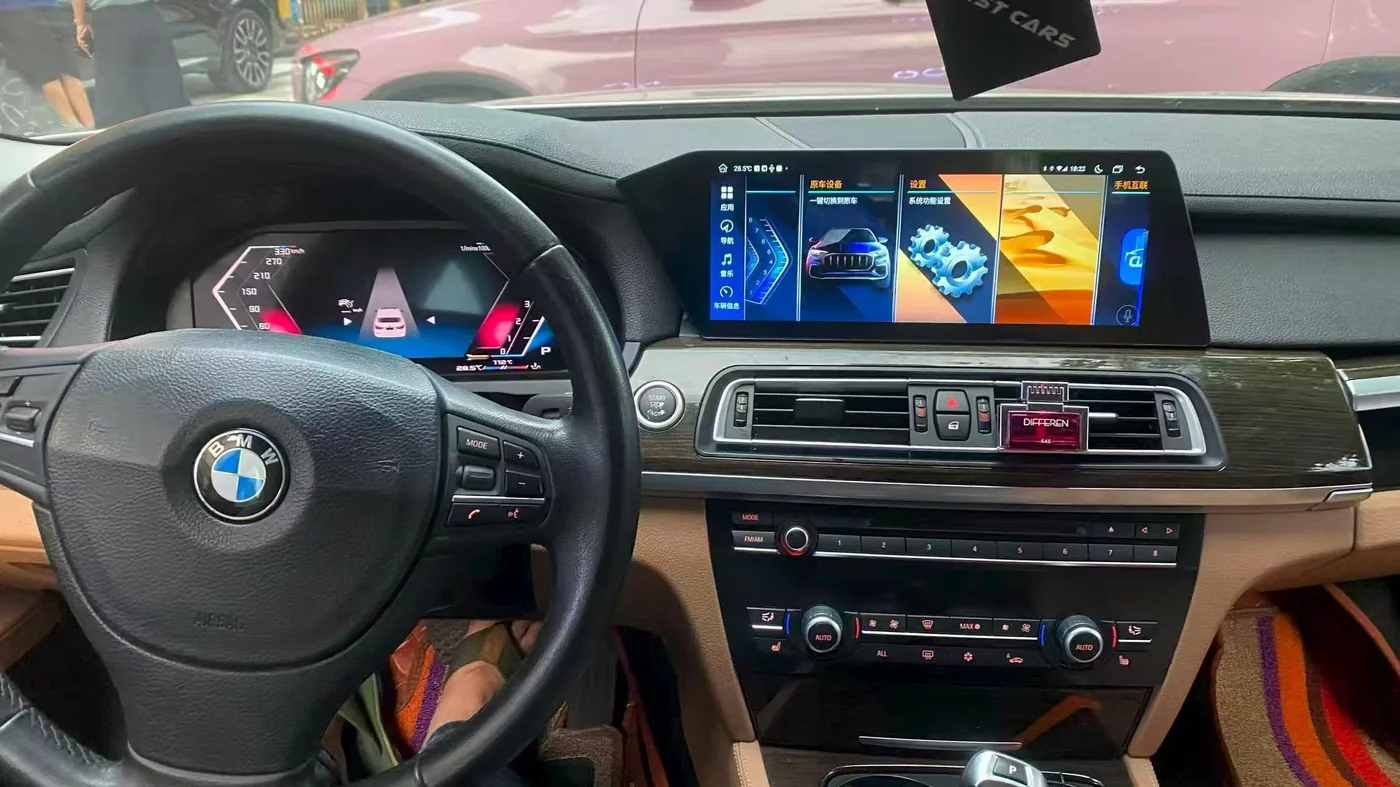
وحدة التحكم الرئيسية من BMW بنظام أندرويد
يمكن أن تؤدي إصدار النظام الأصلي والمضخم والموصلات ووحدة CAN وتوجيه الكابلات إلى نقل العمل من المستوى 2 إلى المستوى 4.
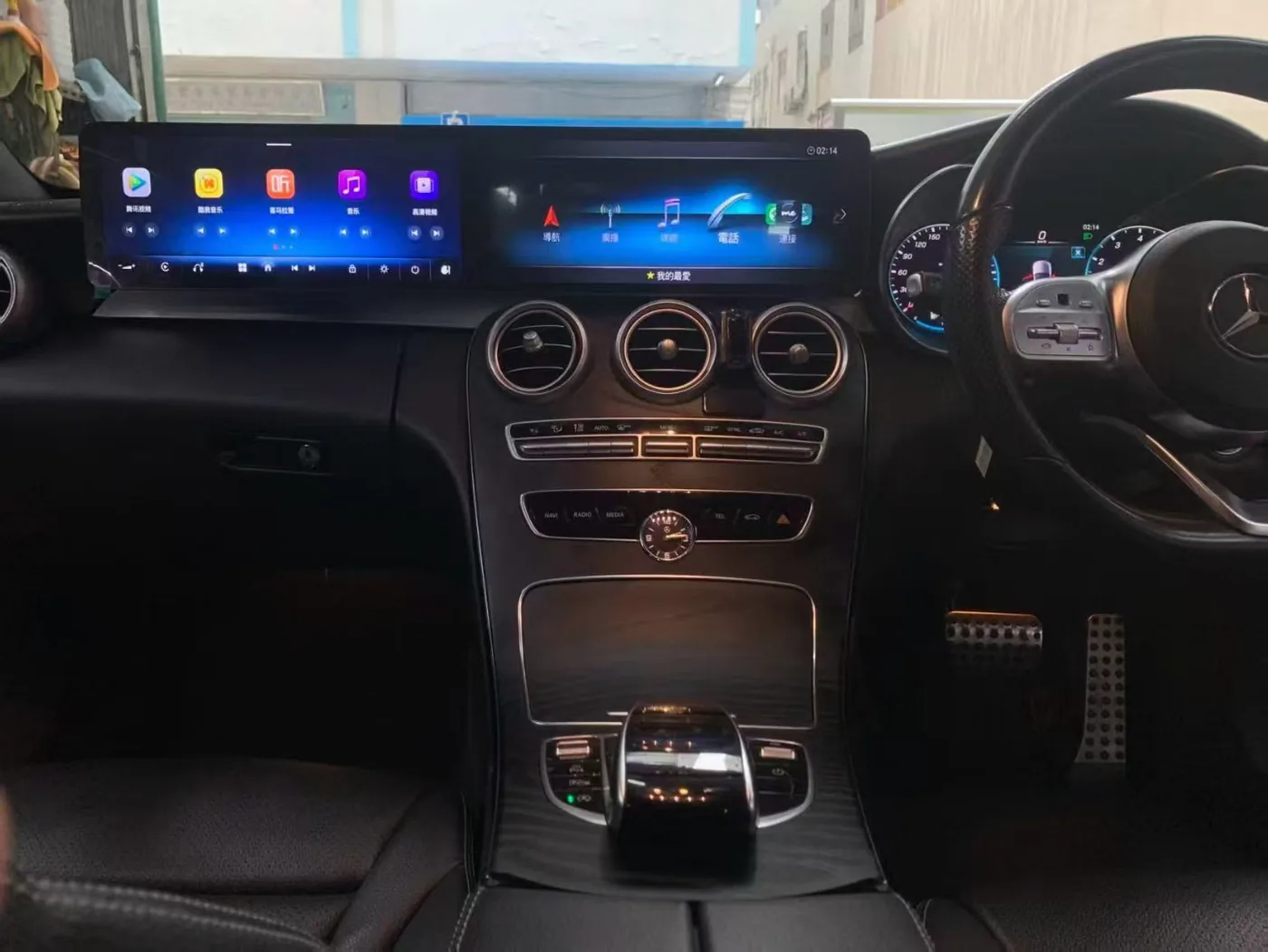
شاشة مرسيدس-بنز المزدوجة
عادةً ما تستدعي عمليات تركيب الشاشات المتعددة، ونقل الزخارف، والمحاذاة، وتسلسل التشغيل الاستعانة بتخطيط احترافي.
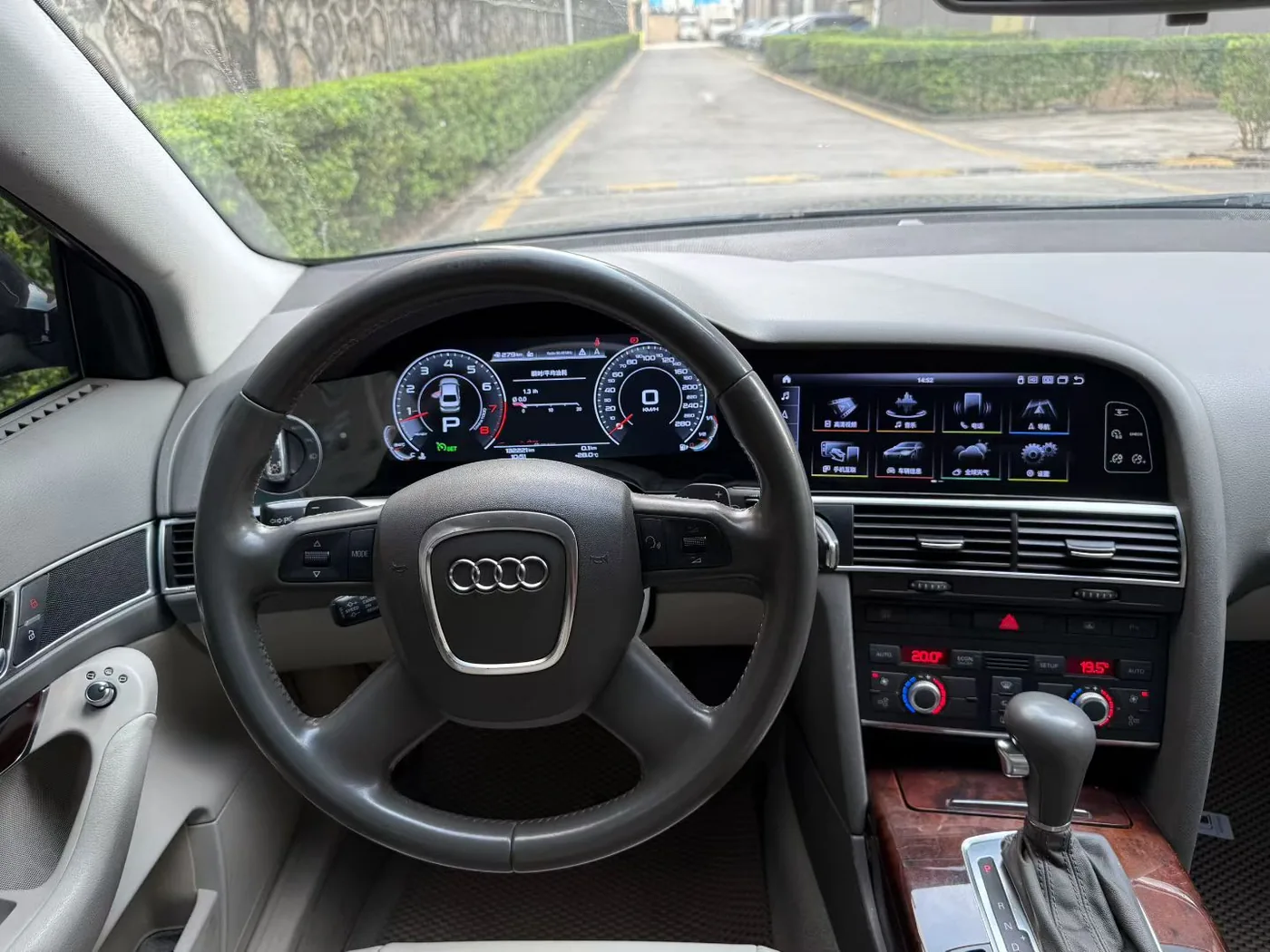
مجموعة أودي الرقمية
قد يكون مستوى الصعوبة المادية في النطاق 3-4، بينما تؤدي البيانات الإلزامية أو الإجراءات المتخصصة إلى الوصول إلى المستوى 5.
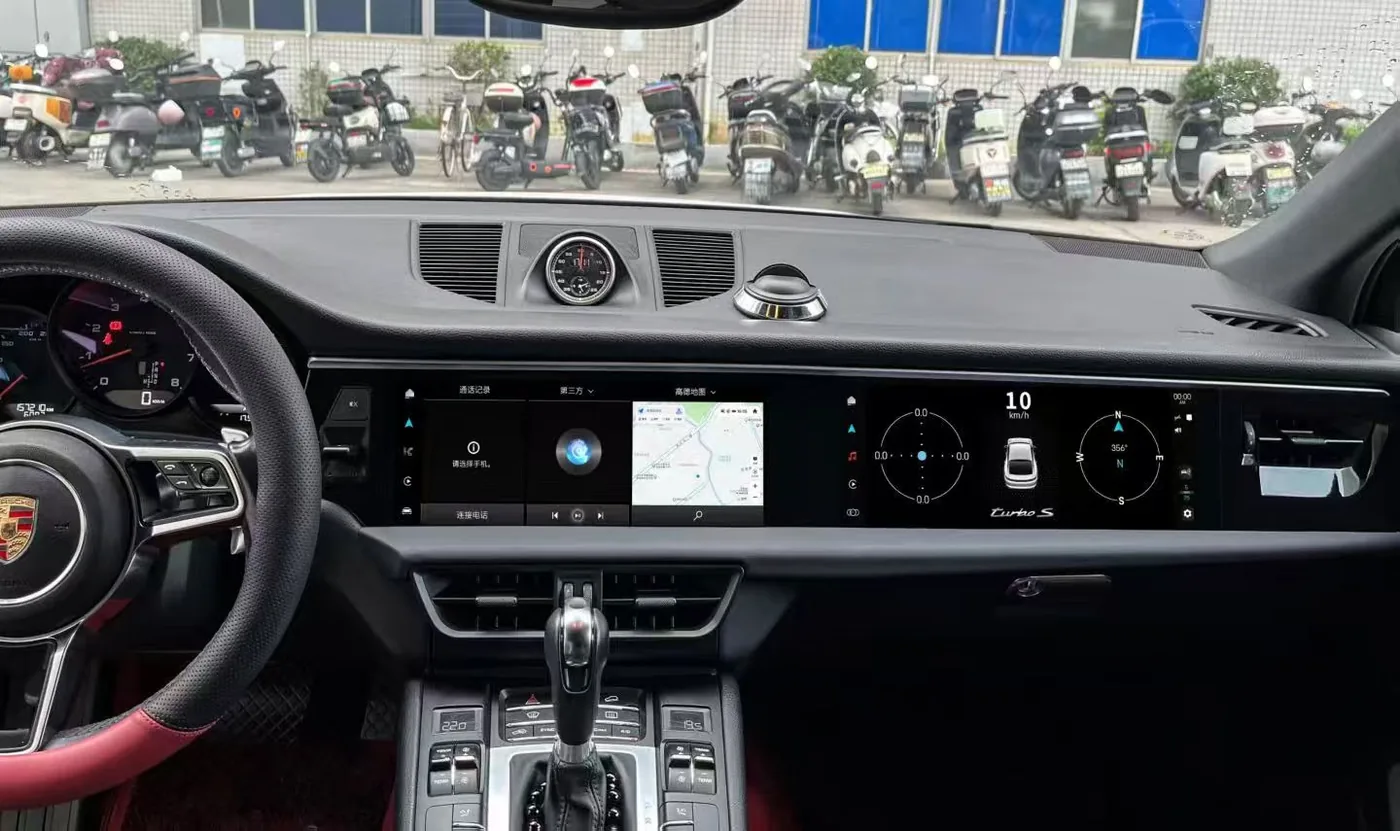
تحديث شاشة بورش
قد تتطلب الموصلات الخاصة بالمركبات استخدام مواد تشطيب عالية الجودة، ونقل المكونات، وتركيب الوحدات في مساحات ضيقة.
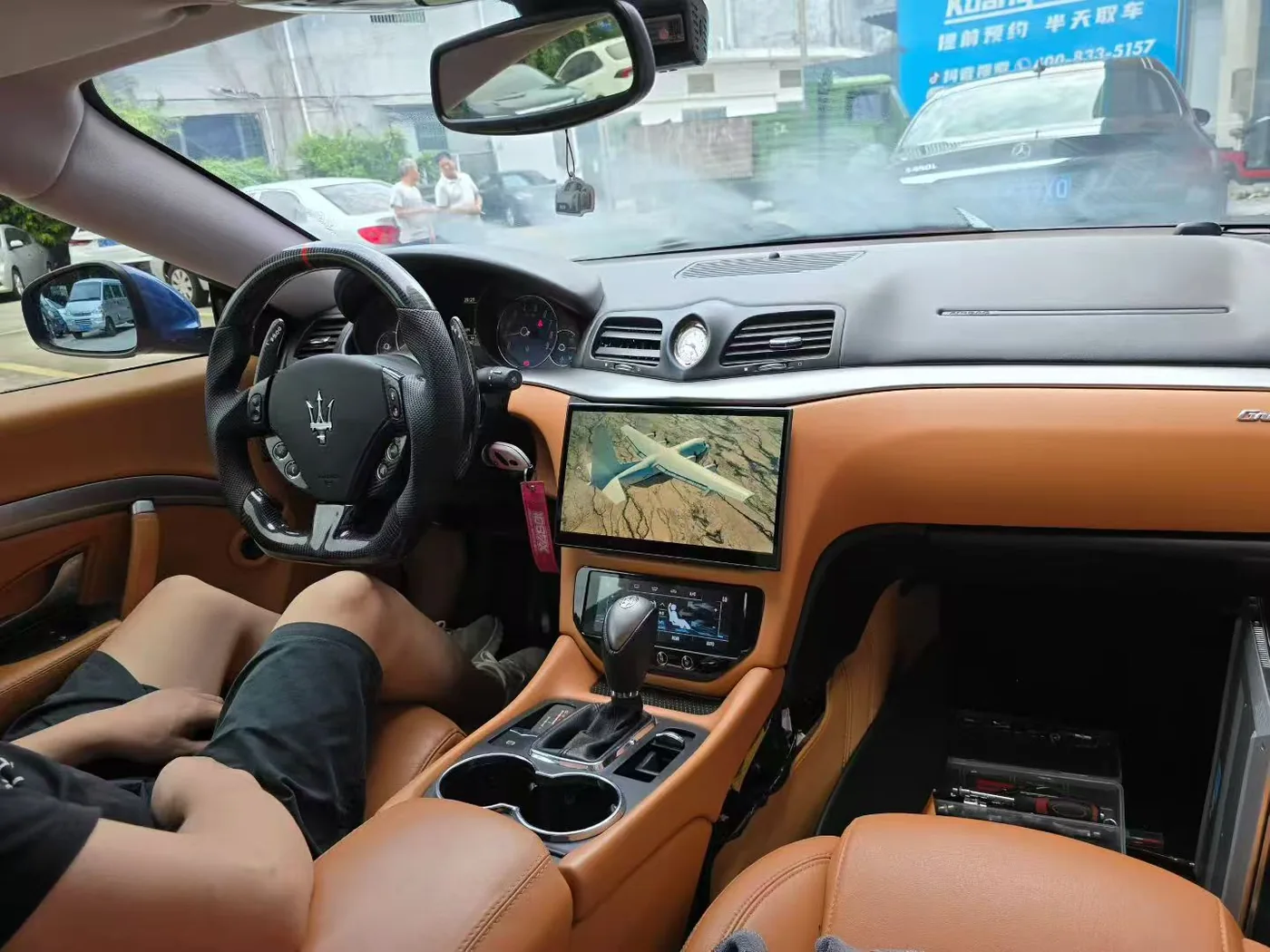
شاشة مازيراتي التي تعمل بنظام أندرويد
تؤثر دقة التركيب وحالة التشطيبات وأدوات التحكم الأصلية والتعديلات السابقة على التوصيات الخاصة بالسيارة.
العلامة التجارية لا تحدد المستوى
تحدد iKAGOO المستوى بناءً على تكوين السيارة المؤكد وإصدار المنتج ومسار التثبيت الكامل — وليس فقط بناءً على ما إذا كانت السيارة تُعتبر فاخرة أو معقدة.
أسئلة شائعة حول تركيب الأجهزة الإلكترونية في السيارات
هل يمكن لمستخدم مبتدئ تركيب وحدة التحكم الرئيسية iKAGOO التي تعمل بنظام أندرويد؟
قد تكون بعض منتجات المستوى 1 والمستوى 2 مناسبة للمستخدم المبتدئ الحريص. أما المستوى 3 فيتطلب عادةً خبرة سابقة في التعامل مع لوحات القيادة، بينما يُنصح في المستوى 4 باللجوء إلى تركيب احترافي، ويتطلب المستوى 5 الاستعانة بأخصائي للمرحلة الإلكترونية الإلزامية.
هل تعني ميزة "التوصيل والتشغيل" عدم الحاجة إلى إزالة لوحة القيادة؟
لا. إنه يصف طريقة التوصيل المقصودة. وقد يظل من الضروري إزالة الشاشة الأصلية أو الراديو أو لوحة العدادات أو الزخارف.
لماذا يمكن أن يكون منتج "التوصيل والتشغيل" من المستوى 3 أو المستوى 4؟
قد يشمل العمل الكامل عدة أقسام للتشذيب، والعديد من الموصلات، ووحدات التوصيل، وتوجيه الكابلات، والمساحة المحدودة، والتكوين، وتكامل الأنظمة، والتحقق التفصيلي.
هل يتطلب iKAGOO قطع الأسلاك الأصلية؟
وفقًا للطريقة القياسية المقترحة، لا ينبغي عادةً قطع الأسلاك الأصلية للمركبة أو حفرها أو لحامها أو تعديلها بشكل دائم. ويجب إعادة النظر في أي حاجة مفترضة لإجراء مثل هذه الأعمال قبل المضي قدمًا.
هل الأوقات المشار إليها مضمونة؟
لا. هذه الأرقام هي تقديرات مرجعية لحالة المنتج والمركبة. وقد تؤدي التعديلات السابقة، أو التلف في الزخارف، أو فقدان بعض الوحدات، أو الأدوات، أو خبرة المُركِّب إلى تغيير المدة الفعلية.
ماذا لو كانت سيارتي مزودة بأسلاك تم تركيبها لاحقًا؟
قد لا يكون مستوى المنتج الأساسي ساريًا بعد الآن. يجب على iKAGOO إصدار تنبيه خاص بالمركبة أو طلب إجراء فحص قبل مواصلة عملية التركيب.
هل صعوبة التركيب تعني الحفاظ على الوظائف الأصلية؟
لا. يُقاس مستوى الصعوبة بالجهد والخبرة المطلوبين. أما "الحفاظ على الوظائف" فيوضح الميزات الأصلية المدعومة التي ستبقى كما هي، أو التي ستتغير واجهتها، أو التي تتطلب محولاً، أو التي لن تكون مدعومة.
هل يمكن أن تكون عملية التثبيت من المستوى 5 حتى لو كان من السهل إزالة المجموعة؟
نعم. إن أي مرحلة إلزامية تتعلق بالبيانات أو الترميز أو البرمجة أو التشخيص لها الأسبقية على النتيجة المادية.
ماذا أفعل إذا لم يتناسب الموصل؟
توقف. لا تحاول إجبار الموصل على الدخول أو تغيير أطرافه. قم بتصوير الموصل الفعلي وملصق المنتج ونظام السيارة، ثم اطلب التحقق.
هل يعني المستوى الأعلى أن المنتج أقل ملاءمة للشراء؟
لا. هذا يعني أنه يجب تكليف شخص يمتلك المهارات والمعدات المناسبة بهذه المهمة.
الأساس المرجعي وإخلاء المسؤولية القياسي
تم تطوير معيار iKAGOO لمنتجات iKAGOO استنادًا إلى عوامل التركيب العملية، ووثائق المنتج، ومراجعة تكوين المركبة، والأدلة الميدانية، وحالات الدعم المتكررة. أما المراجع العامة المتعلقة بالسيارات والإلكترونيات، فهي تُستخدم فقط لتوضيح المبادئ العامة.
مجالات مرجعية عامة
- ISO 16750-2:2023 — الأحمال الكهربائية للمركبات
- ISO 24089:2023 — هندسة تحديثات البرمجيات
- ISO/SAE 21434:2021 — هندسة الأمن السيبراني
- لوائح لجنة الأمم المتحدة الاقتصادية لأوروبا المتعلقة بالمركبات، بما في ذلك لائحة الأمم المتحدة رقم 10
- وثائق إرشادية صادرة عن الإدارة الوطنية لسلامة المرور على الطرق السريعة (NHTSA)
- إرشادات iFixit بشأن صعوبة التركيب
- دليل صعوبة تركيب RalliTEK
- دليل تركيب أجهزة ستيريو السيارات من كراتشفيلد
قيود مهمة
يُعد معيار صعوبة تركيب إلكترونيات السيارات iKAGOO إطارًا عملًا يهدف إلى اختيار المنتجات وتخطيط التركيب وتقديم الدعم الفني. وهو ليس ترخيصًا حكوميًا، ولا شهادة ISO، ولا شهادة من الشركة المصنعة للسيارة، ولا يُعد بديلاً عن القوانين المحلية أو المعلومات الرسمية الصادرة عن ورش الصيانة أو الإجراءات التي يتبعها المتخصصون المرخصون.
إن الإشارة إلى معيار خارجي لا تعني أن منتج iKAGOO أو إطار التقييم هذا معتمد وفقًا لذلك المعيار.








Add comment
يجب أنت تكون مسجل الدخول لتضيف تعليقاً.